PRICE!!! DESIGN!!! CAMERA ALIGNMENT!!!!! ASYMMETRICAL!! DESIGN!!! PRICE PRICE PRICE! COSTLY!! SNAPDRAGON 8 ELITE IS MISSING!!! SD 8S GEN 4!!! WHERE ARE THE GLYPH LIGHTS?!!!! GLYPH MATRIX!!! PRICE!!! COSTLY!!!!
SHHHHHHHHH! Silence…
The Phone (3) has arrived.
Hahaha, I was just summarizing all the noise leading up to the launch of the Nothing Phone (3). But after the launch and once it was in people’s hands, it’s been less noisy. The Nothing Phone (3a) Pro was the first Nothing device I used, and it set high expectations for the Phone (3).
Were those expectations met?
Did the Phone (3) go beyond what you expected?
Is it worth the hype?
Does the design feel awkward?
I’m going to answer all these questions in this review, along with my thoughts on the phone’s camera capabilities, design, software, and performance.
Before we begin, a few disclosures:
This device was provided by the Nothing India Community Review Program. However, they have had no input on my impressions or views—everything shared here is entirely based on my experience.
Any bugs or issues I’ve pointed out have not been shared with the brand as feedback, as I felt they were minor issues.
I won’t dive deep into the device’s spec list, as it’s available all over the internet. Instead, I prefer to share my honest experience with the device.
The Design: Love it or Hate it? Let’s Break it Down.
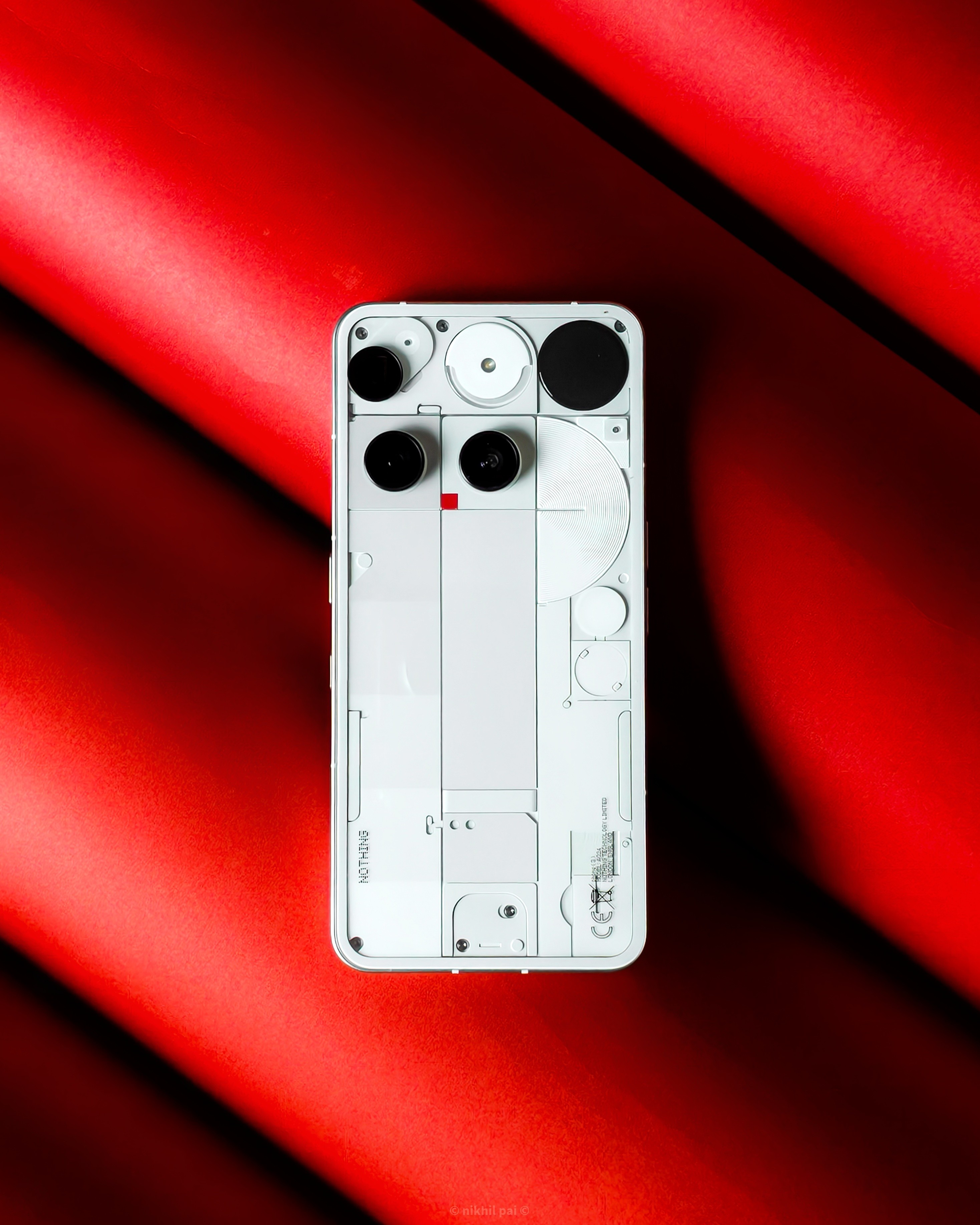
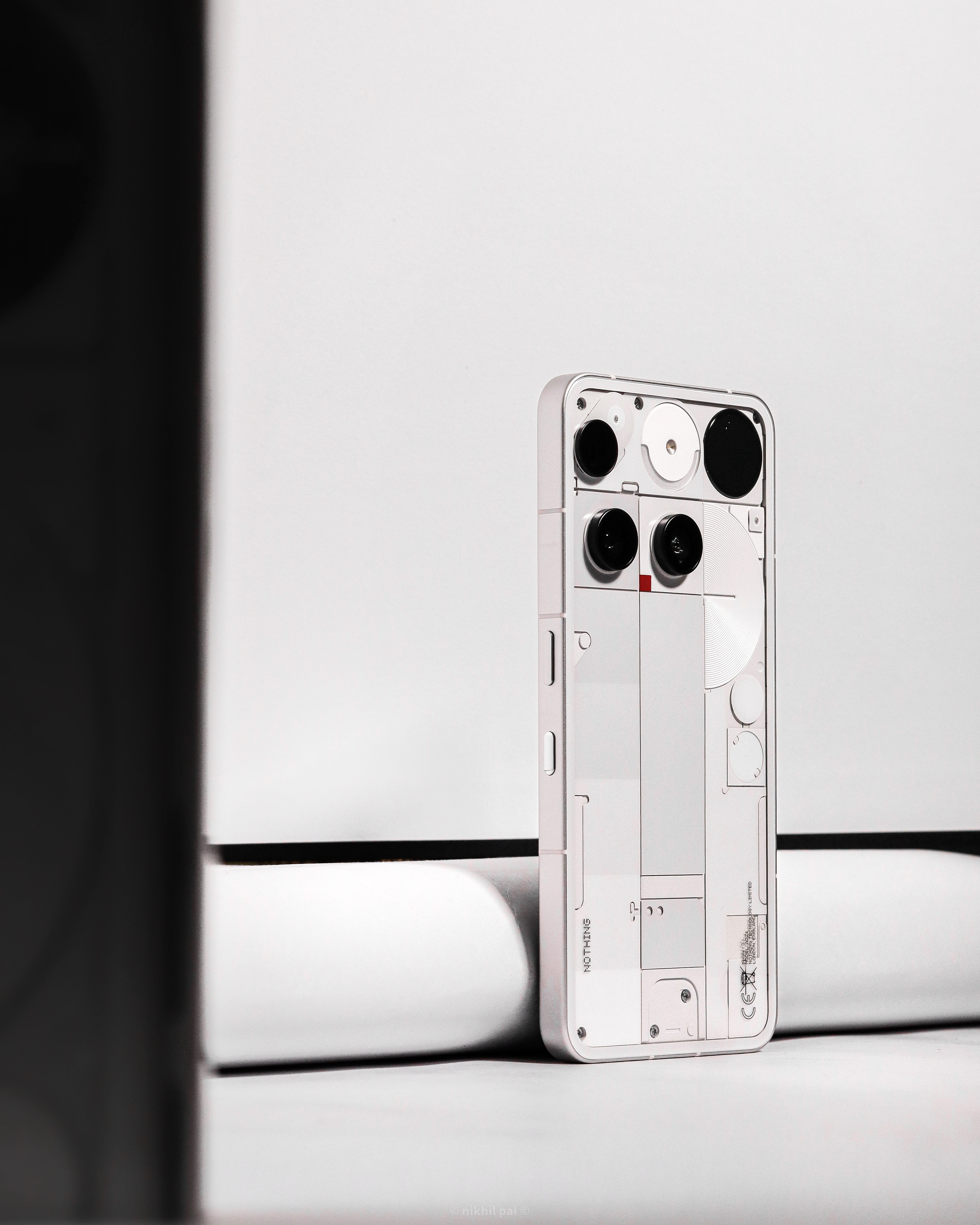
When the device’s design was revealed, there were a lot of critics who said it was missing the signature Glyph lights, the Glyph matrix was “just another screen,” the camera placement was unaligned, etc. But when I got the device in my hands, here’s what I felt:
Glyph Matrix:
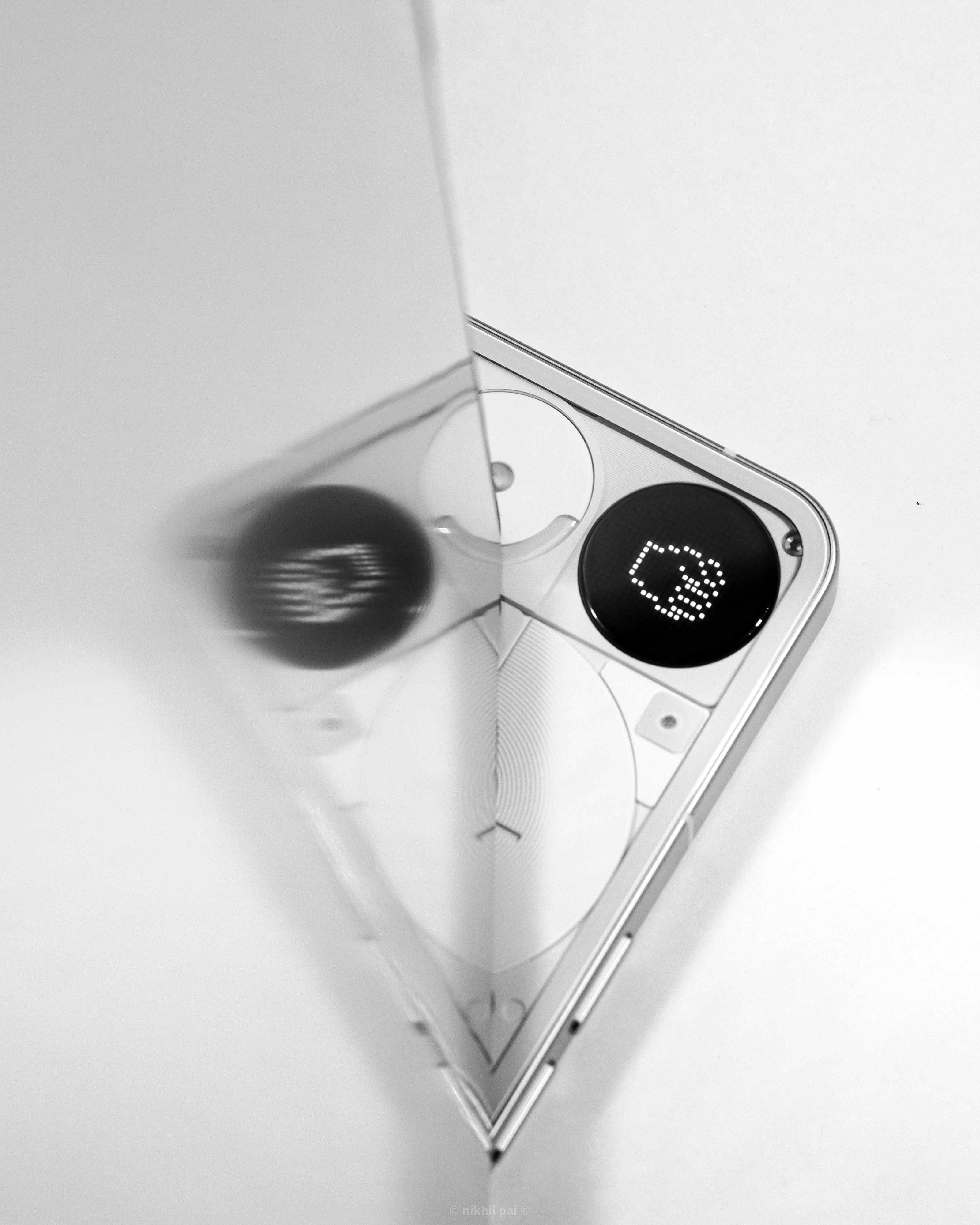
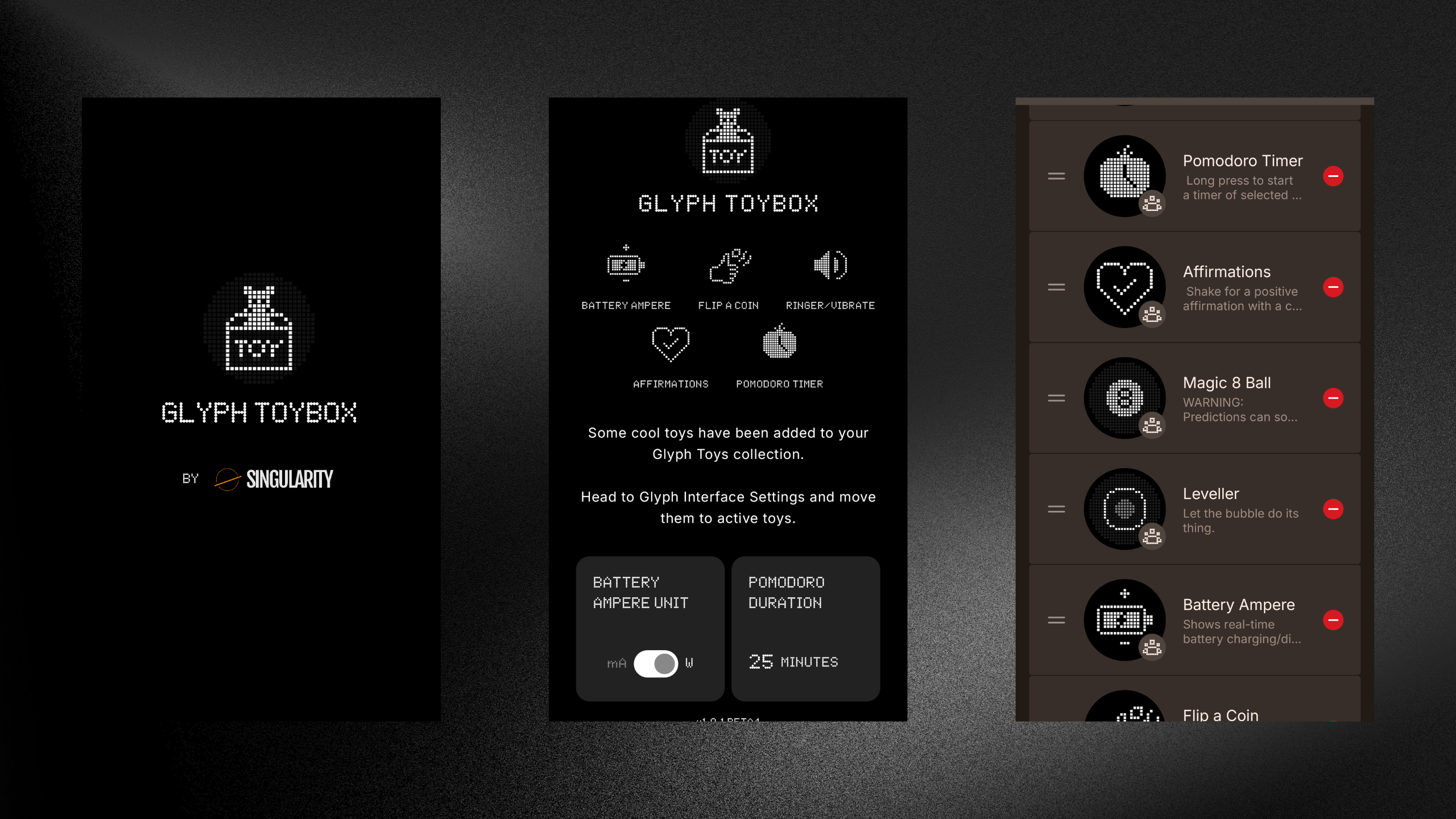
Purely due to its size, the Glyph matrix does feel a bit of a downgrade from the Glyph lights. The original Glyph lights were an iconic design language of the Nothing phones and brought an aesthetic value to the design. Functionality-wise, however, the Glyph matrix does a lot more than the lights ever could.Yes, to an extent, it’s just a tiny screen on the back panel. But it also gives a lot of scope for a personalized experience. There are various built-in Glyph toys to play with. It provides details on the time, battery level, customized symbols and sounds for notifications, a way to capture selfies with the rear camera, a visual countdown for the camera timer, and a few other fun features. You can also install a Nothing community-created app from Google Play Store to use additional Glyph toys.
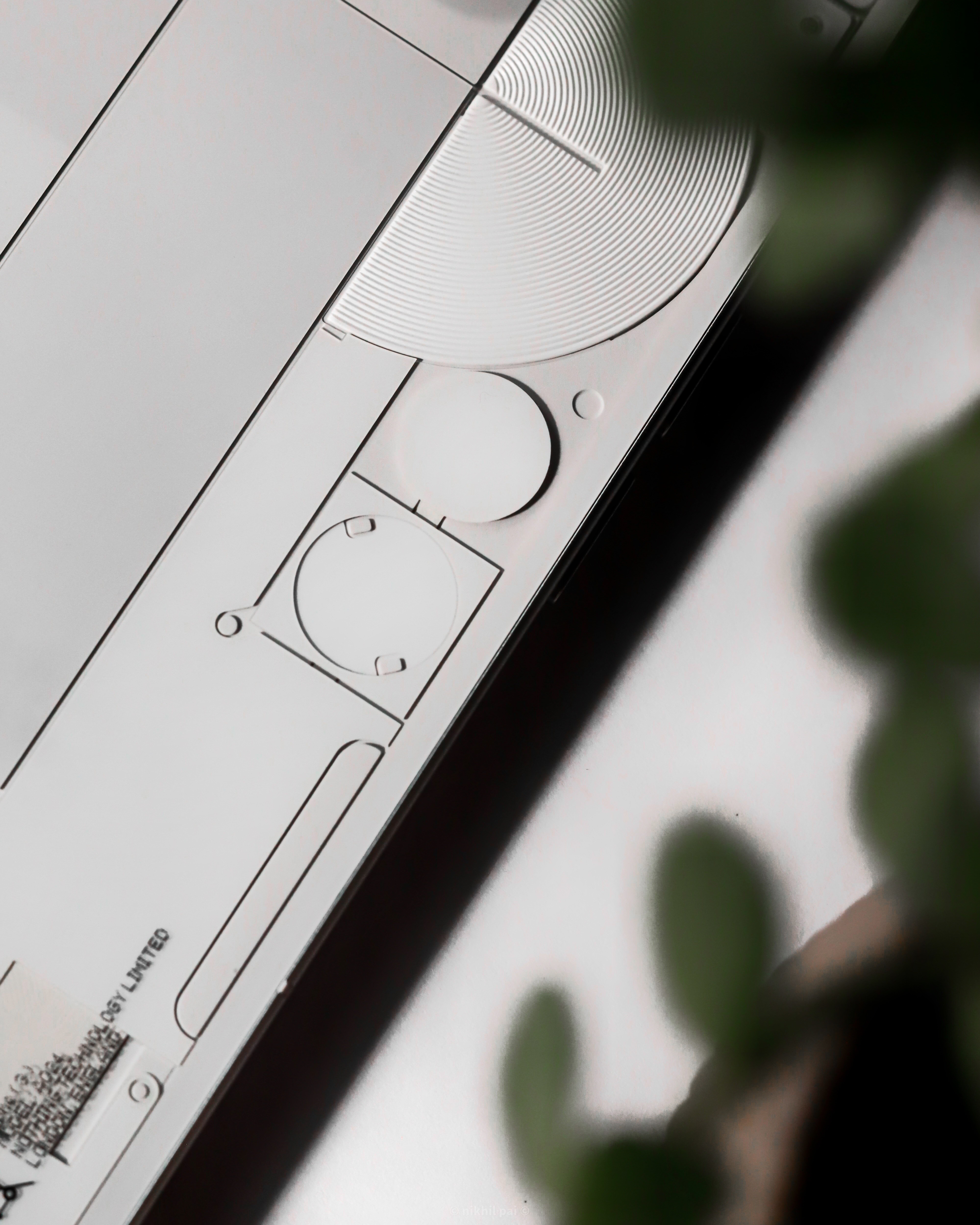
I really love the haptics used for the Glyph Matrix. It feels premium and doesn’t activate with false touches or when it’s in pocket.
Camera Placement:
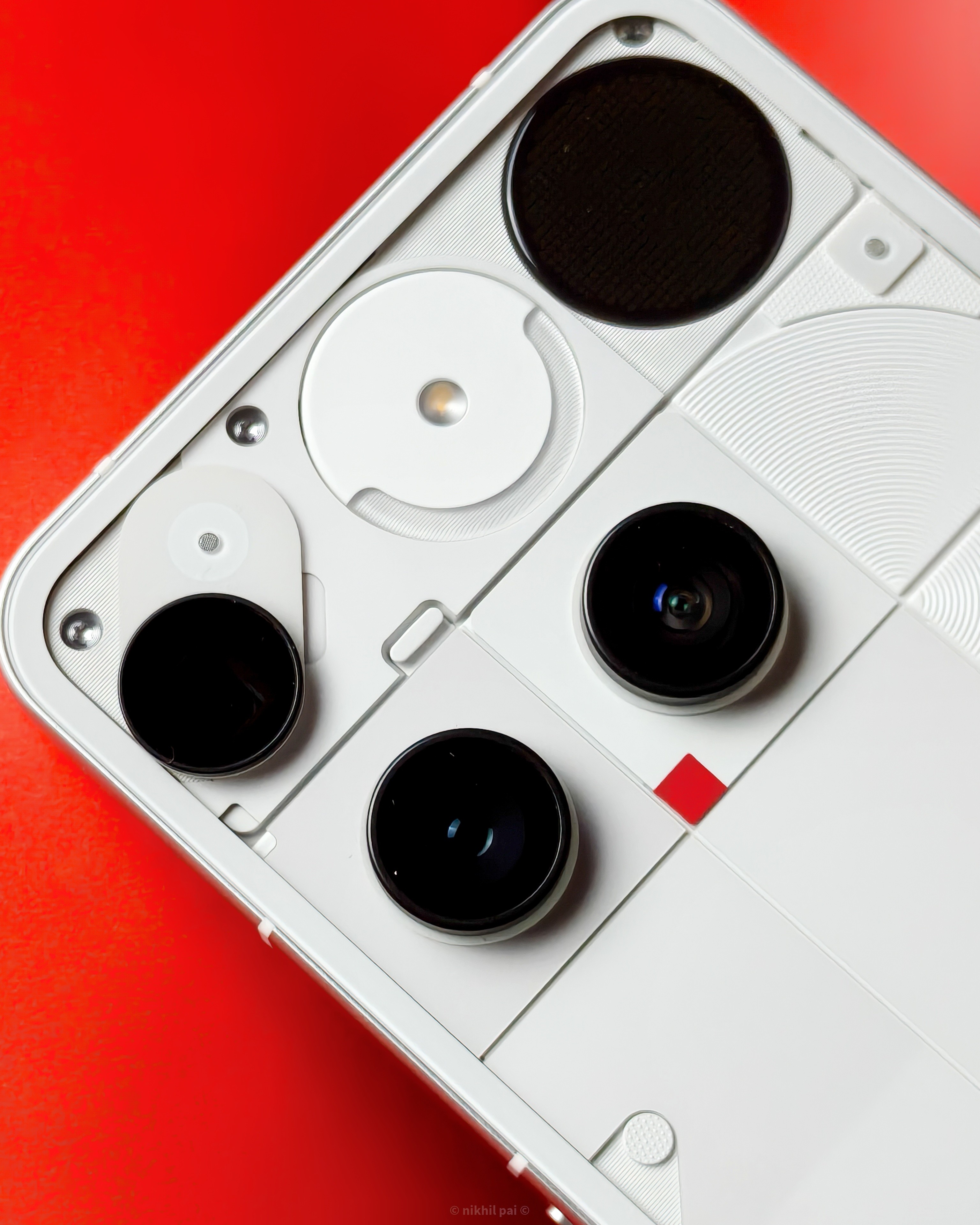
At first glance, the camera placement does look unaligned. However, this turned out to be very helpful for me. While capturing macro shots, the periscope lens is placed at the very edge of the back panel, making it easy to spot and capture subjects with this lens.
The asymmetry really doesn’t diminish the uniqueness of this device. I quickly got used to how cool this phone looks because of this unique placement. Even people who weren’t familiar with Nothing Phones saw this device in my hand and were curious to know what it was. Some even told me they would have assumed it was an iPhone if not for the unique design of the back panel and camera placement.
Overall, I love this design and would choose it over any other device any day because it truly stands out. The only change I would have liked is the placement of the Essential Space key. If I had a nickel for every time I pressed this key, thinking it was the power button, I would be rich.
What do you think? Is the asymmetrical design a bold new look or a step too far? Let me know!
But How Does It Perform?
This is one of those aspects where the review from everyone is kind of obvious: that this device misses out on the Snapdragon 8 Elite for its price point. I agree, as in this price segment, all devices either come with a Snapdragon 8 Elite or a MediaTek Dimensity 9400. On paper, the 8 Elite outperforms the 8S Gen 4 with a 35% higher CPU clock speed, 10% higher memory bandwidth, and better benchmark scores on AnTuTu and GeekBench.
Does this affect the performance of the device?
No! I did not see any noticeable lag or gaps in performance. Even during moderate gaming, the device was really smooth and fluid. I didn’t observe any sudden drop in battery life, overheating, or apps getting stuck. So, for your day-to-day use, the device is very efficient.
How is that possible?
I feel it’s due to the exceptionally curated software experience. Nothing as a brand has truly shown how it’s different from the rest of the herd, especially with its design language and SOFTWARE.
Let’s dive a little deeper into the software experience.
The Phone (3) comes with Nothing OS 3.5, powered by Android 15, which is quite similar to Nothing OS 3. Like all previous Nothing phones, this one is also bloatware-free, filled with plenty of customization options, and provides a premium experience. However, there are some unique aspects of this OS, primarily concerning its AI updates.
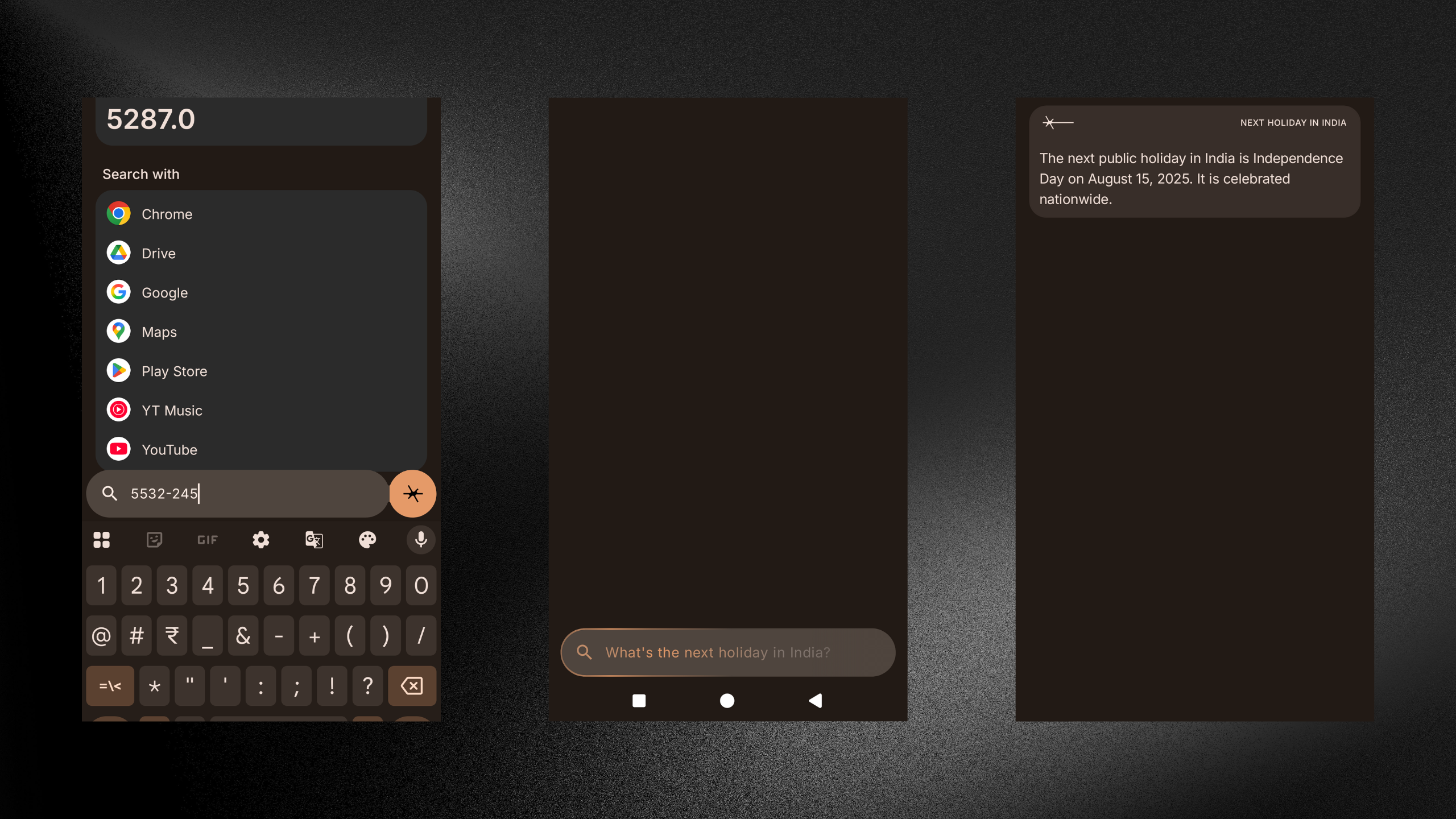
Essential Search:
The search bar in the menu section doesn’t just enable you to search for apps; it also works like a mini search engine. It can calculate numbers and provide a brief summary of any questions you ask, like “When is the next cricket match between India and Australia?” or anything similar.
Essential Space:
When it was first introduced in the Phone (3a) series, I didn’t really see a use for it, especially because anything you saved here was only to remain here. But not anymore:
The Essential key will now enable you to capture notes, screenshots, voice notes, text, etc., which can later be exported to a PDF or JPEG and shared with others using social media apps.
It can also summarize any notes or screenshots you save here using AI and provide you with a brief overview.
If you save any events, it can create reminders in your calendar.
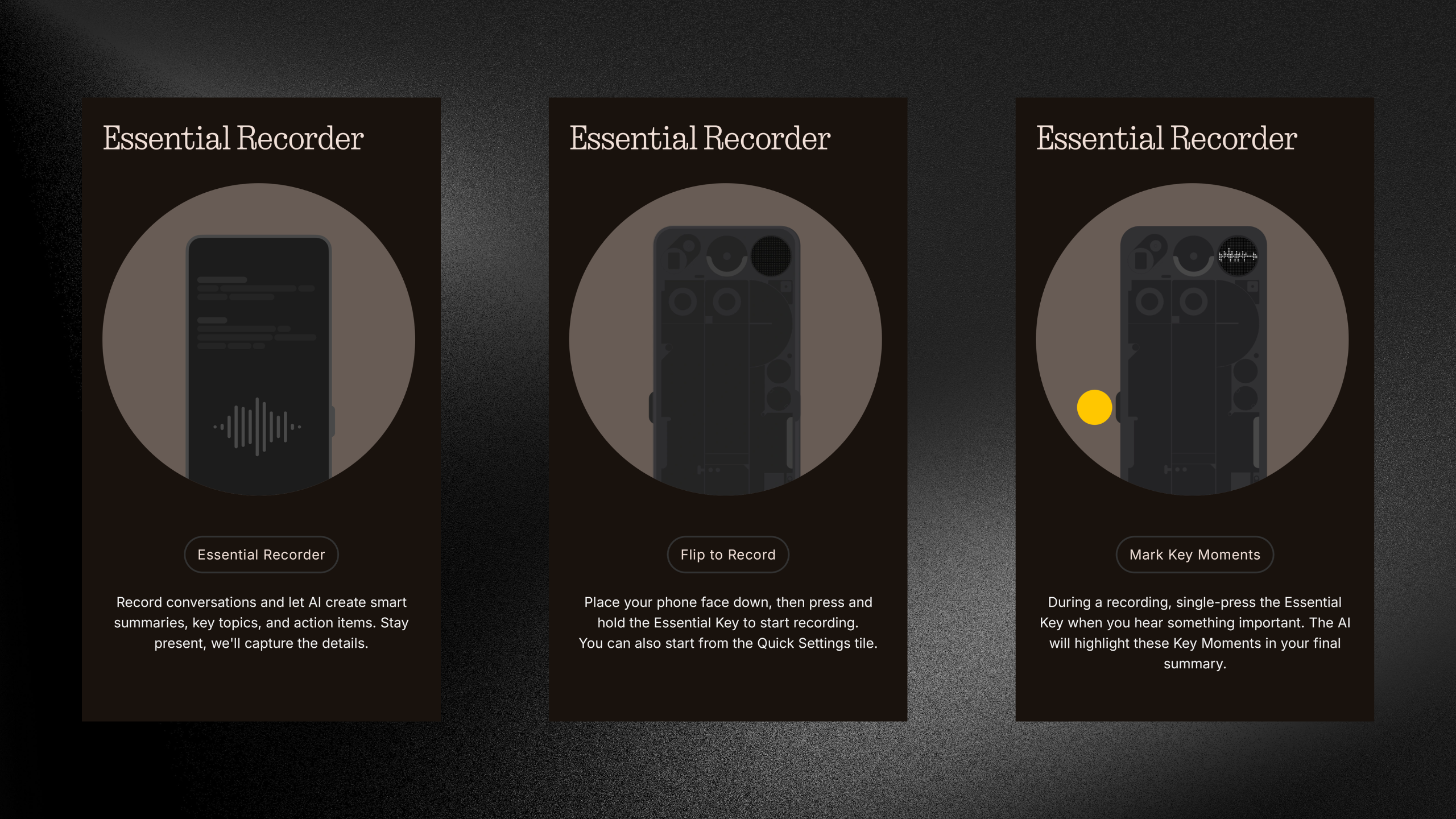
Essential Recorder:
I’m going to let the Phone (3) explain this one itself with the below pictures.
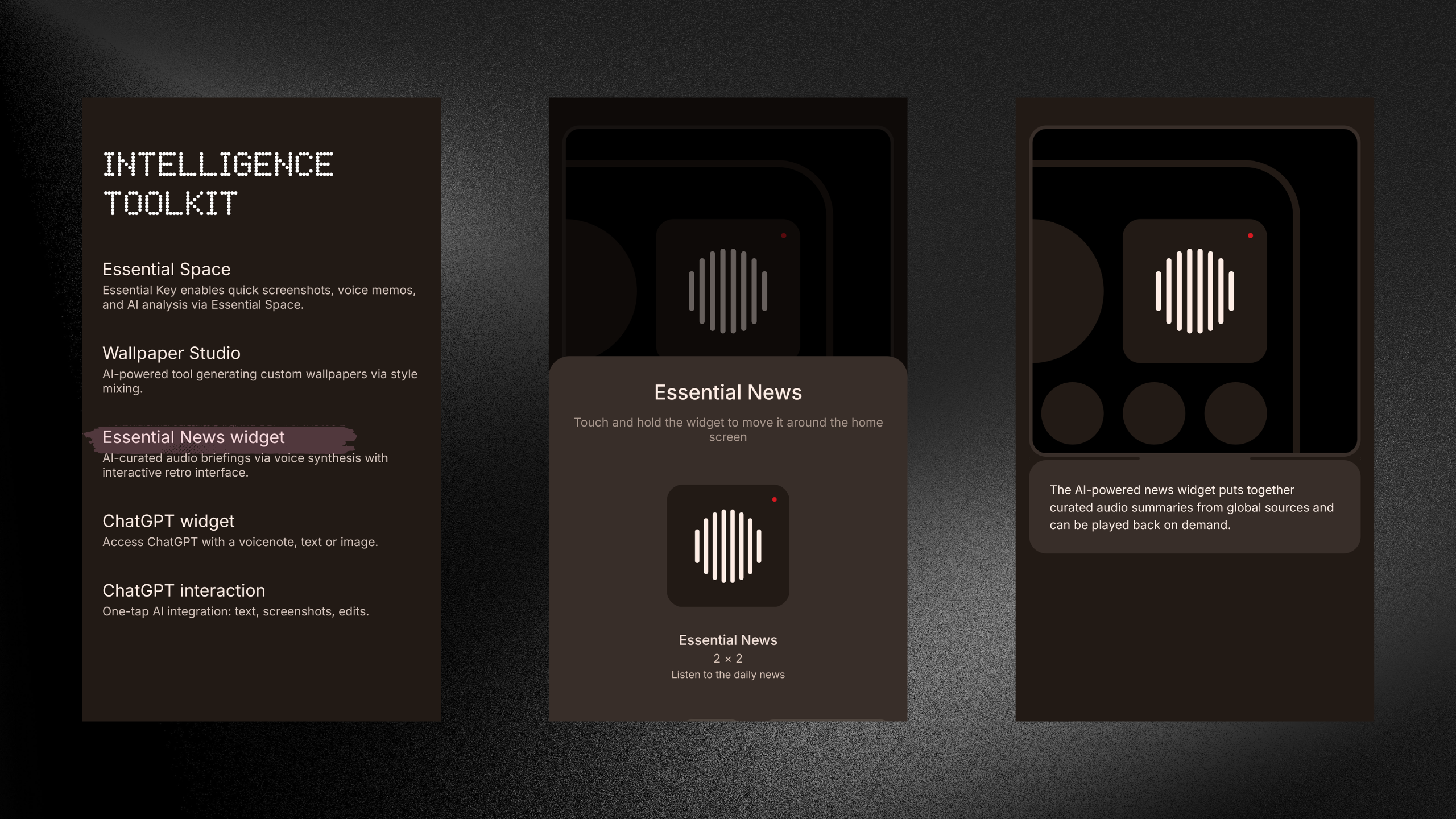
Essential News:
This is an AI-powered news widget that curates an audio summary of global events based on your interests.
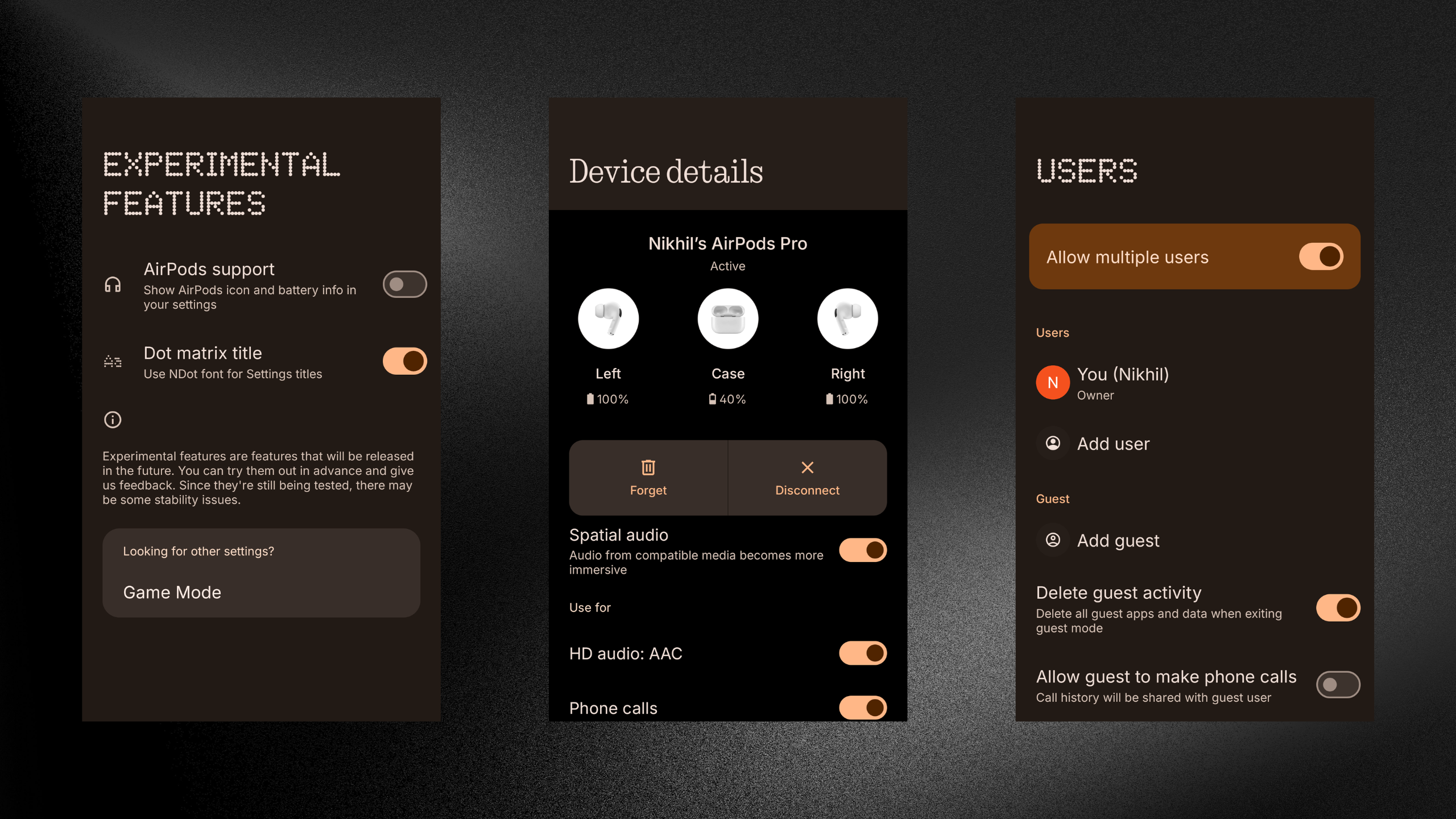
While the AI features are quite impressive and useful, other salient features also caught my attention. For example, the choice to customize the titles of all the screens with the Dot Matrix font. The Phone (3) also allows multiple user profiles to be created on the same device. There’s Apple Airpods support which helps the device to display the Airpods symbol and it’s battery levels.
Okay, But Can It Actually Do Stuff?
Before I provide more details on the camera capabilities (which will be the final part of this review), let’s quickly go through my experience with the Phone (3)'s display and battery life.
Display:
The Phone (3) comes with a 6.67” AMOLED display with an almost 93% screen-to-body ratio. It has a 120Hz refresh rate and a peak brightness of 4500 nits, with 1600 nits of outdoor brightness and 800 nits of typical brightness.
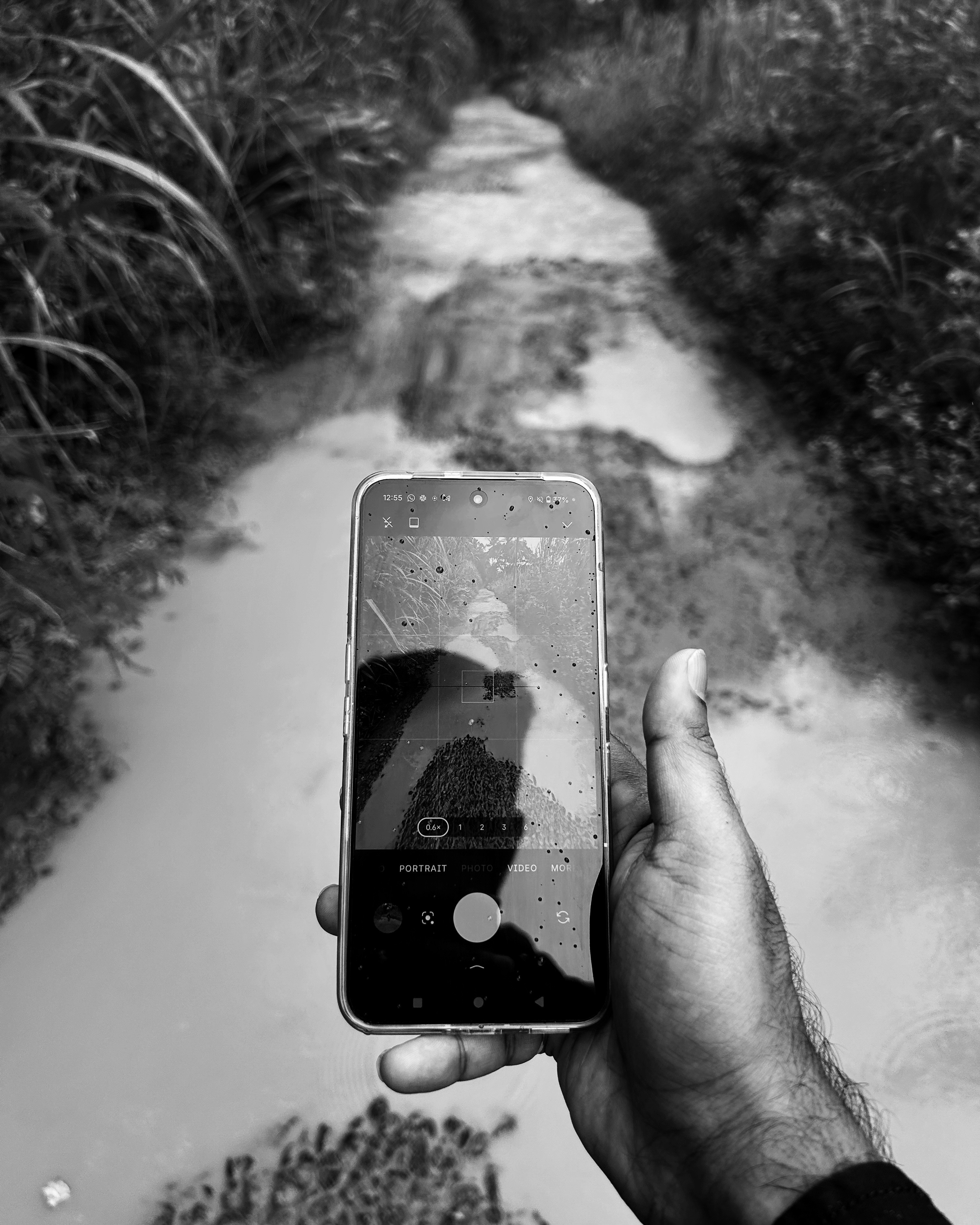
Most importantly, the device is IP68 rated. I tend to watch videos and movies when I’m doing household chores. I’ve touched the display with wet hands and found the device’s actions to be precise most times. So, yes, it can tolerate splashes of water and dust. However, given that I received this device during peak monsoon and had to go outdoors to take pictures with it, I noticed that it sometimes wouldn’t react to my touches when there was water on the screen.
Battery:
The Nothing Phone (3) has a 5,500 mAh battery capacity that supports 65W fast charging. In my experience, the phone goes from 20% to 100% within an hour. I usually don’t like to let the battery drop below 20%. The battery capacity of the Phone (3) is great; it has given me about 7-8 hours of screen time on a full charge.
Now, it’s time to dive deep into something I love the most in any smartphone! - Camera
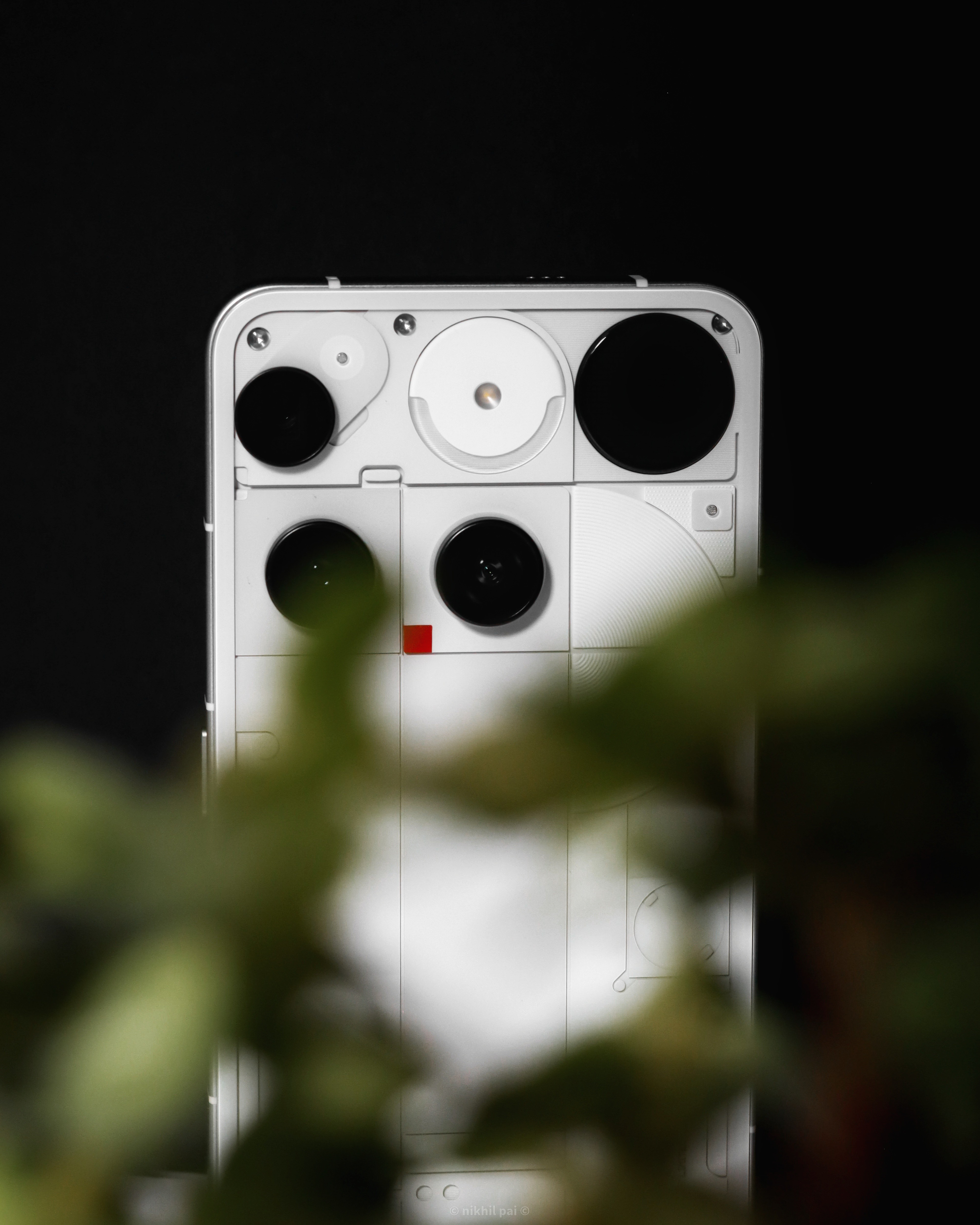
The Phone (3) comes with a quad-camera setup. Three rear cameras: a 50 MP Primary Camera, a 50 MP Ultra-wide, and a 50 MP Periscope lens. On the front, you again get a 50 MP selfie camera.
Before I go on about my experience with each of these lenses, let me walk you through the most interesting camera modes available.
Macro Mode:
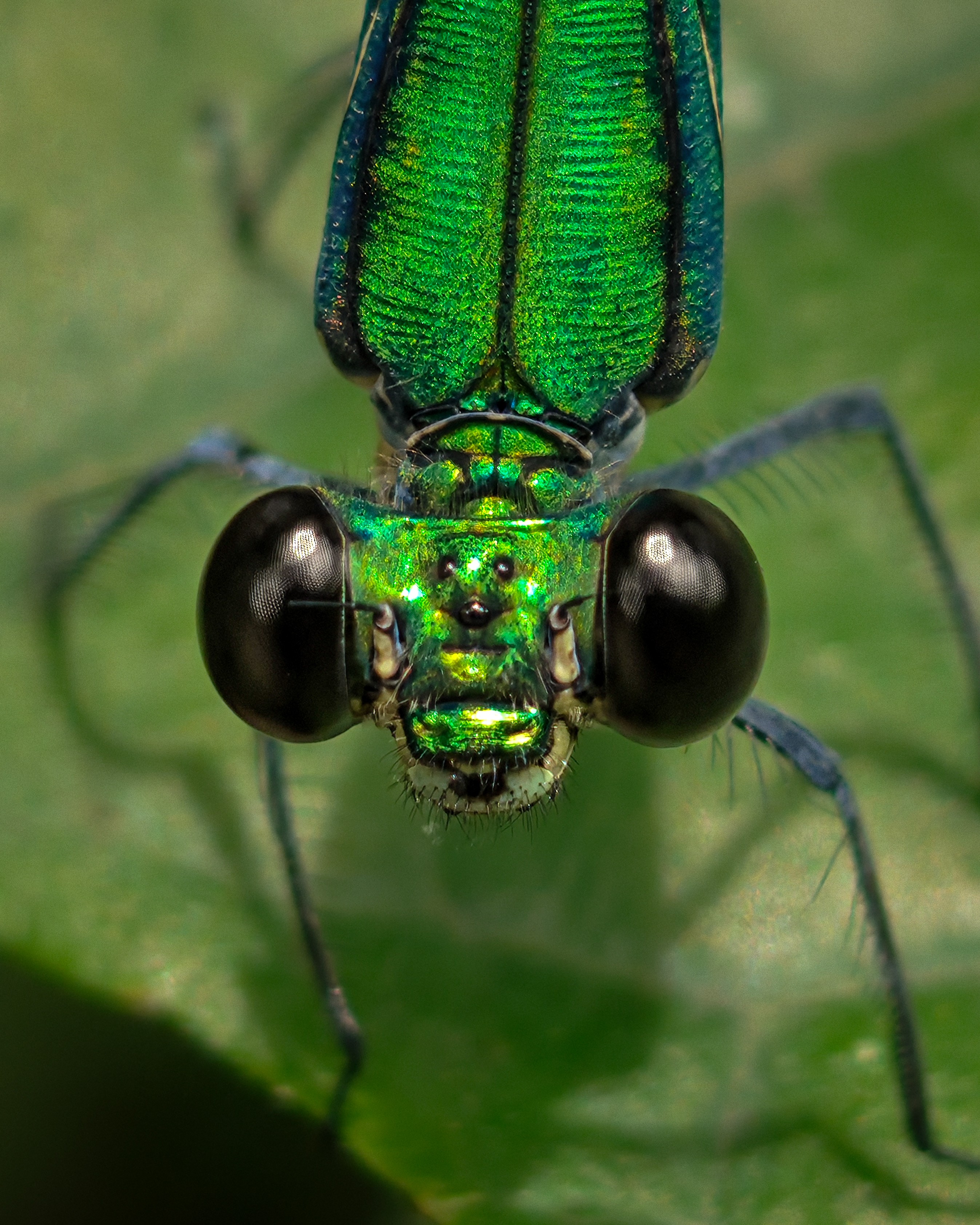
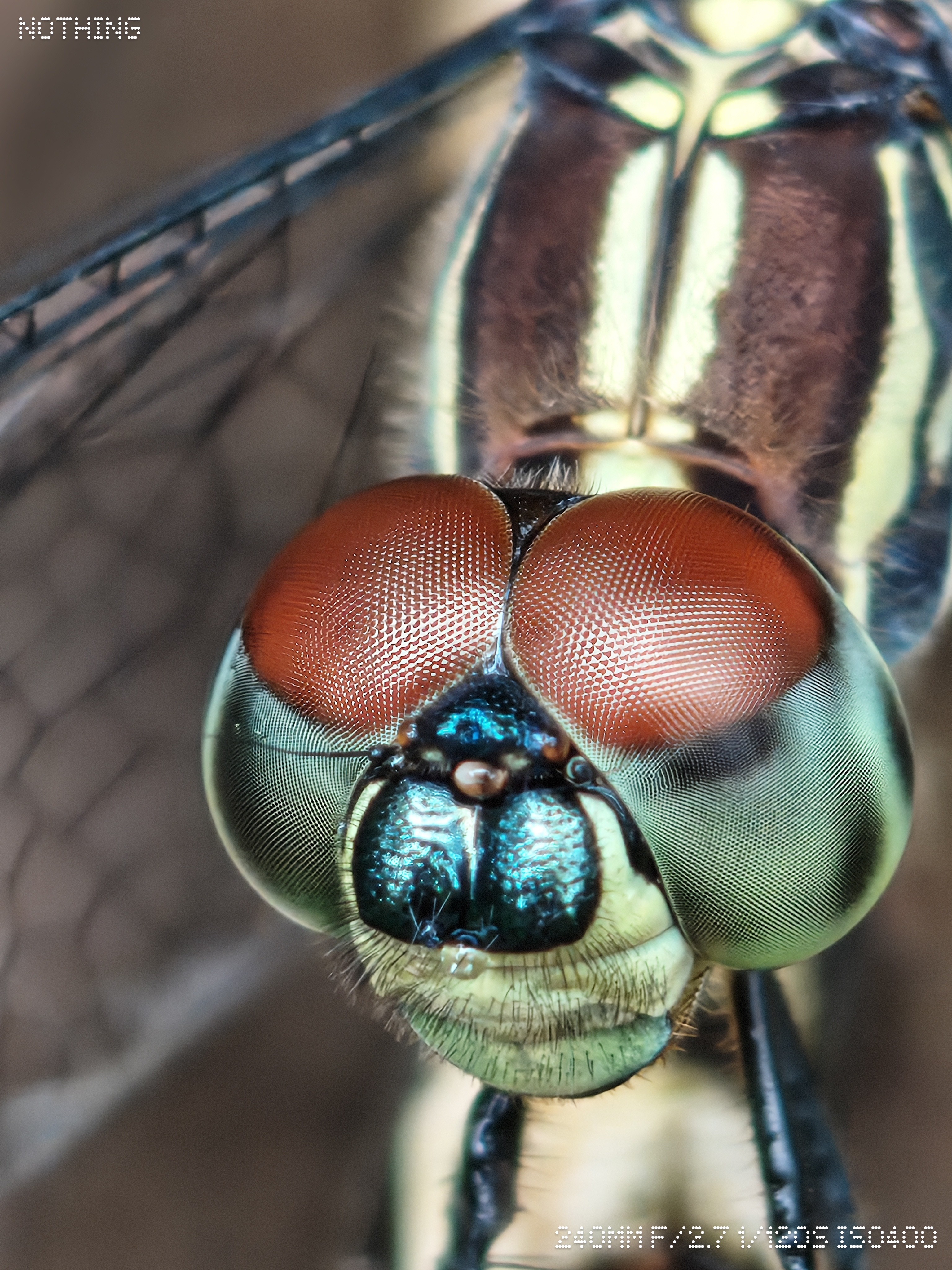
Not every camera review you read, or watch would start with this mode. However, if there’s one area where the Nothing Phone (3) excels compared to other smartphones in this price range, it’s capturing macro photos with the periscope lens. This is where I truly loved this device and absolutely admire the work Nothing has put in. Let’s take a look at some macro shots with the Nothing Phone (3).
Can you believe a phone camera can do this? What’s the coolest macro shot you’ve ever taken?
There are a few aspects that I feel require improvements:
Since Macro mode is dedicated to clicking pictures that are well within 10-20 centimeters of the lens, I think Nothing should provide the mode with an option to adjust the focus manually.
While the zooming options available are 3X and 6X, I feel this mode should also provide 10X zoom. If not, there is really no purpose for this mode, because macro shots captured using this can also be taken using the regular “Photo” mode, which offers the choice to zoom in further than 6X and also focuses on objects close to the lens.
Portrait Mode:
In every device I’ve used for the last six years, I’ve seen how portrait mode has consistently improved. This makes sense, right? The option to get a shallower depth of field with your subject in focus makes the photo seem like it was captured with a DSLR camera. On the Phone (3), I love how it blurs the background and gives you a nearly perfect bokeh effect that a photographer desires. However, the edge detection is a bit inconsistent, similar to the Phone (3a) series. This is another area where I feel Nothing can do much better, as portraits are a major niche for many photographers. Let’s have a look at some portraits shot with the Phone (3).
Action Mode:
While portrait mode is common in most devices, Nothing has added an Action mode, which is unique. This mode helps capture fast-moving subjects. Let’s have a look at some samples captured with this mode.



Other Modes:
Along with the above, Nothing also provides modes such as Night, Pano, and Expert to capture photos. We also have a couple of video-related modes other than the regular video mode.
The Video mode offers the option to capture videos in 1080p and 4K at 30 and 60 FPS.
Slo-Mo provides 1080p at 120 FPS and 240 FPS.
Timelapse can be captured in 1080p and 4K.
Here I present some of my favourite shots from various lenses of the Nothing Phone (3):
Primary lens:


Wide lens:


Periscope Lens:
Here are some of the Pros and Cons of the Phone (3).
Pros:
Unique design that stands out among all other flagships.
Excels at capturing macro photographs with the periscope lens.
Good battery life with fast charging capabilities.
Plenty of customization options with both the software and Glyph Matrix.
Cons:
Inconsistent edge detection in portrait mode.
Lack of AI options in the gallery for photo editing.
No power adaptor in the box.
The Million-Dollar Question: Should You Buy It?
Smartphone brands always save their best for their flagship phones. Every brand focuses on an aspect where they want to grow in the industry. In my observation, Nothing has been focused on keeping its unique design language and clean software. The Phone (3) is on par with many phones in its price range. It offers a decent display yet misses out on LTPO. It also misses out on the Snapdragon 8 Elite. However, it’s a more balanced phone than other flagships in this range. It performs well in all areas and is on par with its competition.
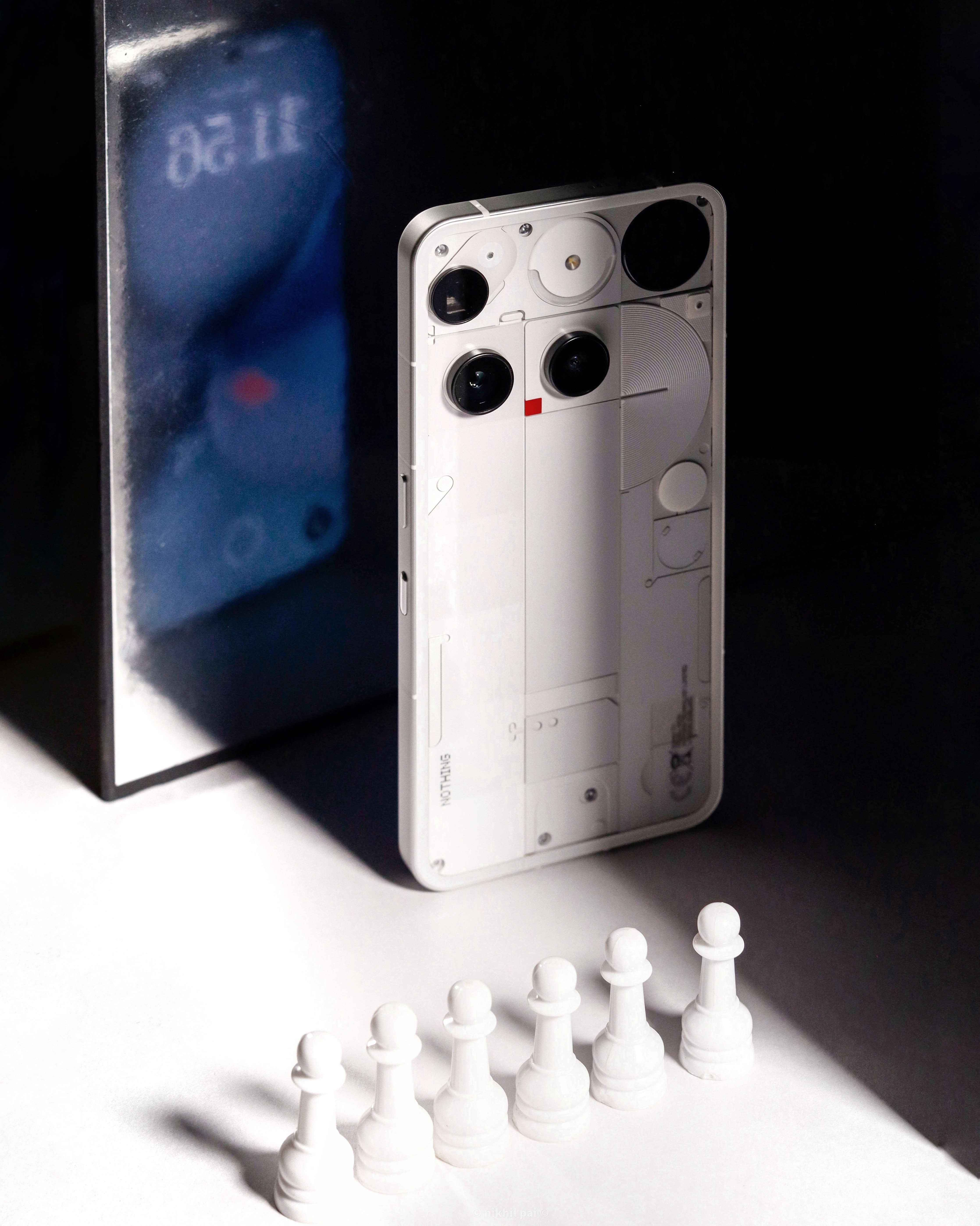
So, if you’re a tech enthusiast who loves customization, go for it! If you prefer an overall balanced experience from your phone, go for it! If you prefer a knight over pawns, go for it! That’s my opinion of this device, and with that, I conclude my review.
Sharing Camera Samples (Unedited Photos):
Thank you for reading this article!
Cheers!
Nikhil Pai