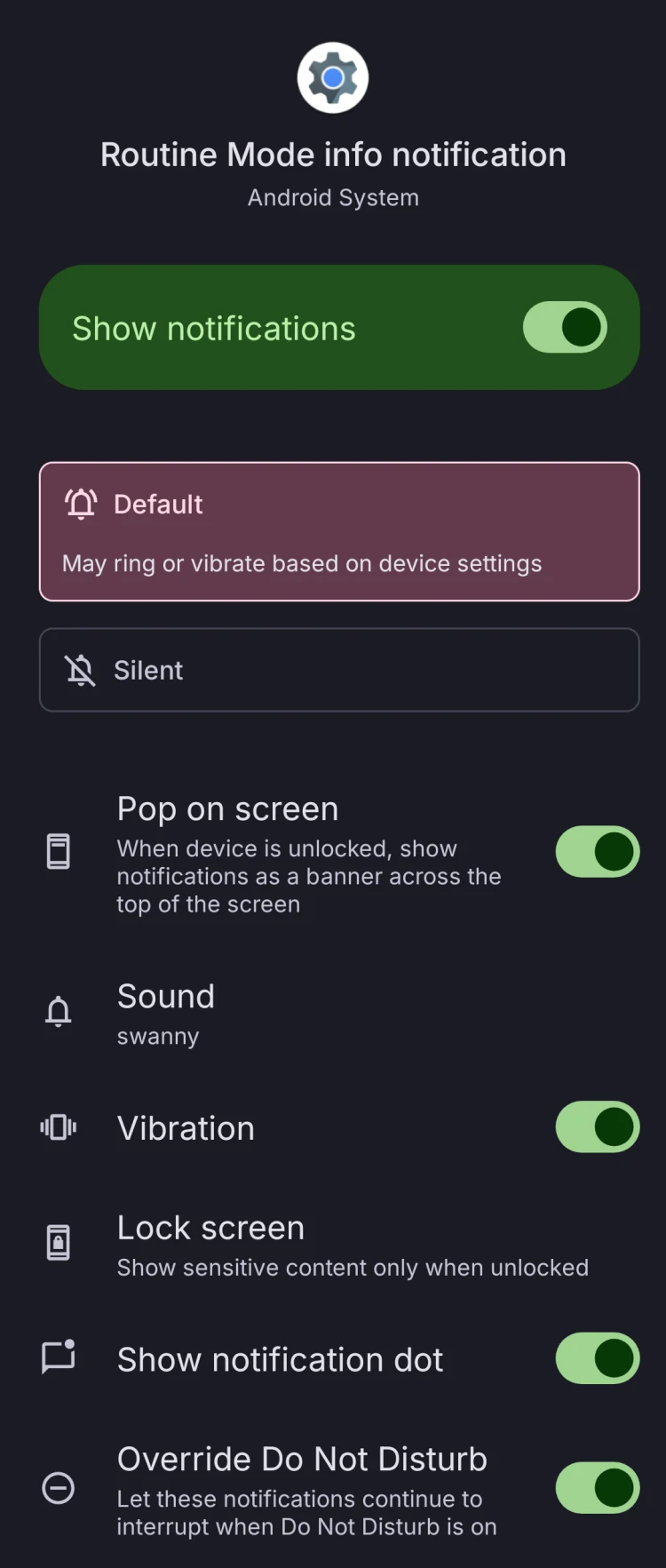
So, I hear people are wondering how to get a sounded notification sent to the to let them know that the battery saver has been turned on at the set level. However, I have found a workaround to this which means Nothing won’t have to add it as a feature, because it is built in the android system.
Here is how to do it:
When your phone reaches the set battery saver level with the phone turned on or on lockscreen, press and hold on the notification until you see some options, click on the settings icon in the top right of the notification.
Scroll down the list until you see the ‘Routine Mode Info notification’ toggle and click on it. Here you can configure whether the Battery Saver notification makes a sound to alert you, or it popping up on your home screen.
Photo attached: