Hey Community,
You know when your brain works so well it feels like it’s not working at all?
That’s the flow state.
Nothing OS 4.0 is made for it.
Today, we are officially starting the public rollout of Nothing OS 4.0, powered by Android 16.
This update is experience-led, fast, and thoughtfully designed. It builds directly on the foundation of OS 3.0, but strengthens the core experience across speed, consistency, and interaction. From new minimalist icons that help your brain breathe, to interactions that move smoothly at speed, this update is about removing friction.
We’ve tightened every part of the system. UI components now follow a more coherent structure, iconography has been refreshed for clarity, and animations have been reworked so navigation feels more responsive.
Nothing OS 4.0 is a step focused on fundamentals. Faster responses, cleaner visuals, smoother interactions, and a platform that’s ready for what comes next.
Refined by You
We didn’t get here alone. The Open Beta Test gave us the real-world data we needed to finalise the feature set. OBT builds focused on a limited set of areas so we could isolate issues and prioritise what mattered most. Now, with the full rollout, we are introducing a wider set of refinements based on everything we learned together.
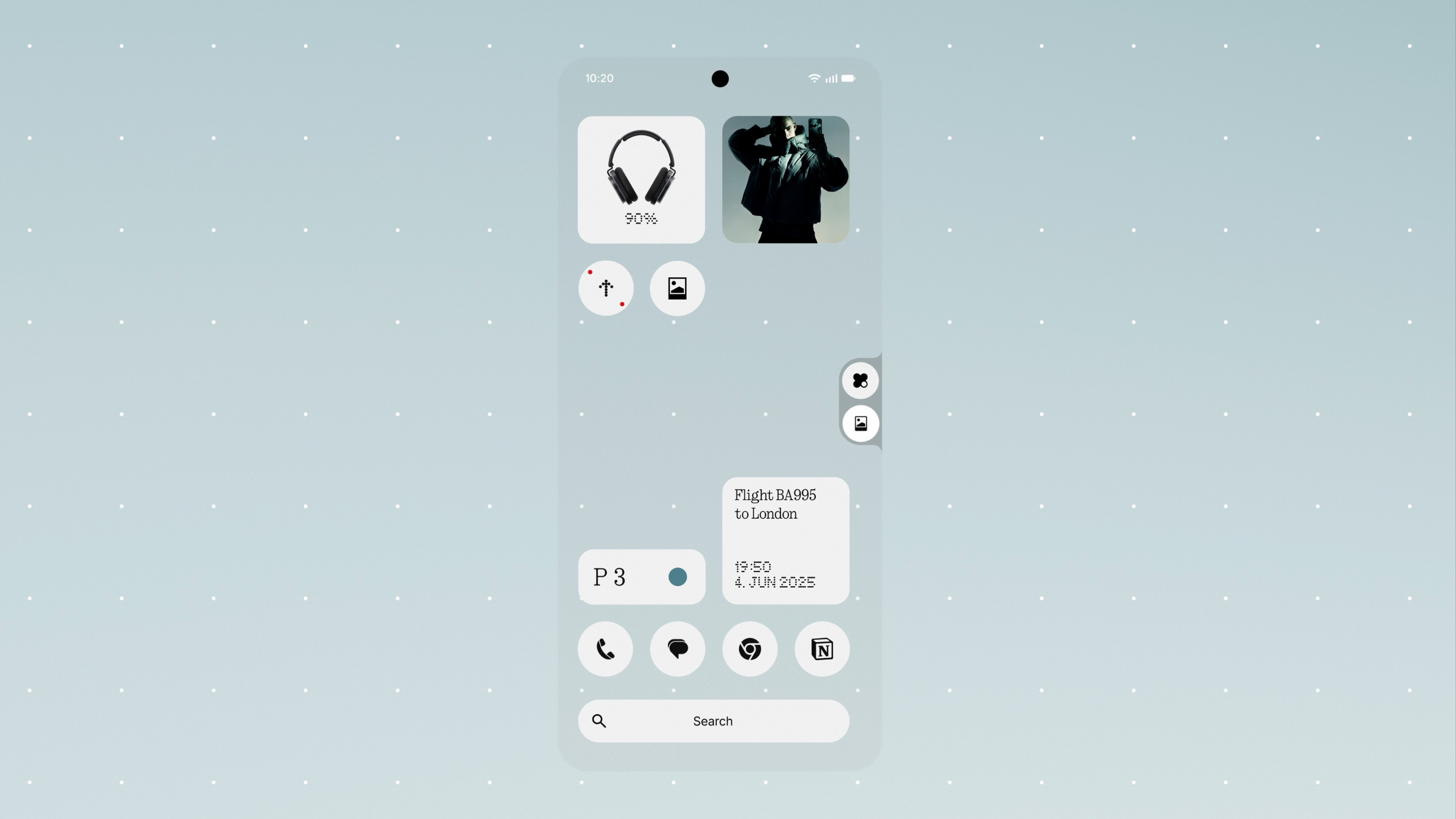
A lot of users highlighted areas where the visual experience could feel more consistent. This led to updated status bar icons, refreshed first-party app icons, deeper Extra Dark Mode coverage, a cleaner lock screen password interface and smoother animations.
Many shared thoughts on multitasking and day-to-day flow. That shaped improvements like a refined Pop-up View with Dual Windows, 2×2 Quick Settings tiles, more widget sizes and the ability to hide apps in the App Drawer.
There was also strong interest in having more glanceable information. This helped bring Live Updates to the lock screen and to the Glyph Interface, making rides, deliveries and timers easier to follow at a glance.
Thank you again to everyone who joined the beta and shared your time, thoughts and suggestions. Your input played a meaningful role in shaping this release.
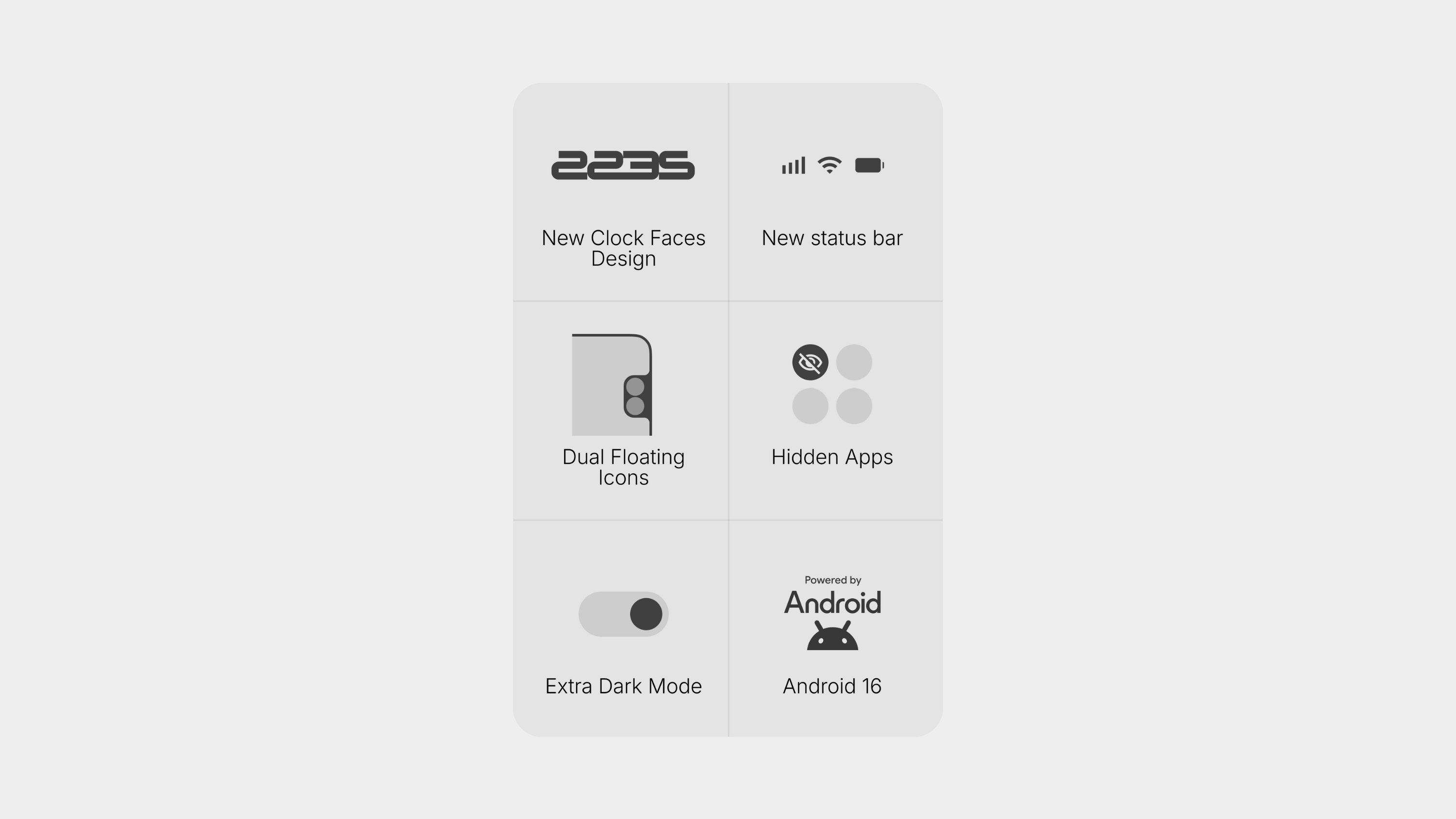
Here is everything you can expect in Nothing OS 4.0.
Visuals & Interaction. Calm and Fast.
Everything in Nothing OS 4.0 moves smooth… at speed. Interaction physics now carry natural weight and momentum, while visuals have been standardised across the system for a cleaner, more cohesive look.
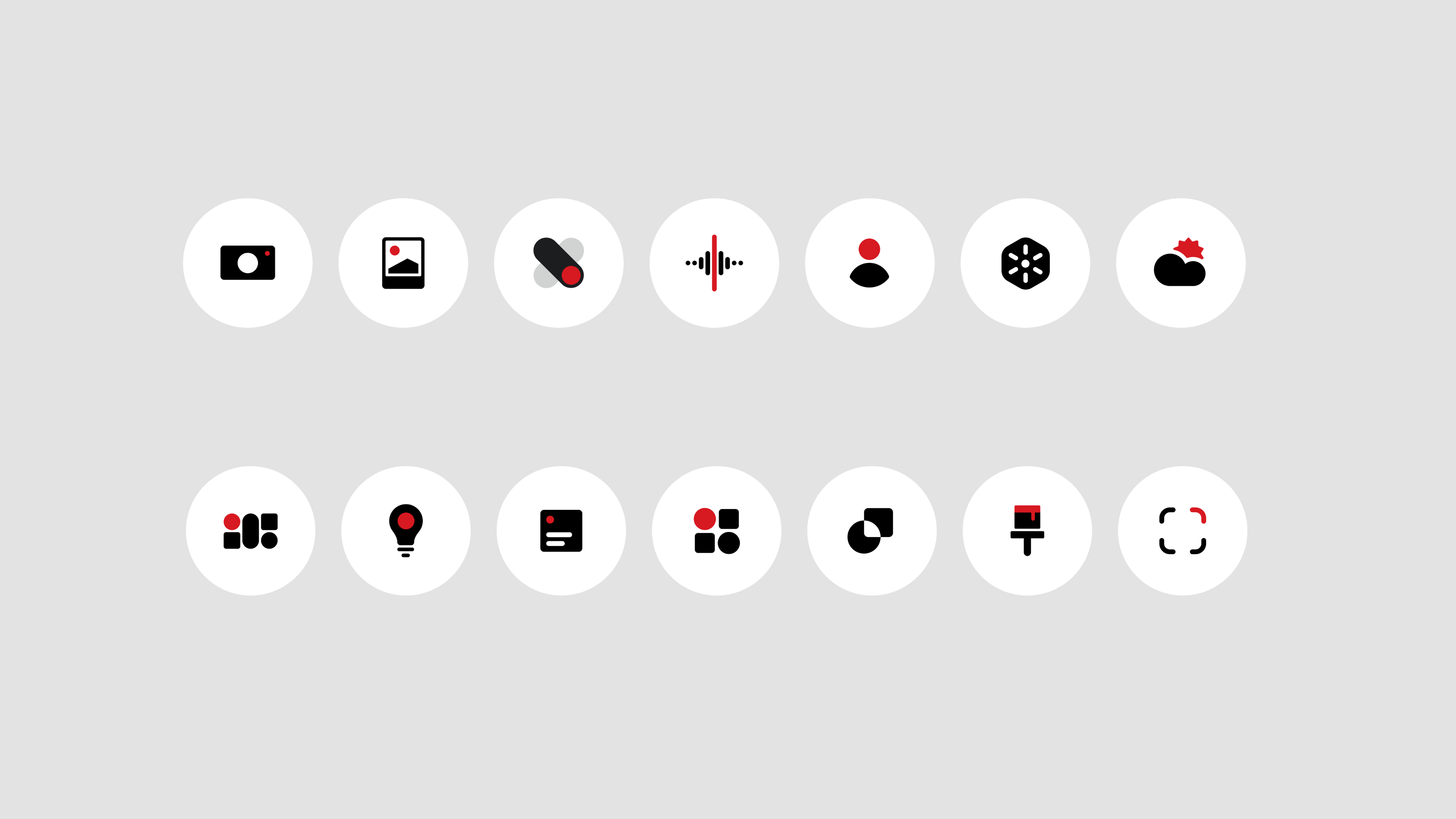
Refreshed First-Party Icons: Native app icons now feature a cleaner, more minimal design. The home screen feels balanced, modern, and comfortable to use.
Refined Status Bar Icons: Status bar icons like Wi-Fi, battery, and data indicators now follow a cohesive visual style inspired by Android 16. The simplified layout reduces noise, making status information easier to scan at a glance.
 New Lock Screen Clocks: We have refreshed the clock fonts and style, and introduced two new clock faces. Both feature a futuristic, geek-forward aesthetic that stays true to our bold design language.
Interaction Animations: Physics and motion across the system have been refined. The Notification Shade, app transitions, and gestures respond with sharper tactility and depth, making every swipe and tap feel smoother and more natural.
Haptic Feedback at Limits: Subtle haptic feedback now kicks in at maximum and minimum volume. This gives you an immediate physical response, letting you adjust levels without looking at the screen.
Functional Flow. Cancel Distractions.
We’ve added features designed to keep you focused and efficient.
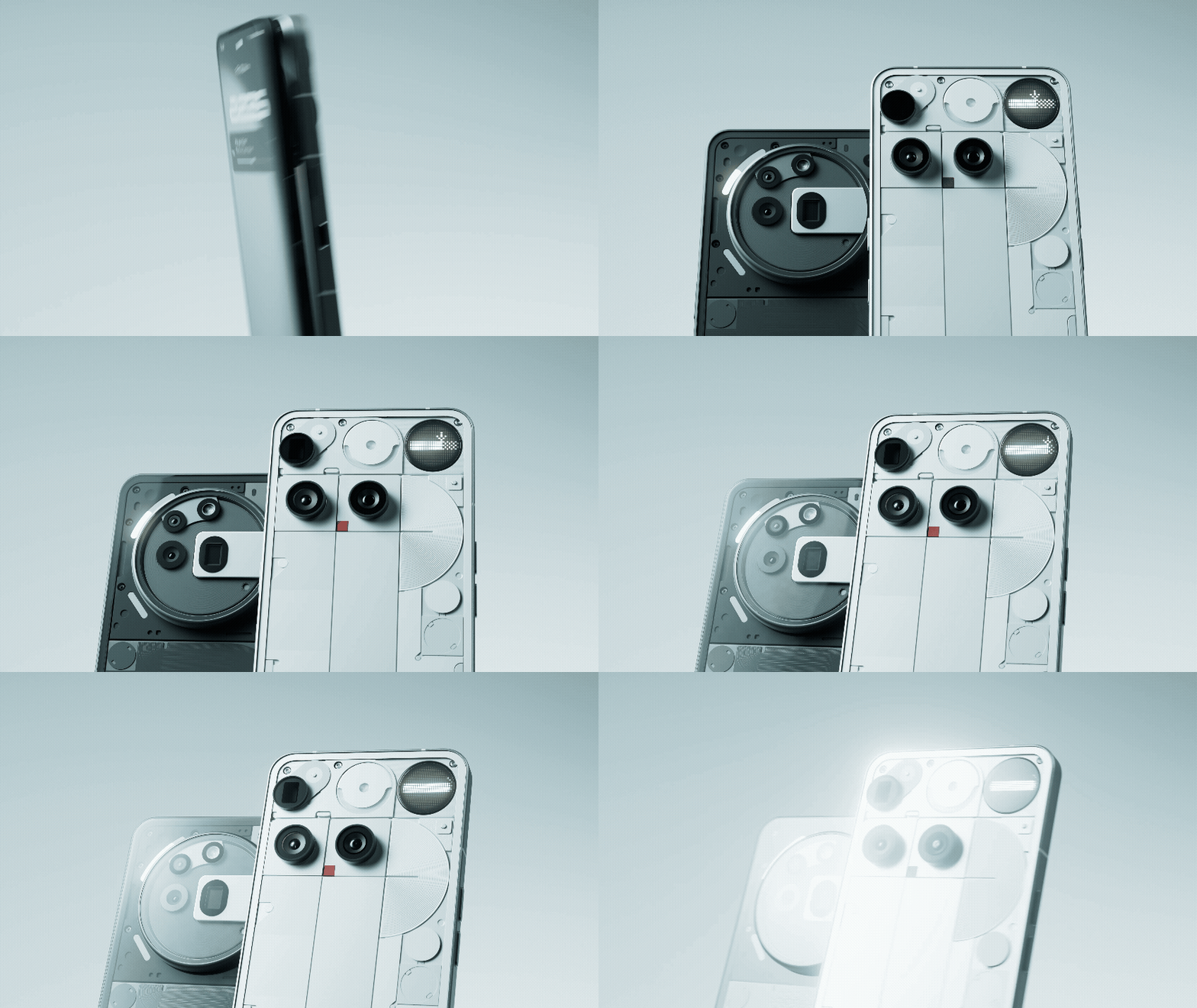
Glyph Progress: Stay informed without the distraction. Rides, deliveries, and timers now sync across your screen and the Glyph Interface, showing progress through light and motion. Built on Android 16, we are no longer limited to specific applications. We will begin integrating most apps that support this feature into Glyph Progress, rapidly expanding compatibility for the services you use most.
Refined Pop-up View: Multitasking without breaking your flow. Open two floating apps at once and switch between them with simple gestures. This boosts efficiency, letting you handle multiple tasks without losing your place.
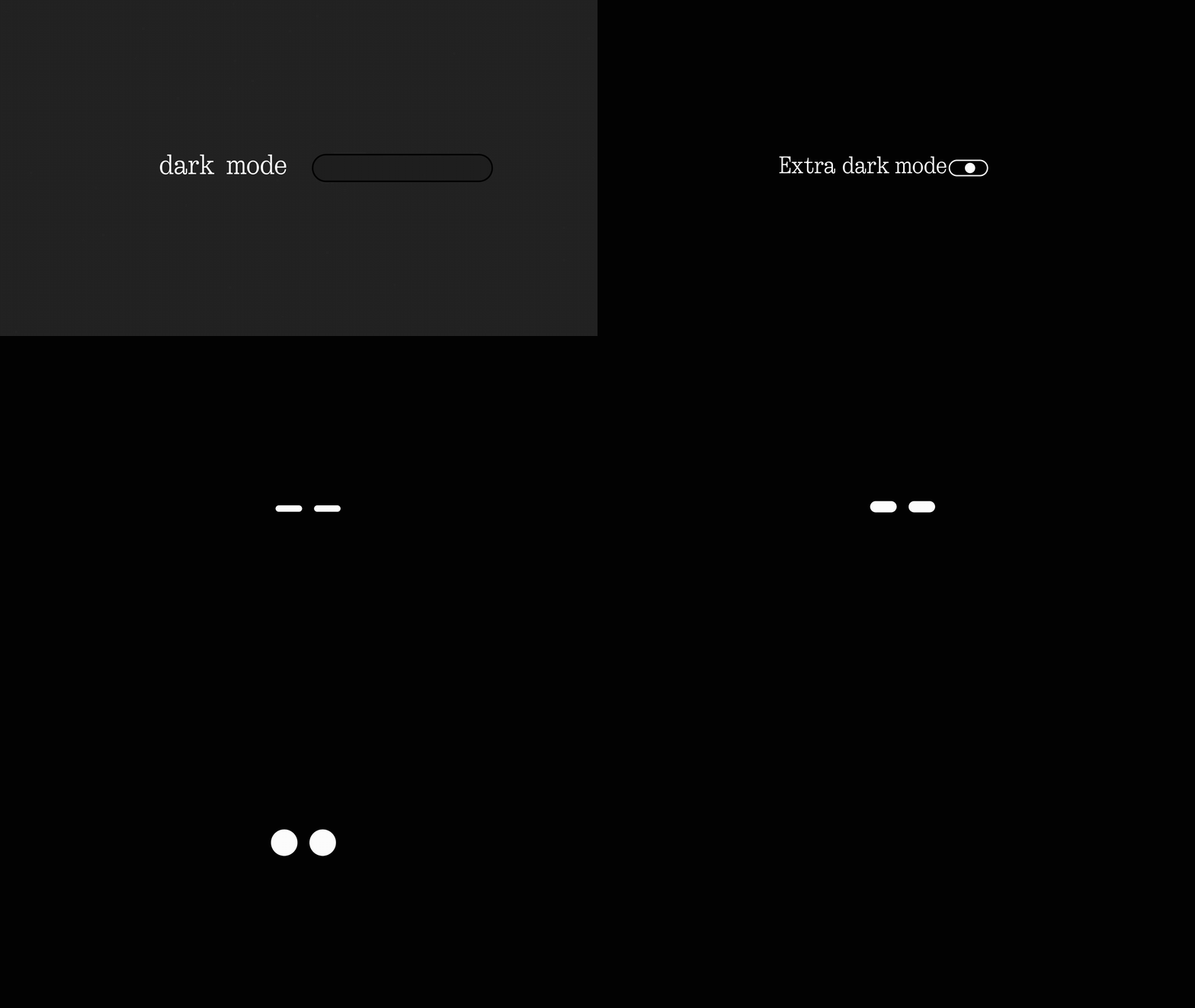
Extra Dark Mode: Enjoy a screen that is gentle on your eyes at night and keeps your battery lasting longer. It delivers deeper blacks, improved contrast, and reduced power consumption for better visibility and comfort in low light.
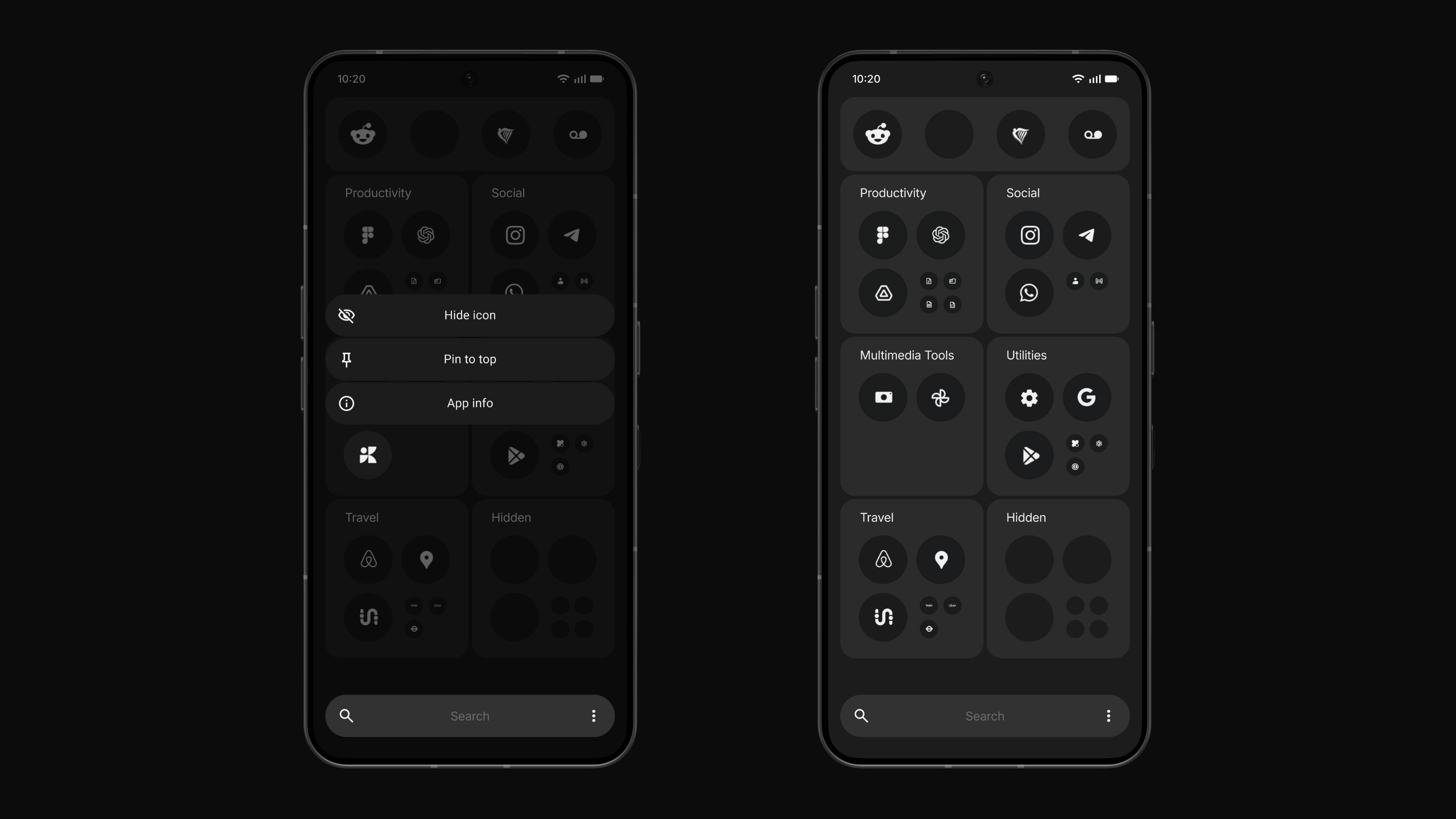
Hidden Icons: Keep your layout clean. You can now hide any app from your App Drawer without moving it to a Private Space. It declutters your view while keeping less-used apps just a search away.
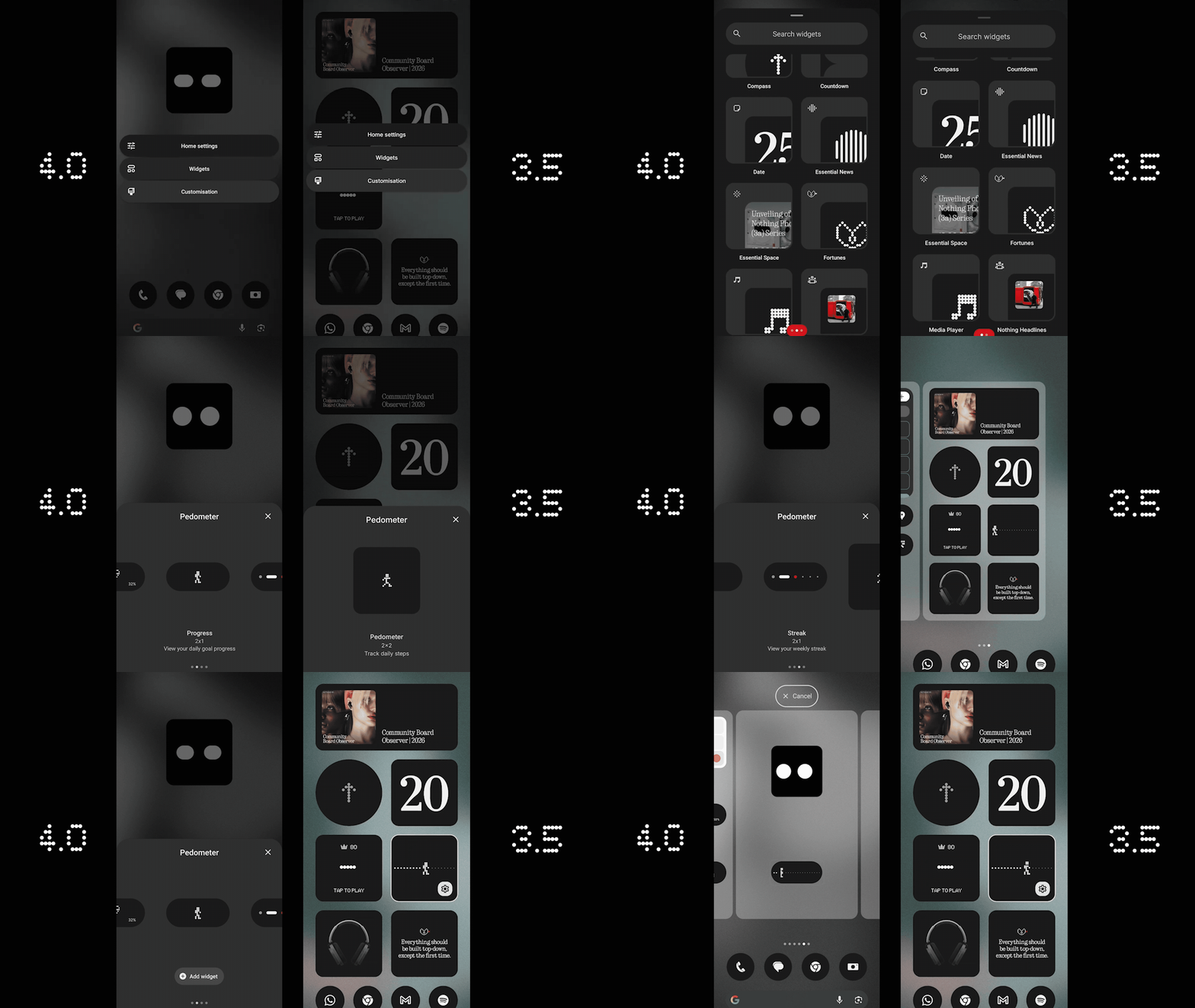
More Widget Sizes: We’ve added 1×1 and 2×1 layouts for Weather, Pedometer, and Screen Time. This lets you slot at-a-glance info into tight spaces or build balanced layouts for a faster scanning and more personal Home screen.
System and App Optimisation: The new System and Apps Dashboard helps your phone stay smooth and responsive. It shows which apps are running in the background and lets you optimise performance with a single tap. Everything stays fast, efficient and consistent, without you having to think about it.
Universal Search Settings: Search results can now be filtered to show exactly what you want, making it faster to find what you need.
Creativity. Unlock Your Flow.
Now that you have headspace, take your mind to Playground. This is the biggest leap in Nothing OS history. It is a world of creativity where an idea is all you need.
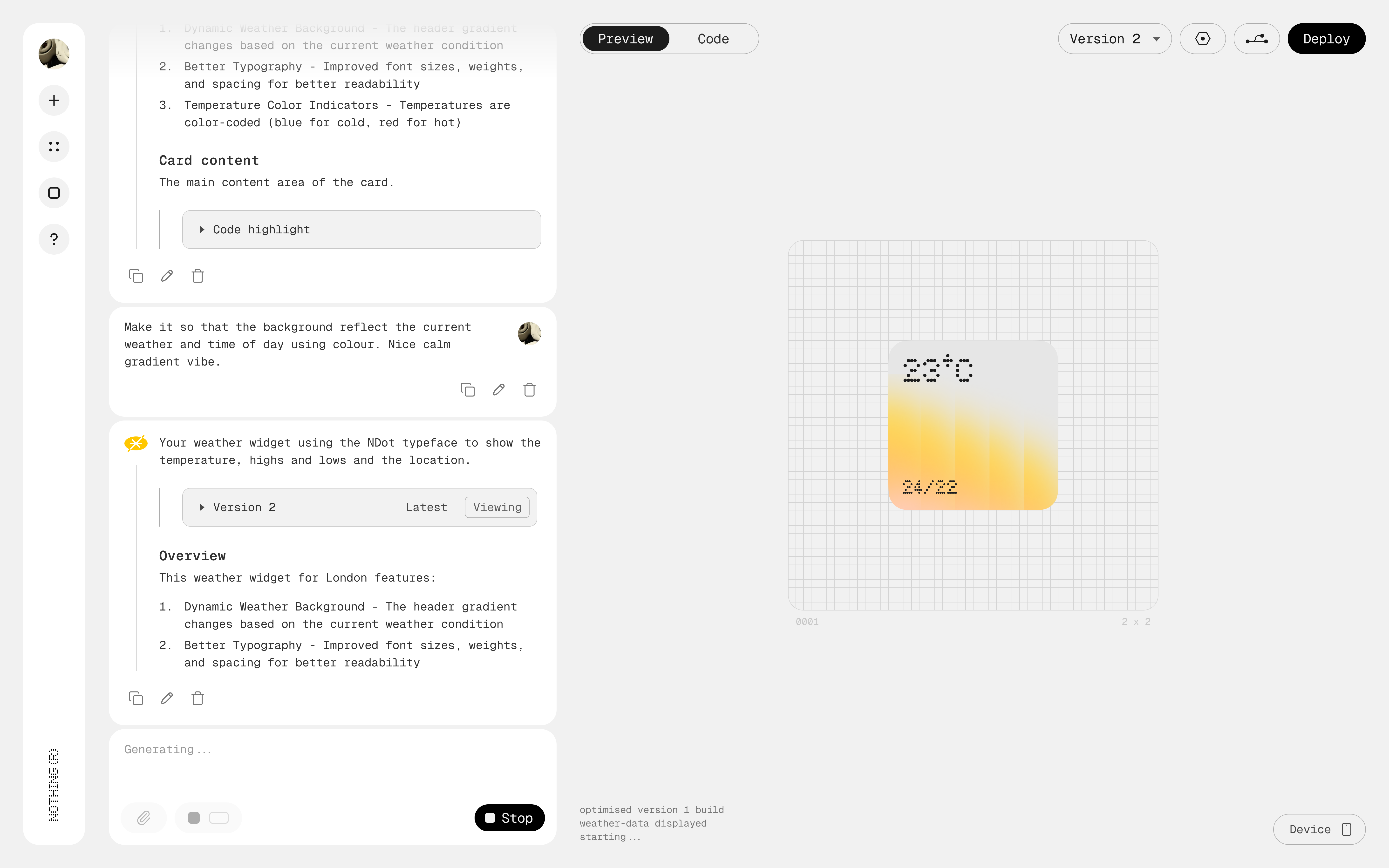
Essential Apps (Playground): Create your own widgets by simply chatting with AI. No coding required. AI does the hard work to bring your ideas to life instantly.
Widget Drawer: A new, organized view for all the widgets you build or collect from the community. It keeps your creative tools organized so you can find, swap, and share widgets effortlessly.
Your phone becomes a canvas that is personal, creative, and uniquely yours.
Privacy. Transparent Intelligence.
As we introduce more AI, we ensure you stay in control.

AI Status Hints & Usage Dashboard helps you see exactly when an LLM is active right in your status bar and track usage in the dashboard. This gives you total transparency and peace of mind, knowing exactly when and how AI is working for you.
Phone (3) Exclusives
For Phone (3) users, NOS 4.0 unlocks deeper hardware integration:
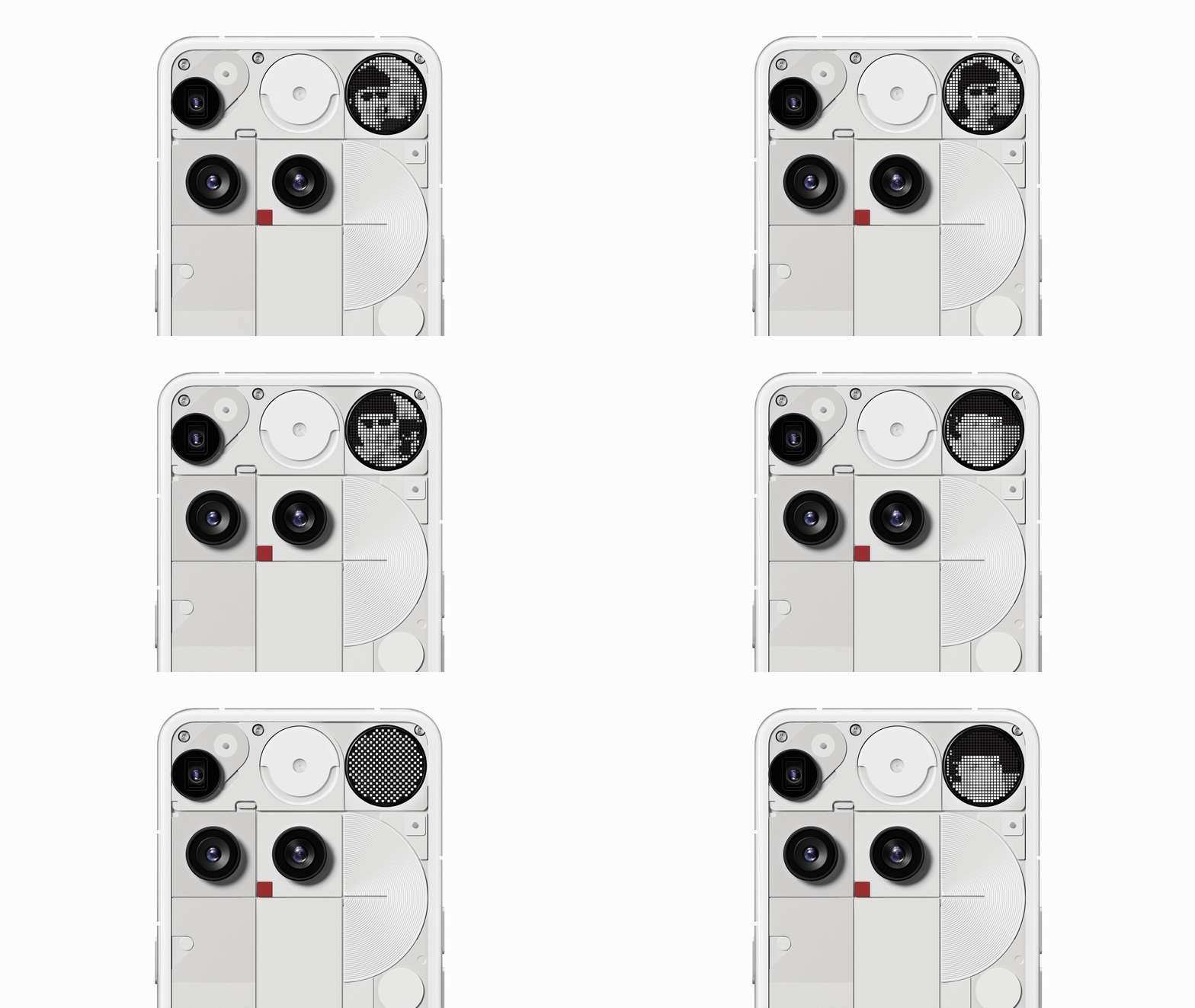
Glyph Mirror Selfie: Capture a Matrix-style reflection of yourself via the Glyph Interface. An extra Glyph Mirror selfie can be saved directly to the Gallery, making it easy to share your cool selfies with friends or use them as your social profile picture.
Smarter Flip to Glyph: Choose between Vibrate or Silent modes when you flip your phone face down. This gives you the right level of awareness for the moment, whether you need total focus or subtle notifications.
Flip to Glyph AOD: The Glyph Matrix’s AOD now activates only when Flip to Glyph is enabled. This reduces unnecessary battery use and better reflects real-world behaviour, since the back of the phone isn’t visible during everyday use.
Pocket Mode: The Glyph Matrix now automatically disables in your pocket. This saves battery and prevents accidental triggers, so your phone is ready when you are.
New Glyph Toys: Two new time-themed toys. Hourglass helps you visualise the passage of time, while Lunar Cycle shows the real position of the moon above you.
Essential Memory. Your Second Brain.
With Nothing OS 4.0, Essential Memory becomes the next step in how Essential Space and Essential Search work together. Until now, Essential Space stored what you saved. With Memory, it starts to build an understanding of your captures. Anything you save in Essential Space becomes a memory your phone can recognise and recall when you need it. Ask naturally and your phone brings back the moment you captured.
Say you save a poster from a design fair you want to attend and tag it “April events”. Later, you ask, “Is there anything interesting happening next month?”. Essential Search brings it back instantly. Space keeps it, Memory understands it, and Search retrieves it. Everything works together as one intuitive system.
Essential Memory arrives soon with the next Essential Space update.
Rollout Status:
Nothing OS 4.0 begins rolling out today starting with Phone (3) and will expand to the rest of the Nothing smartphone lineup over the coming weeks, and to CMF smartphones by the end of the year. Phone (3a) Lite will follow early next year
Let your mind flow.