AgentY
Hey mate! Apologies for the delayed response.
I have not rooted my device, nor am I recommending rooting here. I paired Shizuku through Wireless Debugging and granted MacroDroid access to it, which allows the command to run without root.
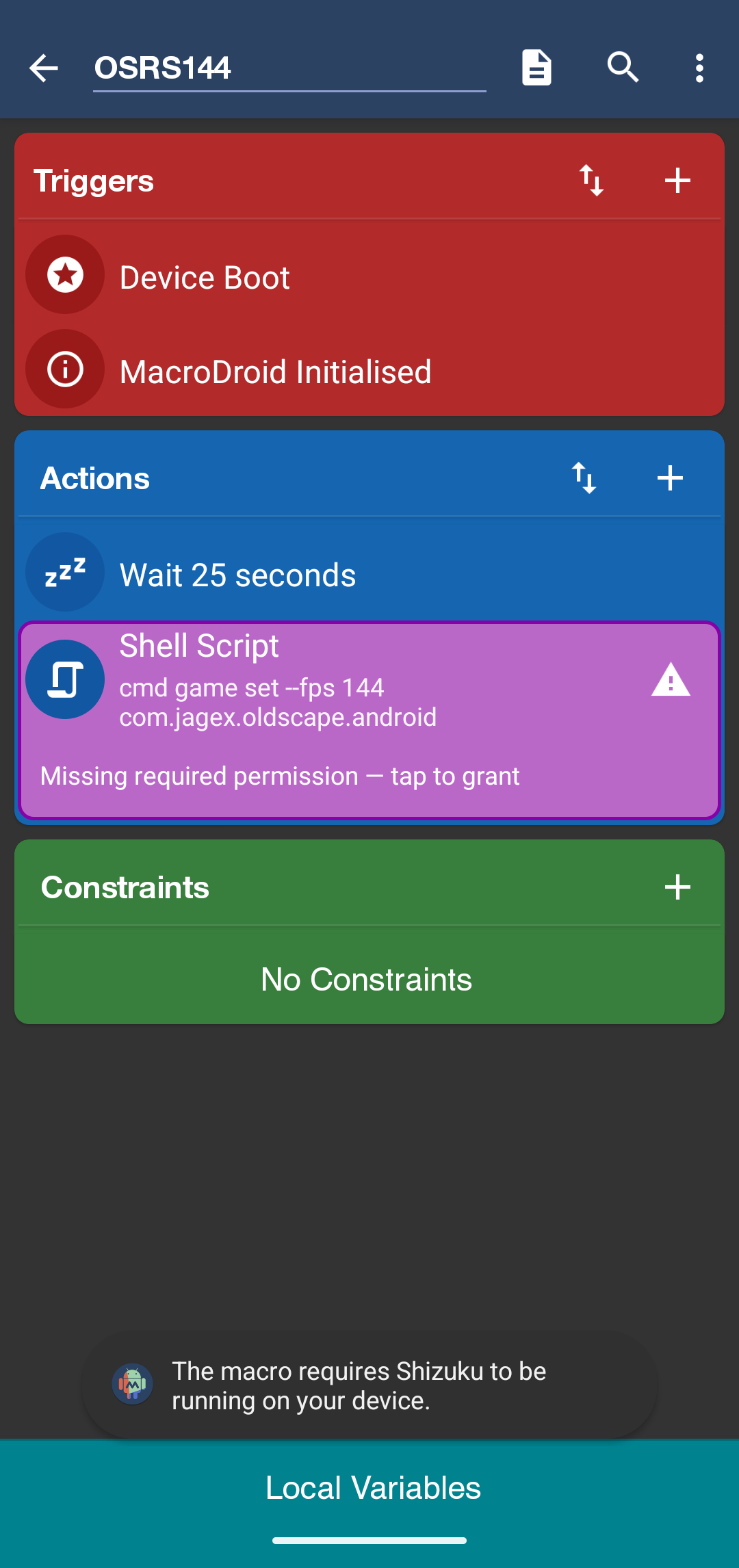
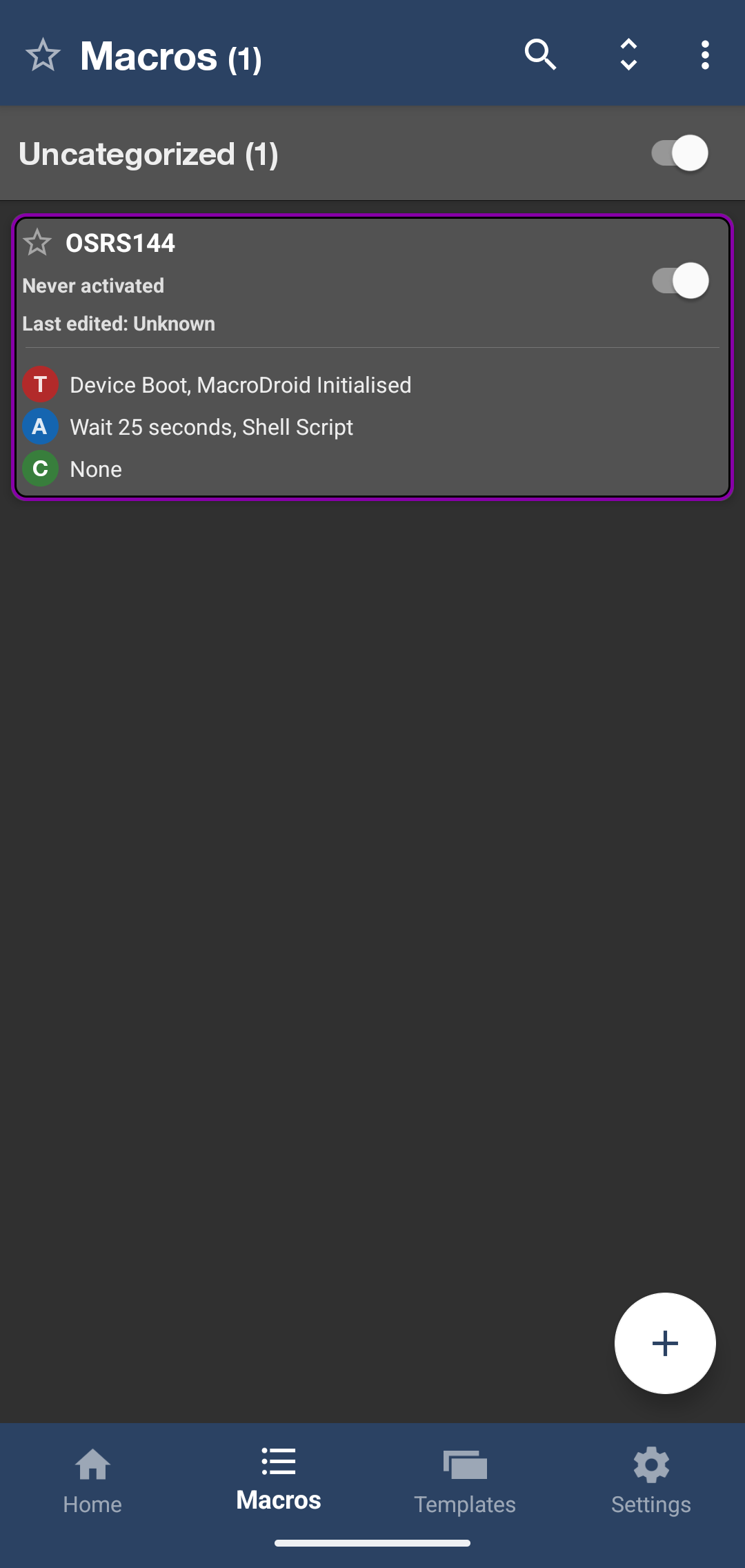
In MacroDroid, I set:
Triggers:
• Device Boot
• MacroDroid Initialised
Actions:
• Wait 25 seconds
• Shell Script
For your Nothing Phone, paste the following in Shell Script when you select the option:
cmd game set –fps 120 [insert package name example:] com.jagex.oldscape.android
When setting up the Shell Script, select Shizuku. I tried the standard Non-Rooted option for my gaming apps and could never get it working.
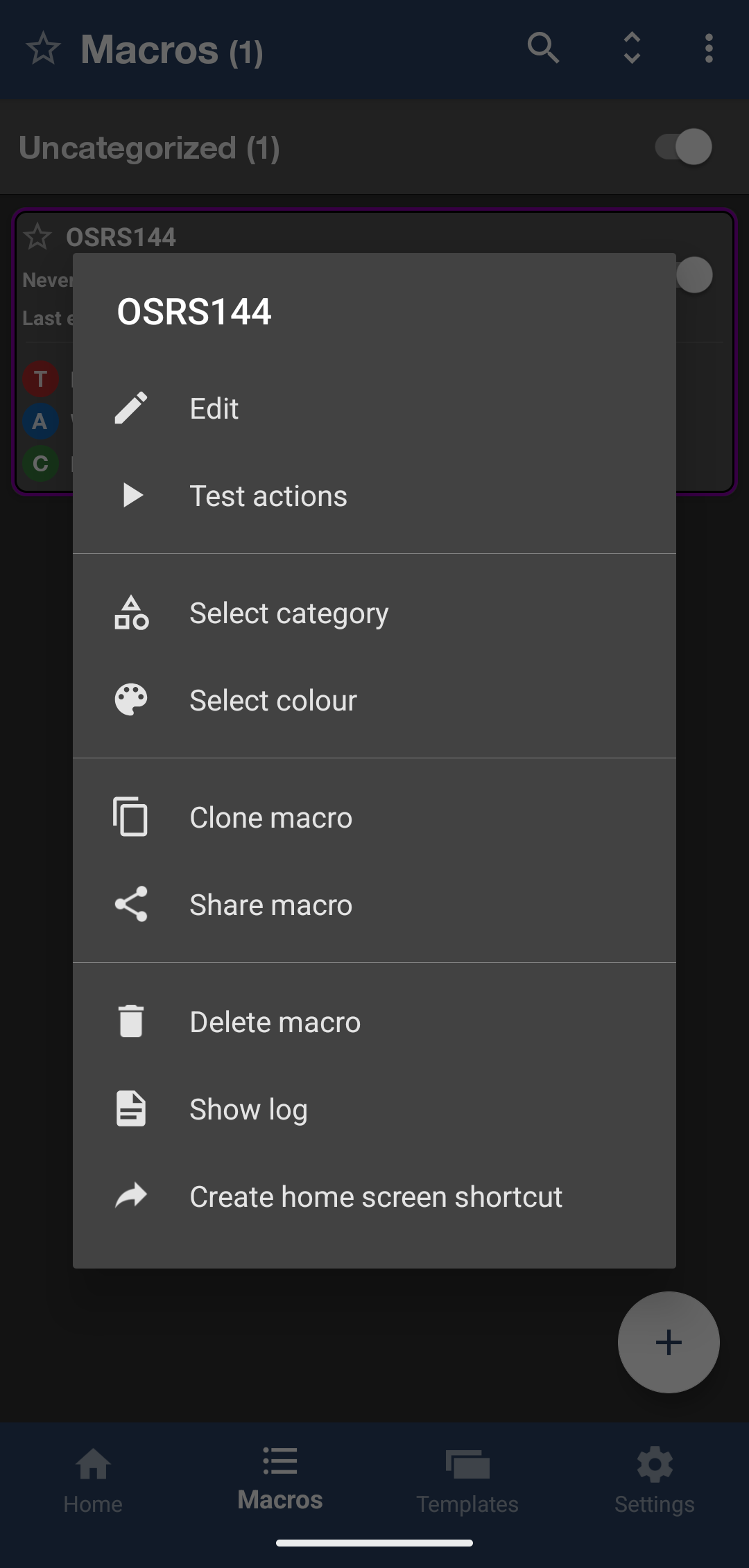
The main caveat is that Shizuku must already be running. On an unrooted device, you generally need to start Shizuku again after every phone restart, so the boot automation is not always reliable for me. If it fails, start Shizuku, then long press the macro from MacroDroid’s main screen and select “Test actions.”
You need Wi-Fi when starting Shizuku through Wireless Debugging, but the macro itself does not require you to remain on your home network.
Also, this cannot override a game’s own internal limit. OSRS still refuses to reach 144 FPS for me, even when set to Unlimited. Jagex! 👿 Also the delay of 25 seconds allows me to see the fps change occur to ensure it worked so you can jump back to your gaming app and see it run live if you want to!
I’ve attached screenshots showing my setup. Hopefully this helps? If you find a more reliable startup method, definitely share it. Cheers! 😎