Hey community,
Excited to share that I’ve had early access to the updated GDK that supports the new Glyph Matrix, so I’ve updated my Counter Glyph Tool to work with it.
Original Counter thread for reference: https://nothing.community/d/36837-introducing-counter-a-glyph-toy
Counter changes for the Glyph Matrix
Because of the new Glyph Matrix’s size and layout, the counter is now a two-digit counter (0–99) instead of the four-digit counter (0–9999) used before.
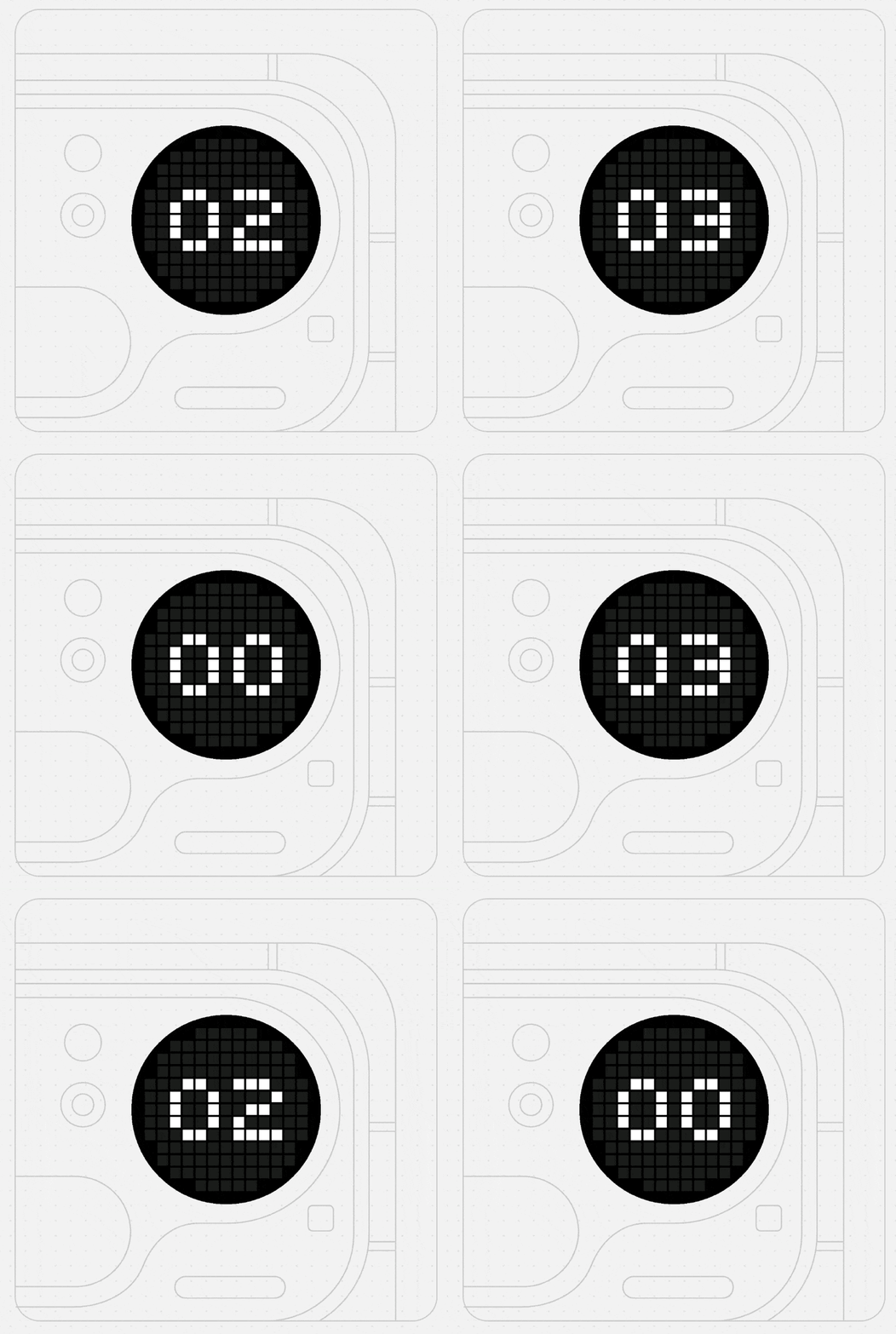
New interaction: tilt gestures
Since there’s no traditional input method, I had to rethink how you interact with the counter. The new version introduces tilt gestures:
Tilt left → decrease the counter
Tilt right → increase the counter
Shake → reset the counter (this remains from the previous version)
Watching the Nothing design team review the Counter in a recent YouTube video also made me realise the importance of being able to decrease the counter. In the original version on Phone (3), you could only increase it using the Glyph button.
With this update, you can now increase and decrease the counter. On Phone (3), the original method of increasing via the Glyph button still works as well.
Always-On Display support
Because of the way the new Glyph Matrix works, the counter also had to support AOD (Always-On Display) mode, so this has now been added to both devices as well.
Download on playground now - https://playground.nothing.tech/detail/toy/pAEn6Xo10VHpZwER
Would love to hear what you think!
