I’ve published my review for the Nothing (4a) already and and I’ll reuse a lot of it as the two phones are pretty similar but I will compare them here and there. I got the (4a) Pro a few days after the base model and have been using them together ever since.
📦 Unboxing & Design Vibes
What’s in the box:
- Nothing Phone (4a) Pro
- transparent case
- USB-C to USB-C cable
- SIM ejector tool
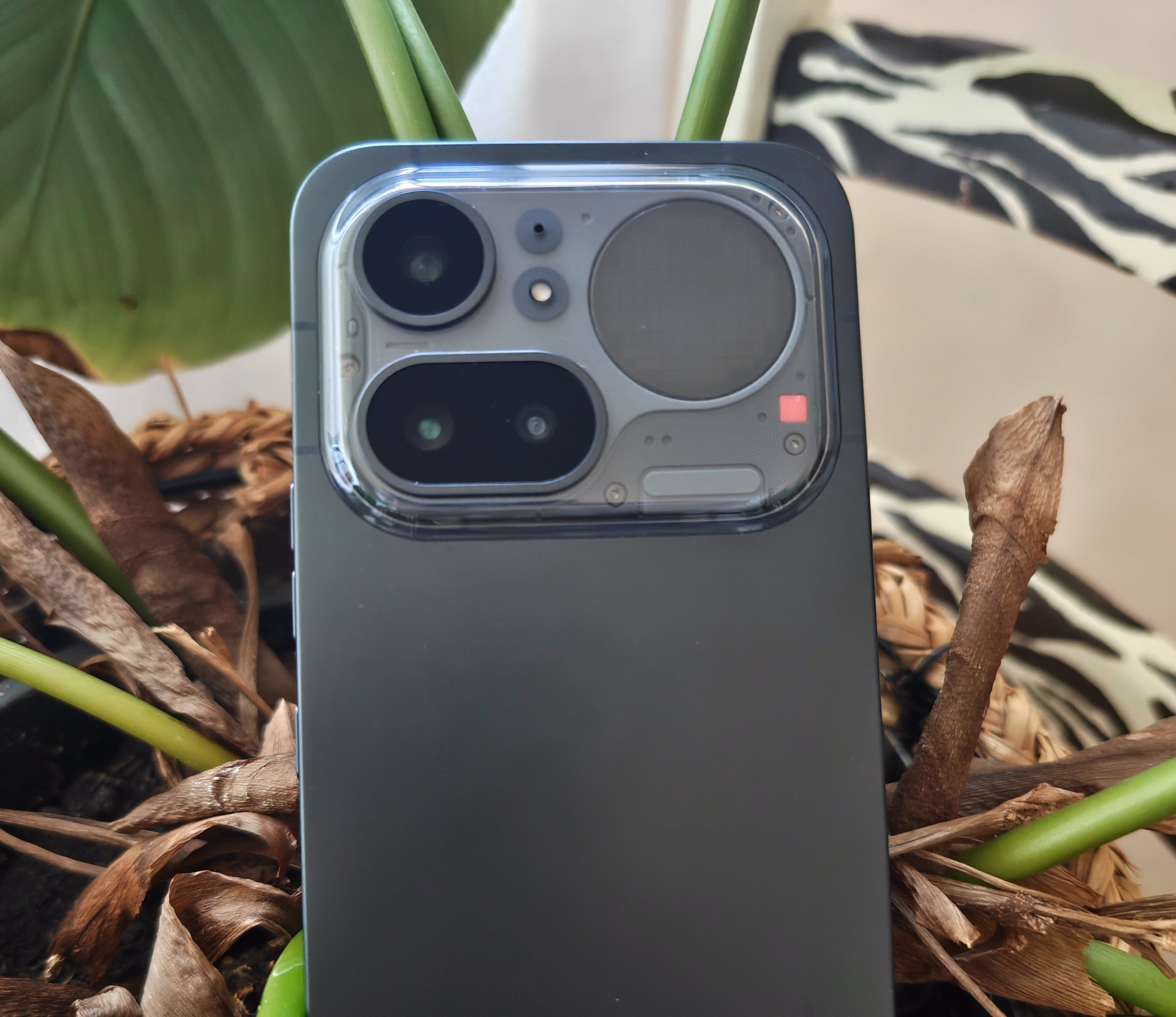
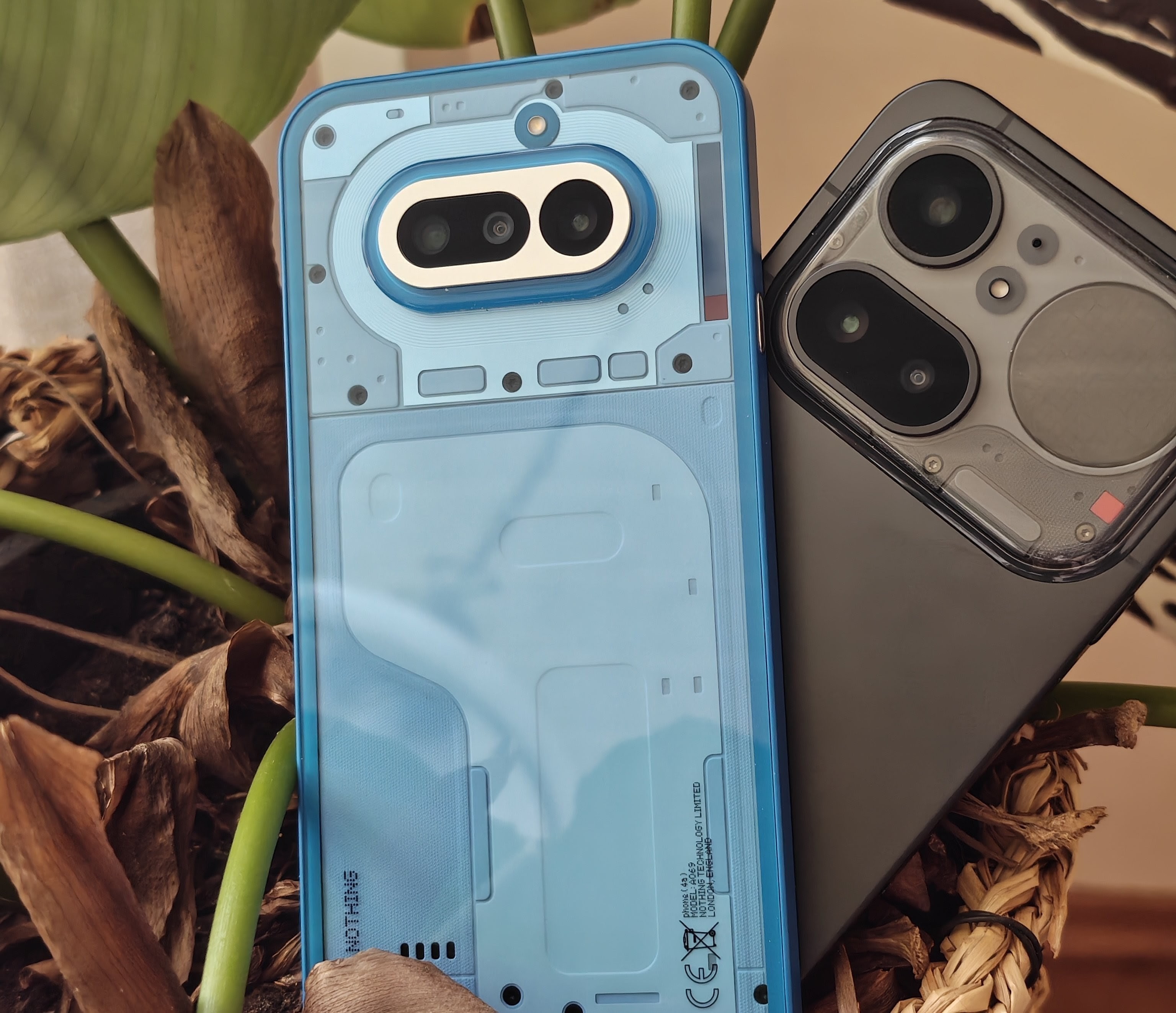
Thanks to its full aluminium back, the (4a) Pro feels even more premium than the (4a). Rather than the pill-shaped camerbump like the base model or huge round one seen on the Phone (3a) Pro, it has a very square camera bump featuring the familiar glyph matrix design seen on the Phone 3. While I still think the design of the (4a) is the best in the Nothing range, the (4a) Pro is a close second.
Having just seen the black and white model in person, I think the white model looks best as you can see the transparent part more clearly. Downside for the the black version, its a real fingerprint magnet. Both phones use Gorilla Glass 7i but the Pro model has an IP65 rating instead of the IP64 rating found on the (4a).
On a side note, this phone is very big, but slightly smaller than the (4a). However, the difference is almost non-existent, so it’s still challenging to use it one-handed with smaller hands.
📺 The Screen
The first thing you’ll notice when you turn it on is its huge 6.83-inch display. It’s slightly bigger than the (4a)'s screen. Besides the size, I haven’t noticed much of a difference; it’s still extremely bright and very readable, even in direct sunlight.
It comes with a pre-applied screen protector, which saves you the hassle of getting bubbles, and I’d recommend keeping it on until you replace it with a regular one. Mine scratched very easily, so you should definitely swap it out.
⚙️ Performance & Features
Under the hood, the storage has been upgraded to UFS 3.1 and compared to the (4a) an even faster Snapdragon 7 Gen 4 processor. Apps open instantly, file transfers are quick and the whole interface is smooth.
Paired with Nothing OS 4.1 (running on Android 16), it flies through daily tasks. The software is clean and and didn’t come with any pre-installed apps besides Fitbit!
I played a few rounds of Call of Duty, as well as some other games, to make sure it runs smoothly without overheating, which it does effortlessly, but I’m skipping the in-depth analysis of its performance with maximum settings for AAA games. It’s by no means a top-notch gaming phone, although the processor is better than the one of the (4a) and squeezes out a bit more performance and FPS.
The Glyph lights have been upgraded to the Glyph Matrix, but there are fewer pixels than on the Phone (3), so the animations aren’t as detailed, which isn’t a huge problem. They still work pretty similarly and support most features, except for the physical button on the back that interacts with the matrix. This is a Phone 3 exclusive feature for now.
📸 Camera Check
I’m no professional photographer, so I won’t be scrutinising the cameras, but the fact that it has a proper periscope lens with 3.5x optical zoom again is a massive win for getting closer to subjects. For everyday use, standard photos and normal multitasking, this phone gets the job done, and I think the pictures look slightly better on the (4a) Pro than on the base model.
🔋 Battery Life
Because the processor isn’t very power-hungry and the battery is huge, the phone’s battery life is excellent. I get through a full, heavy workday and still have plenty of battery left. It’s slightly less than the (4a), as the processor and bigger screen are more power-hungry.
🧐 The Drawbacks:
No phone is perfect, and there are a few daily inconveniences you should be aware of:
The speakers: The dual stereo speakers are loud, but sound tinny and hollow when playing bass-heavy music. In my opinion, however, they sound better than the speakers on model (4a).
Button layout: I find the new layout a bit weird. All the buttons are now on the right, leaving the left side purely for the new AI ‘Essential Key’. Taking screenshots, turning your phone off, etc. is more difficult overall.
I know people have accidentally touched the Essential button in the past, but I feel like this change wouldn’t have been necessary with the introduction of double-tapping to activate.
Fingerprint Scanner: The optical fingerprint scanner is super fast, but it’s placed very low down on the screen which can it make hard to reach.
Design: A huge portion of the transparent back has been removed in favour of a full aluminium body. They have done the same with the glyphs. They have replaced multiple light strips across the entire back with a tiny “matrix”. While I can understand that they want to attract new customers, as the design can appear very “techy/nerdy”, I do hope they maintain their design language and remain unique.
💭 Conclusion
The Nothing Phone (4a) and (4a) Pro are the perfect everyday phones, offering solid reliability. Although it takes some time to get used to the speakers and button layout, the massive screen, all-day battery life and smooth performance more than make up for these minor issues.
Compared to the (4a), the (4a) Pro is slightly faster and takes slightly better pictures. The design is also completely different and the screen is slightly bigger.
Ultimately, you can’t go wrong with either of them, and it’s up to you whether you’re willing to spend a few extra pounds on the (4a) Pro or not.
