I’ve been using the 4A Pro for a little more than 2 months now and it’s undeniably the best phone, considering the price, that I’ve ever had. All the unique features are great, in particular the glyph with essential notifications, which in my opinion has lessened my overall screen time. One thing that bugs me, though, is the way the essential notification rules are managed, in the sense that every new rule added goes automatically to the top of the list, without the possibility of changing the order.
For example, if I have this setup:
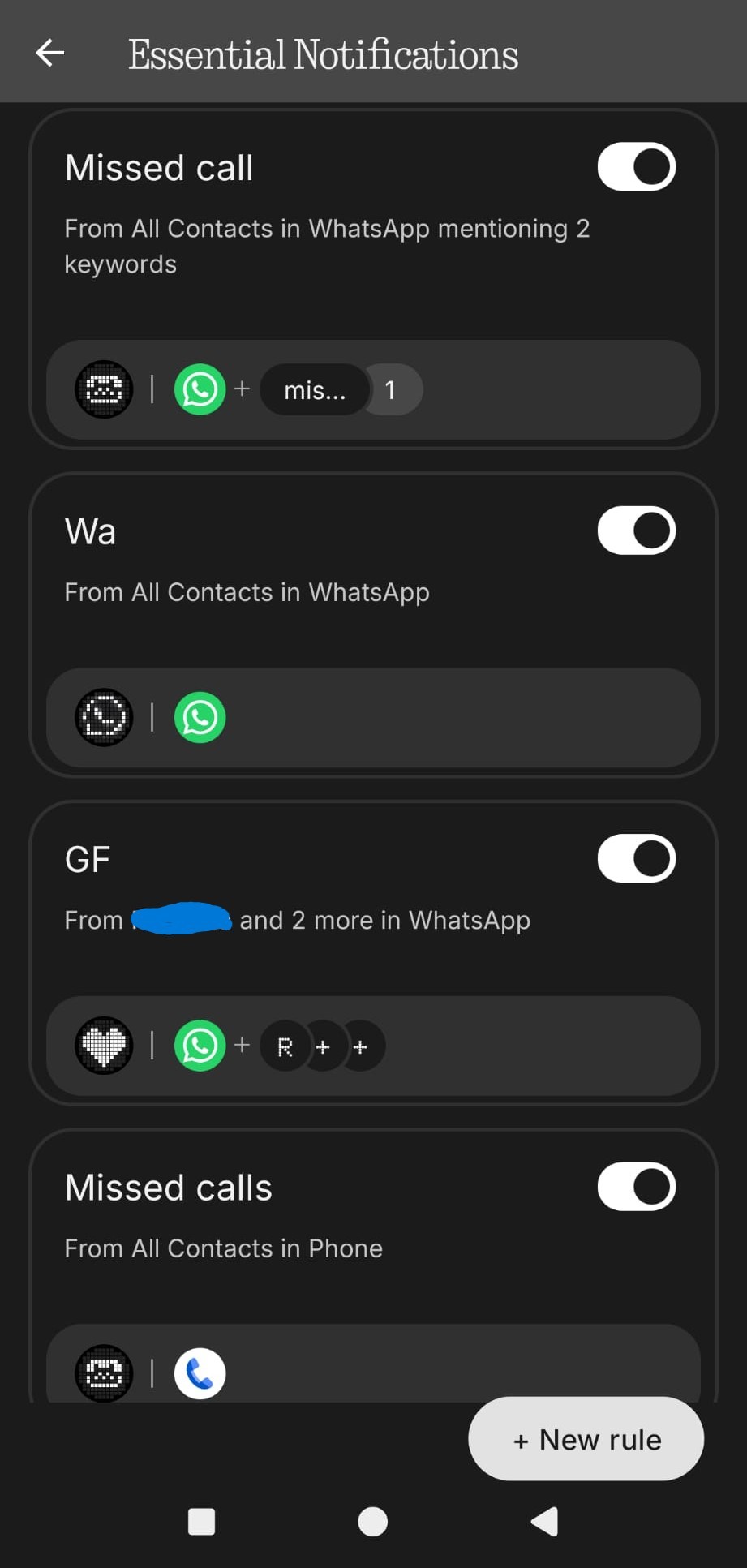
I want three different images displayed for the same app but, like in this case, in three different contexts. The way I figured it works is that every time a notification arrives, the phone goes through the rules from top to bottom, and if it fits that notification, it applies the glyph image. But then it doesn’t stop there, because even if a matching rule is found and applied, it continues to go through the remaining rules until it hits the very bottom. This causes lower rules to override the higher ones.
Referring back to my example, if I had a missed call on WhatsApp, the rule called “Missed call” will never be used, because it will immediately be overwritten by “WA”. In the same set of rules, the “GF” rule wins over the “WA” one because it’s below it.
If I wanted to, I could solve this problem by simply deleting all rules and recreating them in the order I want, but that’s not very pleasant, especially considering that I’d have to delete and recreate everything every single time I want to add a new rule.
I don’t know if this is a known problem or if there is already a solution out there (I couldn’t find anything about this problem). In the case that there isn’t one, I hope someone at Nothing can see this and fix it, maybe by making the order of the rules customizable, or maybe someone can help me solve this problem with some neat trick I don’t know.
