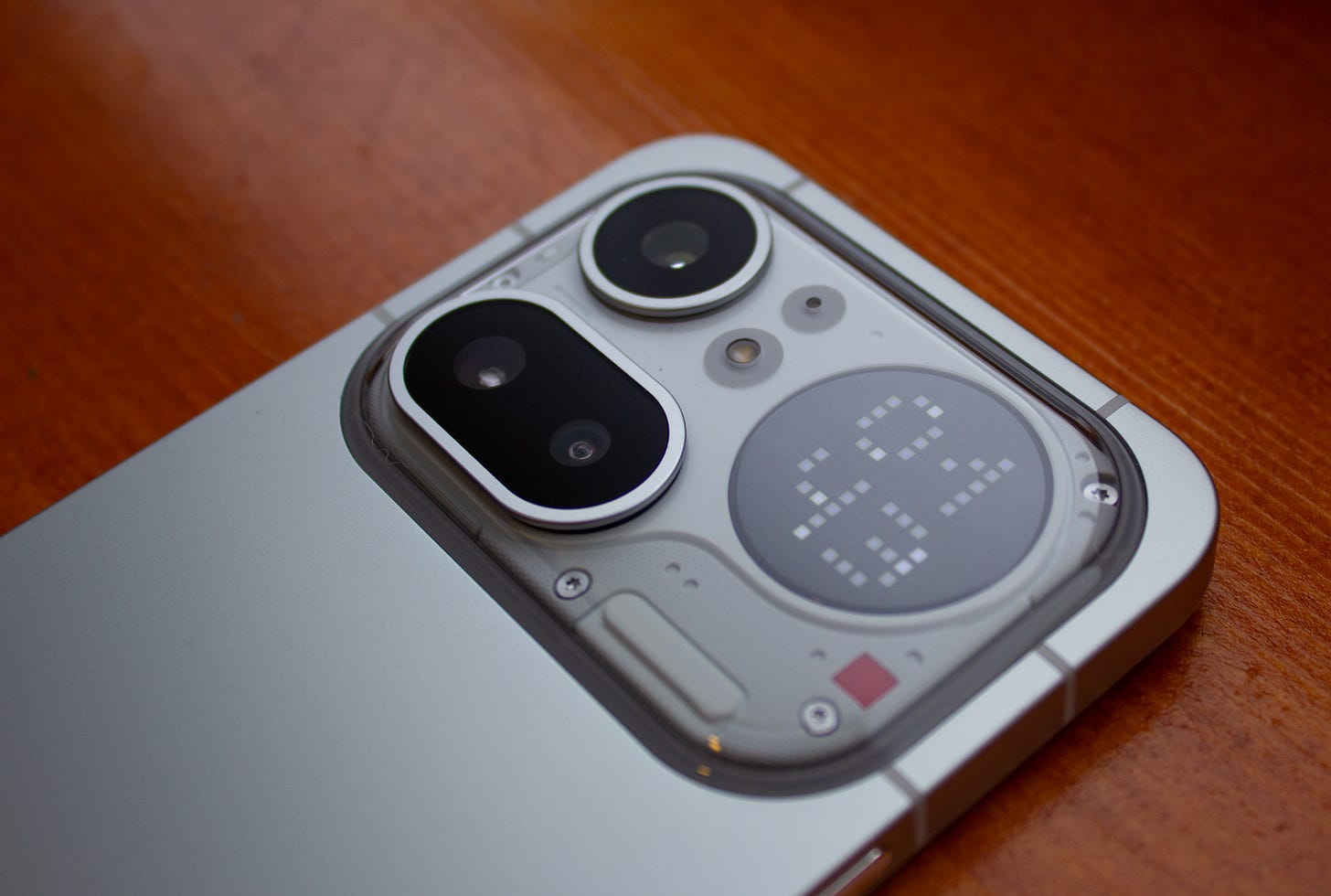
Note: I purchased this phone myself and have been using it as my main device since day 1 release here in Canada.
When I first saw the Nothing Phone 4a Pro announced, I was immediately intrigued. I’ve owned a Nothing Phone 1 back when it first came out, and fell in love with their industrial design, but the software and performance experience was a lot to be desired. There were quite a few software bugs along with many connectivity issues. But in their defence, back then there was no real official support for the Canadian (and broader North American) market, so this was somewhat understandable.
But since the Phone 1’s launch, Nothing has grown larger, released quite a few new products (both phones and headphones) and expanded their footprint. Not only do they have support for North American mobile bands, they also have a partnership with Best Buy to showcase and sell their phones.
So, when I found out that the Nothing Phone 4a Pro would be available here, I set out to give it a try and see how much I love ‘Nothing’.
💿 Software
Coming from the Samsung ecosystem was tough - I’ve been using the Galaxy series since the S21 which I would say offers the ‘pinnacle’ Android experience here in the west. But after using Nothing’s ‘Nothing OS’ for the past month, Nothing OS provides a very good balance between stock and adding a bit of flair across the OS in meaningful ways.
Navigating the UI is very fluid with minimal hiccups and features like ‘Essential Voice’ are great if you use a lot of voice to text to send/respond to messages.
Some features like the ‘Essential Space’ I still have yet to find a good use for, but I like the fact all of the AI features very much ‘opt in’ rather than ‘opt out’.
I have encountered some strange bugs with UI scaling depending on how many icons you want to have on your home screen, however, and have reported to Nothing support but these have yet to be fixed.
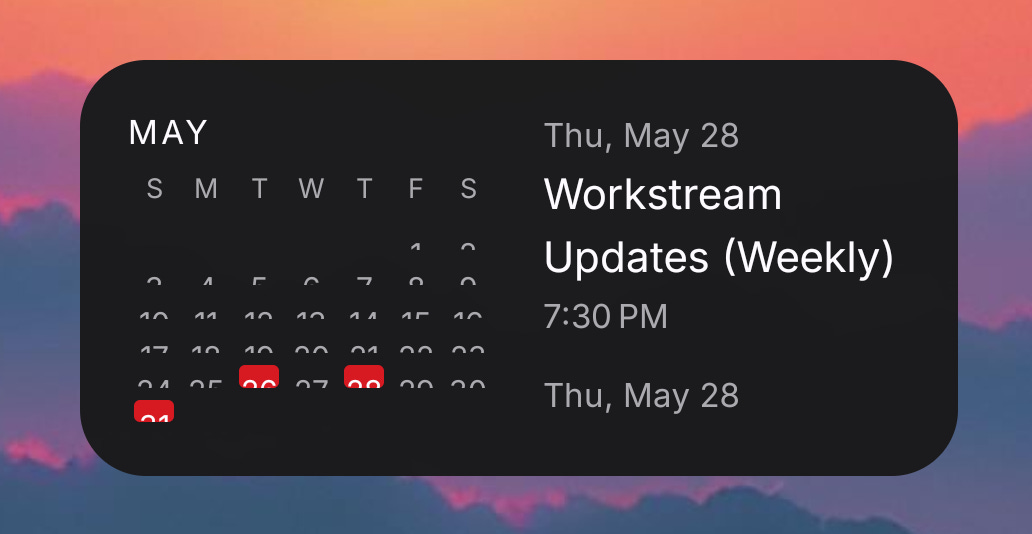
There’s a scaling bug with the Nothing Launcher and widgets if you increase the grid size.
📱 Hardware
Physically, I absolutely love the design of the Nothing Phone 4a Pro. A solid piece of aluminium with a camera housing which contains 3 lenses plus the ‘Glyph Matrix’ screen on the back is a very minimalistic approach to what Nothing normally does with its phones, which I know has been somewhat polarizing to existing fans. There is also a small red LED that acts as a recording light like you used to see on old camcorders, which I think is a very nice retro touch and helps show people around you that you are recording.
However, for me it strikes a nice balance between Nothing’s proven design aesthetic and a more contemporary bar phone design.
The phone itself is powered by the Snapdragon 7 Gen 4, and I am using the 256GB model with 12GB RAM.
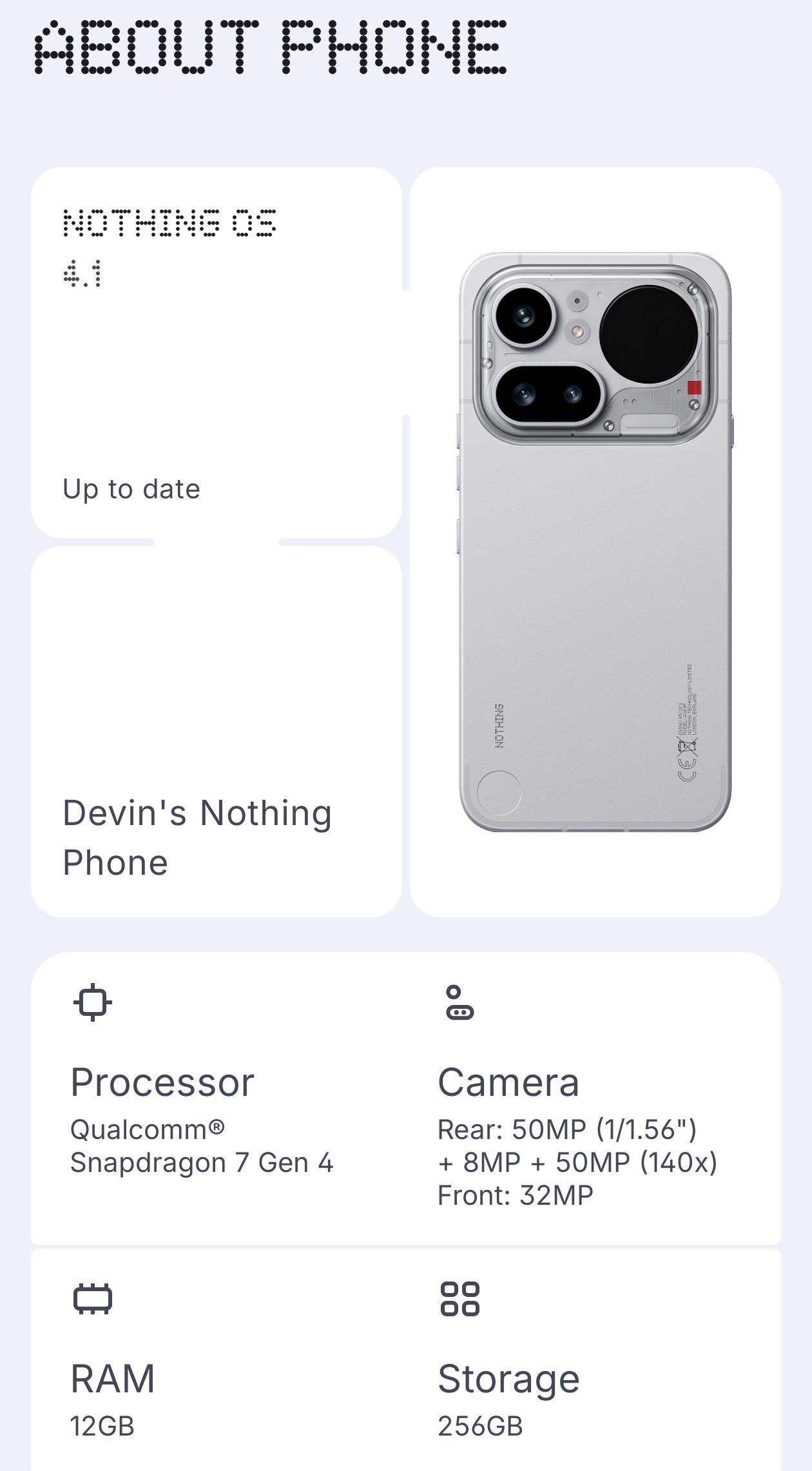
For a complete list of specs, you can check out the Nothing website.
🚥 Glyph Matrix
While this is somewhat part of the device hardware, I thought I would break this out since it’s such a unique and integral part of the phone. On the back, there is an LED matrix ‘screen’ that can display things like the clock, notifications, calendar countdowns, etc.
As someone who used to own many old Pixel devices, one thing I always missed was the notification light. This small LED allowed you to customize the colour depending on which notification you were receiving, whether that be red for a gmail or blue for SMS - you could easily see at a glance what notification was waiting for you without ever having to pick up your phone.
And this is where the Glyph Matrix shines - as a way to easily see who or what is waiting for you without needing to action it right away. With other phones, every time I heard that familiar buzz of the vibration I would instantly pick up my phone to see what the notification is from. With the Glyph Matrix, that is now a thing of the past.
You can customize the screen in many different ways, including having an always on clock (my favourite) to customizing the graphic depending on who is sending you a message and from what app, or just what app is giving you a notification. This has been extremely useful for messaging apps, as I now know if one of my family is messaging me or if it’s just another spam message that I can ignore until later.
📶 Connectivity
The Snapdragon 7 Gen 4 offers all of the connectivity you would want, excluding some newer/higher end options like mmWave. There are some cost saving measures here I believe, too, since the chipset technically supports 6Ghz/Wi-Fi 7 and Bluetooth 6.0, however the phone ships with Bluetooth 5.4 and only supports Wi-Fi 6 5Ghz.
One major plus since I’ve used Nothing phones is the addition of broad LTE/5G band support. I am using Rogers and have had no issue using both LTE and 5G, along with features such as VoWIFI and VoLTE. Calls are crisp and clear, and data speeds have been excellent with no issues in reception, even in more rural areas (just to note that this will largely depend on your carrier and their coverage more than anything).
At the time of writing this review, I did encounter a pretty significant bug with Wi-Fi. It turns out that using WPA3 somehow causes a severe reduction in bandwidth to the point you need to flip airplane mode on/off to reset the connection. The fix so far is to use WPA2 - but this isn’t a long-term solution since if you have a Wi-Fi 7 capable router at home, you will lose out on the 5Ghz frequency without WPA3 enabled.
🔊 Sound/Multimedia
Whenever I read reviews, I am always miffed at the fact that they usually omit things like audio or video codec support, or it just gets a small mention in a footnote somewhere. While this doesn’t make a huge difference to some people, having support for high-quality Bluetooth audio codecs is a huge positive. And Nothing, once again, adds support for Snapdragon Sound, which doesn’t get enough credit. I previously wrote about how you can get this on all your devices, if you were wondering.
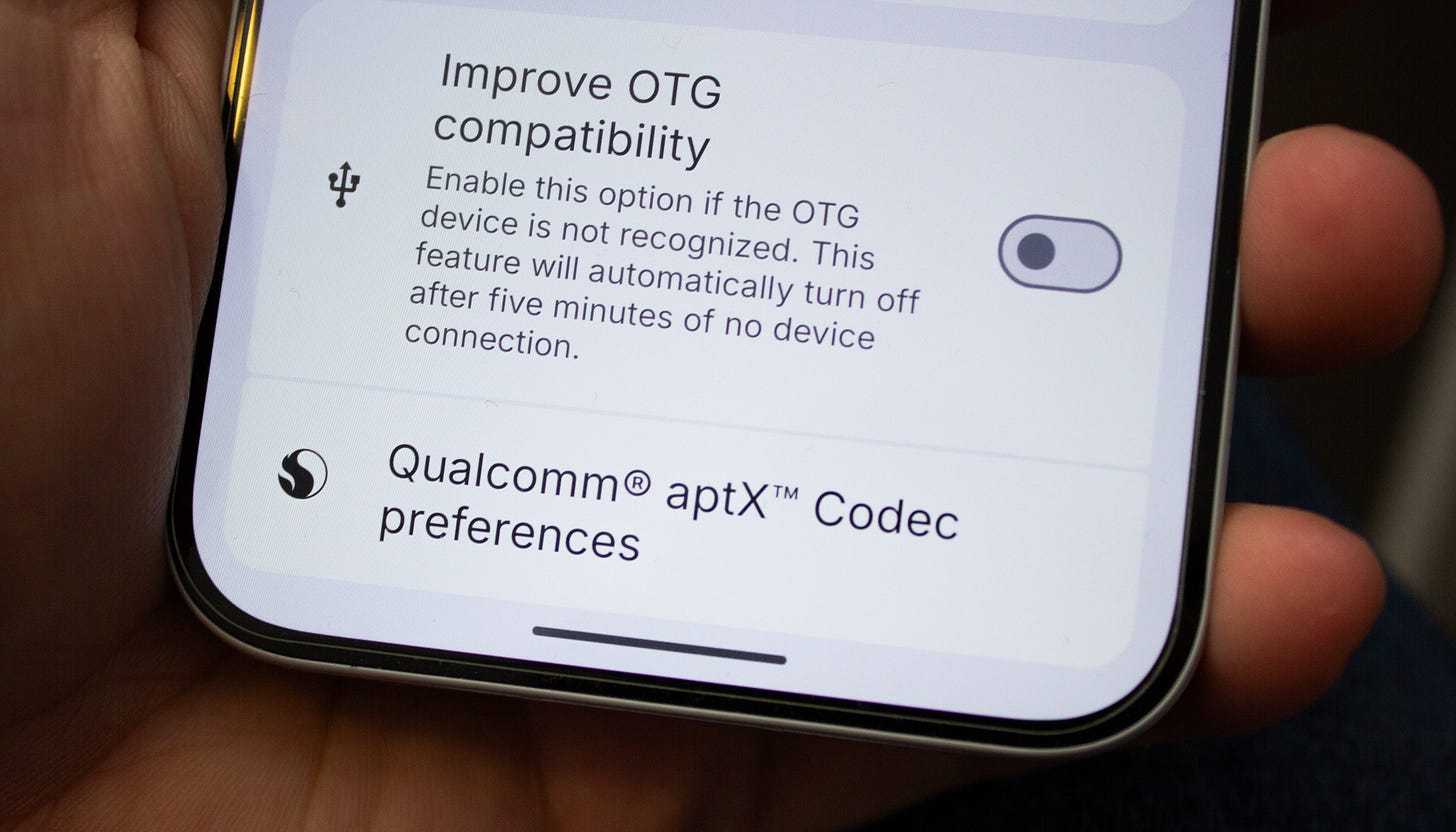
The Nothing Phone 4a Pro gives you full aptX Adaptive support which brings near CD-quality sound over Bluetooth
Having support for aptX Adaptive and LDAC is a huge positive - both of these codecs will give you near-CD quality sound over Bluetooth, as long as you have a compatible pair of headphones.
On the video codec side, you have hardware support for all the popular ones such as HEVC (H265), H264, and VP9 - although it would have been nice to see hardware AV1 support.
And just as expected, media playback is smooth with no real-world issues to report.
📈 Performance
Day to day, the Snapdragon 7 Gen 4 provides excellent performance. Paired with the minimalistic and optimized Nothing OS, the experience you get mimics those of flagship devices. Opening and closing apps is quick, and scrolling through websites or apps is smooth, and switching between apps is fast with little to no slowdown.
One addition to using apps that most reviews do not cover is Android Auto performance. This can be a huge mixed bag depending on your device or vehicle, too, since I’ve seen flagship phones struggle and have low framerates before.
Thankfully the Nothing Phone 4a Pro has excellent performance here, via wireless or plugged in AA. I was honestly surprised since my previous phone which was using an arguably higher end Snapdragon processor would struggle with low frames in Google Maps, but that could be due to overhead processes or lack of OS optimization. Nothing has done a great job in optimizing performance on this device to the point it feels flagship level.
🎮 Gaming
I’ve only played a small number of games and the experience is … okay. The Qualcomm Adreno GPU included with the 7 Gen 4 (there’s no version number to this one) can run games but the performance is not as good as something from a higher end chip. For the casual gamer, it will work perfectly fine. But if you are into mobile gaming, this might not be the phone for you.
That being said, the main game I have been playing lately is Neverness to Everness (NTE) which does run, but framerates struggle even on lower graphical settings. The game is playable, however, and for quick sessions is perfectly adequate.
📸 Camera
Since I mostly use phones for photographing my family and light street photography, the phone has done exceptionally well compared to my outgoing model. With the proper lighting, photos come out vivid and crisp, and have true to life colouring, especially with XDR mode turned on. Nothing also has a wide variety of filters you can use to apply to your photos which are a great addition, although I wish the preview of these filters was applied to your actual image rather than sample imagery. For low light, the results are not so good. You can get away with some photos if you have subjects in good enough lighting, but if you are looking to take pictures on dark roads, forget it - the results are not great.
Some shots I took with the Nothing Phone 4a Pro in different lighting conditions and zoom levels.
For video, you can definitely begin to see the mid-range specs come out. There is some shimmering or tearing even in good lighting, which might be able to be fixed via software update. In low light, you can almost forget it as footage is barely usable.
🪫 Battery
Coming from a phone that needed multiple charges per day to the Nothing Phone 4a Pro was a breath of fresh air. I now finish each day with easily 40% or more battery remaining after heavy use, which includes browsing, social media apps, watching videos, and answering e-mails.
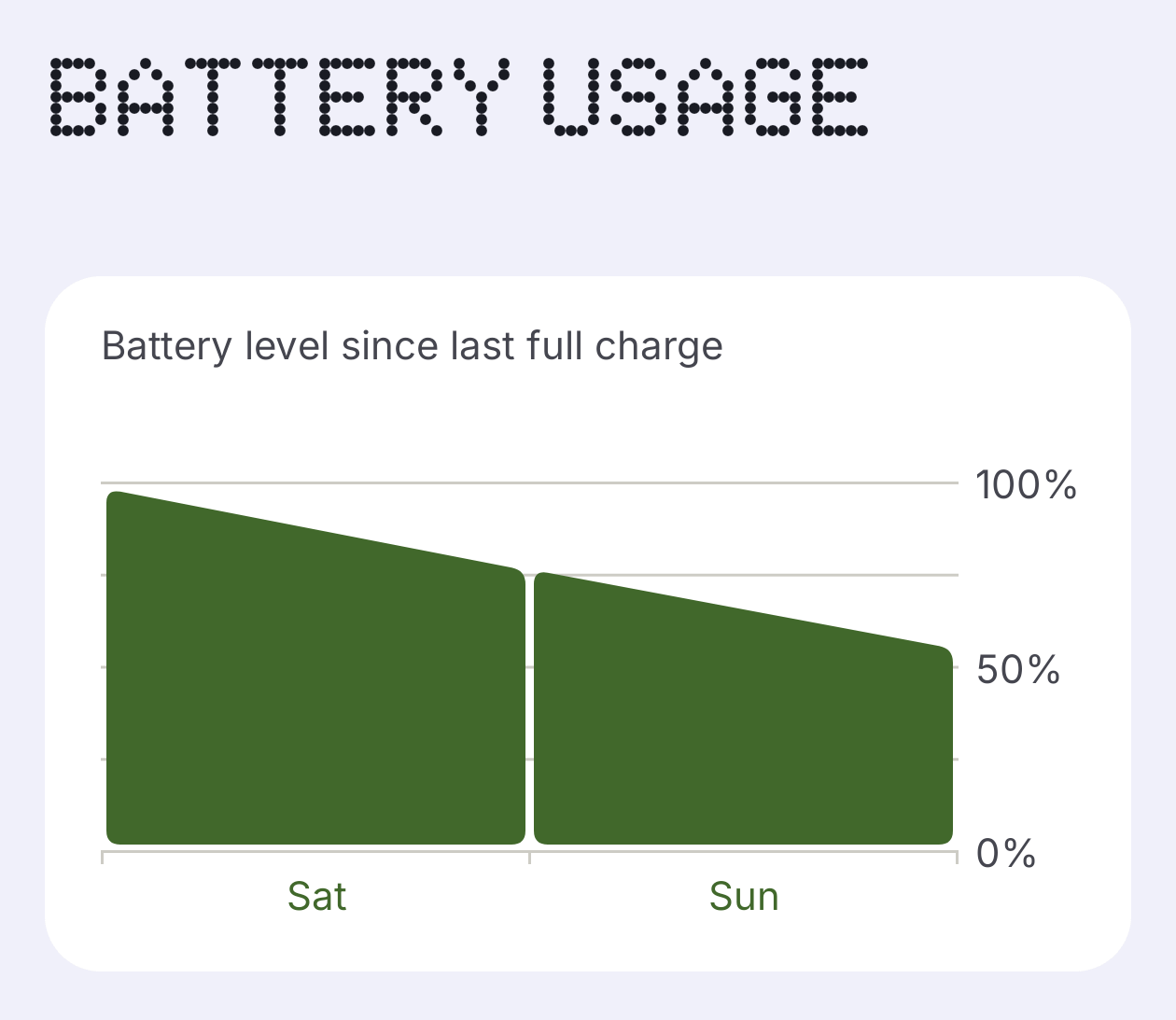
This will of course be different for everyone depending on how you use your phone, but for me, I was able to get a full 2 days’ charge with normal use, which in my past experience is incredible. I am no longer worried about having to find a charger near the end of the day and can just use my phone how I need to.
💭 Final thoughts
Well, all you need to know is I did end up giving up my Samsung S25 Ultra for the Nothing Phone 4a Pro and have not regretted my decision. Sure, it’s using ‘lower’ tier processor, but the Snapdragon 7 Gen 4 is a very powerful chip, and Nothing did an excellent job with software optimization. For my use case as someone who doesn’t play a ton of mobile games or shoot a lot of videos it’s the perfect device for me.
And that brings me to my main point about my time with this phone. You don’t need to keep chasing the top end chip to get a good experience on a device. You just need to figure out what you are using your device for and find the best one that fits your personal needs.


