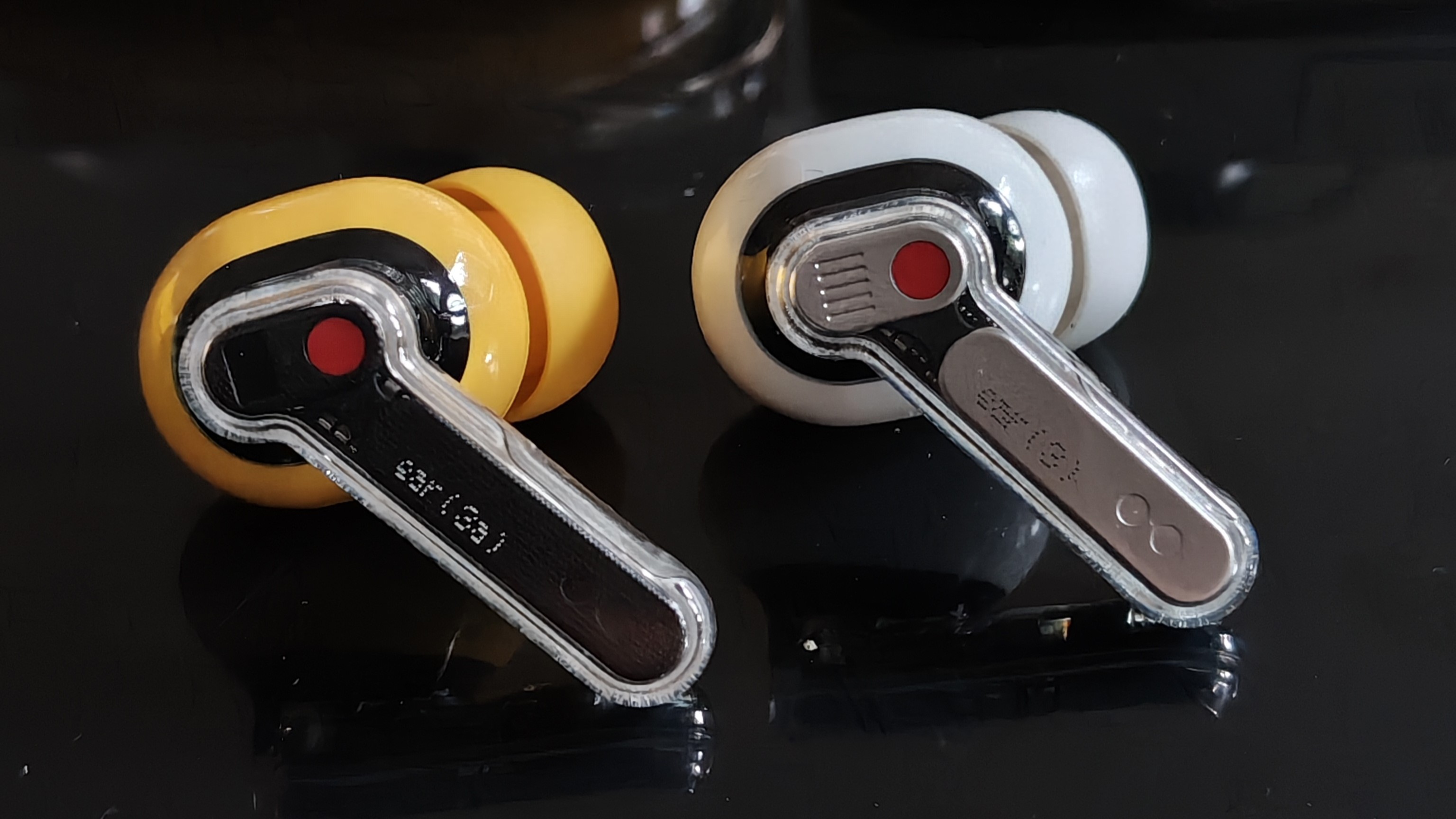
I’ve been using the Nothing Ear (3) as my daily drivers, so going into the Ear (3a), I had one main question:
How much of that experience can Nothing deliver at a more affordable price?
Over the past month, I’ve been testing them as part of the Community Review Program across commuting, music, calls, meetings, battery life, noisy environments and general day-to-day use.
Here’s how they held up.
🎧 Design & Comfort
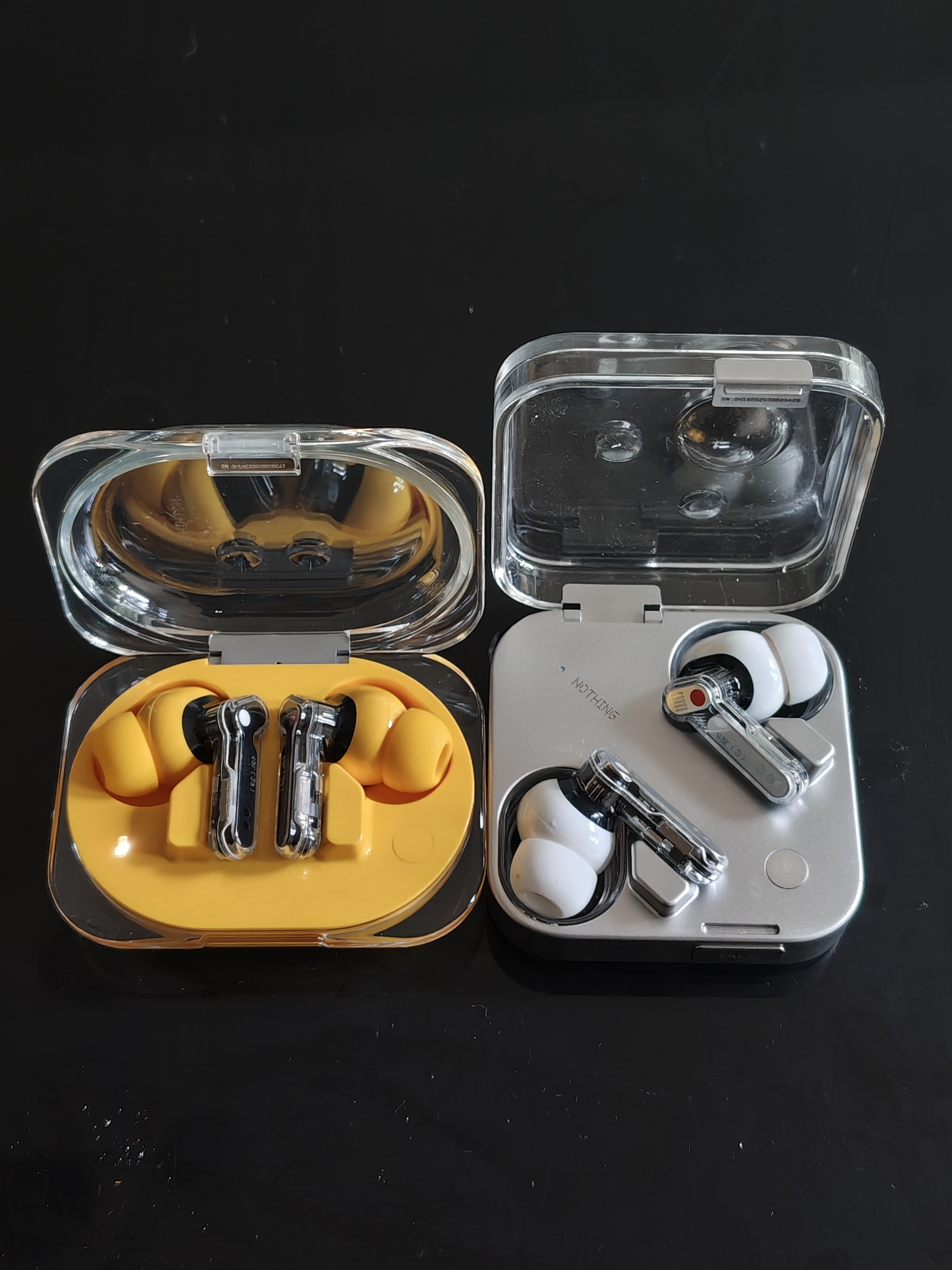
The first things you notice when comparing Ear (3a) with Ear (3) are the CMF (Colours, Materials, Finish) and size.
There are clear similarities, especially with the transparent design language and almost identical-looking stems, but the cases feel quite different. Ear (3) has a flatter, square footprint with more premium metal accents, while Ear (3a) takes on a wider, more rectangular pillbox shape. Personally, I found the Ear (3a) case a little easier to slip into a pocket. However, the smaller case was a bit more fiddly for me to open versus the larger Ear (3) one, not a big issue but enough to notice and thought it’s worth pointing out.
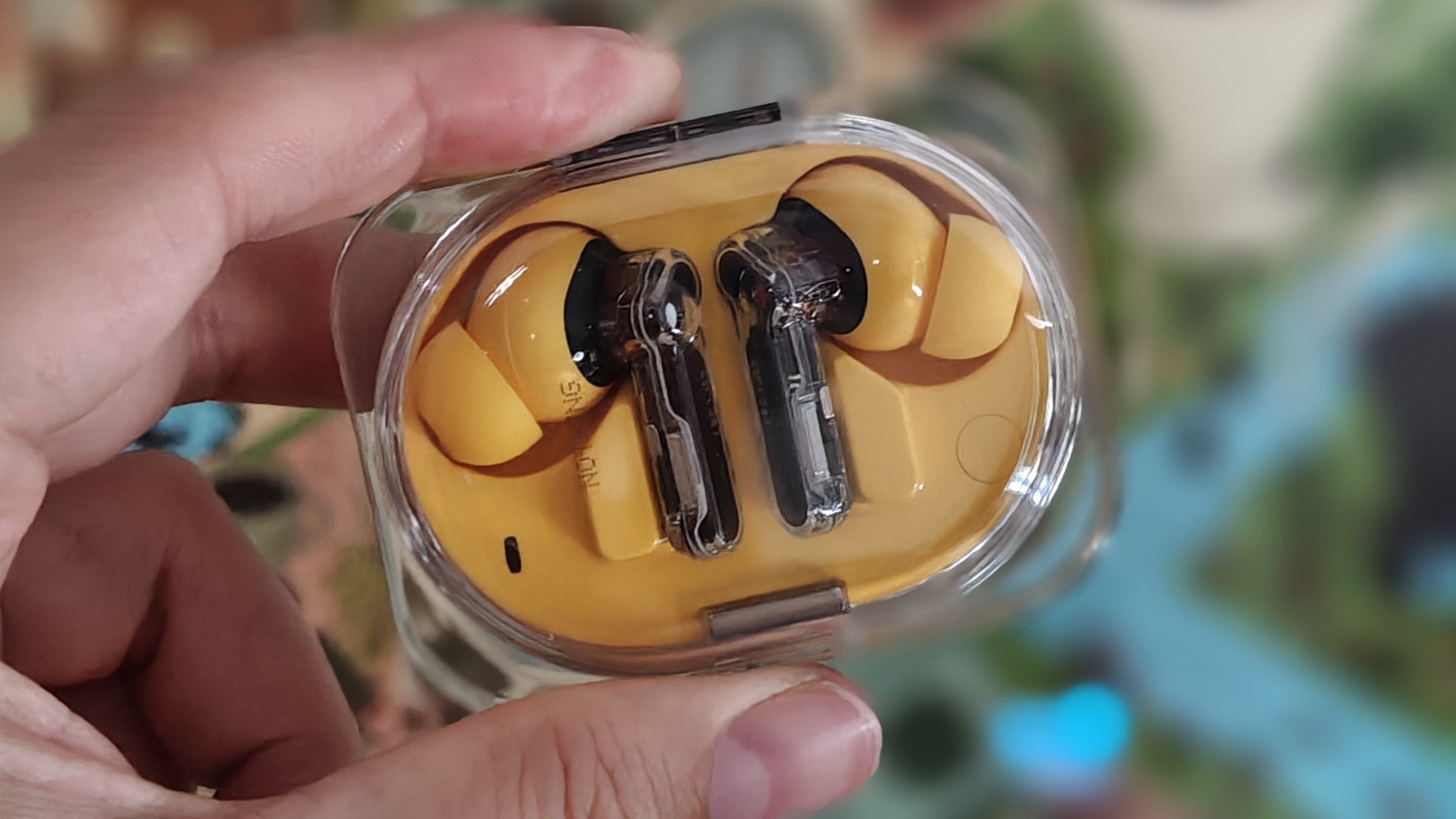
Ear (3a) comes in four colours, white, black, yellow and pink, and I’ve been testing the yellow version. The colour carries through from the case onto the buds themselves, adding a lot of character and playfulness to the overall design.
It’s definitely not subtle, but that’s kind of the point. If you like your tech to feel a bit more expressive and instantly recognisable, the yellow Ear (3a) does that really well.
Fit-wise, if you’ve used previous Nothing earbuds, these will feel very familiar. In the box, you get XS, S, M and L ear tips, with M fitted by default. I stuck with the medium tips and had no issues wearing them for a few hours at a time.
One of my favourite design additions is the small Glyph Bar on the case, which acts as the battery indicator. Despite being simple, it gives you more information than a basic single LED would. Glyphs have become such a recognisable part of Nothing’s phones, so it’s great to finally see that idea make its way into the audio lineup.

🔊 Sound Quality
You may have already seen a few comments about the tuning on Ear (3a), but the short version is this:
These are bass-heavy earbuds by default.
If you like bass, that probably won’t be an issue. I personally lean towards a bass-forward sound profile, so I didn’t mind it too much. But if you prefer softer tones, clearer vocals, and a wider sense of detail, these may feel a little heavy at first.
I mostly stuck with the default Balanced EQ, which worked best for the type of music I listen to. Switching to More Bass made a big difference, but not in a good way. Songs started to feel muddy and muffled, with the bass turning more into a low-end rumble than anything particularly enjoyable.
So yes, I quickly switched back to Balanced.
Of course, with the Nothing X app, you can still jump between EQ presets or use Advanced EQ to fine-tune things more closely to your own preferences.
Compared to Ear (3), there’s definitely less clarity across a range of tracks. Both earbuds produce good bass, but Ear (3) handles it with more control. It doesn’t overpower the rest of the track in quite the same way Ear (3a) sometimes can.
That said, Ear (3a) are not bad-sounding earbuds at all. For the price, they offer very solid value if you want a fun, energetic pair of buds with plenty of bass.
As expected, they don’t quite match Ear (3), but I can see them being a strong upgrade over earlier (a) series audio products.
🔇 ANC & Transparency
I have to be honest here, this was the weakest area for me at first.
When I initially tested Ear (3a), ANC and Transparency were pretty rough. With ANC set to High, I was still getting more external sound coming through than expected across everyday situations, commuting, walking down the high street, sitting at home, or walking through the park.
I wouldn’t say ANC doesn’t work, because it does. But compared to Ear (3), it didn’t feel as strong or as sealed-off as I expected.
Transparency was even more noticeable. At first, I was hearing a strong static-like sound, which made the mode difficult to use. The good news is that a software update did appear to improve this, and the static issue was much better afterwards.
Even so, Transparency still doesn’t feel as natural as I’d like. For example, when using it in a shop while speaking to someone, it still felt like I had earplugs in. It worked, but it wasn’t as clear or effortless as I’d want it to be.
Compared to Ear (3), I personally think Ear (3) handles both ANC and Transparency better. I’ve seen some people say they’re very similar, but based on my own experience, Ear (3) feels more refined here.
That’s not massively surprising, though. Ear (3) is the more premium product, so you’d expect it to perform better in these areas.
⚙️ Features & Nothing X App
A lot of this will feel very familiar if you’ve used Nothing audio products before.
Pairing through the Nothing X app is super smooth, and within seconds I was connected and ready to start customising the Ear (3a).
As mentioned earlier, you get EQ presets and Advanced EQ, which are useful given how bass-heavy these are out of the box. You also get Spatial Audio, although personally, I’m still not sure how many people use this regularly.
The more interesting addition is Audio Snapshot, which is exclusive to Ear (3a).
In simple terms, it’s like a screenshot but for your ears. It lets you record audio playing through your earbuds, including call recording, and saves those clips directly into the Nothing X app for editing. To activate it, you press and hold both stems at the same time, and you’ll hear a sound to confirm it’s recording.
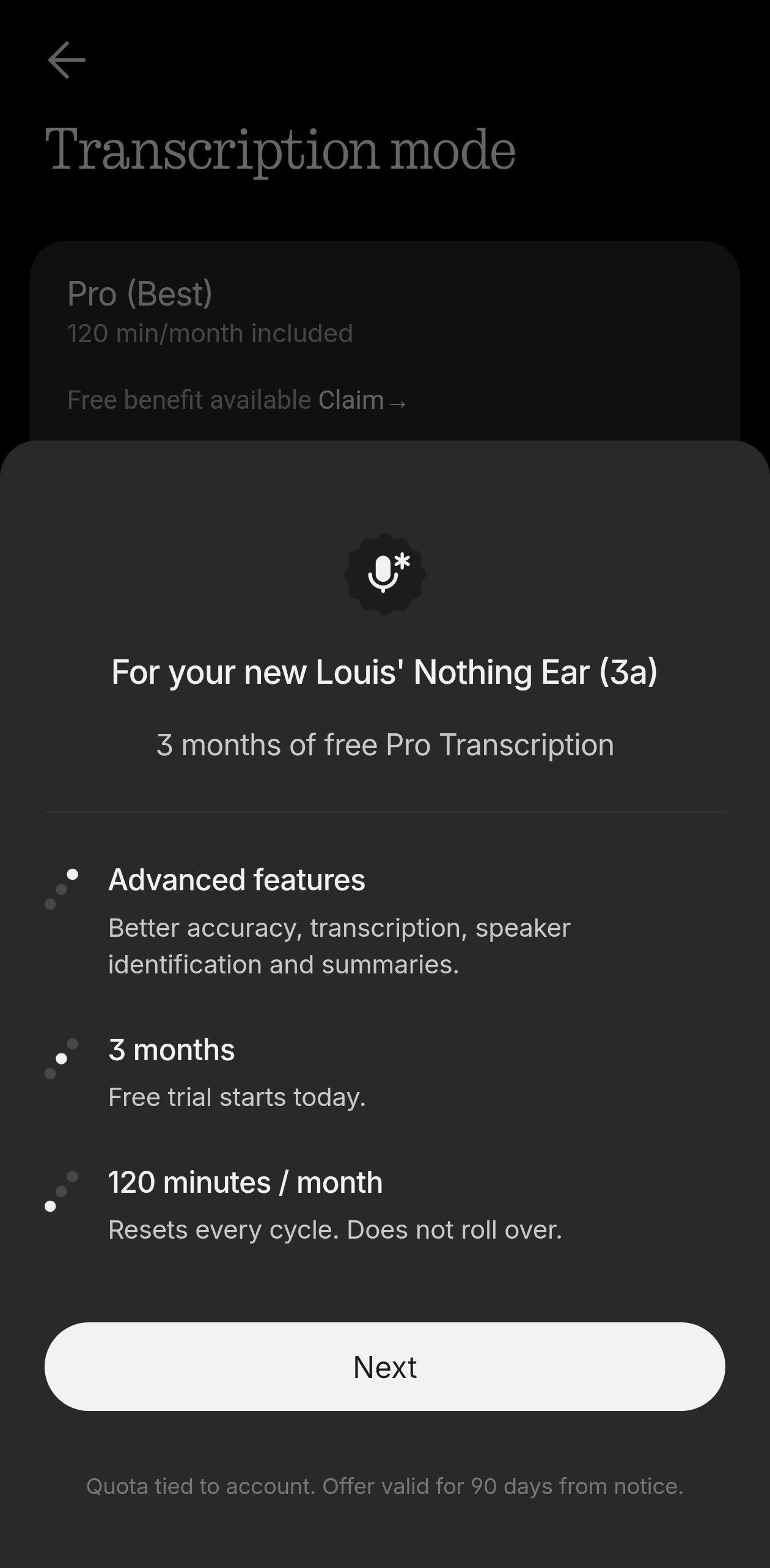
For calls, it also announces to both people that recording is about to begin, which is a nice and important touch. Taking it a step further, if you’re in a meeting and want to record a section to transcribe later, Nothing also includes 3 months of free Pro Transcription.
This is Nothing’s AI transcription model, offering better accuracy, speaker identification, summaries, and 120 minutes per month. If you’ve used Nothing’s Essential Voice Recording and transcription before, it feels very similar.
What I really appreciate is that you’re not forced into using the Pro option. You can also choose:
- Standard (Precise), better accuracy at slower speeds
- Standard (Fast), faster transcription with less accuracy
Both are available for free, which is great.
It’s nice to see Ear (3a) get exclusive features that help separate it from the rest of Nothing’s audio lineup. Is Audio Snapshot something I’ll use often? Probably not. But I can absolutely see the value for people who spend a lot of time in meetings or want a quick way to record notes.
It reminds me a little of the Talk button on Ear (3). A useful feature, even if it’s not something I personally use every day.

🔋 Battery Life
Battery life is always a key factor with earbuds, and this is one area where Ear (3a) really impressed me.
Straight out of the box, my case had around 70% battery, so I charged it fully before testing to get a proper idea of how long they’d last.
In normal use, I’d wear the buds for around 4–5 hours at a time with ANC set to High, and that was more than enough for me. Once they went back into the case, they topped back up quickly, and I was getting around 4–5 days of total listening before needing to charge the case again.
Overall, battery life felt very similar to Ear (3). You could probably argue Ear (3a) performs slightly better depending on your settings, but in my experience, the difference wasn’t dramatic.
The main thing is that battery never felt like something I had to worry about, which is exactly what you want from everyday earbuds.
💭 Final Thoughts
So, should you buy Ear (3a) or Ear (3)?
For me, Ear (3) still feels like the better choice if you want the most refined sound, stronger ANC, better transparency, and the more premium overall experience.
But Ear (3a) makes a very convincing case for itself.
They’re stylish, comfortable, reliable, and deliver a fun, bass-forward sound that will be more than enough for a lot of people. They also fit easily into daily life, whether that’s commuting, working, taking calls, or just listening to music throughout the day.
If you already own Ear (3), I wouldn’t rush to switch.
But if you’re new to Nothing audio, or you want something more affordable without losing the core Nothing experience, Ear (3a) could be the smarter buy.
