Light Mode is not applied consistently in Nothing Gallery
The screenshots below show the issue clearly:
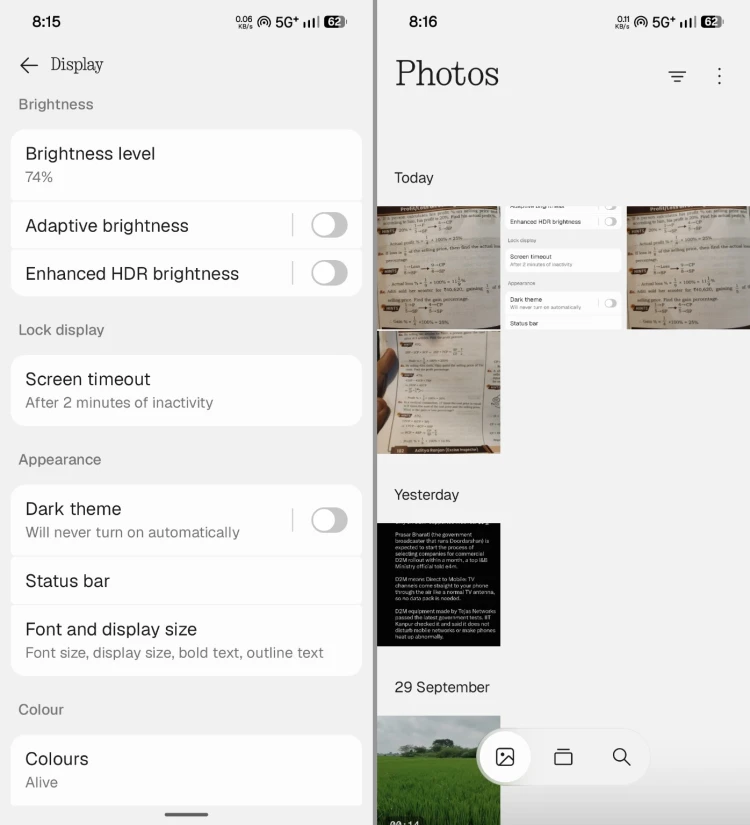
1st image: Light Mode is enabled and applied correctly throughout the system and Nothing Gallery.
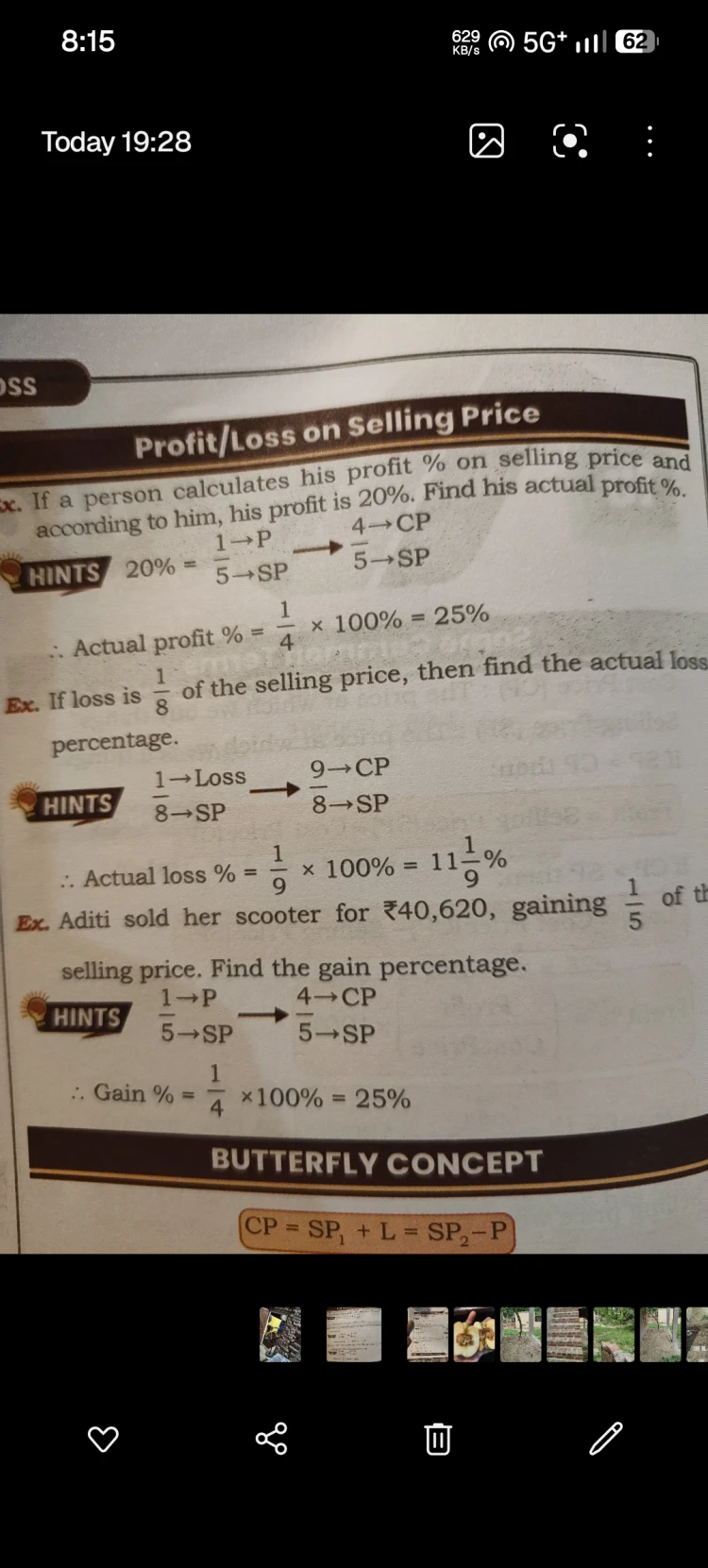
2nd image: When viewing a single photo in Nothing Gallery, the interface still appears in Dark Mode.
• Problem:
When Dark Mode is turned off and Light Mode is enabled, it applies correctly throughout the system and across the Nothing Gallery app. However, when viewing a single photo, the photo-viewing interface still remains in Dark Mode.
• What I expected:
When Light Mode is enabled, the entire Nothing Gallery experience, including the single-photo viewing screen, should consistently follow Light Mode.
• What I actually saw:
The single-photo viewing screen in Nothing Gallery still uses a dark/black interface even though Light Mode is enabled. This creates an obvious theme/UI inconsistency.
This issue has been present since Nothing OS 4.0, and unfortunately, it is still present in the Nothing OS 5.0 Beta.
I have reported several small UI inconsistencies like this before, but many of them seem to remain unresolved across software updates. I understand these may look like small issues individually, but there are lots of inconsistencies across Nothing OS, and fixing these details would make the overall software experience much more polished and consistent.
And honestly, I have very little hope that the Nothing Software Team will actually fix this in the Nothing OS 5.0 Stable release. Mark my words — I genuinely expect this issue to be carried forward into the Stable version as well.
Hopefully, I’m proven wrong and this gets fixed before the stable release.
Please look into this UI inconsistency.
@Zac 🛸


