Thanish Thahir While I like the design, there’s some things I found weird.
Note: it’s not complete for now. There’s still a lot of things I didn’t tried so, I will update this whenever I have time.
About navigation
I’m unsure why the second option is “tags” instead of categories. Aren’t they the same? Or maybe I’m missing something…
Asking because, I’m confused to see “tags” on that page instead of categories. I get it, it looks like the same… isn’t it? So, why not use the common wording “categories” instead?
Subcategories
Added to this, the display of each subcategory on the parent (let’s say CMF has phone 2, phone 1…), doesn’t make it easy to click them. They’re small, narrow and have no good separation between them. Which, with a fat finger, I can guess users will have hard times picking what they want.
I would opt for:
- Clean list with each item individually on each row. Just lookup for material list UI.
- Add a number of posts at the right, like messaging apps do
- You can even add actions on here: double tap or hold to follow THAT category in particular.
Material guidelines show how to make a parent followed by a list, keeping a clean and easy to understand UI.
Last post
Hard to know… on the categories page, it shows up like plain text. Not everyone’s gonna see it easily. It’s easy to go undetected.
I would add a more visible UI + descriptive text of “Last message”, so people would be aware of it. For this, something like a quote or a different color line will make it more visible.
Some non-working icons
I’m guessing it doesn’t work because of some limitation: users have permissions. But, it’s kinda confusing to not see any error… why there’s nothing explaining WHY?
For example, went to newsroom. There’s a writing icon on top but.. it does nothing. If this place is read-only, better off to show on the main categories page (like forums do).
And now, let’s speak about the star. Not so easy to guess what that means, if you’re not used to this. Subscribing to categories can be done on the same place as the title on top: place a a small icon at right, something like “Follow” or “Watch”, which can open the multiple options to follow content. Or, if that’s not a good place, under the description can fit a small outside lined button to know if you’re subscribed or not, using a select to display the options will be enough.
Adding new comments or posts
This is where the weird starts. Tried both desktop and mobile.
From what it seems, for mobile would be better to have a full screen. Or even better… why not use something like the good ol’ forums? It doesn’t fail, it’s easy to catch up: click on add new/reply, open a new page where you can see the old comments on the bottom or top. Nothing fancy.
About the top bar
I see no real use for the top right icon on a post. Okay, it’s to reply but… if you’re gonna reply, I’m sure you’re already at the bottom. Because, I guess, you read the previous comments.
For me, it’s seems like something most people will not use. Also, it’s hidden behind a nav (when you click, it opens a list of options), and the only option is: reply.
Even in your own post with ONLY your message… it’s useless. There’s only “reply” as an option.
About the button(s)
I see the that the design mentioned here had a + button… but now it’s an icon on the top bar. If you’re approaching a mobile-friendly experience, I suggest following the material UX since we’re already used to. That means, use again the + floating button.
Okay going on the same line… on the edit/add modal that pops up (mobile or desktop, both are equal), why not use buttons? And i mean, BIG buttons?
You can keep on the icons, but instead of putting close - title - save on the same line, I would opt for:
- Full screen viewer, in any preferred way. See more on the next points.
- Top bar only for buttons. Keep the close as X (everyone is aware what it means), but add text to the right one SEND or SAVE or whatever. Since there’s no text, it doesn’t take much space.
- Title of the post will be UNDER the icon topbar. Separated. Because, it’s not as important as the actions.
- Another option can be to add a save button at the bottom of the editor. Keep the close icon on top, move the save at the end. And, always visible.
Instead, it’s hidden in a three dot menu with “view reactions”. From my perspective, it should be more important edit > view reactions, but those are placed at the same level.
Or, for a more modern option, the swipe menu:
- Swipe left to right to edit.
- Swipe right to left (as any messaging app) to reply quoting that user.
Desktop
It’s better to have full screen. It limits a lot the space of writing and, if you’re writing a long text, you’re gonna be limited by the scroll (with the need of scrolling if you wanna see what you wrote or change something).
Also, there’s a small bug on the Paragraph selector: when you click it the first time, it’ll open TO THE BOTTOM so you can’t see the options. If the editor is on the bottom page (or full screen, doesn’t matter) WHY not put it to open the pop-up on top? If you click a second time, it’ll open on top.
Checked this and yes, it always does: bottom, top, bottom, top. Since no one is gonna see the bottom of the screen, why not do always display on top?
Mobile
Now let’s go for the edit. If you have a big chunk (let’s say you’re doing a review), when scrolling to see the top text… it’ll also scroll the page (since this behaves like a modal). That comes with the problem of, refresh page. Thus, it’ll close the modal.
I would prefer this not to be a modal and if so, block the screen to not be able to do anything outside of it unless you close.
Okay, let’s talk about the edit because, I don’t see any mobile oriented UI. You have three dots at the bottom > see edit there.
- First of all, it’s a lil bit hidden.
- Second, why not opt for a more native usage of phones? Long tap on it to open a pop-up menu, like android does with apps.
- Or, add an edit icon at the bottom the same way we have reply.
About posts with pages
Well, this is something I never liked. Mostly because, if you want to search in a full post (let’s say +600), you need to scroll down to load the next comments or it’ll just look up for the ones already loaded.
Another is when you want to read a quoted message. Click on it and it’ll open a pop-up, which can’t fit a message if it’s too long. Then, if you click, it’ll go there. Okay, to go back to where you stopped… how? Using back gesture takes you back to home/results/wherever you came from.
About comments
I get that you don’t want people to spam the same post with individual replies. But, maybe you forgot you were the last one… instead of putting an error to edit the last one, give the user the option to “merge” the new with the last or “delete” the new and open to edit the last one. If I have my old message A and I’m writing B, user could:
- Merge A with B, showing A first followed by B using enter.
- Give option to delete A or B.
- Give option to edit A and delete B. Or delete A and edit B.
Weird bug on posts
I caught it trying to see what the related discussions do…
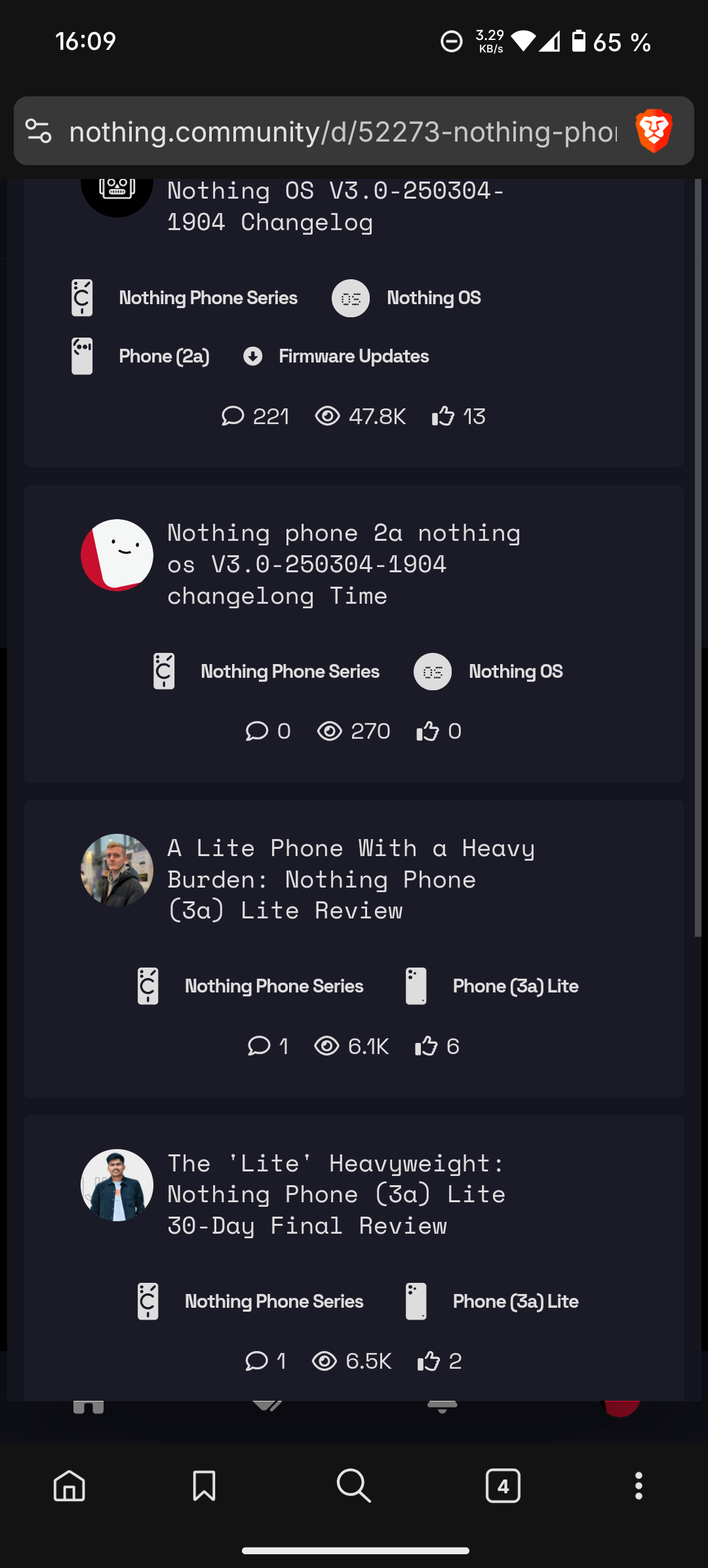
There’s no way to go out, no close, nothing. Also, top is cut…
I’m unsure why that “related discussions” buttons is there. I feel it like it’s non-important, as you can just scroll down and see all. If it’s important, just show them as a list (but make it clear it’s DIFFERENT from the conversation).


