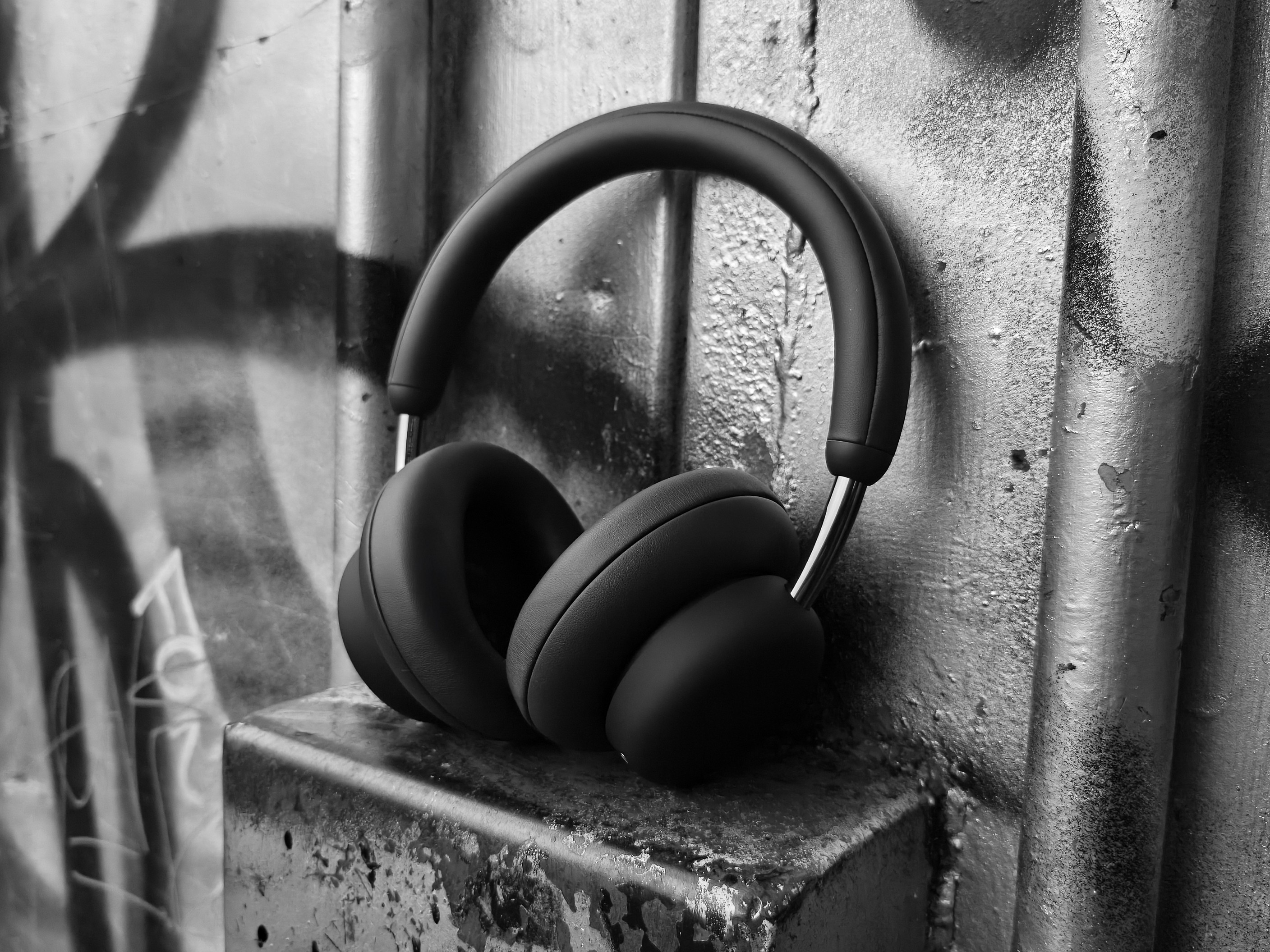
Unboxing, Design & Build Quality
Inside the box, you get the headphones, some paperwork, a drawstring pouch, and a 3.5mm cable. While most of my listening is through Bluetooth, I appreciate the inclusion of the audio cable, as it’s a great backup for zero-latency use on devices like my laptop, Nintendo Switch 2, or an Xbox controller. Importantly for storage, you should know that Headphone Pro does not fold down for travel, the headband only extends. While the drawstring pouch is by no means a luxury item, I love that CMF included it, and a huge bonus is that it actually fits the headphones even when they’re extended, so I don’t have to constantly adjust the sizing.
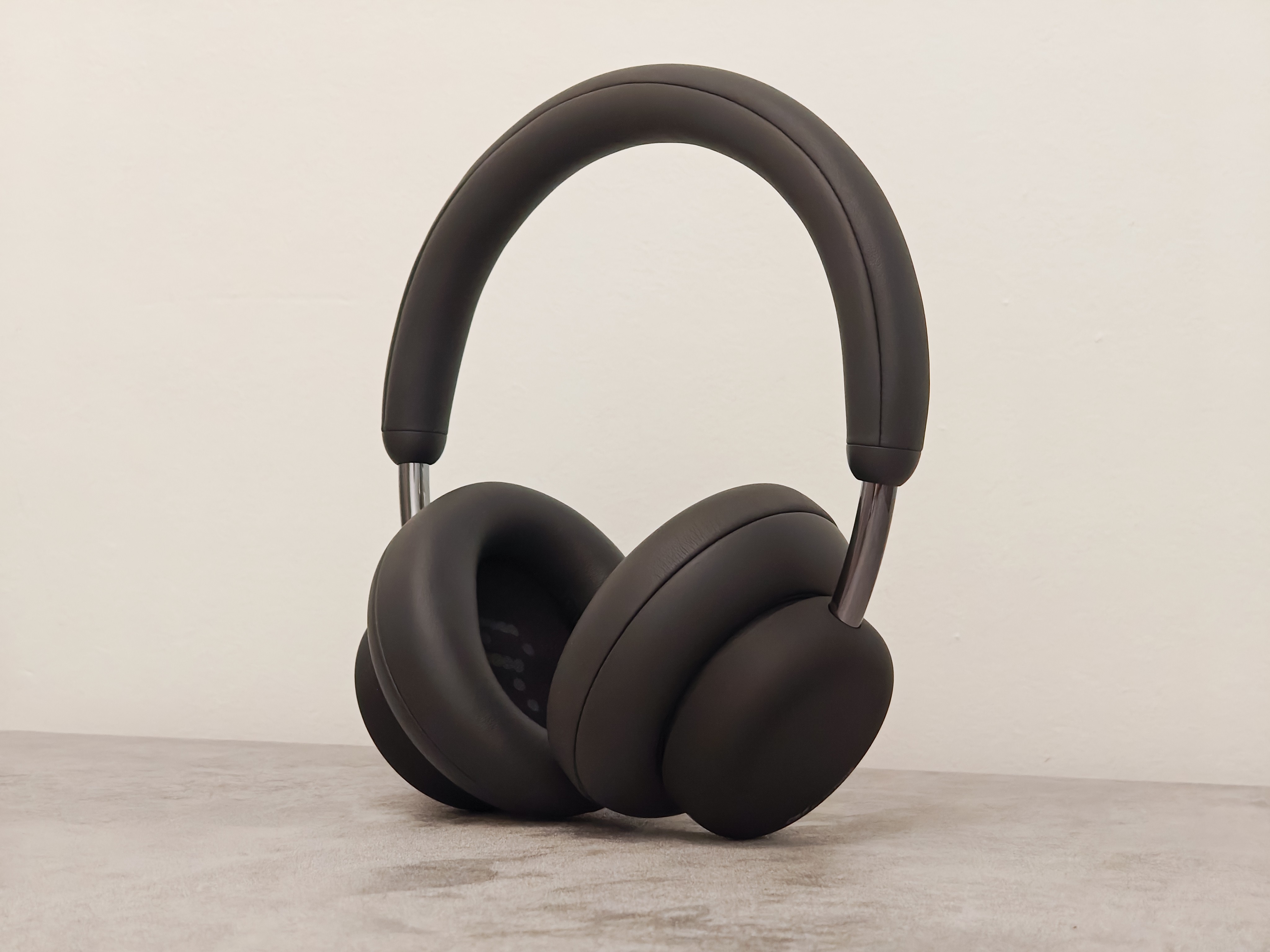
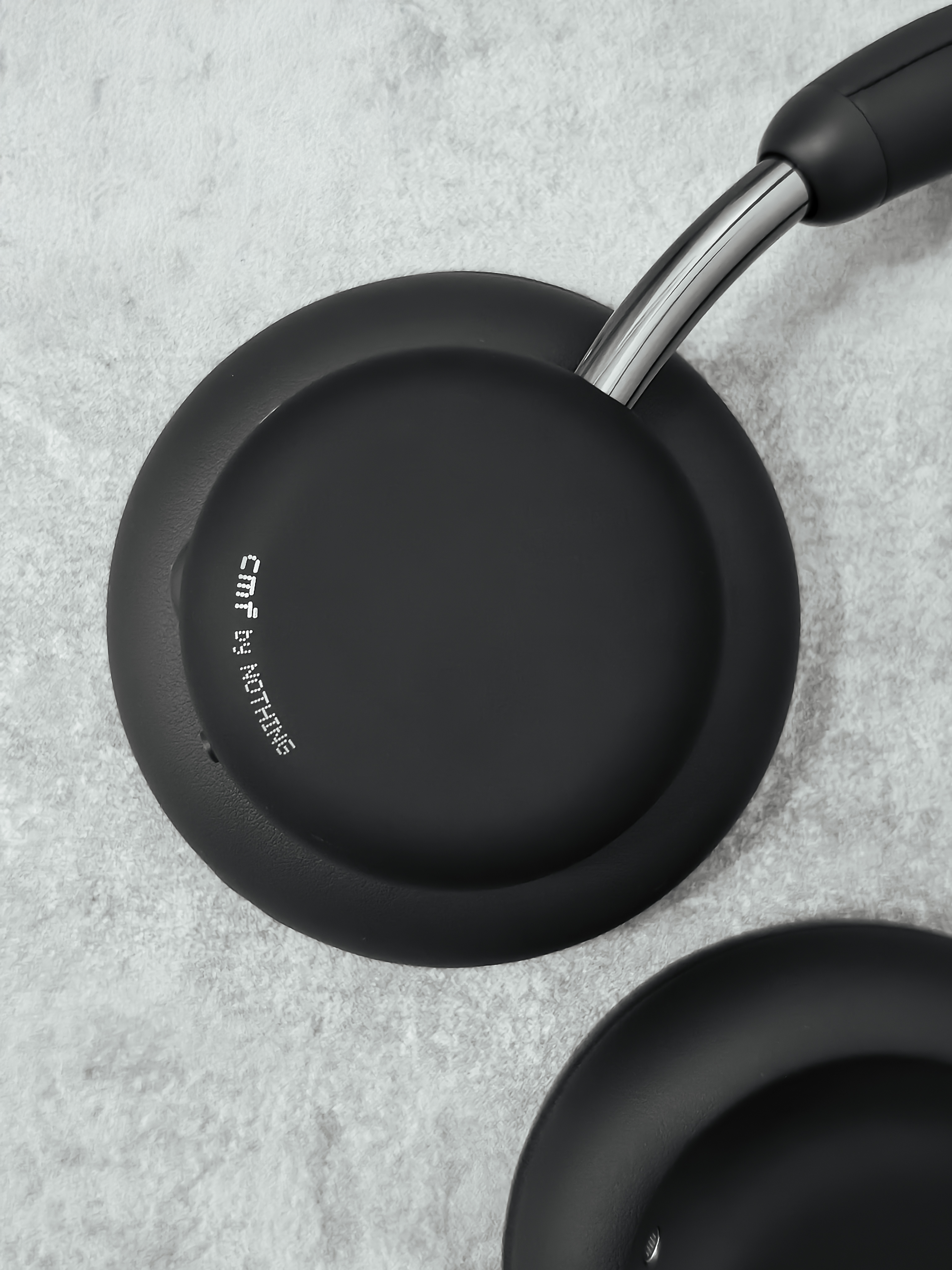
Headphone Pro adopts a somewhat traditional, yet playful and chunky, aesthetic. The earcups and cushions are almost shaped like a button-top mushroom, giving a Toad from Super Mario vibe. The cushions are very large, completely covering even the biggest of ears. CMF opted for physical controls over fiddly capacitive ones, which is a massive win for me, the satisfying, tactile click just can’t be beat. You get the power button, a customisable action button (for things like spatial audio or AI), and a multi-function roller for volume, playback, and noise control. The real star, though, is the Energy Slider for bass or treble adjustments. More on that later!
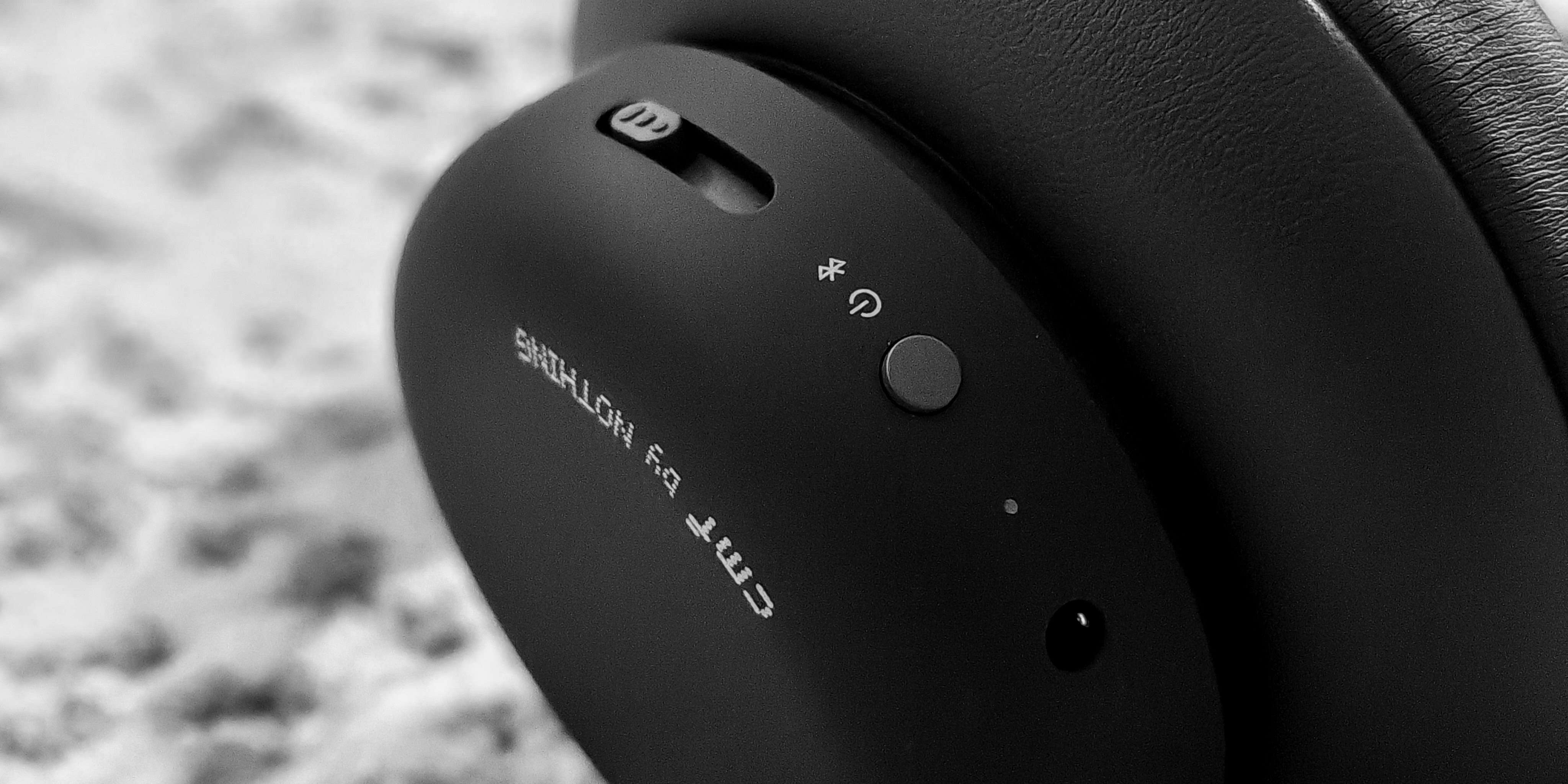
Coming straight from daily driving Nothing Headphone (1), I was spoiled by the premium experience. My biggest worry stepping into this review was whether Headphone Pro would follow the typical budget script and completely sacrifice build quality to achieve its low price point.
Yes, Headphone Pro clearly relies on cheaper materials. It’s most noticeable in the headband, which is a bit sharp, has very slim cushioning, and gives a bit of a creak when flexed. However, the headphones are generally crafted in a way that doesn’t leave a poor taste in the mouth, or should I say, on the head. The earcups are a nice soft-touch plastic, which feels good in the hand. The exposed stems look like metal, but they feel and sound plasticky and aren’t cold to the touch. Regardless, they look the part and offer a very firm, reassuring adjustment (though I’m curious about their longevity if they are, in fact, coated plastic). On the flip side, the ear cushions are great for this price point, firm yet comfortable, creating an excellent seal, and retaining their original shape well. My only other minor criticism is that the physical buttons can feel a tad mushy sometimes, particularly the multi-function roller when using functions that require a press. Still, I’d take a mushy physical button over capacitive control any day!
The use of these lighter, more budget-conscious materials actually works in Headphone Pro’s favour, resulting in a significantly lighter and more comfortable headset than many premium offerings, a massive plus for those longer listening sessions. Even with this low weight, the durability is impressive and these headphones can certainly survive some bumps, drops, and bends.
Setup & Nothing X Integration
Setting up Headphone Pro is a total breeze, thanks to support for Google Fast Pair and the Nothing X app. Just flip them into pairing mode, wait for the Fast Pair pop-up on your phone, or simply add a new device in the Nothing X app. Done.
If you use any Nothing or CMF audio devices, you’ll already be familiar with the robust Nothing X support on both Android and iOS, and Headphone Pro is no exception. While software is often an afterthought or entirely missing with budget devices, Nothing provides the same great Nothing X integration across most of its lineup, regardless of cost. This app is, frankly, one of the best pieces of audio control software I’ve used, easily exceeding the implementations from brands that have been in the industry for far longer. Also, it’s just a great looking, well-built interface that’s a pleasure to use.
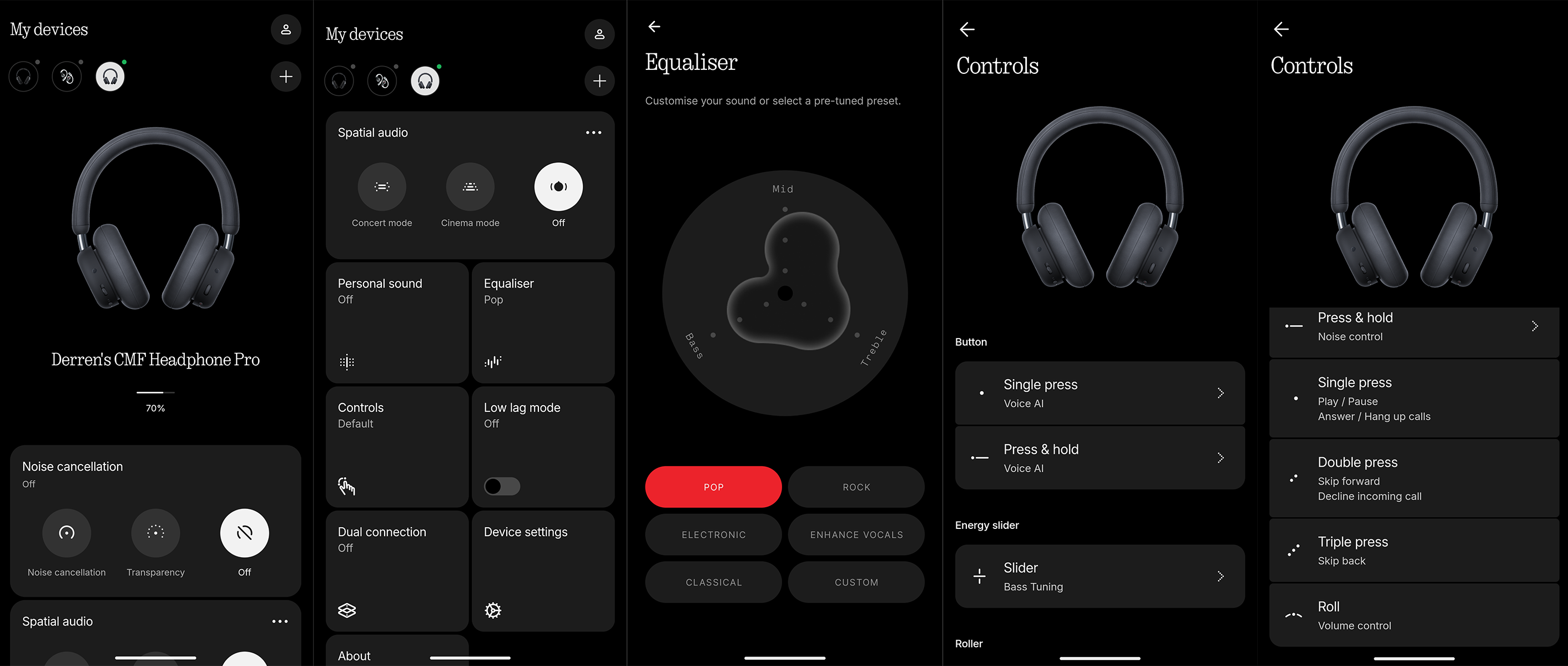
Headphone Pro is certainly feature rich, as you can see from the list below. It even includes integrations and features that even the more premium Nothing Headphone (1) doesn’t have (at least at the time of writing). It is worth noting one omission here though - the lack of on-ear detection. You’ll need to remember to pause your music when taking off the headphones!
Noise cancellation controls
Spatial Audio controls; Concert Mode, Cinema Mode
Personal sound profile - adjusting the frequency responses based on your hearing
Simple equaliser presets; Pop, Rock, Electronic, Enhance Vocals, Classical and custom
Controls - Mapping button functionality
Low lag mode
Dual connection
General device settings
Performance & Audio Quality
Before we get into the sound, a quick personal disclaimer: I’m no audiophile. I still struggle with some of the common terminology, and I’ve only recently started to truly appreciate audio response graphs. Sound is always subjective, of course, so I simply want to detail the experience that I had.
As I’ve said, budget audio often forces noticeable tradeoffs, be it in software, hardware, or audio performance. Having already been pleasantly surprised by Headphone Pro’s build quality and knowing the Nothing X software was excellent, I was honestly bracing myself for poor audio quality when I first switched them on… I couldn’t have been more wrong.
I started with the default settings, no Energy Slider, no personal sound profile, and the stock ‘Pop’ preset (which focuses more on mids and treble). As an alternative/rock listener, I found the experience to be very good and generally balanced right out of the box. In fact, most reviewers’ published graphs suggest that, without enhancements, the frequency response curve mostly sits within the average preferred ranges, but with clear exaggerations in the low ranges.
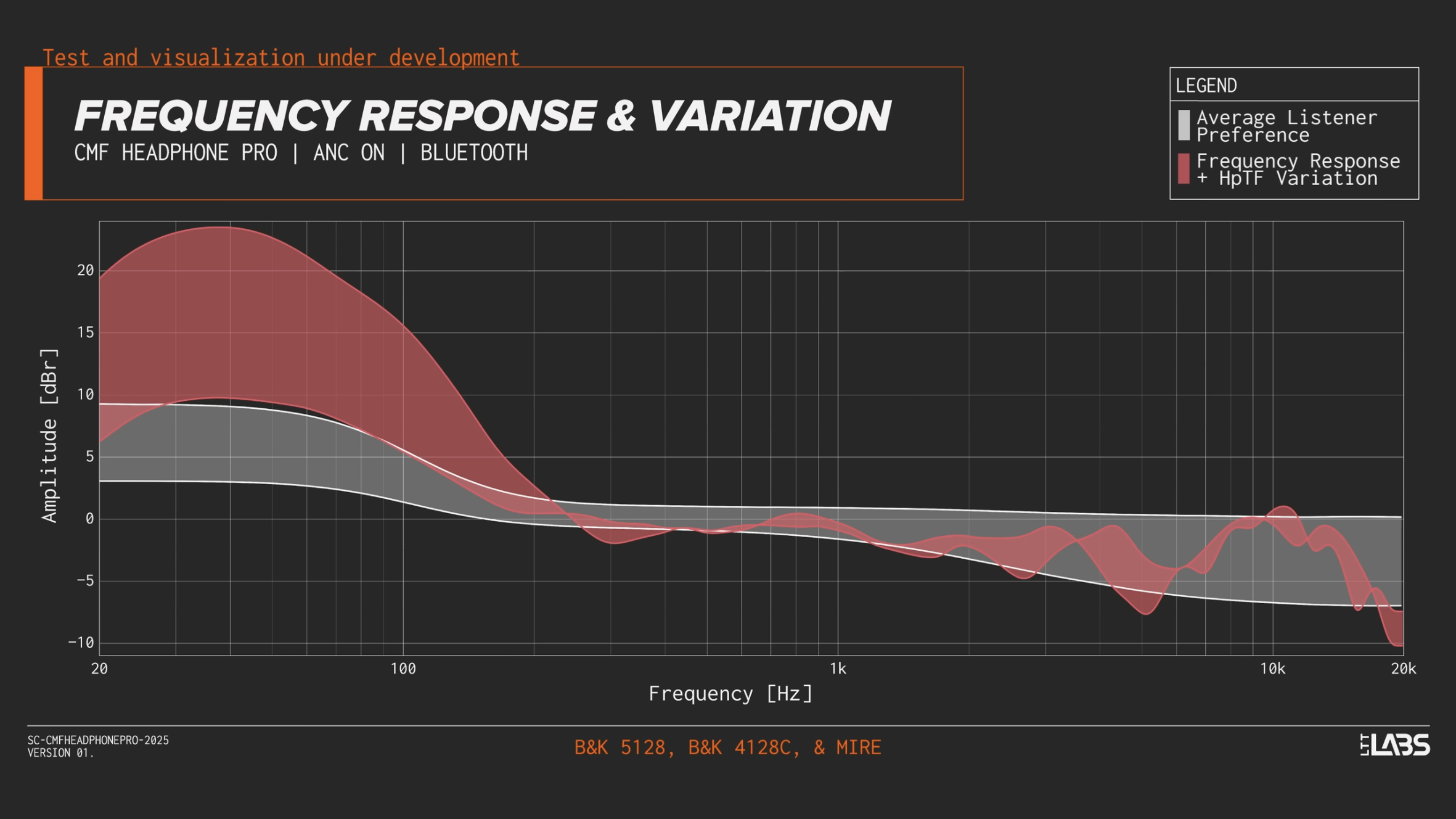
[Graph from LTT Labs & DMS - Short Circuit - CMF by Nothing Headphone Pro Unboxing & First Impressions]
As mentioned in the Nothing X overview, you have plenty of ways to adjust the audio further. Take Spatial Audio, for instance, which I don’t really use much. It’s a fun party trick that alters the surround effect, but my preference is always the standard stereo experience, as spatial audio can affect overall audio quality.
However, two features are genuinely valuable. Firstly, the personal sound profile is a must. It involves a short hearing test that adjusts the frequency responses based on your unique hearing. In my experience, it successfully boosted certain instruments in the background that I hadn’t even realised were there. You also have a range of EQ presets to try out across different genres, and it’s great to see that Headphone Pro supports LDAC Hi-Res audio, provided your connected device is compatible.
Lastly, we have one of Headphone Pro’s standout features, the Energy Slider. This has its own dedicated physical control on the left earcup. While you can map this to either bass or treble, mine has been permanently set to bass. I am a total bass-head, I love strong, thumping bass, and will always crank it up, even if it means sacrificing a bit of accuracy. That’s precisely what this slider delivers for me. Cranking it to full creates a much deeper sound profile. If you check the frequency response graph above, you can see just how substantially the lower frequency response rises.
ANC & Transparency Modes
During my time with Headphone Pro, I often stuck with just passive isolation. The ear cushions are so large and firm that they create a great seal, which was more than enough for my mostly quiet commutes with light background traffic. For those who need more, Headphone Pro offers both ANC and Transparency mode. The ANC provides adequate isolation up to 40dB, which is usually plenty to block out common external noises like light traffic, wind, and nearby conversations. Transparency mode, however, could use some work; it doesn’t sound as natural as it should to make me actually want to use it. Coming from Headphone (1), I was spoiled by their excellent transparency feature, so the difference here is quite noticeable.
Battery Life
The other standout feature here is battery life. Headphone Pro makes the incredibly bold claim of a whopping 100 hours of battery life. That is however, an ‘up to’ figure and dependent on certain conditions. For my own experience, I’ve been using them for a few weeks now, mostly with passive isolation, around 70% volume, and the bass slider cranked, and I’m yet to charge them. While I only use them for an hour or two on my commutes, knowing I can pick them up anytime and be confident they have juice is very reassuring. For heavy users, a five minute charge can give you up to 8 hours of listening, which is very impressive.
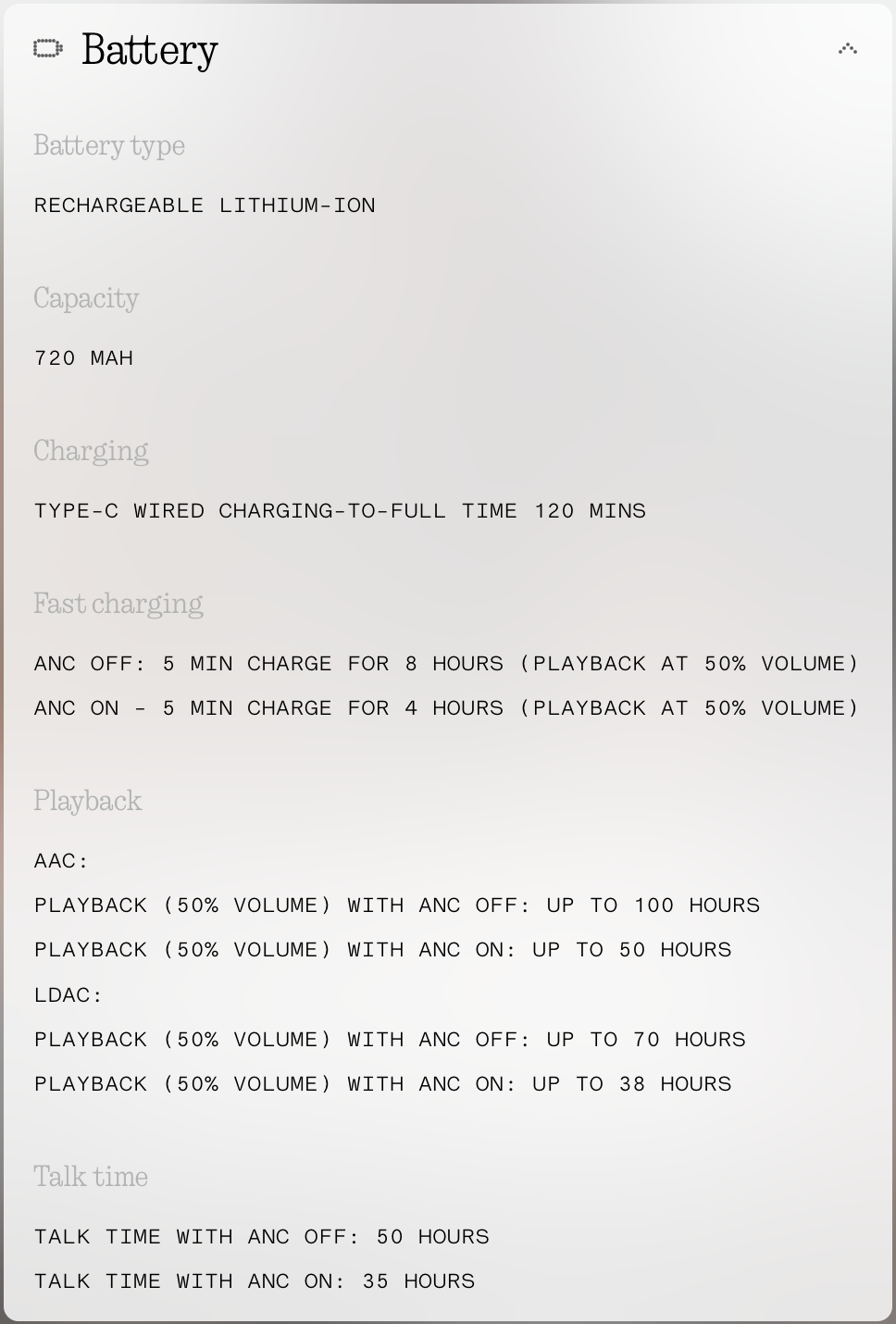
[Battery stats information from nothing.tech]
Replaceable Ear Cushions
A major marketing point for Headphone Pro is the replaceable ear cushions. With a simple twist, you can remove the old ones to either replace worn-out pads, or simply mix things up for a new look. Headphone Pro comes in black, white, and light green, with replacement cushions in orange and light green. While there aren’t enough colour combinations to call it unique, the modularity is a welcome addition, and a feature that should never be taken for granted, as not all manufacturers offer it.
My main concern with this modularity, however, is the long-term availability of these accessories. CMF products have historically struggled with this, with some accessories becoming extremely limited or not sold in all regions. Given that this customisability is a large portion of the marketing, it would be frustrating and misleading if replacements weren’t easily obtainable down the line.
Summary
It’s hard to deny that CMF offers an incredible package with Headphone Pro. At only £79, it’s incredibly affordable, perhaps one of the strongest contenders for ‘best buy’ at this price point. Yes, it uses cheaper materials, but that results in a much lighter and more comfortable build than many bulky premium options, and it remains durable. The chunky design won’t please those seeking something slim and sleek, but the audio is very good for the price. For the bass-heads out there, the Energy Slider has you covered, even if it sacrifices a bit of accuracy for pure thump. While I miss the satisfying paddle control from Headphone (1) and wish the buttons were higher quality, I’m still grateful that Headphone Pro features physical controls at all. To top it all off, you get that incredible, up to 100-hour battery life with quick charging.
For Those Also Considering Headphone (1)
If you’re already familiar with Nothing and CMF, you’ve likely considered the flagship Headphone (1). Having used both, I wanted to offer some clarity to help with your decision. To be clear, at over £200 more than the £79 Headphone Pro, Headphone (1) is a much more premium, higher-tier product.
The main difference comes down to trade-offs. Headphone (1) offers far better audio as a whole and uses far superior, premium materials. However, those materials make it much heavier, meaning it can become uncomfortable quicker. Headphone Pro, surprisingly, delivers a punchier bass performance, which, as a bass-head, is often why I choose it on my way out the door over Headphone (1). While Headphone (1)'s battery life is respectable, CMF’s claims are far greater.
It’s not a clear-cut choice, as both are great products. If you prioritise price, comfort, low weight, incredible battery life, and powerful bass, CMF Headphone Pro is the clear choice. Otherwise, if you want that overall premium feel, iconic Nothing design and better audio quality, Headphone (1) remains a solid option, especially if you can find a good deal.
