1. Issue Summary
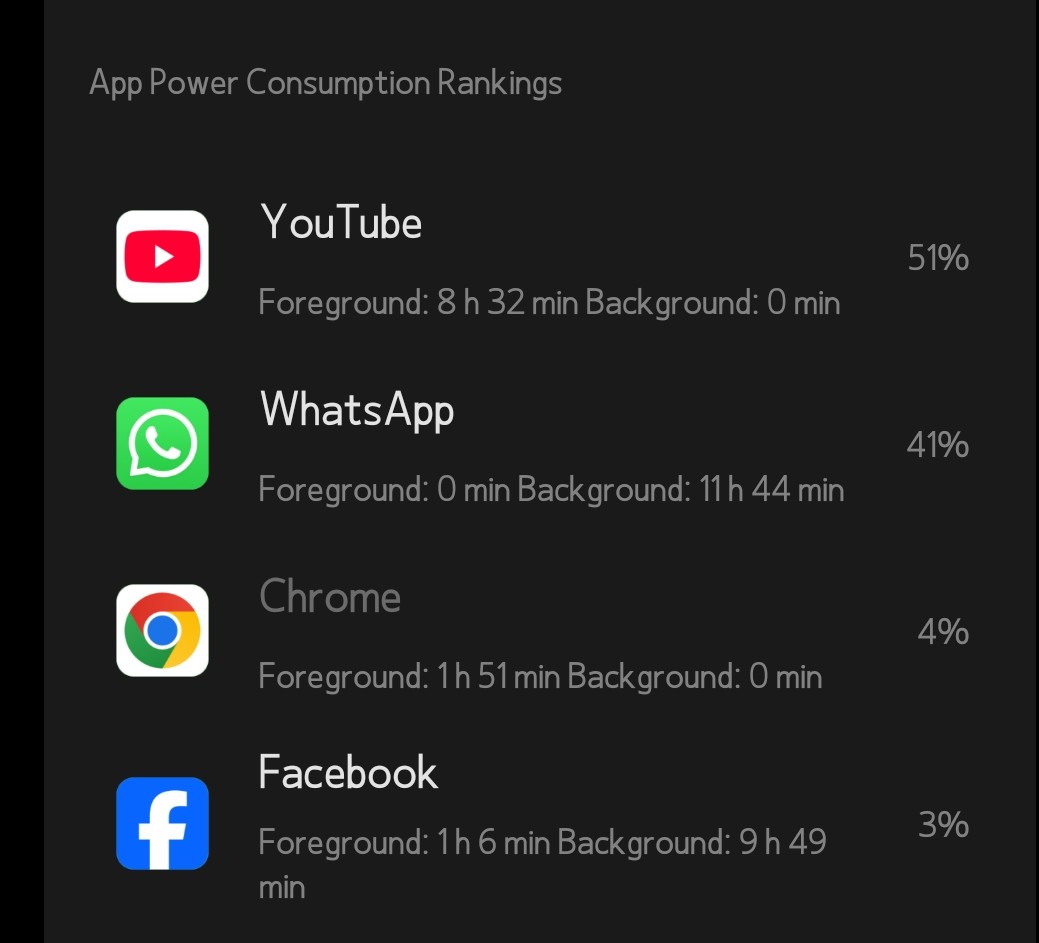
When performing WhatsApp video calls on Nothing OS 3.5, the device experiences severe CPU load, rapid battery drain, and noticeable heat buildup.
After ending the call, the camera hardware abstraction layer (HAL) remains active (vendor.qti.camera), continuing to consume CPU resources (up to 128%) and preventing the device from entering deep sleep.
This results in sustained heat generation and excessive power consumption even when the app is closed.
---
2. Purpose of the Tests
The ADB diagnostic sessions were conducted to:
Confirm the source of the overheating (CPU vs. GPU vs. modem).
Detect whether the camera HAL or WhatsApp process remained active after call termination.
Verify how Nothing OS 3.5 handled thermal throttling and resource release.
Generate data logs for developer debugging and community verification.
---
3. Commands Executed and Observations
A. CPU & Process Monitoring
adb shell top -m 10
Observation:
vendor.qti.camera sustained between 96% and 128% CPU usage, even after the call ended.
com.whatsapp hovered around 18%–20% CPU.
audioserver and cameraserver between 3%–8%.
Confirms that the camera service remained active post-call, causing continuous CPU strain.
---
B. Battery & Resource Tracking
adb shell dumpsys batterystats > /sdcard/bstats.txt
Result:
com.whatsapp recorded prolonged camera, video, and CPU activity long after the app was closed.
Confirms a hardware resource leak within the camera subsystem.
---
C. Thermal and Sensor Data
adb shell dumpsys thermalservice > /sdcard/thermal.txt
and
adb shell 'for z in /sys/class/thermal/thermal_zone*; do n=$(cat $z/type 2>/dev/null); t=$(cat $z/temp 2>/dev/null); echo "$n: $t"; done' > /sdcard/zones.txt
Findings:
CPU: peaked at 68–76 °C, with one instance hitting 99.9 °C.
GPU: stable at 44–51 °C.
Battery: ~27 °C (normal).
Skin temperature: ~46 °C (warm to touch).
Thermal logs show that the CPU was the heat source, not the modem or GPU.
---
4. Root Cause (Technical Analysis)
On Nothing OS 3.5, WhatsApp fails to properly release the camera HAL after a video call ends.
This leaves the vendor process (vendor.qti.camera) running in the background. Because Nothing OS 3.5’s thermal and power manager does not immediately kill idle camera sessions, the process remains active — resulting in continuous CPU load, heat, and battery drain.
---
5. Suggested Developer Fix
Implement a post-call camera session timeout in Nothing’s HAL or CameraService layer.
Add a watchdog or cleanup routine that checks for inactive camera clients and forces session closure if no active app PID is bound.
Patch the thermal daemon to throttle or reset the vendor.qti.camera process after extended idle load.
Optionally, Nothing could issue a HAL patch similar to what Qualcomm applied in newer 4.x builds.
---
6. Temporary Workarounds for Users
Until a fix is rolled out:
1. Force stop WhatsApp after every video call:
adb shell am force-stop com.whatsapp
2. Restart the camera service to fully release the HAL:
adb shell stop cameraserver && adb shell start cameraserver
3. Optional: Block background camera access for WhatsApp (limited effect):
adb shell cmd appops set com.whatsapp CAMERA ignore
---
7. Notes for Advanced Users
If you want to replicate the tests safely:
Capture live process data during a WhatsApp video call using:
adb shell top -m 10 > /sdcard/top_test.txt
Log thermal data right after hanging up:
adb shell dumpsys thermalservice > /sdcard/thermal_after.txt
⚠️ Warning: These commands modify system processes.
If you’re not experienced with ADB or don’t fully understand the implications, do not attempt these tests. Wait for an official software fix or OTA update from Nothing.
---
8. Conclusion
Testing on Nothing OS 3.5 confirms that WhatsApp’s video call module keeps the camera HAL active after calls, causing sustained CPU usage and thermal rise.
The problem is reproducible, hardware-specific (Qualcomm/Nothing), and should be addressed via a HAL or system service patch rather than user-level tweaks.