Hey there!
Installed a new system update this morning. After the update, I got a notification saying something like “Personalize your experience”, so I clicked on it. It also had an image in the notification with NOTHING-style icons. It then opened a popup asking for random bloatware apps for me to install (picture attached)
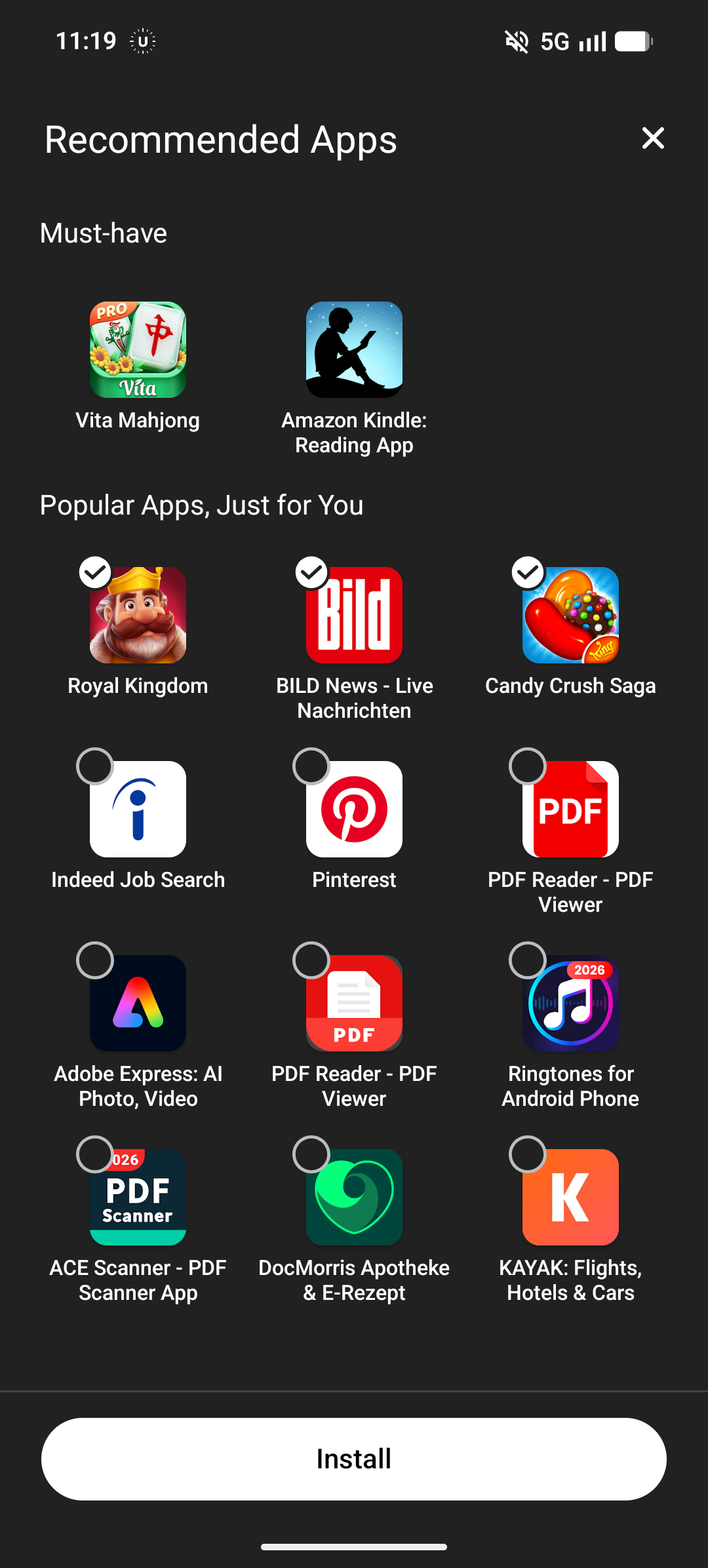
As you can see, there were apps already selected. I unchecked everything I could and clicked through the menu. When I got back into my WiFi, apps started downloading. It turned out to be the two “Must-have” apps from the screenshot above. There isn’t even a check mark to disable them. What the hell? Note: I have advanced protection turned on, I have not installed any 3rd-party app that could’ve done this.
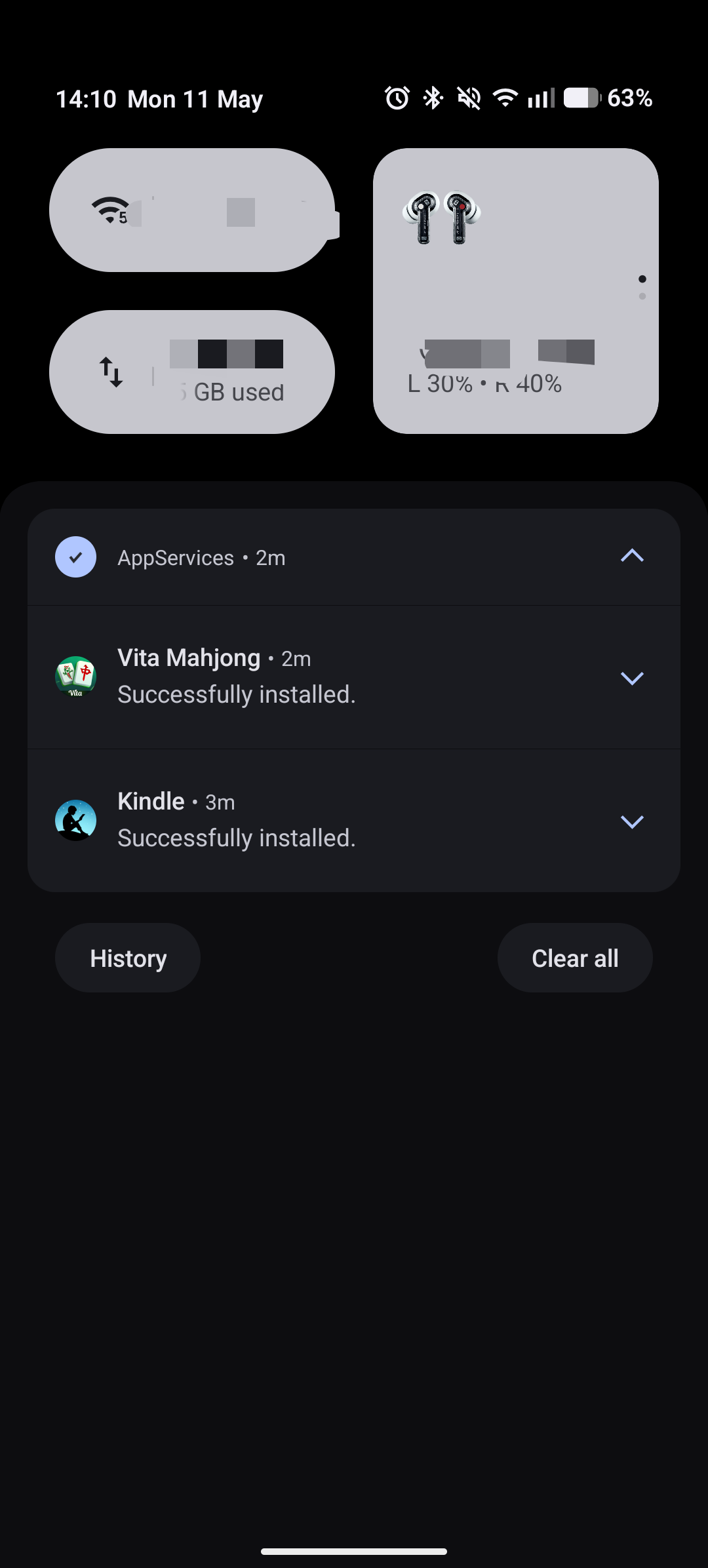
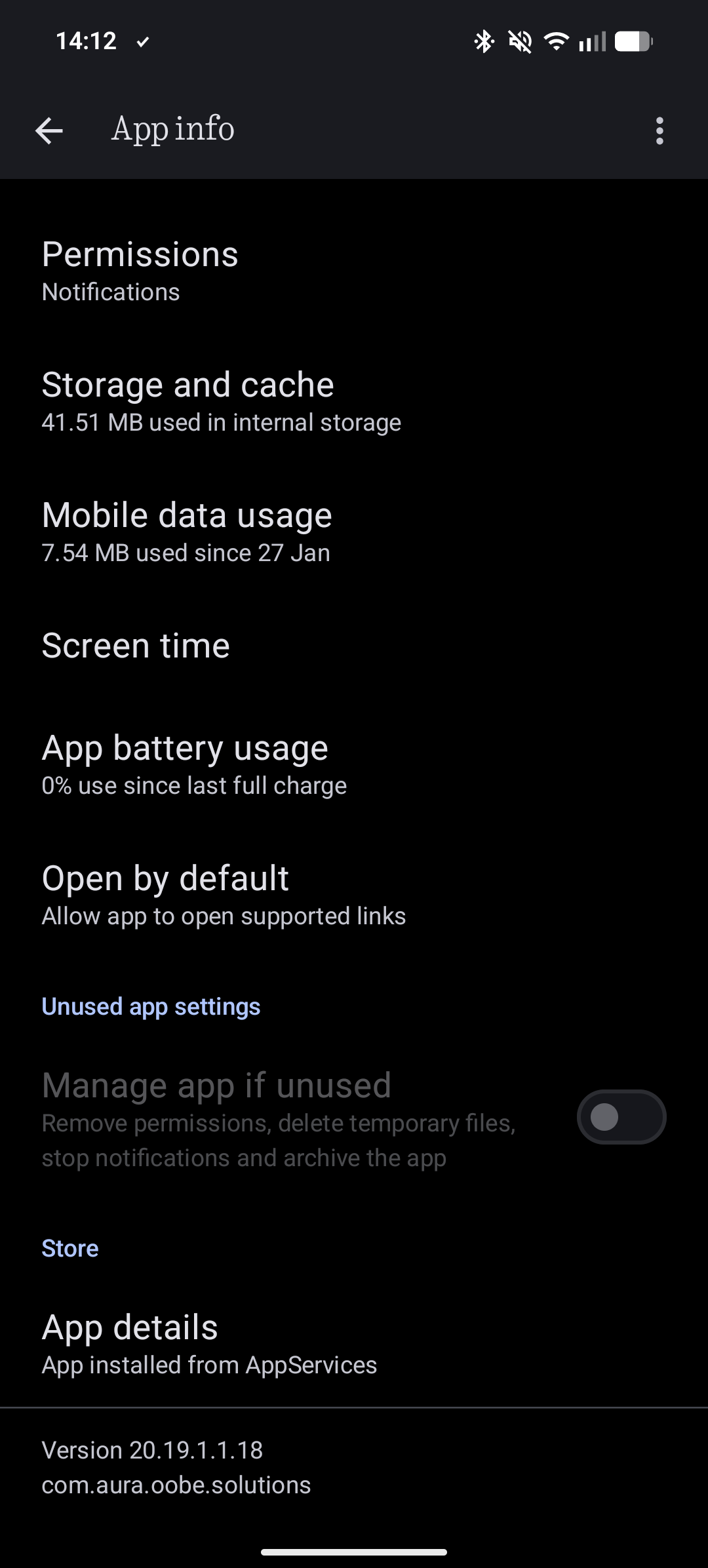
I then did some research on the app that sent the notification and found out it was installed by… itself? (check the bottom of the screenshot)
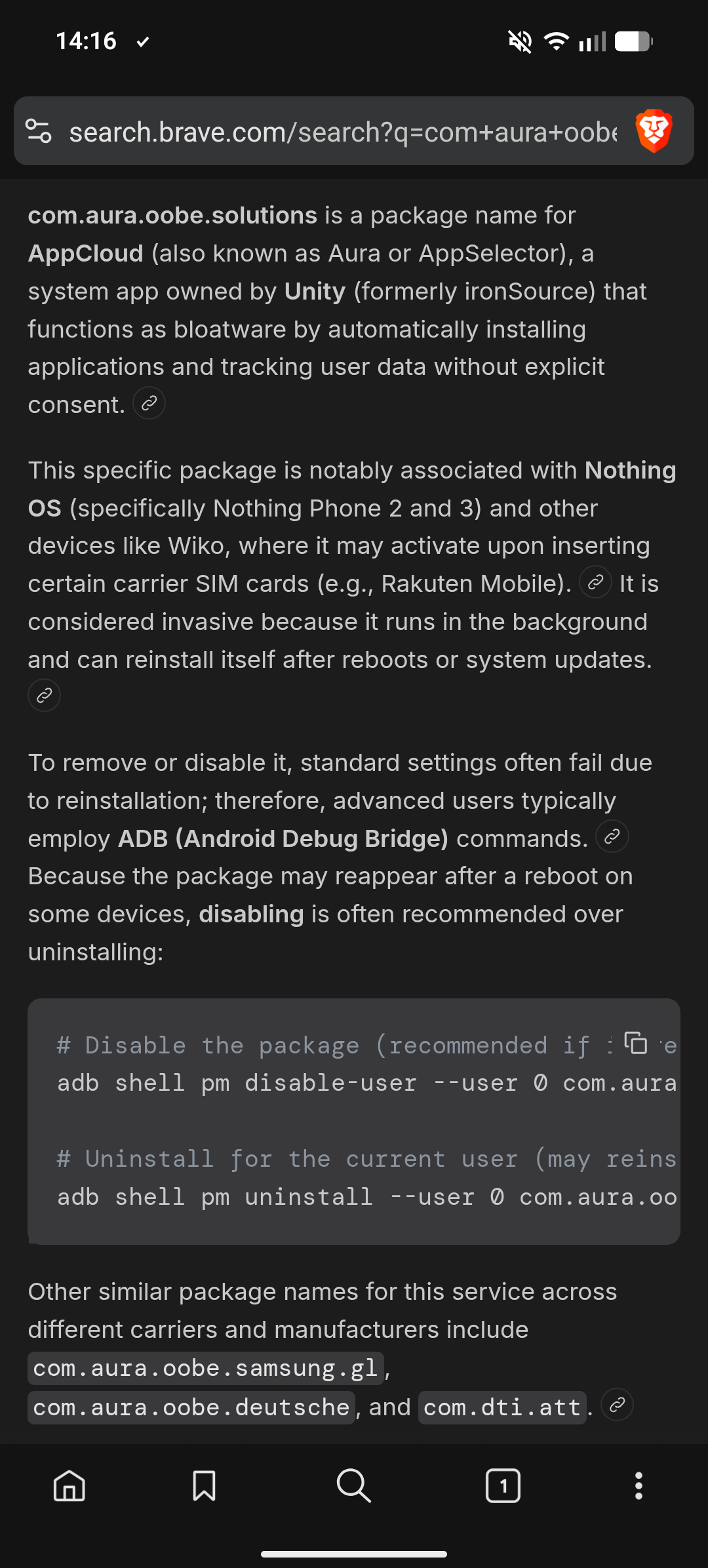
A quick search on my search engine of choice showed (yes, this is the AI overview, BUT I did not put in what phone I own, I just checked for the package name) that this is apparently owned by Unity (the game engine) and is hard to get rid off.
Who is responsible for that? How do I get rid of this (besides uninstalling the two apps that automatically installed)? Why did the thing use my mobile data in the background? What is it with NOTHING not having any bloatware?