Hello everyone, I’m Mohammed Nihal, the person behind The Circle. I just wanted to explain the main purpose of this app. Learning a language feels more authentic and less isolated at The Circle. When you’re not ready to talk to people, you can use AI, practice in chat rooms, learn from community-made lessons, and gradually gain confidence at your own speed. It’s still developing, and I’m aware that it’s not flawless yet, but our objective is straightforward: to establish an environment where people use the language rather than merely study it.
Home Page

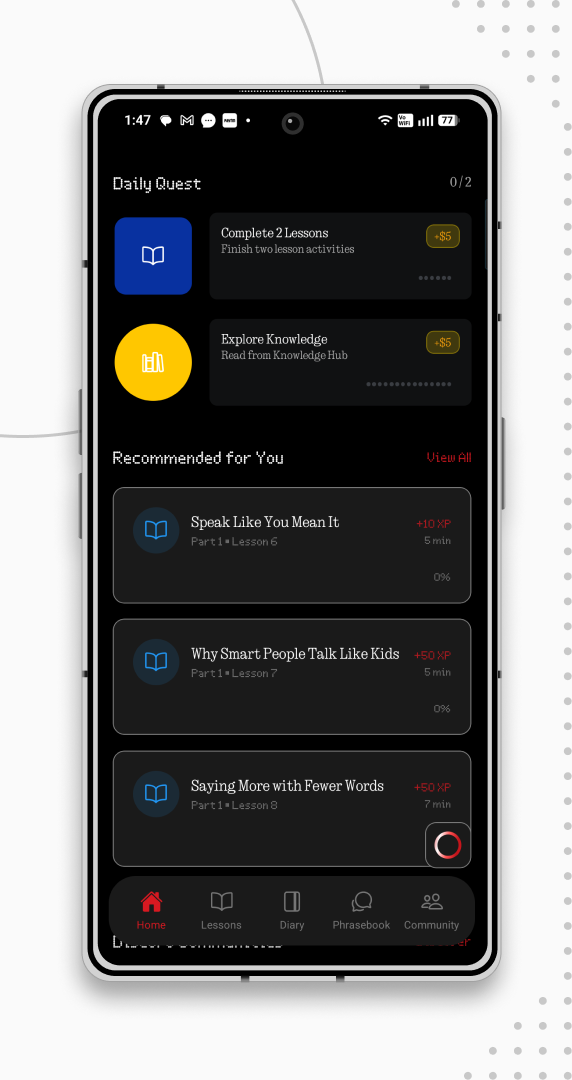
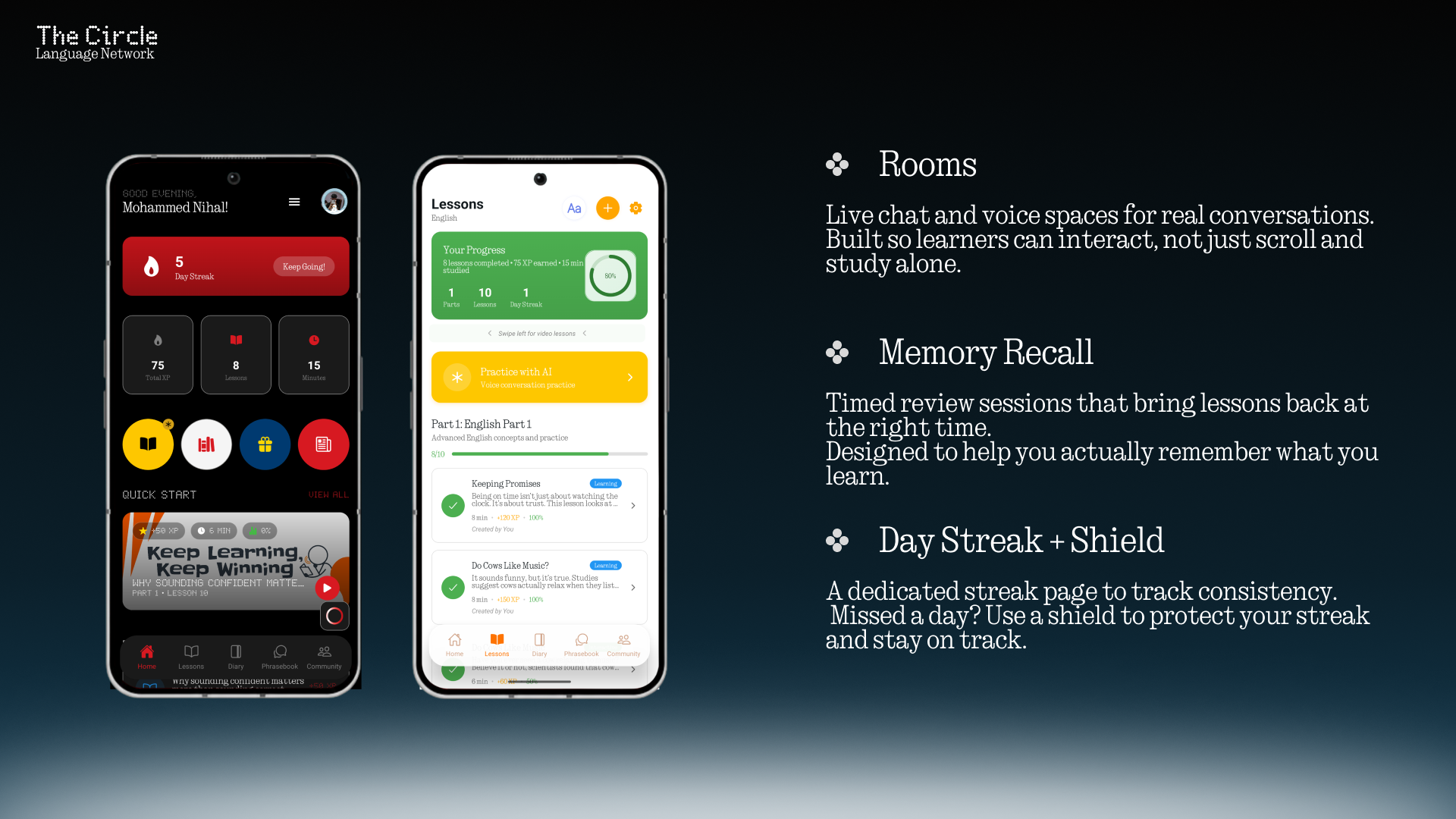
The homepage is designed to keep everything important in one place. At the top, you’ll see a greeting along with your profile and menu so you can quickly manage your account. Right below that is your day streak card, which tracks your consistency and takes you to a detailed streak page when tapped. You’ll also see your key stats like total XP, lessons completed, and study time so you always know your progress.The knowledge hub, rewards, news, and daily vocabulary are all easily accessible through the quick circles. You can go straight to the next lesson in the Quick Start section, browse lessons that have been suggested to you, and pick up where you left off without having to search.
Day Streak
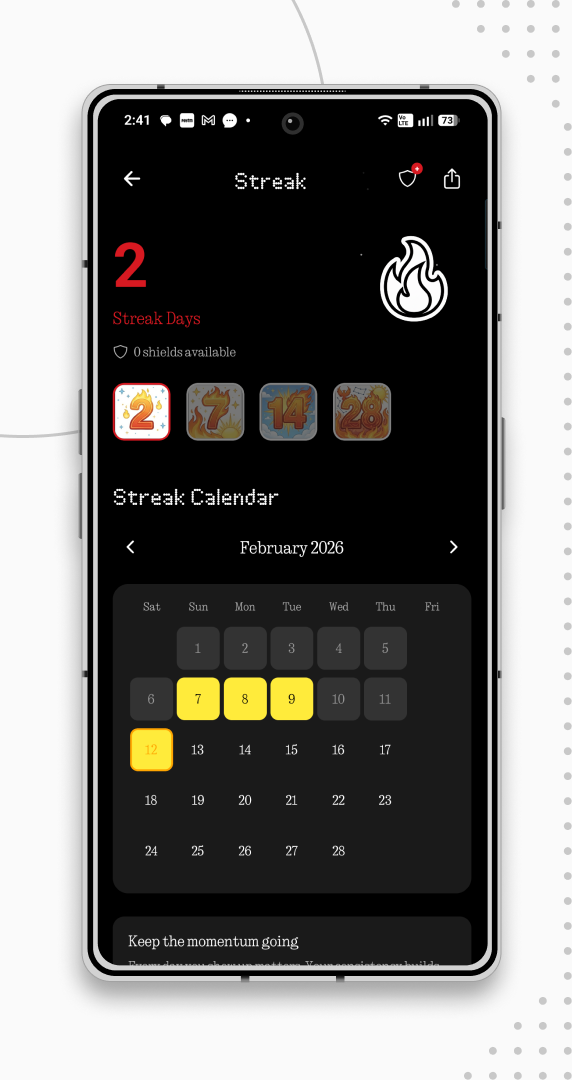
The Streak page is where you track your consistency. At the top, you’ll see a shield icon and a share button. You can use shields to protect your streak if you miss a day occasionally. Each month you receive a few free shields, and you can also buy more using coins. The share button lets you show your progress to the community.
Below that, you’ll see your current streak count, streak milestones like 2 days, 7 days, 14 days, and 28 days. These help you stay motivated as you build consistency. There’s also a streak calendar where you can clearly see which days you completed, which days were protected, and which days were missed.
News

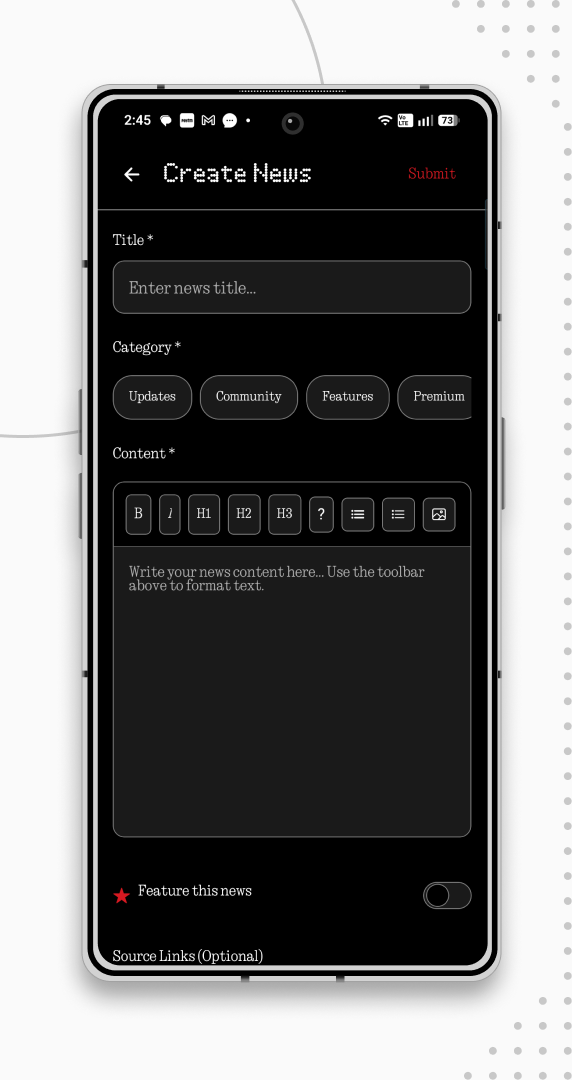
The News page is where the community shares what’s happening around the world. While it focuses on language-related topics, users are free to post news about politics, culture, regional events, and more. Everyone has the right to share, and we have a built-in verification system to help maintain quality.
At the top of the page, you’ll find a calendar icon which takes you to a modern calendar page, a create button to publish your news, and an audio icon that lets you listen to a short voice brief. Each news post includes a clear title and category so it’s easy to explore what interests you. You may also see featured posts highlighted by the admin.
Knowledge Hub


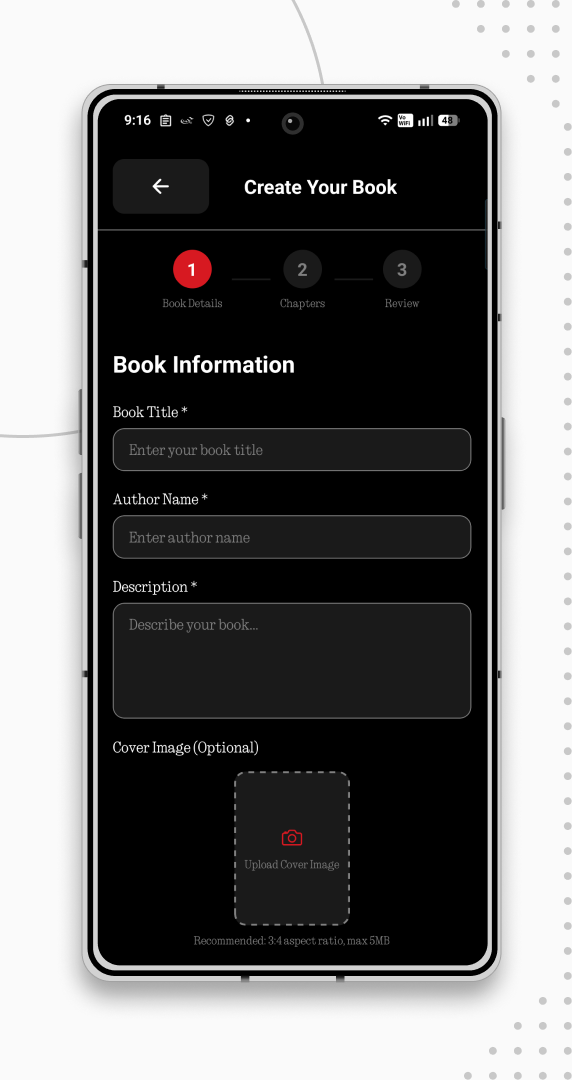
The Knowledge Hub is our community-powered language library. It’s a place where users can discover and unlock books, stories, and learning materials shared by others. At the top, you’ll see your coins and the create option if you want to publish your own book.
You can add original content to the Hub, but please do not upload copied or copyrighted material. We want this space to grow in a fair and respectful way. You can also purchase books created by other users, and any books you unlock will appear in your personal library. The Knowledge Hub is currently in its alpha stage, and we’re still shaping it. Your feedback will help decide how it grows from here.
Lesson


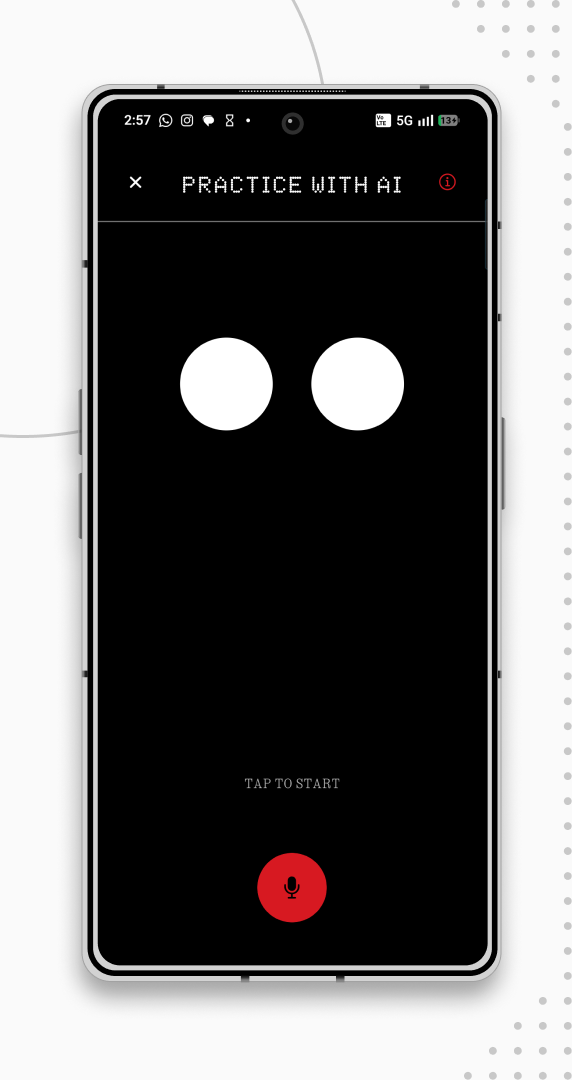
The Lessons space is where your actual learning happens. At the top, you’ll see the Lessons title along with options to explore video lessons or create your own if you have a teacher license. The video section allows teachers to share lessons, including content from their own YouTube channels, making it a great way to both teach and grow their audience.
On the main Lessons page, you’ll see your progress card, which shows how far you’ve come in your learning journey. There’s also a Practice with AI option where you can have conversations and improve your vocabulary privately if you’re not comfortable practicing in the community yet.
You can filter lessons by teacher or category, follow specific instructors, and explore recommended content. Teachers can create lessons either manually or by uploading a text file, which our AI helps format automatically. Inside each lesson, you can move through the pages at your own pace, ask questions, and leave feedback for the teacher. The goal of this space is simple, structured learning, real interaction, and support whenever you need it.
Diary


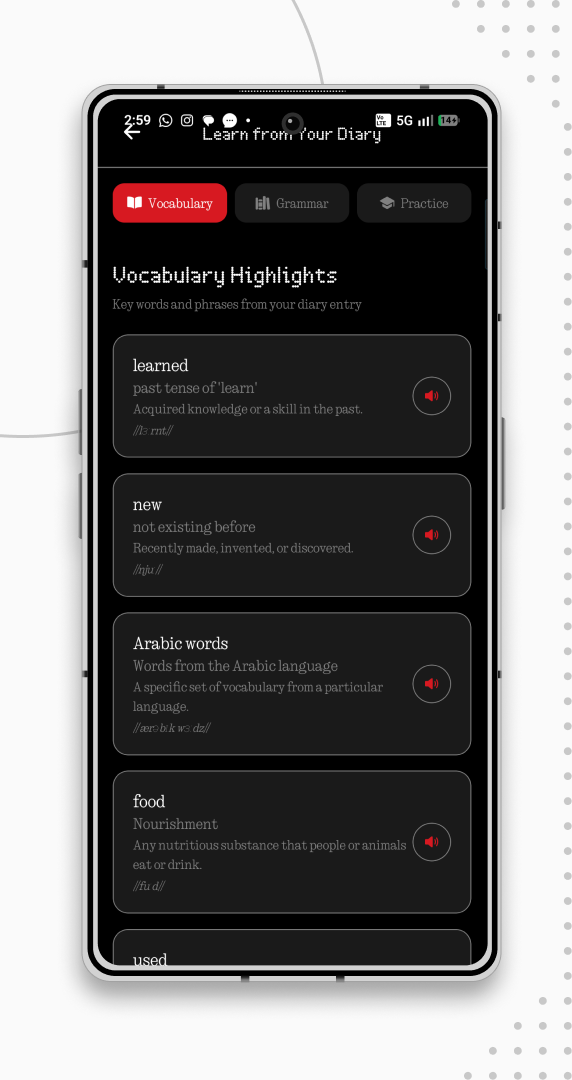
The Diary page is built for people who like journaling. You can write your daily thoughts in your target language, save your entries, and even customize your diary with a name and icon.
When you save an entry, you’ll have the option to turn it into a learning experience. If you choose to continue, our AI will use your journal content to create personalized lessons based on what you wrote. These lessons include vocabulary, grammar insights, and a small practice section. Once completed, you earn experience points. You can also simply use the diary as a private journal if you prefer. The idea is simple, learn from your own words and improve naturally over time.
Community


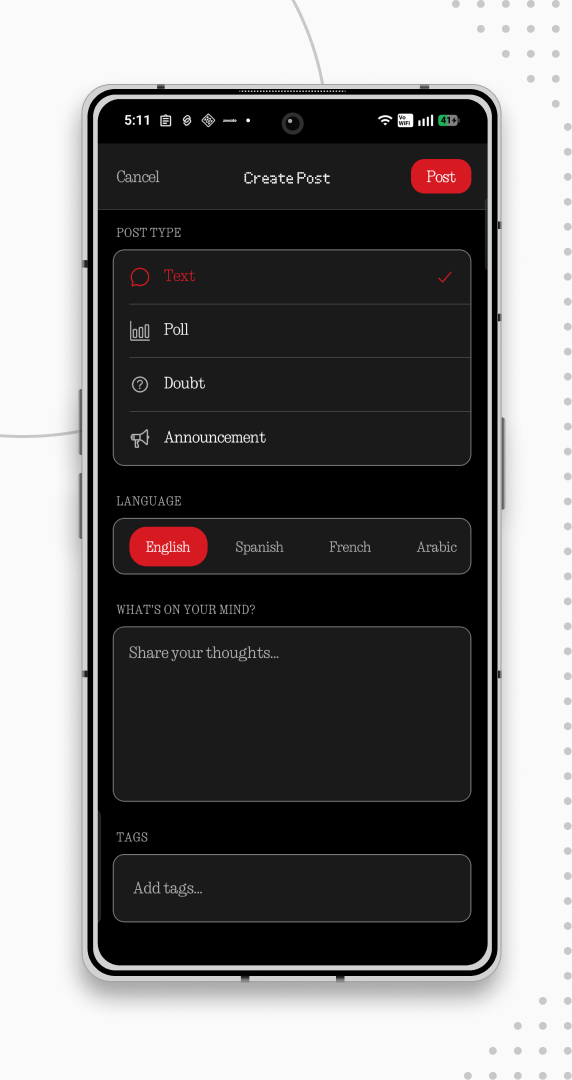
That’s a quick look at what The Circle offers right now. It’s still growing, and there’s a lot we’re working on behind the scenes. If this sounds interesting to you, feel free to try it out and see how it fits your learning style.
I’d really appreciate any feedback, suggestions, or even small thoughts after using it. That’s what helps us improve.
You can check it out here:
https://play.google.com/store/apps/details?id=com.quivaconnect.thecircle
Thanks for taking the time to read this 🤍
