I want to start by expressing my sincere gratitude for the opportunity to spend time with these devices. Having the entire lineup on hand has been a fantastic experience, allowing me to provide a complete picture for prospective buyers. It’s been an absolute blast putting them to the test.
Phone (4a) and Phone (4a) Pro
Unboxing, Design, and First Impressions
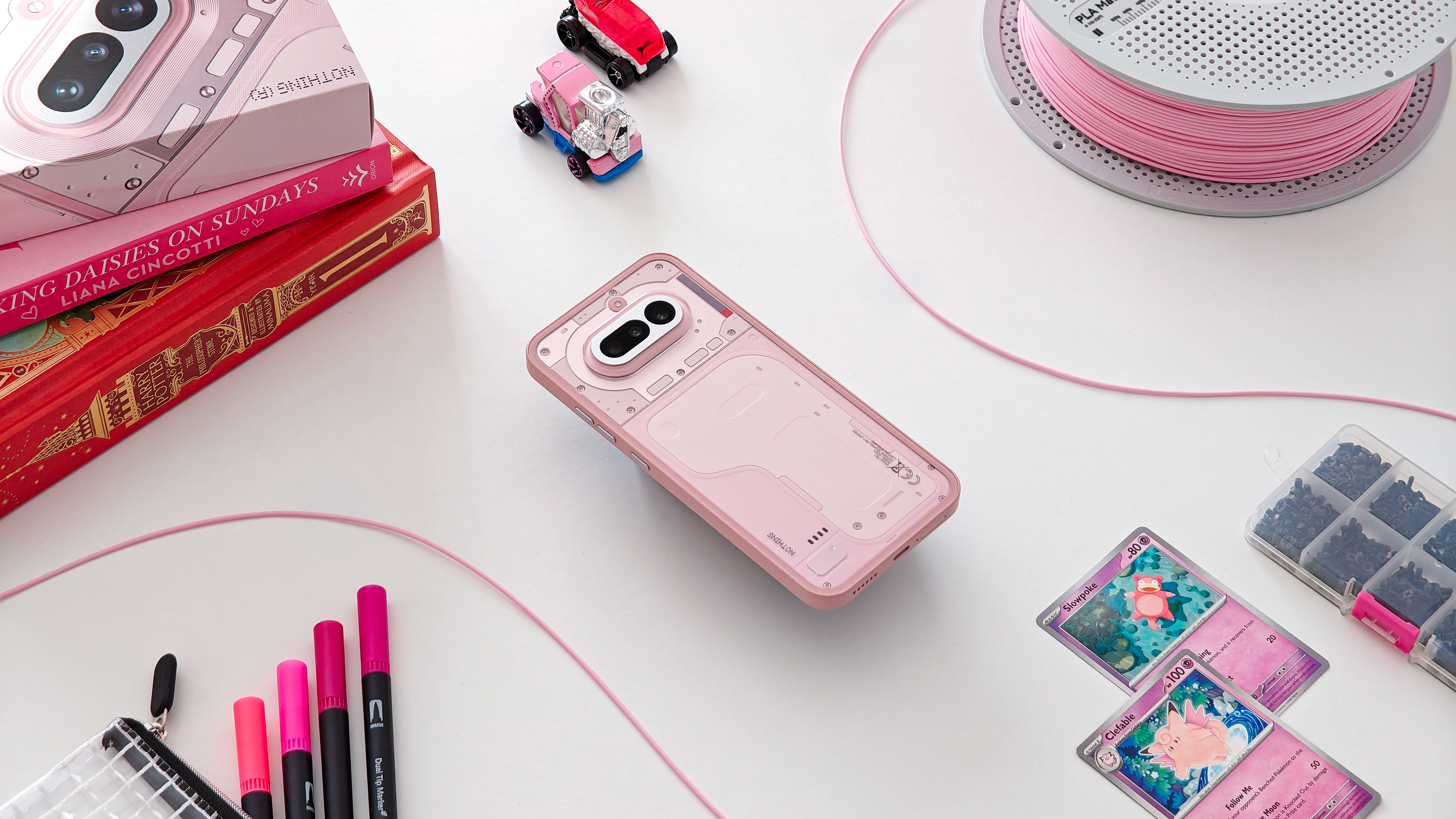
First up is the Phone (4a). As the ‘base’ model of the duo, it’s positioned as the high-volume, best-value pick for most buyers.
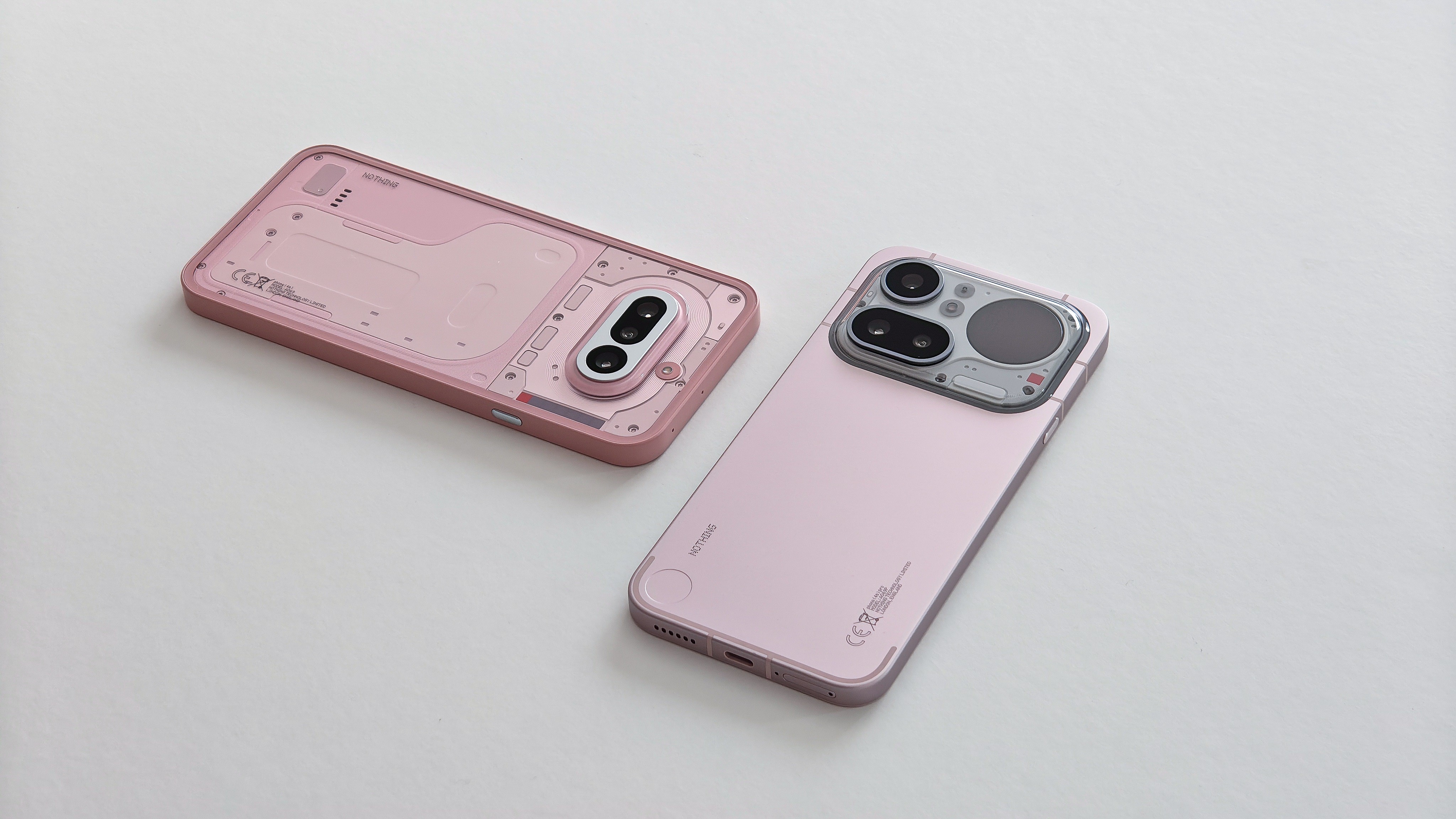
The moment I saw the rear design, I was sold. The Phone (4a) is Nothing’s best aesthetic work yet, featuring distinct sectioning and metallic accents that create a raw, industrial look—particularly in white. The camera module sports a striking metallic decal framed by a translucent edge that catches the light beautifully. Combined with the new, perfectly aligned “stacked” glyph bar, the device looks like a prop pulled straight from a sci-fi cockpit.
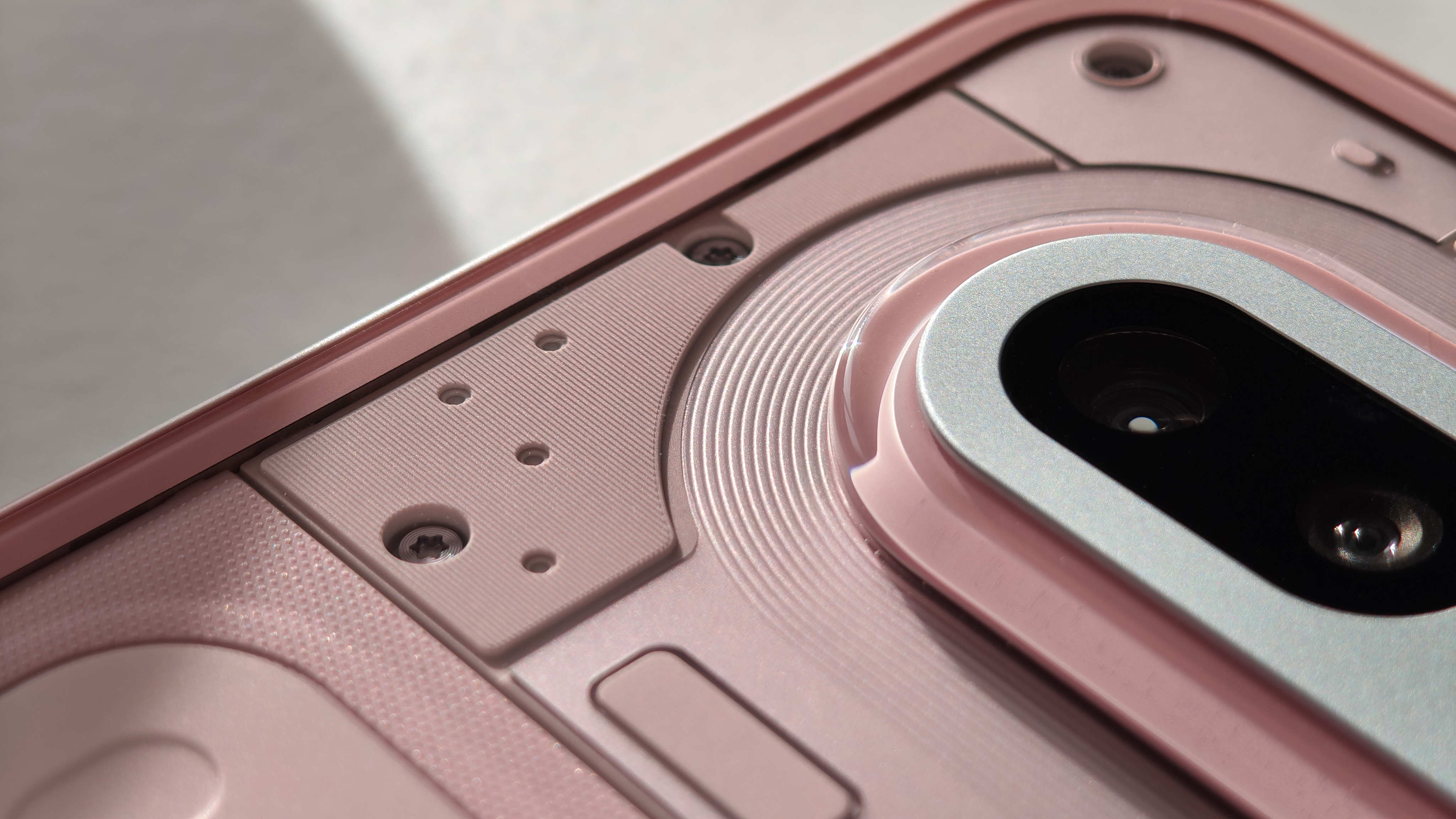
While the frame remains the same matte plastic as previous models, you now get the luxury of metallic buttons. The volume, power, and essential key offer a noticeably more satisfying click than their plastic predecessors. A full glass back rounds out the build, completing what is, overall, a very premium-feeling package.
The only real trade-off with the Phone (4a) is the display bezels. I’ve never been one to obsess over border width, but in 2026, it’s getting harder to ignore. With so many competitors adopting near-invisible bezels, going back to a framed display feels like a genuine step backward.
You could argue that this is a budget device—and you’d be right—but the bezels wouldn’t be nearly as “triggering” if they were uniform. The corners are slightly thicker than the sides; it’s a tiny discrepancy, but it’s enough to make the whole front look “off.”
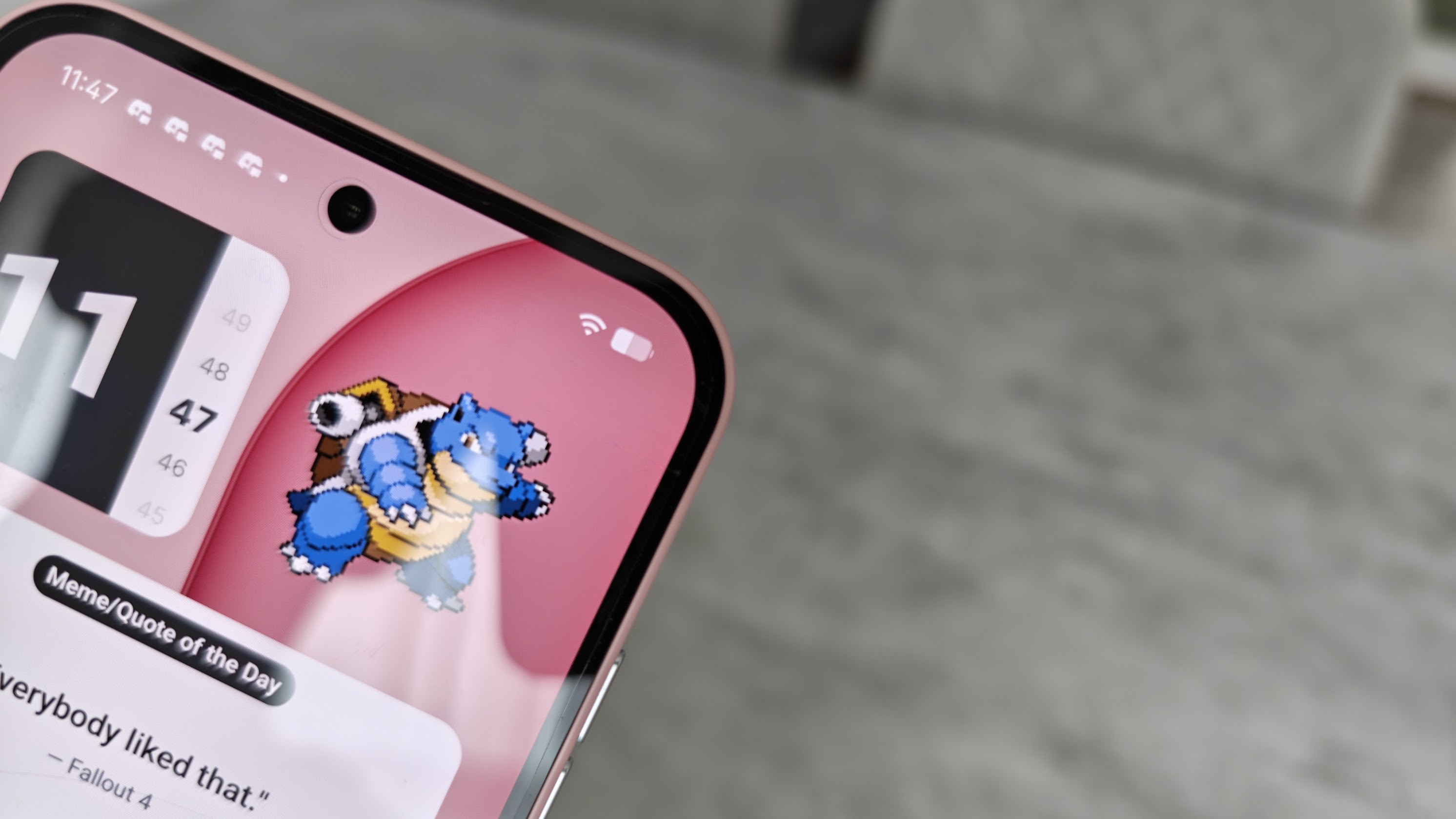
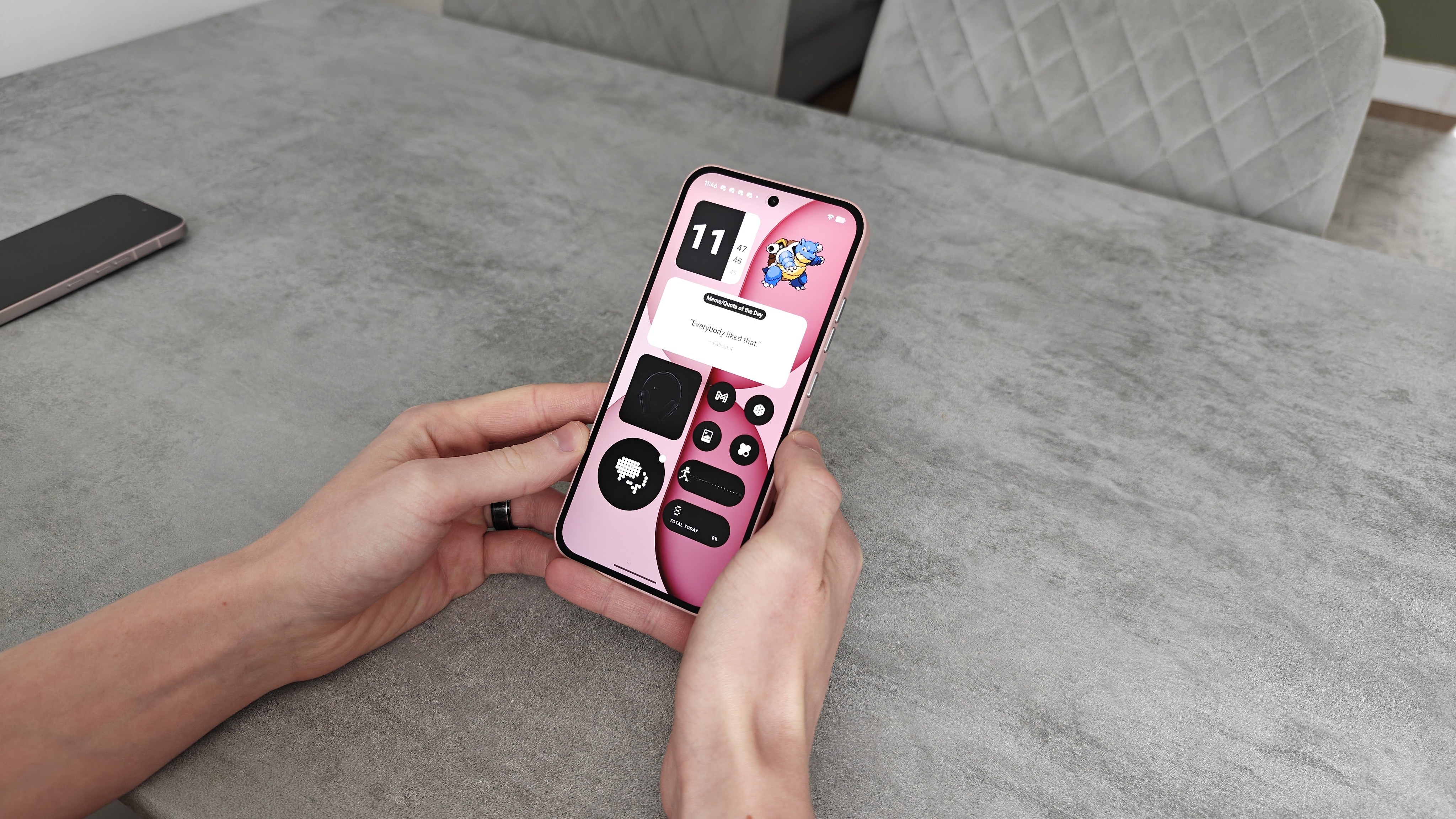
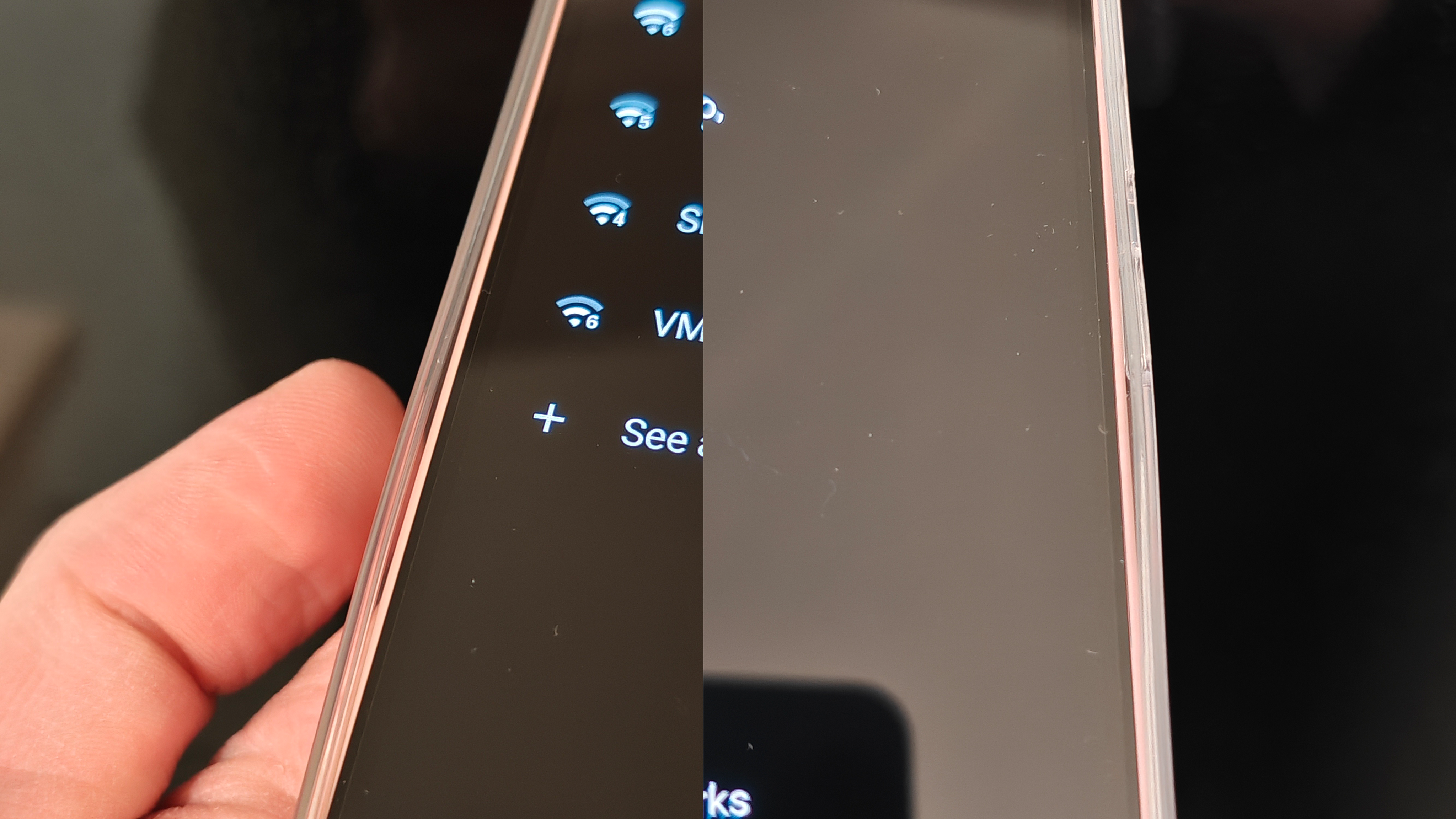
Believe it or not, despite being distracted by the device itself, I did spare a few minutes for the unboxing experience for both devices. Alongside the usual paperwork, you’ll find a SIM tool, a cable, and a protective case. Bundling a case is a thoughtful, value-added touch, but the execution here misses the mark; my (4a) case arrived deformed right out of the box. If you actually plan on using one, I’d suggest spending extra on a quality third-party option—which unfortunately renders this “freebie” nothing more than e-waste.
The Phone (4a) showcases Nothing’s design language at its peak. Between the striking new colours, the “premium-on-a-budget” build, and the most mature, industrial take on transparency yet, it’s a visual knockout. For brand purists, the Phone (4a) is the definitive choice—at least if you’re deciding on aesthetics alone.
Moving on to the Phone (4a) Pro: this is where things get controversial. While a “Pro” variant had been rumored for ages, Nothing kept the actual design under wraps until the final moments of the announcement. To say it was a shock is an understatement; the reveal was met with immediate, polarising reactions across the board.
Why the backlash? The Phone (4a) Pro strips away almost all of Nothing’s signature transparency in favour of an all-new, aircraft-grade aluminium unibody. It feels fantastic in the hand—chilly to the touch and undeniably premium. The only Nothing “essence” left is the transparent camera window, which many will find suspiciously reminiscent of a certain other brand. Notably, this window is polycarbonate rather than glass; it remains to be seen how well it will resist scratches over time.
Tucked inside that camera “window” is a satisfyingly aligned triple-lens setup, the flash, the return of the red recording LED, and an all-new Glyph matrix. This new interface is notably larger than before, though at a lower resolution—more on that shortly. Beyond the very “Nothing” camera module, the design is fairly minimalist. You’ve got the aluminium unibody and matching buttons, antenna lines framing the top and bottom, and a small embossed circle in the bottom corner. It serves no functional purpose, but it’s a tactile design flourish that’s surprisingly satisfying to fiddle with.
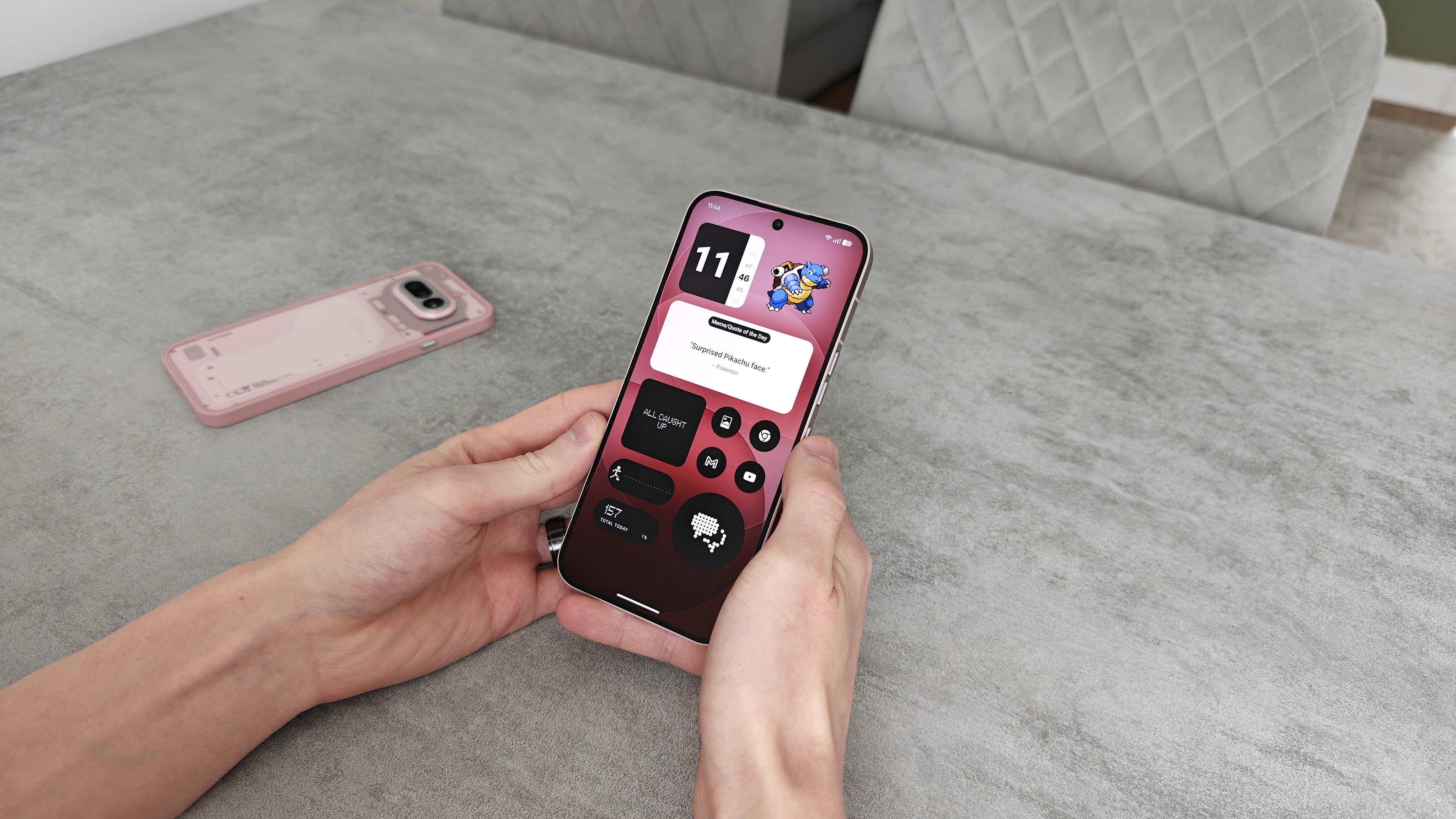
Unlike the base (4a), the Pro features a far superior display. Thanks to its thin, uniform bezels, the screen feels modern and expansive. The corner radius is also noticeably larger this time around; those more rounded corners, paired with the symmetrical borders, make the entire viewing experience feel genuinely premium.
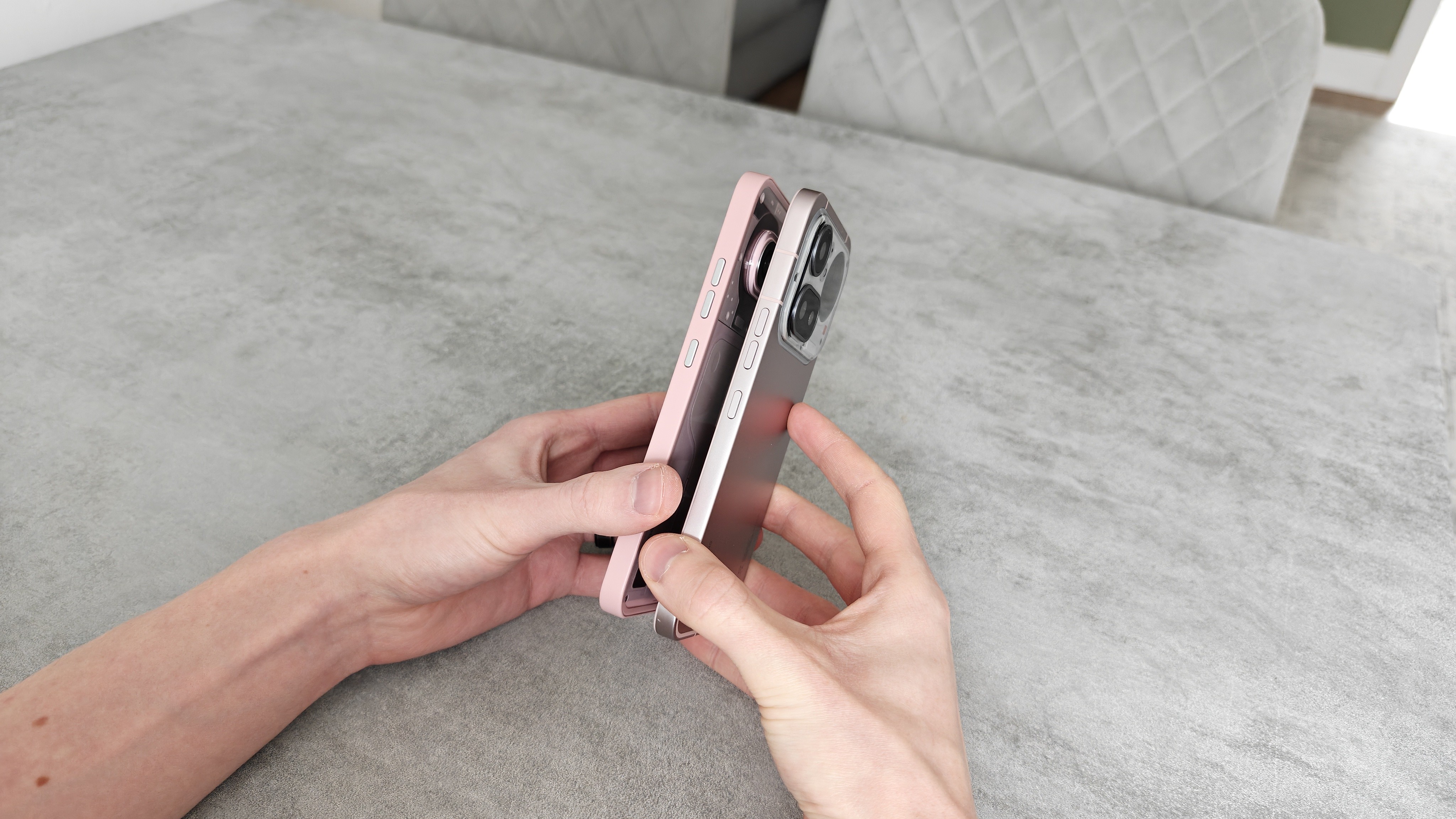
Both models feature a revised button layout. The Essential key now sits alone on the left, three-quarters of the way up—a smart move that prevents accidental triggers and makes every press feel more intentional. The power and volume rockers have migrated to the right side. It requires an adjustment period if you’re coming from the old layout, and it admittedly makes one-handed screenshots a bit more finicky. Interestingly, the buttons sit higher on the standard (4a) than on the Pro—likely a byproduct of the camera module’s footprint—which makes them a bit more of a stretch to reach on the base model.
While the Phone (4a) Pro is easily one of Nothing’s most controversial designs, it signals a clear maturation. The brand has leaned heavily into the marriage of metal and transparency—an aesthetic evolution first teased by the Headphone (1) and Ear (3). Side-by-side with those products, the (4a) Pro fits in perfectly, cementing a cohesive brand identity. As is often the case with Nothing, this design will be an instant “buy” for some, while others may need time to warm up to it. Ultimately, if any device is going to bridge the gap to the mainstream and capture a wider audience, it’s going to be a bold, high-polish statement like this.
General Performance
Both my Phone (4a) and (4a) Pro review units arrived with 12GB of RAM and 256GB of storage. On paper, the only major fork in the road for general performance is the silicon powering them. The standard (4a) sports the Snapdragon 7s Gen 4, while the Pro steps up to the more robust Snapdragon 7 Gen 4.
I’ve reviewed plenty of phones over the years, and lately, gauging “general performance” has become a challenge. Most modern chipsets are perfectly adequate for the daily grind—whether you’re scrolling social media, streaming video, handling emails, or dipping into light gaming. I’m not suggesting the 7 Gen series rivals the latest Snapdragon Elite Gen 5 on paper, but the gap in real-world feel is narrowing. For the average user, the difference is becoming increasingly difficult to notice—even if the difference in price remains substantial.
This held true during my time with both devices. Both the (4a) and (4a) Pro breezed through my typical daily routine without a hitch; aside from a solitary, one-off stutter, the experience was remarkably fluid. Under close scrutiny, the Pro takes the lead—it feels just a bit snappier, particularly when pushed. That said, I can’t imagine anyone shopping in the mid-range segment being disappointed with either of these.
I know the question is coming, so let’s talk gaming. Personally, mobile gaming has never quite “clicked”; I tend to pick up addictive titles only to abandon them a few days later. However, I recognise that for many, chasing peak frame rates is a priority. For this review, I tested Brawl Stars, Rainbow Six Mobile, and The Division Resurgence. Both devices delivered a solid experience, though the Pro’s beefier processor gave it a slight edge. I was able to run Rainbow Six at high settings with up to a steady 60 fps. Neither phone suffered from overheating, though the Pro fared better—its aluminium back dissipates heat more effectively. While Brawl Stars was a breeze too, The Division struggled with occasional stutters, with most graphic options greyed out. Hopefully, this is just an early optimisation issue rather than a hardware limitation.
Both the Phone (4a) and (4a) Pro deliver rock-solid performance for the average user’s daily grind, with the Pro gaining a slight edge thanks to its superior silicon. Regardless of which model you pick, you won’t feel short-changed. If gaming is a priority, both provide a capable experience, but the Pro is the natural frontrunner for its thermal efficiency and extra power.
Battery Life and Charging
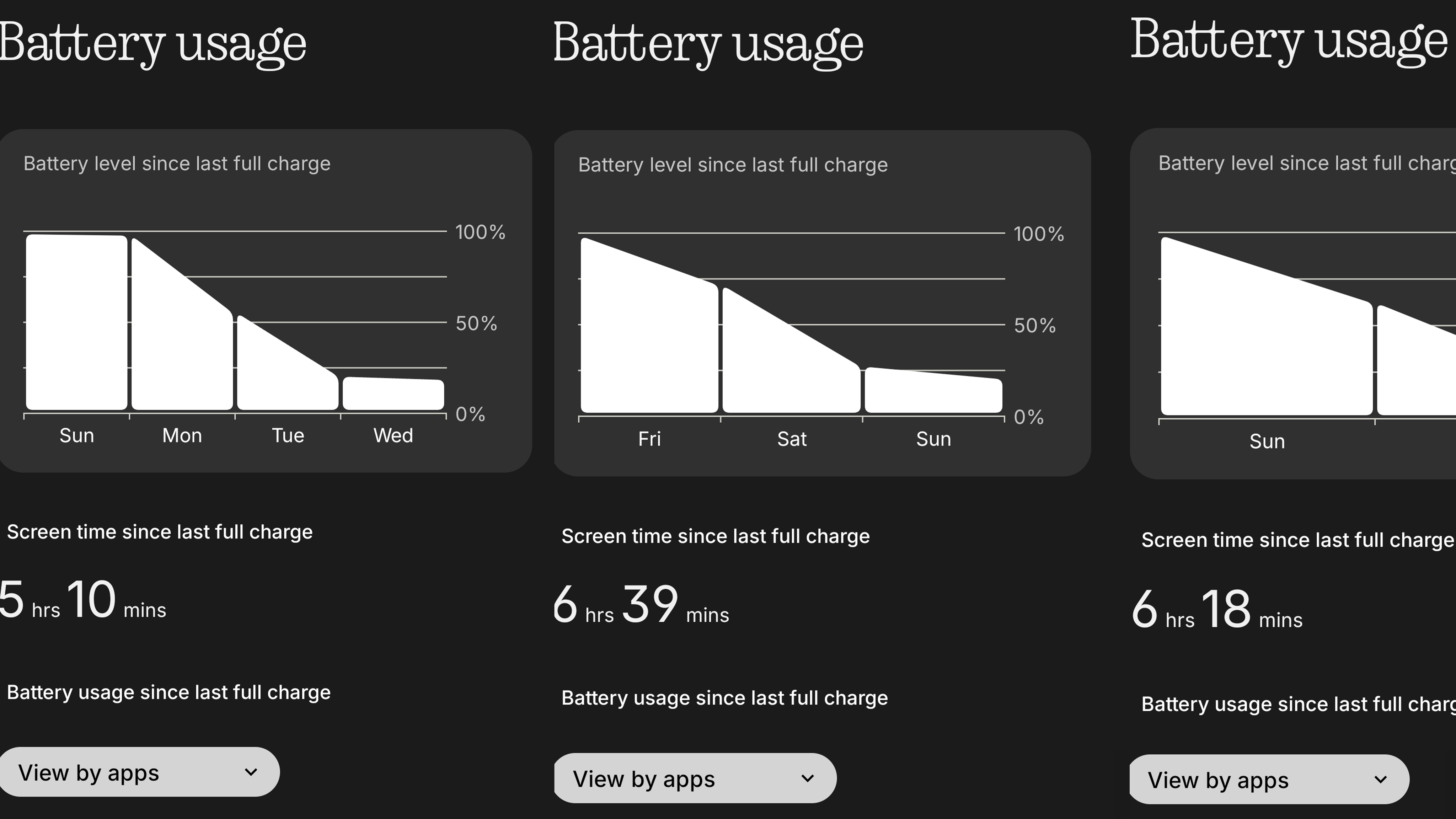
The Phone (4a) and (4a) Pro both house a 5080mAh battery (which bumps up to 5400mAh for the Indian market). Both support 50W wired charging and 7.5W reverse wired charging for topping up accessories. After a few weeks of testing, endurance has been impressive. Both devices easily cleared a full day of use with a comfortable buffer for the next morning. In terms of raw data, I consistently averaged around 6-7 hours of screen-on time, fluctuating slightly depending on my workload. Heavy users or gamers might need a mid-day top-up, but the 50W speeds ensure it’s never a chore. One important caveat, however: there is no wireless charging to be found on either model.
Nothing OS 4.1
Software is one area where a great experience is virtually guaranteed, regardless of which model you pick. Nothing OS continues to deliver a clean, snappy, and minimal interface designed specifically to reduce distractions. To lean into this “less is more” approach, the OS offers a signature monochrome palette, using only occasional splashes of colour for essential accents. It’s a refreshing departure from the bright, bold, and often overstimulated visuals found on almost every other Android skin.
Nothing OS 4.1 remains a utility powerhouse. It retains familiar staples like Smart Drawer, Essential Tools, and the “Vibe Coding” sandbox of Essential Apps, alongside a robust security suite featuring Private Space, App Locker, and the “Power Off Verify” theft deterrent. The latest update adds even more polish: a dedicated “Breathing Break” widget, a much requested lock-screen depth effect, and with Android 16 “Live Updates” tracking app progress feels more fluid and integrated than ever. The native Gallery app also continues to evolve, recently gaining advanced AI Eraser and editing tools.
The Essential Key—a dedicated hardware button for AI—acts as your gateway for capturing information on the fly. Whether you’re organising raw ideas, notes, or quick reminders, everything funnels directly into “Essential Space.” This space is impressively capable: it can transcribe voice-to-text, describe the contents of an image or screenshot, and intelligently catalogue every entry for easy retrieval later.
Nothing has also baked in “Essential Search,” allowing you to pull quick facts, translations, or complex answers—like “Explain the origin of Halloween”—directly from the search bar. While these responses are pulled from the web, they function as an instant-access layer that saves you the hassle of opening a browser or a dedicated chatbot.
Glyph Bar and Glyph Matrix
It wouldn’t be a Nothing device without the iconic Glyph Interface. On the (4a), we see the debut of the “Glyph Bar”—a vertical evolution of the brand’s signature lighting DNA. This setup consists of a vertical stack of seven squares, including the classic red recording indicator. Hidden behind the diffusion layer is a dense array of 63 mini-LEDs capable of a staggering 3500 nits of peak brightness. In practice, this thing is blindingly bright; even at its lowest setting, it commands attention. However, that density allows for incredibly fluid, minimalist animations. The “stacking timer” in particular is a standout, turning a simple countdown into a satisfying visual progress bar.
The Phone (4a) Pro sees the return of the “Glyph Matrix” first debuted on the flagship Phone (3). This version is 57% larger, peaks at 3000 nits, and is powered by an array of 137 mini-LEDs. Despite the size and brightness boost, the (4a) Pro Glyph Matrix actually features a lower resolution than its premium sibling. In practice, this means that while the matrix excels at displaying bold, simple emojis and minimalist animations, anything too intricate quickly becomes chaotic. I was surprised—and a bit disappointed—to find that many preset ringtones use overly complex animations that just don’t translate well to this lower-density grid. That said, when the animation hits the sweet spot of simplicity, the results are incredibly impactful and full of character.
Given the lower resolution of the (4a) Pro’s matrix, I was surprised to see “Glyph Mirror” make a return. There simply isn’t enough LED density here to produce a discernible image; the viewfinder becomes a pixelated abstraction rather than a functional preview.
Display
Faster, Brighter, Better
The displays have received a massive overhaul this year. The Phone (4a) steps up to a 6.78-inch 1.5K panel—a sharp upgrade over the 1080p screens of the past. It utilises LTPS tech for a dynamic 120Hz refresh rate and boasts a staggering 4500 nits of peak brightness.
The (4a) Pro pushes things further with a 6.83-inch display, achieving a slightly larger canvas by trimming the bezels even thinner. While it shares the 1.5K resolution, it wins on raw specs with a 144Hz refresh rate and 5000 nits of peak brightness.
In real-world use, these panels are a revelation—vibrant, sharp, and incredibly immersive for media and gaming. However, there’s a catch: despite the Pro’s 144Hz branding, I’ve yet to find an app that actually utilises it, even after forcing high refresh rates in the developer settings.
Audio and Haptics
Audio and haptics might seem like minor details, but they define the tactile feel of a phone. A well-tuned vibration motor is often the thin line between a device that feels premium and one that feels “budget.” Since so much of our time is spent typing or scrolling, these sensations matter. The haptics on the (4a) and (4a) Pro are nearly identical: they offer a perfectly adequate, crisp response—nothing groundbreaking, but certainly not mushy or cheap.
While I usually rely on earbuds for media, the onboard speakers on both devices hold their own. The setup utilises a dedicated bottom-firing speaker paired with an amplified earpiece. You can tell the bottom speaker is doing the heavy lifting, but together they deliver respectable stereo sound. Just don’t expect the “rumble” or low-end depth found on more expensive flagships.
Comparing the two comes down to taste. I found the standard (4a) to have a slightly deeper, muddier, profile, whereas the Pro sounds sharper and more vibrant. I’d be content with either.
Camera Experience
So, how does the camera experience stack up? On paper, the two devices share a nearly identical DNA, with two key exceptions: the (4a) Pro boasts a slightly better main sensor and a massive 140x zoom—doubling the 70x reach of the standard (4a). This significant jump in zoom is made possible by the Pro’s more powerful processor, which handles the heavy lifting required for such high-magnification shots.
It’s a common industry trade-off: “flagship killers” and mid-range devices almost always compromise on the camera. My history with Nothing’s optics has been a bit of a mixed bag. In ideal lighting, they produce perfectly respectable shots that would satisfy most people. However, when pushed—specifically in low-light environments, high-motion scenes, or video recording—the processing begins to struggle. That narrative remains largely unchanged with the (4a) and (4a) Pro.
I’ve included several samples below, featuring some side-by-side shots of the same subjects to highlight the differences between the (4a) and (4a) Pro. In favourable lighting, both devices produce strong results with respectable colour accuracy. However, there’s an underlying “heaviness” to some of these shots. You can see evidence of aggressive post-processing, with high contrast and over-sharpening occasionally stripping away the natural feel of the image.








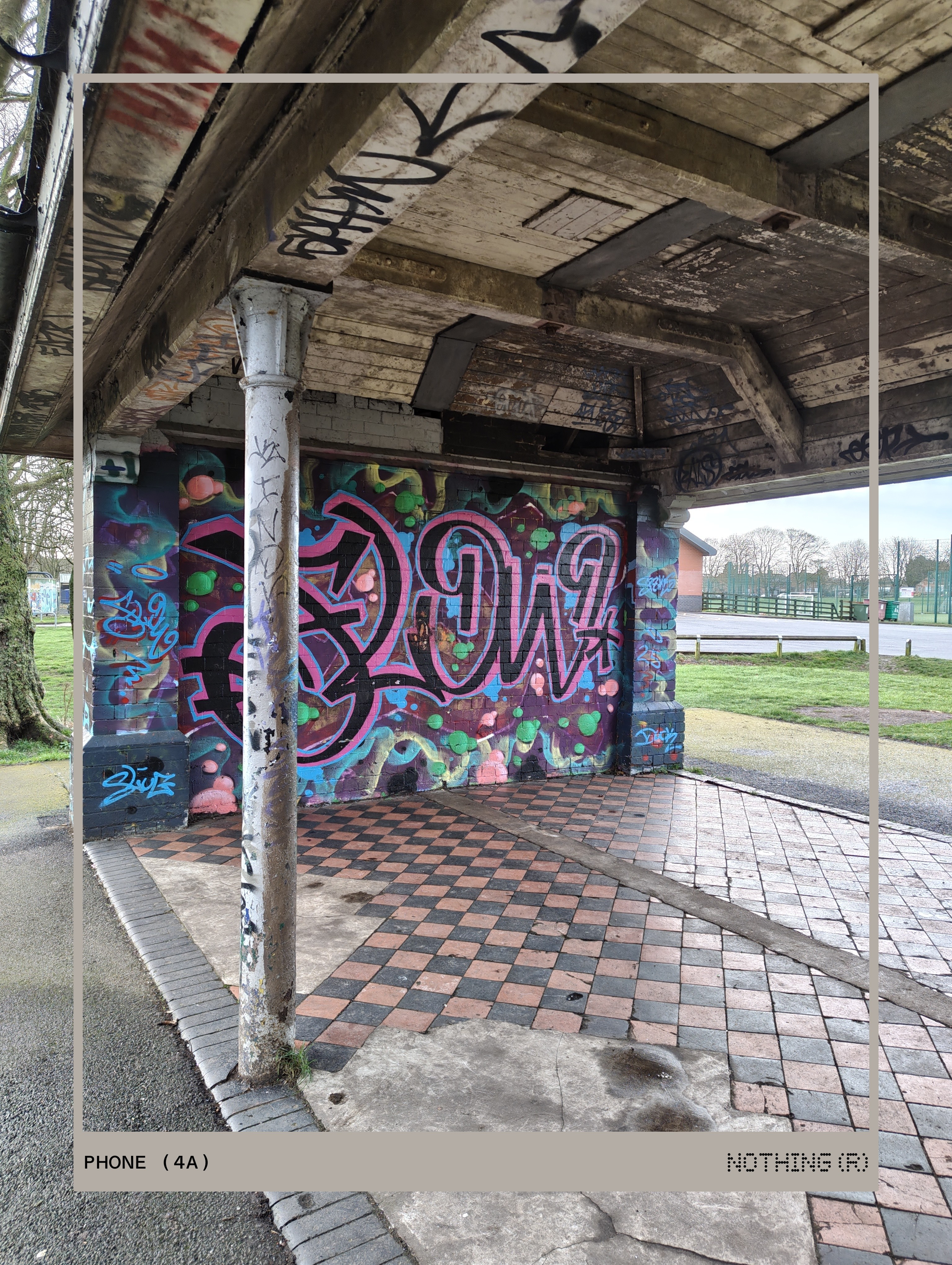
It’s also clear that the shutter speed and processing pipeline struggle with movement. If you don’t hold perfectly still, the image can fall apart—as seen in the sample below, where the background has warped and blurred behind the shelter due to the phone moving too quickly after capture.

Let’s talk about the headline-grabbers: the 70x zoom on the (4a) and the “world’s first” 140x zoom on the (4a) Pro. As I mentioned earlier, that staggering 140x reach on the Pro is a direct byproduct of the Snapdragon 7 Gen 4’s processing power. However, it’s important to clarify that these aren’t optical figures—we are talking about a purely digital crop.
Unfortunately, my skepticism was well-founded. After testing these extreme zoom levels, my suspicions were confirmed: they feel more like a gimmick than a functional tool. It’s a shame, as Nothing usually avoids “specs for specs’ sake,” and I wish they hadn’t leaned so heavily into a feature that offers little real-world utility.
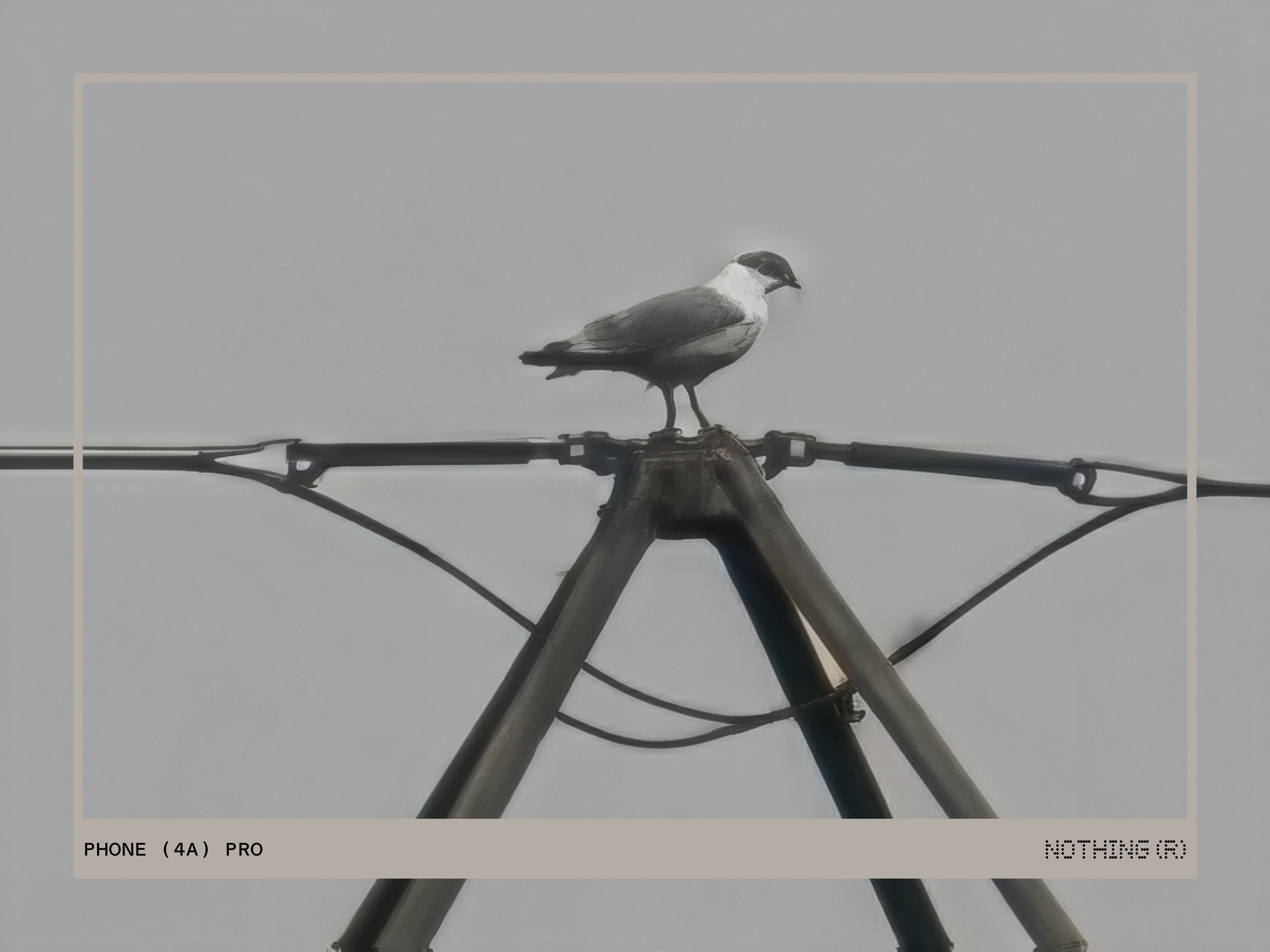
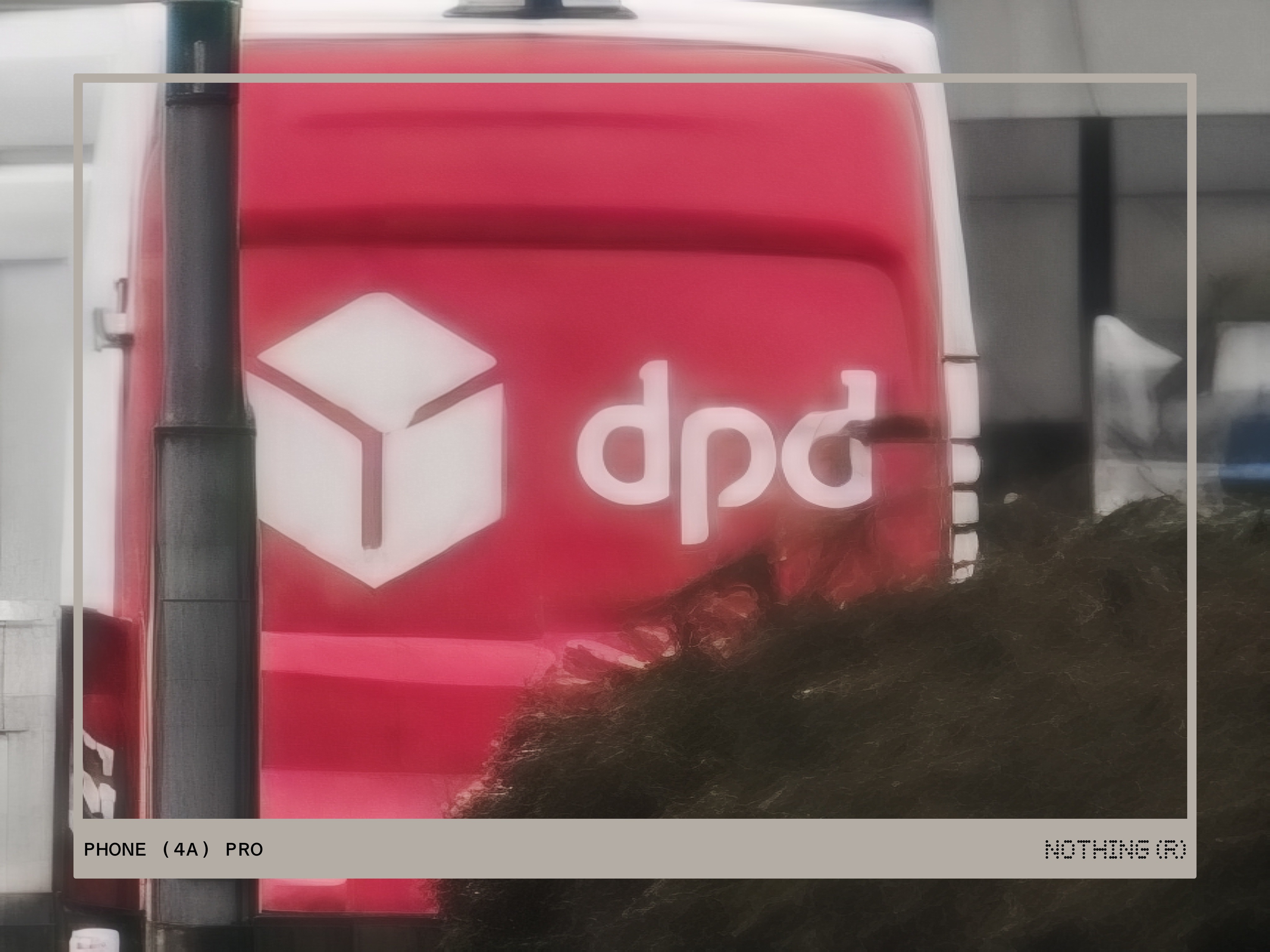
In my testing, the quality on both devices falters once you pass the 20x mark. If 20x is barely usable, you can imagine the “digital soup” produced at five times that magnification. Ultimately, no amount of processing can compensate for a pure digital crop at these extremes. As the viewport screenshot below demonstrates, the 140x zoom results in little more than a blurry, indistinct mess.

What’s actually happening behind the glass at these extreme zooms? In short: generative AI. While a small toggle in the viewport notifies you that the image is being “enhanced,” the software is essentially reconstructive, painting in what it thinks should be there. In pristine lighting, the AI might generate a passable result, but as my samples show, it often creates an “uncanny valley” effect. Instead of a photograph, you’re left with a heavy-handed AI recreation that replaces nearly every natural detail with an artificial approximation.
While the (4a) and (4a) Pro deliver generally solid photos that will satisfy the casual user, the images often suffer from a “heavy” look—characterised by over-sharpening and dialed-up contrast. Video is in need of some TLC. Capped at 4K30, the footage struggled with stabilisation during my testing, feeling jittery compared to more polished competitors. Ultimately, while the extreme zoom levels are a fun novelty, they aren’t a reason to buy the phone. The results at these distances are largely unusable, trading photographic detail for blurry, AI-generated guesswork.
Headphone (a)
Completing the 2026 (a)-series lineup is Headphone (a). This marks Nothing’s third foray into the over-ear category—assuming we include the budget-friendly CMF Headphone Pro in that lineage.
Unboxing, Design, and First Impressions
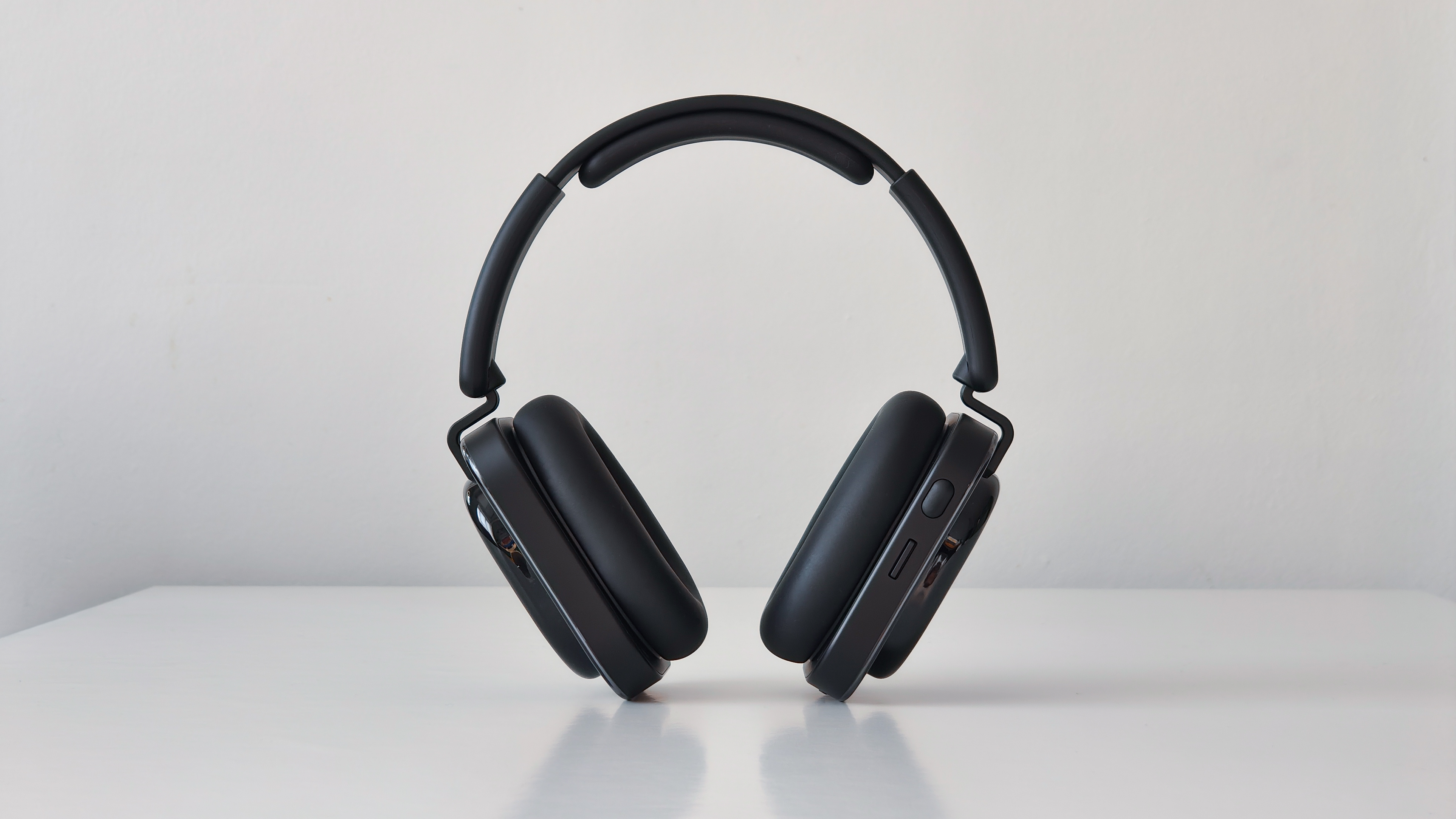
Unboxing the Headphone (a) reveals a standard but complete kit: paperwork, a 3.5mm audio jack, a USB-C to C cable for both charging and high-res audio, the headphones, and a protective carry pouch. While the overall presentation is polished, the pouch itself is a clear cost-cutting measure. It has a thin, almost paper-like texture that feels underwhelming—especially when compared to the premium, soft-touch felt pouch included with the flagship Headphone (1).
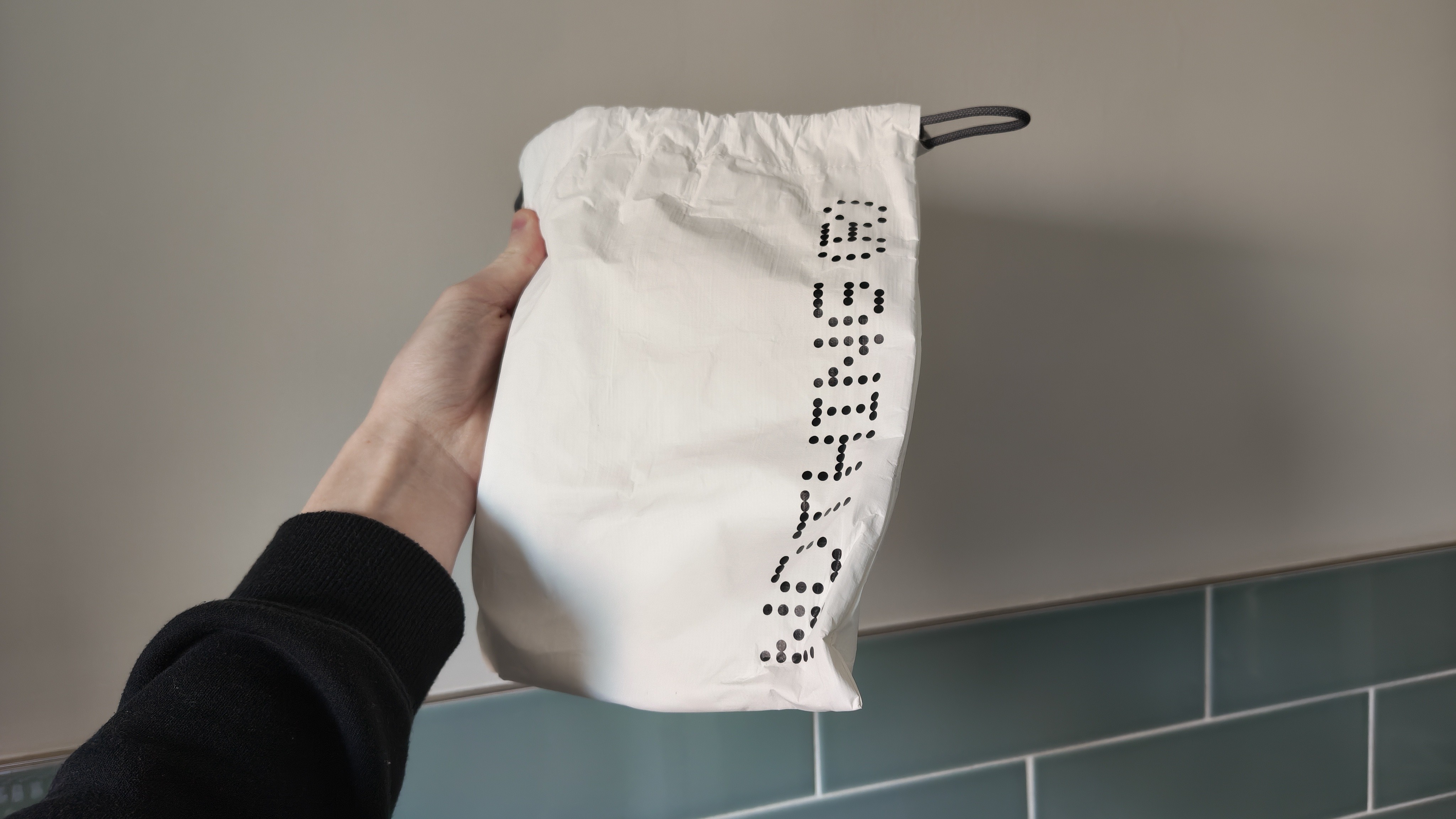
Design-wise, Headphone (a) maintains a nearly identical footprint to the flagship Headphone (1). The primary departures are the new playful colourways, an increase in glossy transparent accents, and a shift toward an all-plastic construction. This results in a noticeably lighter, more “budget” hand-feel, yet the build remains surprisingly robust for its price bracket. It feels sturdy enough to survive a daily commute, even if it lacks the density of its more expensive sibling. I tested the Black variant, which offers a sleek, stealthy aesthetic. While some will prefer the understated look, I can’t help but feel the bolder, more vibrant colours are more “on-brand” for the expressive (a)-series philosophy. However, the black glossy plastic is a magnet for wear and tear. My unit arrived with micro-abrasions straight out of the box, and by the end of the review period, it looked significantly weathered. If you’re concerned about long-term aesthetics, I’d strongly recommend opting for one of the lighter, more “playful” colours.
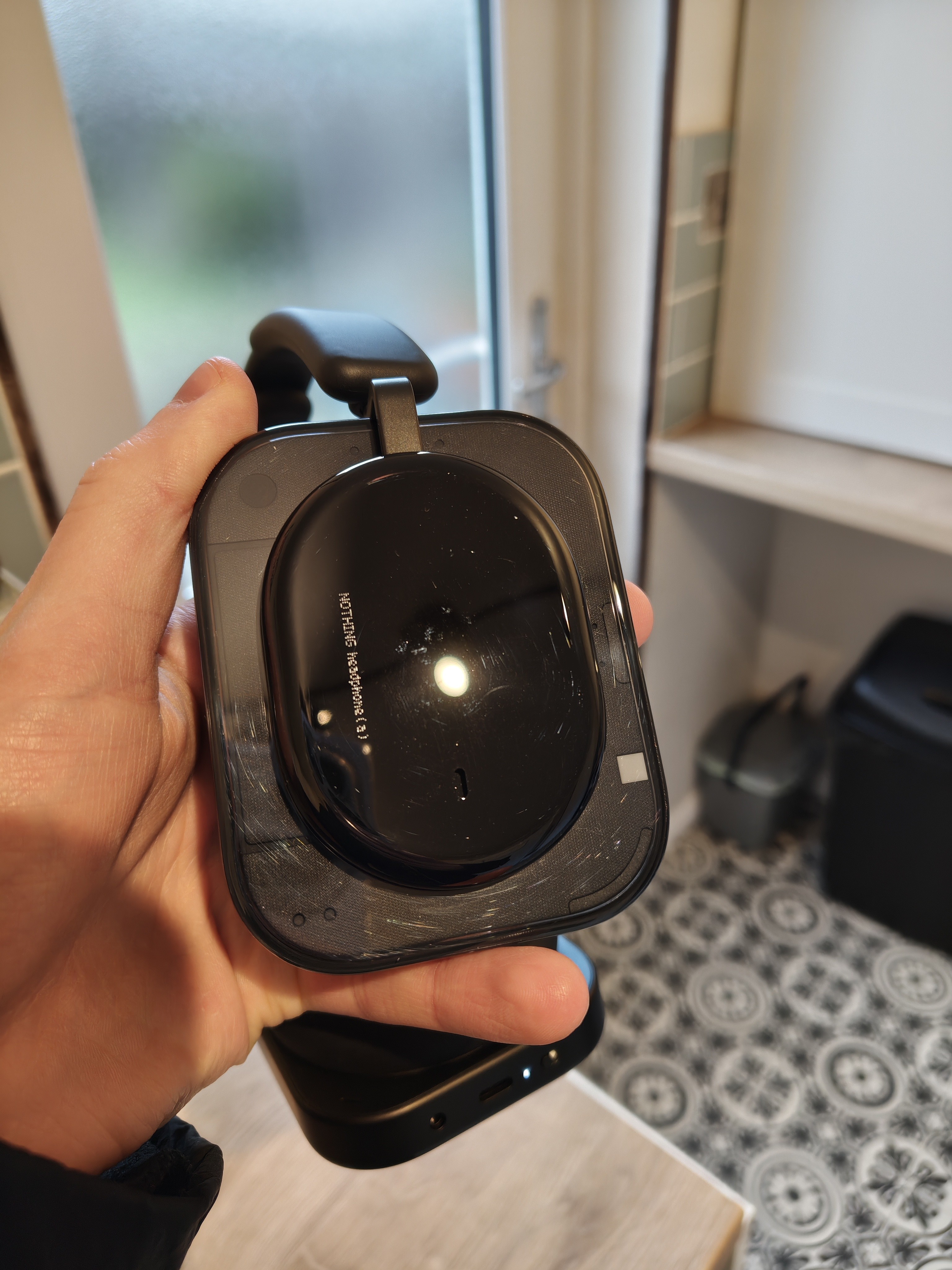
The Headphone (a) doubles down on tactile utility with a suite of physical controls: a dedicated power switch, a multi-function roller for volume and ANC, a button for AI features and channel hopping, and a flick-able “paddle” for track skipping. I’ve always preferred physical buttons over finicky touch sensors; the mechanical feedback is unmatched and far more intentional. It’s refreshing to have controls that are easy to locate by feel alone, with zero ambiguity about their purpose. While the inputs feel slightly more “plasticky” and the roller lacks the premium texture of the Headphone (1), their presence is still a massive win. It might sound minor, but the inclusion of a literal on/off switch is a personal highlight—a simple, logical feature that is frustratingly absent from so many modern flagships.
Setup and Nothing X Integration
Setup is seamless thanks to Google Fast Pair. Simply trigger pairing mode, wait for the pop-up, and you’re in. Alternatively, adding them through the Nothing X app is just as instantaneous.
Nothing X remains one of the most polished audio suites on the market, far outclassing competitors that have been in the game much longer. While many brands treat software as an afterthought for “budget” gear, Nothing provides the same premium, high-fidelity interface here as they do for their flagship products. You still get a heavy-hitting feature set—including ANC, Spatial Audio, LDAC support, and Dual Connection—but there are some calculated omissions. Most notably, “On-Ear Detection” and the “Personal Sound Profile” (Nothing’s tailored hearing test) are absent here to create clear daylight between the (a) and the (1).
While cutting sensors for on-ear detection is a logical hardware save, losing the Personal Sound Profile is a tougher pill to swallow. Since that’s a purely software-driven feature, its absence feels like a forced limitation rather than a necessary cost-cutting measure.
Performance and Audio Quality
Before diving into the audio performance, a quick disclaimer: I’m not a dedicated audiophile. However, through testing and reviewing various devices, I’ve developed a keen ear for what makes a pair of headphones stand out and the technical nuances that define a good listening experience.
Positioned between the flagship Headphone (1) and the entry-level CMF Headphone Pro, the Headphone (a) occupies a middle ground. At £149, they aren’t exactly “budget,” but they aren’t priced as a luxury tier either. You might expect “middle-of-the-road” performance at this price, but the Headphone (a) consistently punches above its weight. The audio is well-balanced across all frequencies, offering a rich experience whether you’re listening to music, watching a movie, or catching up on an audiobook.
There is a noticeable lean toward the low end, making these a fantastic choice for bass lovers. If that’s not your preference, the Nothing X app allows you to rein it in or push it further via the built-in and community made EQs and Bass Enhance controls.
ANC and Transparency Modes
For much of my testing, I found the passive isolation alone to be impressive. The ear cushions are sufficiently large and firm to create a solid acoustic seal, which easily dampened light traffic and ambient noise during my daily commute. When the environment gets louder, the Headphone (a) offers three levels of Active Noise Cancellation (ANC). It’s more than capable of neutralising common stressors like wind, engine hums, or office chatter. The Transparency mode is equally functional. While it doesn’t quite match the “natural” clarity of high-end flagships—your own voice can sound a bit processed—it’s perfectly adequate for a quick chat or hearing announcements at a train station.
Battery Life
Battery life on the Headphone (a) is, quite simply, outstanding. Rated for a massive 135 hours of playback (75 hours with ANC enabled), it comfortably outclasses almost everything in its price bracket—and even many flagship competitors.
Over a two-week testing period with roughly two hours of daily use, I’ve yet to reach for a charger. Even seeing the battery dip to 15% doesn’t cause “range anxiety,” as I know there are still hours of life left in the tank. If you do manage to run them dry, the fast-charging is equally impressive: a mere 5-minute top-up yields 8 hours of playback, with a full 0-100% charge taking approximately two hours.
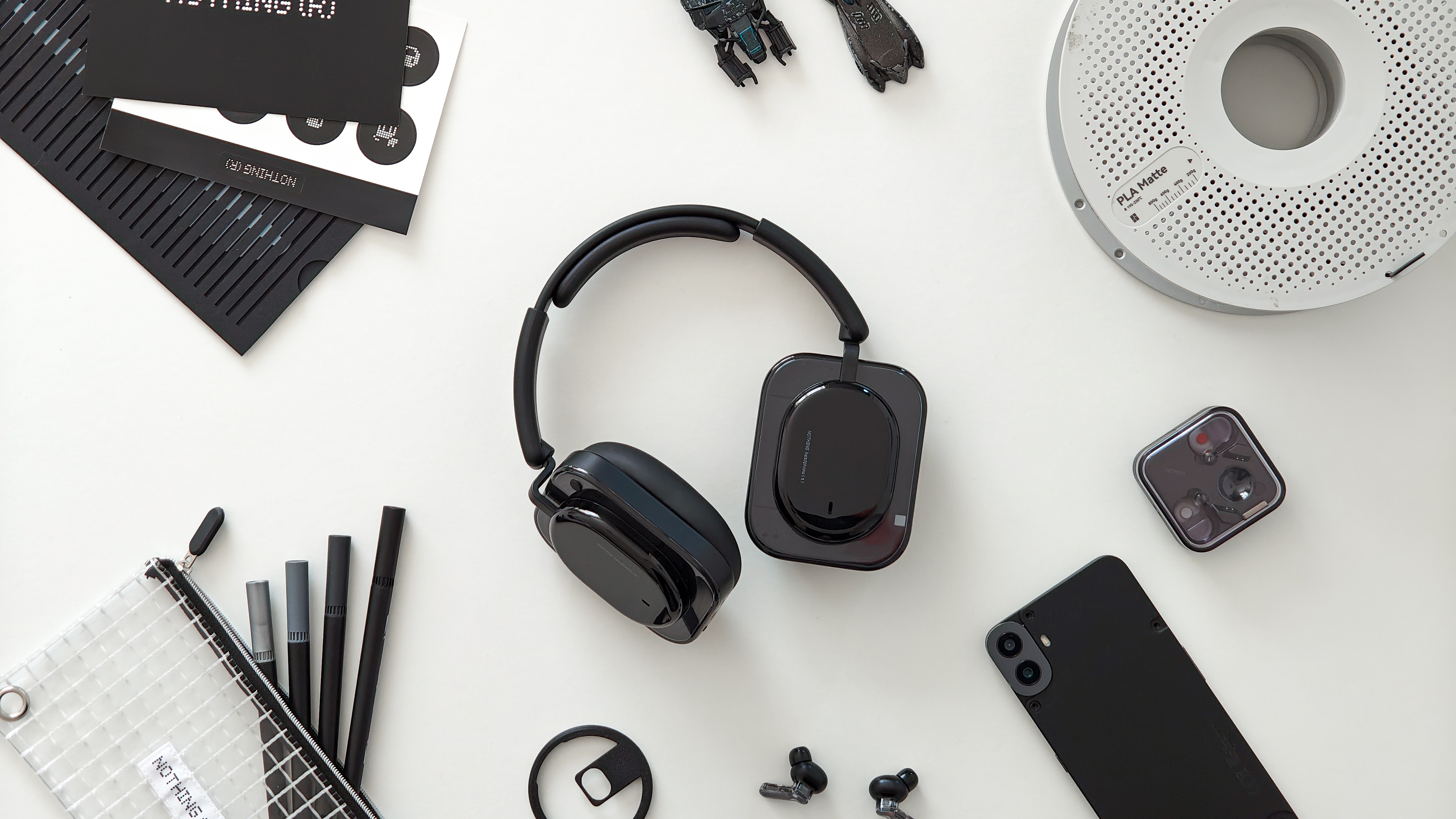
At £149, the Headphone (a) isn’t just a high-value entry in Nothing’s lineup—it’s one of the strongest contenders in its price bracket, full stop. If you’re a fan of Nothing’s design language, can overlook the plastic-heavy build, and prioritise marathon battery life alongside industry-leading software, these are an easy recommendation. However, much like the CMF Headphone Pro, this release puts Headphone (1) owners in an awkward spot. Having paid nearly double for the “flagship” experience, the gap in actual utility feels uncomfortably narrow. Is the Headphone (1) a bad product? Absolutely not—it’s a premium, well-crafted headset. But in terms of pure logic and “bang for your buck,” the Headphone (a) simply makes far more sense for the average buyer.
Conclusion
Since the Phone (2a) debuted in 2024, Nothing has made it clear they aren’t messing around with the budget/mid-range market. It quickly became their best-selling device, setting a precedent for every (a) series product since: incredible value with far fewer compromises than the competition.
Fast forward to the latest lineup—the Phone (4a), (4a) Pro, and Headphone (a)—and Nothing is still operating at its peak. In my view, these aren’t just great budget options; they’re some of the best products the company has ever produced.
Starting at just £349, the Phone (4a) is aggressively priced—a feat made even more impressive given the persistent hardware shortages currently plaguing the industry. For those seeking a “Pro” experience with a more mainstream aesthetic, the (4a) Pro starts at £499. Ultimately, it’s up to you to decide if the larger display, 144Hz refresh rate, and AI-driven 140x zoom justify that £150 premium.


