We’re always looking for small ways to make everyday workflows smoother.
As a team using Nothing phones every day, we kept running into the same thing. Constantly sharing screenshots, design frames, reference links, files, and bits of copied text between our computers and phones. These are small actions, but they happen all the time, and the friction adds up.
So we built a simple internal tool for it. Then we realised it could be useful to the community too.
What is Nothing Warp?
Nothing Warp helps you quickly transfer files, links, copied text, and images between your computer and your Android phone. It works in both directions.
It’s browser extension-based, which keeps it lightweight and broadly compatible across setups.
A few important things to know:
How it works
Nothing Warp has two parts - a browser extension for Chromium-based browsers on macOS / Windows / Linux, and a lightweight Android app that adds Nothing Warp to your phone’s share menu.
Once both are installed and signed in with the same Google account, moving content between devices becomes much simpler.
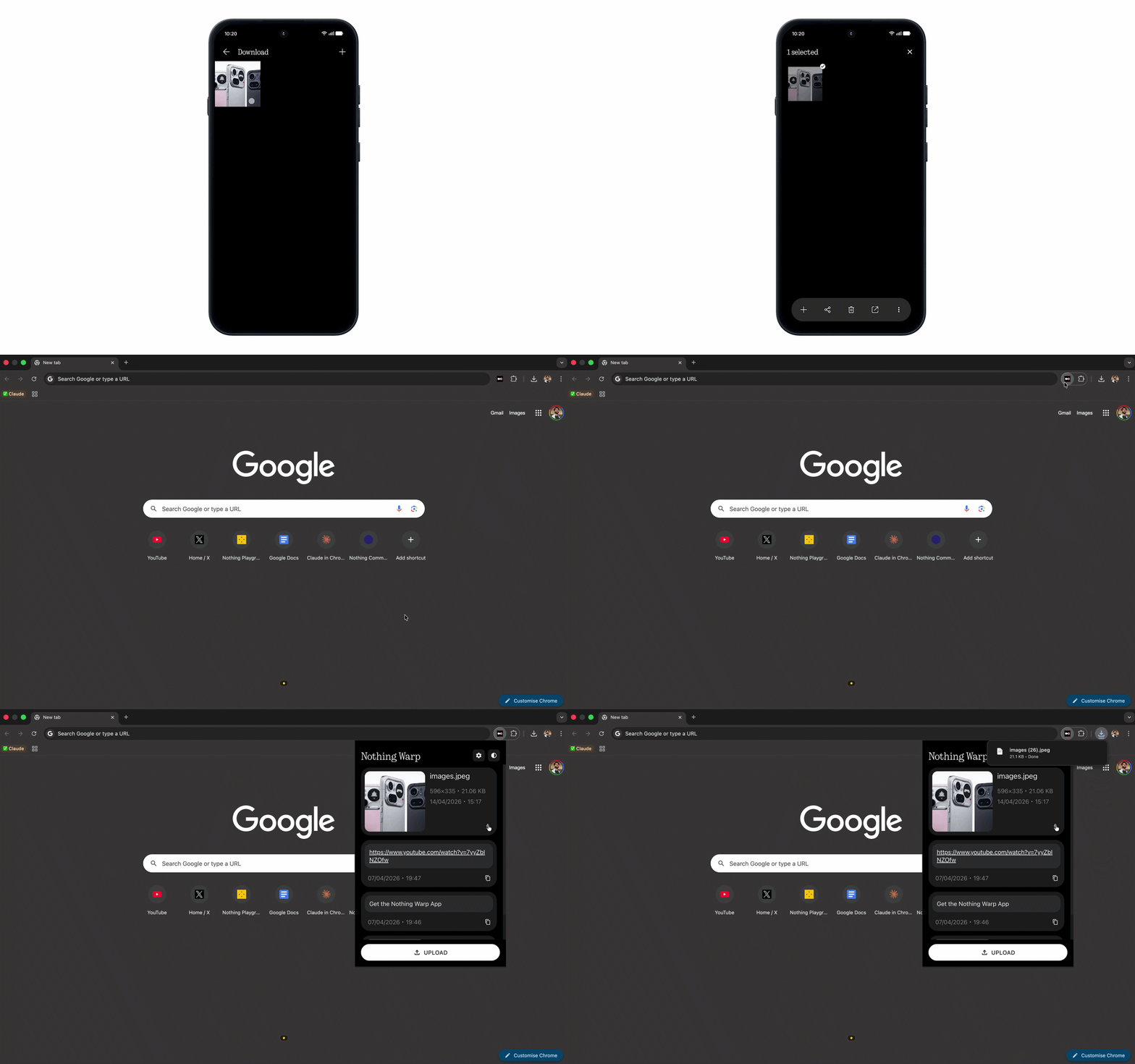
Phone to Computer
Tap Share on any file, choose Nothing Warp, and it appears on your computer.
Computer to Phone
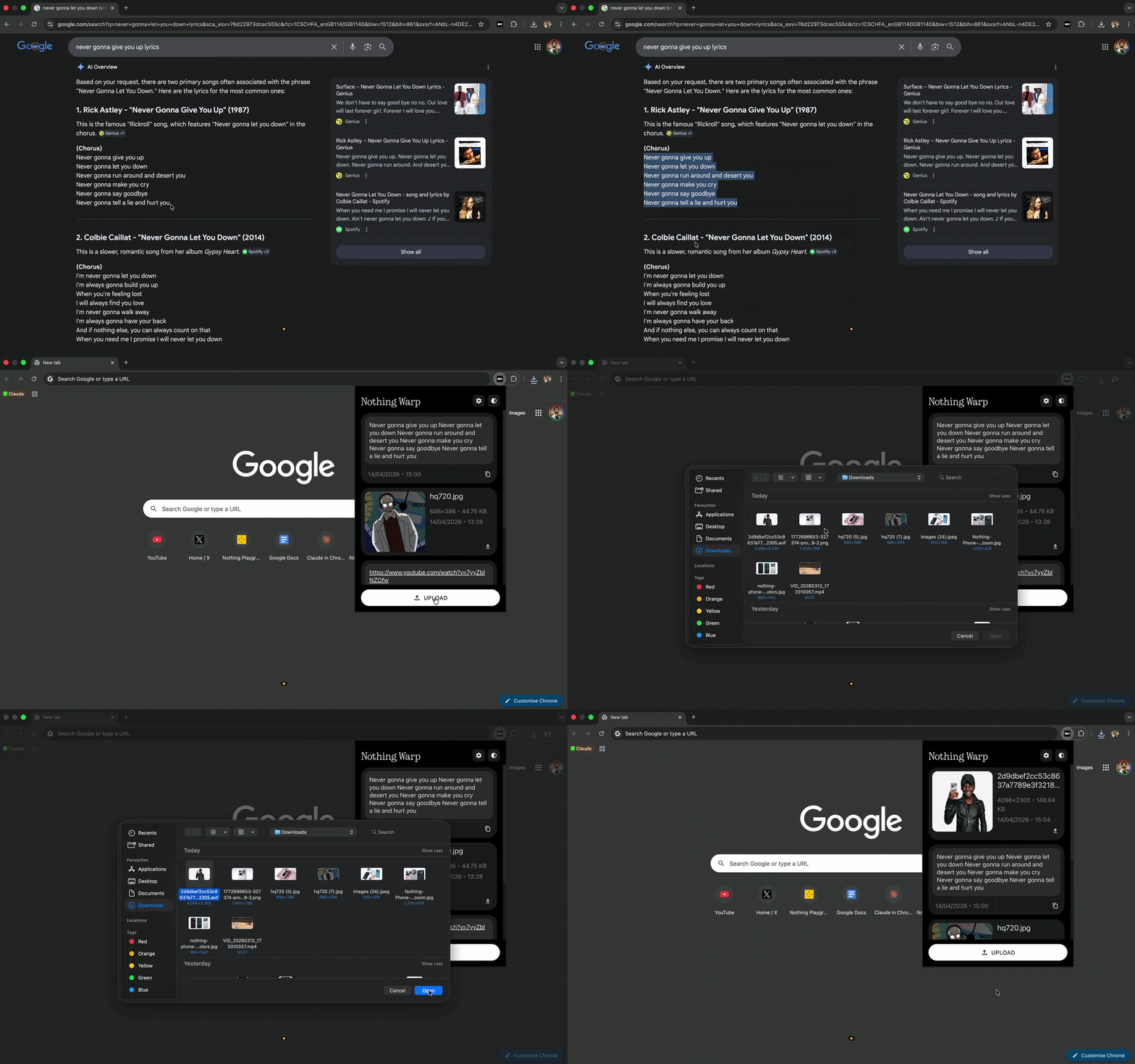
Three ways to send content:
Open the extension and click “Upload”
Right-click any highlight content and click “Send with Nothing Warp”
Paste your clipboard directly into the extension window
How to install
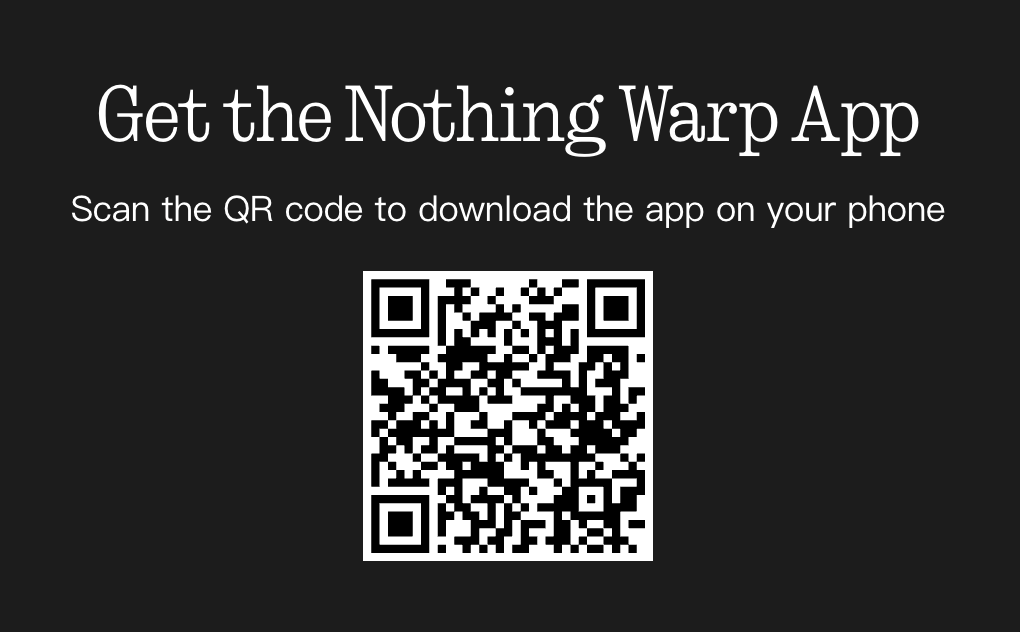
On your computer, install the Nothing Warp extension from the Chrome Web Store. Download the Nothing Warp APK by scanning the QR code or from the attachment below. Tap APK in the Files and proceed through Google security scan. Tap install and sign in with the same Google account, and you’re all set.
—
Nothing Warp works with any Android phone.
This is still an early community project. If you try it, we’d love to hear what you think and how we can improve it. Your feedback will help shape where it goes next.
