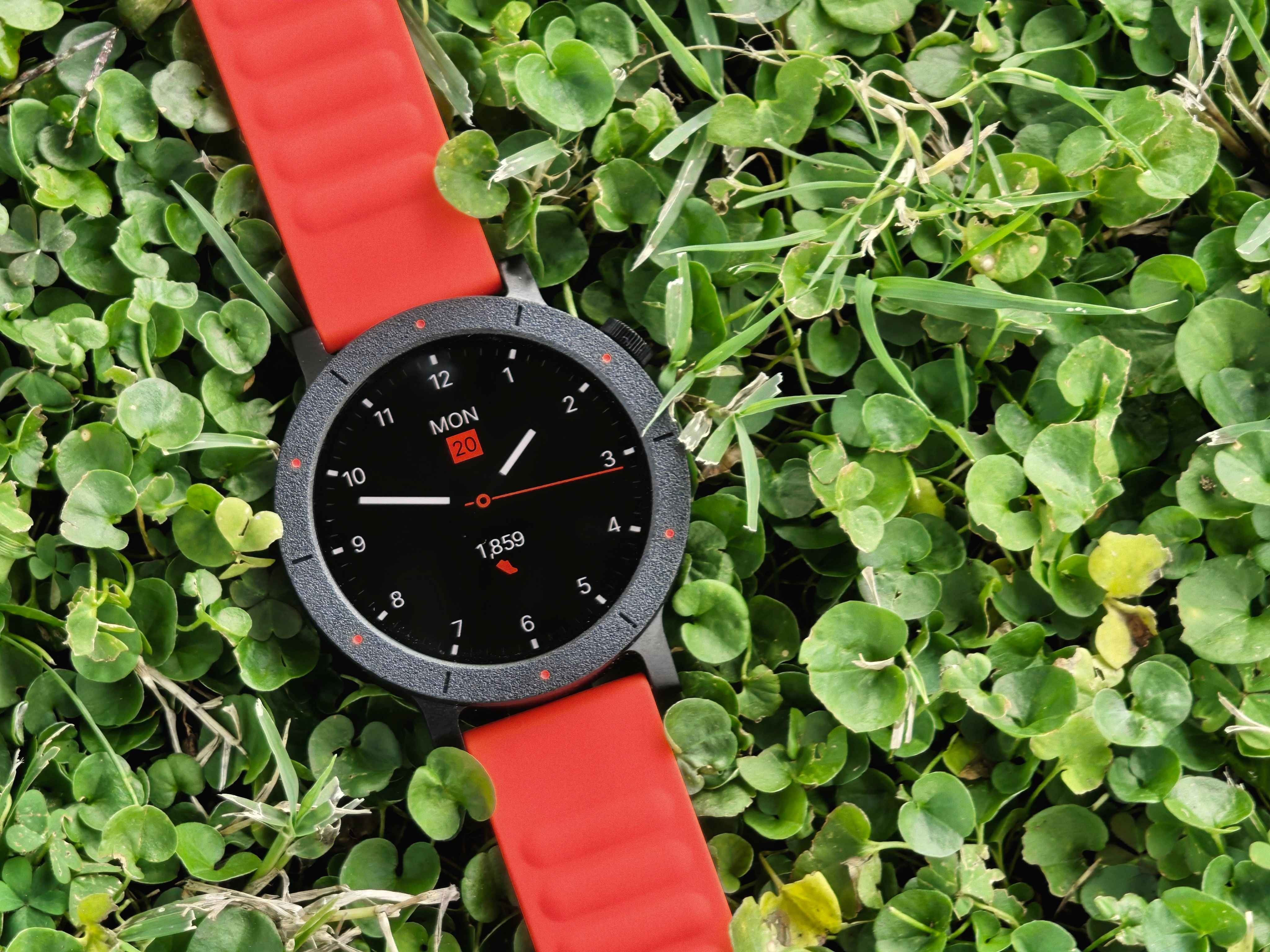
After several weeks with the CMF Watch 3 Pro by CMF by Nothing as my main timepiece, I’ve confirmed something I already suspected: Nothing’s sub-brand seeks to challenge mid-range conventions. My expectations weren’t very high, especially coming from smartwatches with more luxurious finishes, like the OnePlus Watch 2—a watch that, let’s not forget, is nearly triple the price.
In this scenario, my main conclusion is a mixture of surprises and a big “but” regarding the design. Surprise because of how well it works, and disappointment because of the choice of materials. This latest CMF smartwatch offers an incredibly polished and coherent user experience, positioning it on par with higher-end competitors, were it not for one crucial detail: its construction.
To contextualize this review, I’ll clarify my user profile: my usage is fundamentally casual. I use it to receive notifications at the office, as an alarm in the mornings, for sleep tracking, and, sporadically (once a week), to record walks with GPS, use the flashlight at night, or take the occasional call. I’m not an elite athlete who demands maximum precision or complex features.
Design and materials: “Toy-like” or sporty?
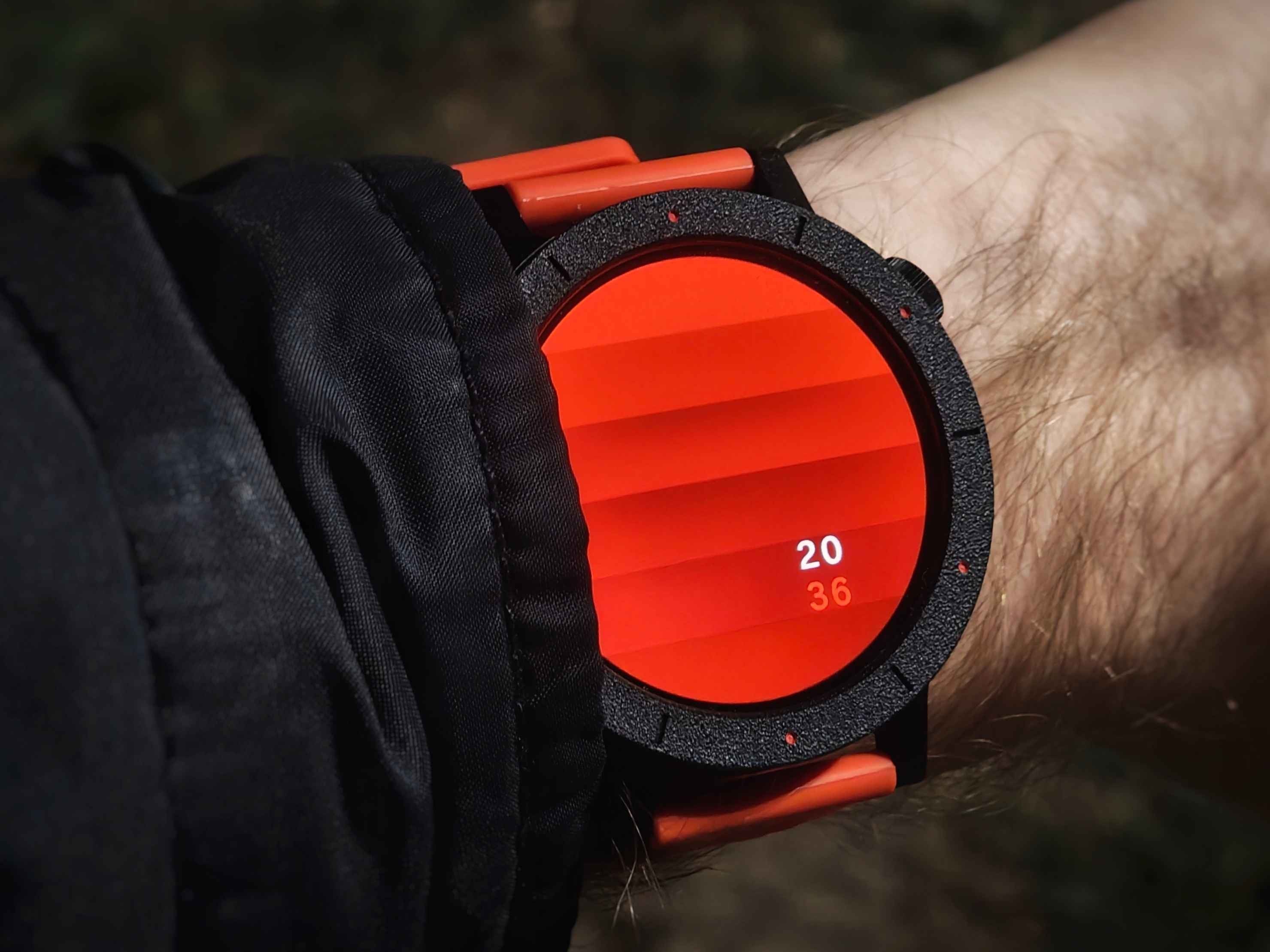
This is undoubtedly the most polarizing point of the watch. The aesthetic, which is sober and casual, will depend on individual taste. However, the materials feel, in my opinion, somewhat flimsy or “toy-like.” The version I received for review (black and orange) is entirely plastic and has a pleasant texture on the upper body that is both nice to touch and look at.
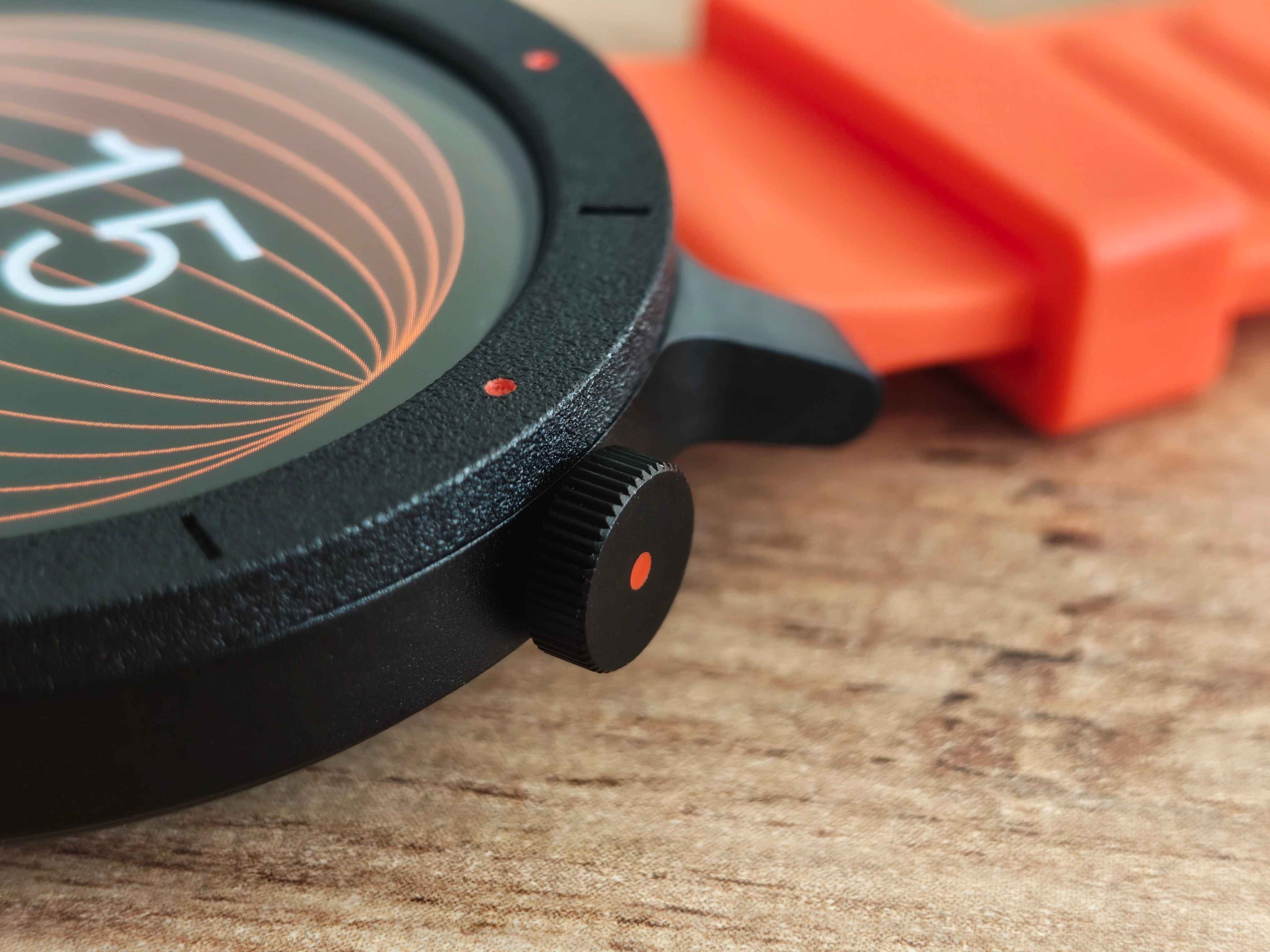
The good news is that, thanks to the choice of these materials, the watch feels light and comfortable on the wrist.
The great contrast lies in the fact that CMF hasn’t skimped on two essential points:
Display: Its quality is remarkable. It looks very defined, sharp, and with a color vibrancy that, frankly, is not expected in this price range.
Strap: The material is of very good quality, adapts perfectly to the wrist, and is well-constructed. It includes that small internal ridge to prevent the strap from coming loose with friction or during quick movements.
My personal need or “outfit” demands a watch with more premium finishes, one that looks better and pairs well with a shirt for everyday wear or the work environment. If Nothing releases a flagship model in the future, with this same software experience but with a metal body and a retro-futuristic design, it would be an almost guaranteed purchase for me.
Screen and crown: Brightness and ergonomics
The screen’s maximum brightness is more than enough, allowing for total clarity even under direct sunlight. However, I detected one drawback: the automatic brightness regulation is a bit slow. When you turn your wrist, the watch lights up with low brightness and takes approximately two seconds to adapt to the correct ambient light level. This can be mitigated by setting the brightness mode to level 3 or 4 out of 5 instead of leaving it on automatic.
The rotating crown offers haptic feedback via vibration that is notably good and stable. It rotates without that annoying “rebound” sometimes felt in excessively smooth models. The drawback is its ergonomics: I find it too small and flat, slightly hidden, which makes quick and comfortable access with the finger difficult. The fact that it works so well contrasts sharply with its “plastic” feel to the touch.
Operating system and user experience: Fluidity is the key
If there is one area where the CMF Watch 3 Pro shines, it is its operating system. The fluidity is maximum; I have not noticed lag or delays in practically any action, something that has happened to me on considerably more expensive devices. Everything is aesthetically well-thought-out under the minimalist and organized umbrella that characterizes Nothing.
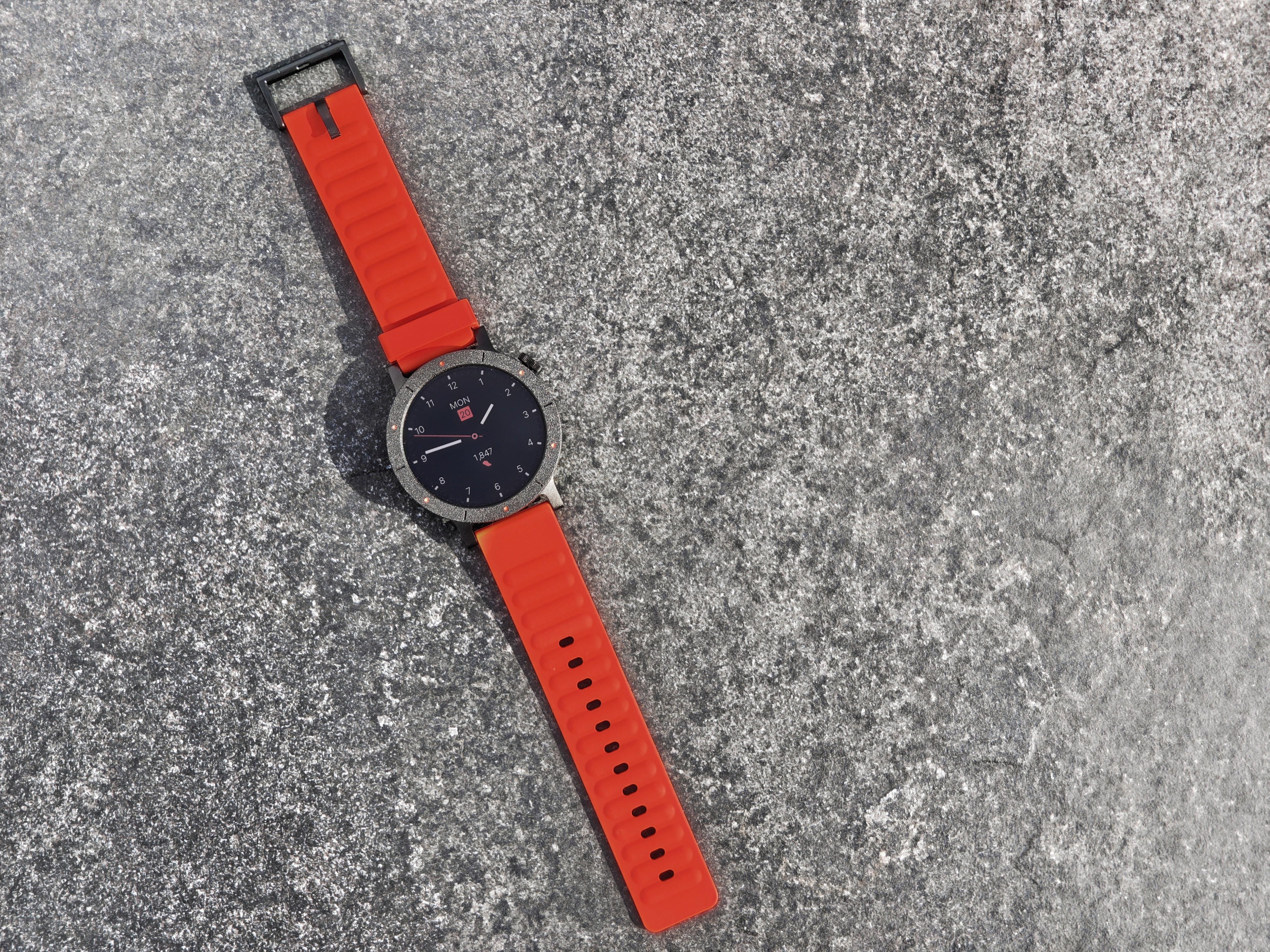
Highlighted points of the experience:
Notifications: They are instant and, most importantly, present information clearly and usefully. Sliding up shows the type of notification (e.g., WhatsApp), part of the message, and, a detail I find very practical, the exact date, hour, and minutes of reception. Furthermore, you can reply to these messages with quick, predefined phrases.
Activation by notification: I find it very convenient that the screen automatically activates upon receiving a message, without the need to turn the wrist, something that other higher-end watches do not allow.
Gestures: The watch allows certain functions to be activated via gestures, either by quickly turning the wrist the opposite way (outward) or by shaking the arm.
Quick options: When swiping from top to bottom, the menu is concise, with just the right and well-placed options, avoiding the endless and useless lists of other models.
Negative points in the OS:
Emoticons: Emoji compatibility is limited. The most basic ones work, but the more complex ones or those with different skin tones often appear as square or incorrect symbols.
Ring app notifications: I don’t receive notifications from the “Ring” application, although all other applications work normally.
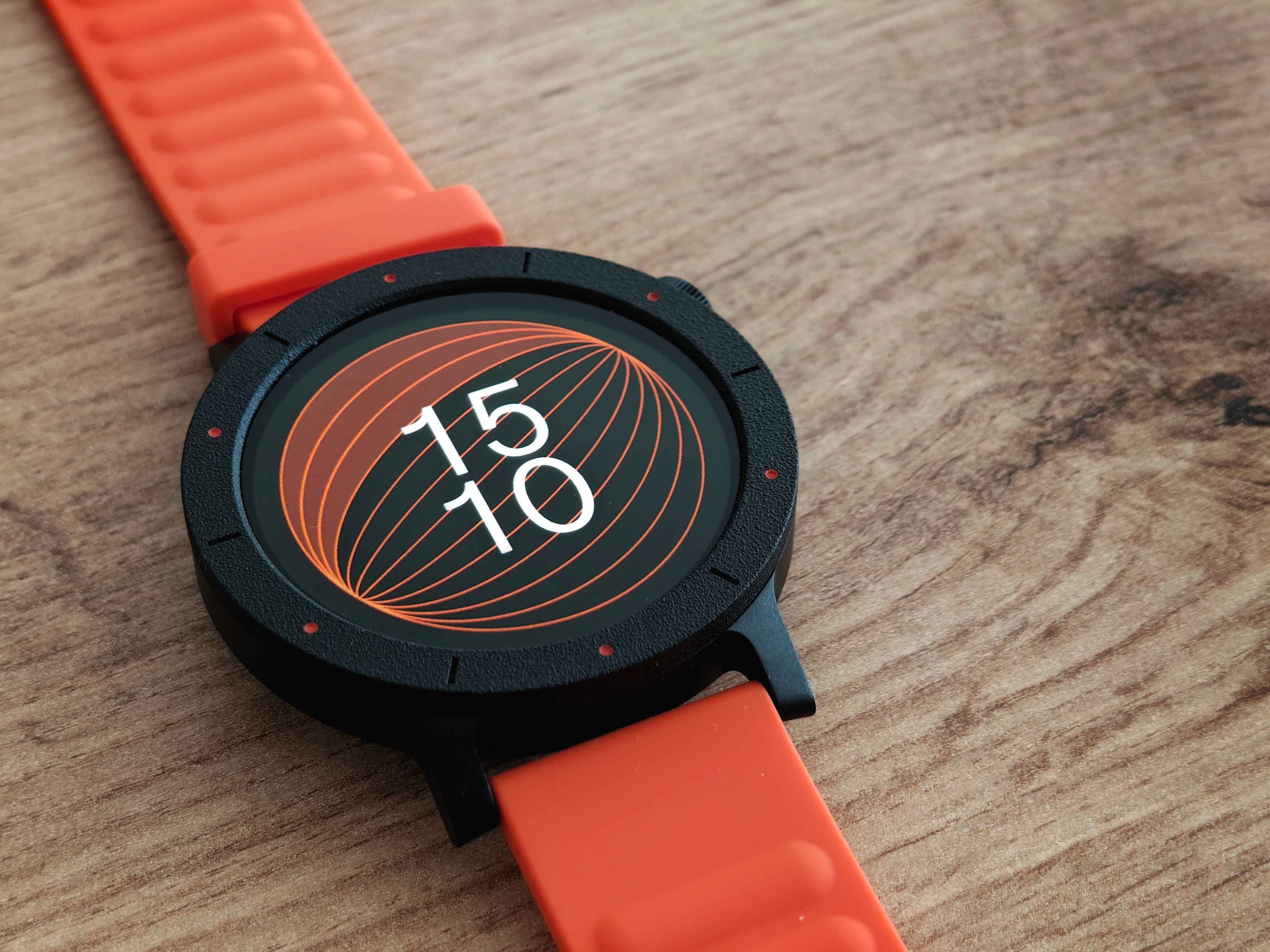
Finally, it’s worth noting that you can receive, answer, or make calls. As is usual, it can save you in certain moments when your phone is far away or your hands are busy, but I cannot recommend it for long calls as the quality is basic, although sufficient from my point of view.
Watch faces: Lots of variety but limited interactivity
The watch offers more than 100 watch faces, some with very “crazy” or minimalist designs that I love. Additionally, it allows you to create a personalized watch face in a simple yet straightforward way. We have three options:
Background creation using Artificial Intelligence.
Choosing a photo from the gallery.
Adding a video as a background, a very fun and visually striking option that works perfectly when the screen wakes up.
However, there are two significant shortcomings:
Lack of interactivity: On the vast majority of watch faces, tapping on a piece of data (steps, weather) does not take you directly to the corresponding application. You need to go to the menu or swipe to the widgets.
Language: There are no watch faces that display informative texts (such as the day of the week or “Steps”) in Spanish. Everything appears in English.
Sports functions, sleep, and GPS
In step counting, the watch behaves similarly to its competitors, even more expensive models I own. It detects activity well, although it tends to count a little more if I’m walking my dog with the leash in the same hand as the watch, and a little less if my hand is in my pocket. This has happened to me with many smartwatches from all kinds of brands, and this one has been no exception.
The GPS in clear areas (like in my town) has notable precision. However, when passing between tall buildings or in the city, the trajectory can show “notches” or strange movements. It is adequate for a user looking for a global and approximate idea of their activity, not the exactitude of a Garmin.
The sleep analysis, like other devices, struggles to identify some awakenings at midnight (for example, to attend to my daughter). Occasionally, it counts that period of wakefulness as sleep or divides it into “sleeping” and “napping,” which makes it less reliable in those situations. When you sleep uninterruptedly, it is quite accurate.
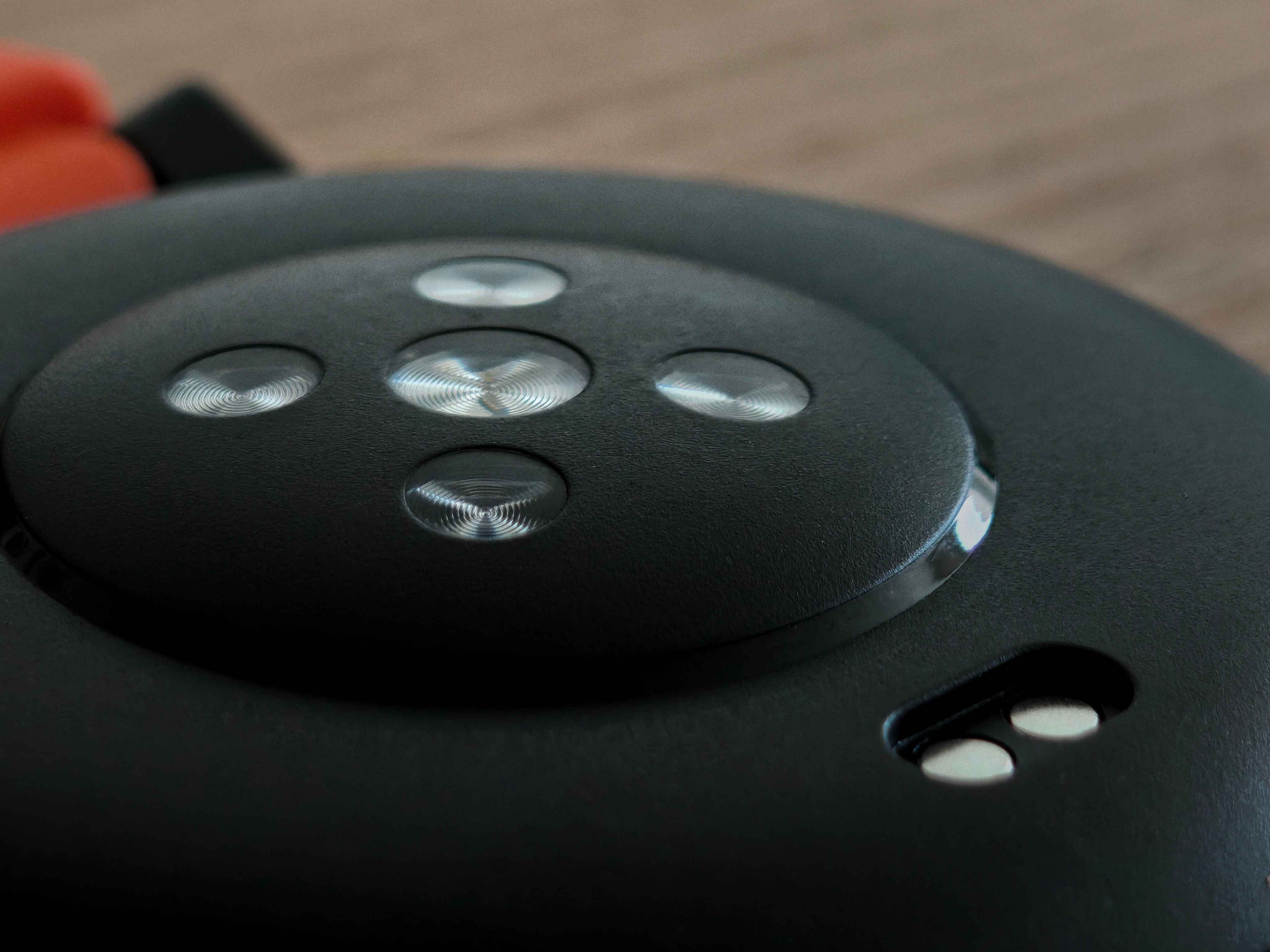
The watch includes a complete package of features (SpO2, heart rate, stress, menstrual cycle, flashlight, calculator, etc.), even with a running coach and visual warm-up exercises.
Widgets and usability details
The widgets are, in general, of very good quality. The weather widget is spectacular, displaying the weather and temperature in the following hours in a kind of very intuitive dial (although I have noticed that it sometimes suffers from a minor bug and does not load the hourly data). The music widget shows the album cover, something many competitors omit, and the call identification function with a contact’s photo is very well resolved visually.
Points for improvement and detected errors
Despite the excellent overall experience, there are aspects that CMF could polish with updates:
Crashes in the Nothing X app: The mobile application slows down or crashes when I try to create a watch face with a photo from the gallery (whereas it works fine with video). This is very occasional.
Health data: I would like to be able to see historical stress, heart rate, or blood oxygen data upon entering those functions, instead of having to wait for the watch to calculate it again. It would be optimal to display the day’s graph while taking the real-time measurement.
Simultaneous measurement: An option would be good for a single click to take all health measurements (heart, SpO2, stress) at once.
Quick access button: I don’t understand why the flashlight cannot be assigned to the quick access button.
Long-lasting autonomy
The battery performance is, simply, outstanding, especially considering the number of active functions I use and that the watch’s thickness and weight are moderate.
Active configuration:
Blood oxygen frequency 24/7 every 10 minutes
Automatic stress control
Enhanced sleep tracking
Activation upon lifting the wrist
Music control activated
Weather update activated
Automatic screen brightness
Rest mode active (11 PM to 7 AM).
Reception of 20-30 daily notifications
One alarm per day
GPS use for 30-minute to 1-hour walks per week
Bluetooth always on
Battery result: 7 days and 9 hours.
A watch that deceives by its appearance
The CMF Watch 3 Pro is a device that fully succeeds in its approach: it offers a fluid, intuitive, and aesthetically attractive software experience, with a high-quality display and long-lasting autonomy, all at a very competitive price. I believe CMF has been coherent and timely in the features it has included and those it has left out to maintain an adjusted price.
If you can look beyond the plastic construction and are looking for a casual-sport watch that works exceptionally well, without lag or major errors, the CMF Watch 3 Pro is an outstanding option. Personally, I eagerly await a future flagship version from Nothing with more premium finishes that would make it suitable for more office environments, as the potential of this software and user experience is immense. The Watch Pro 3 is proof that CMF has fully succeeded in the user experience, and its future is promising.
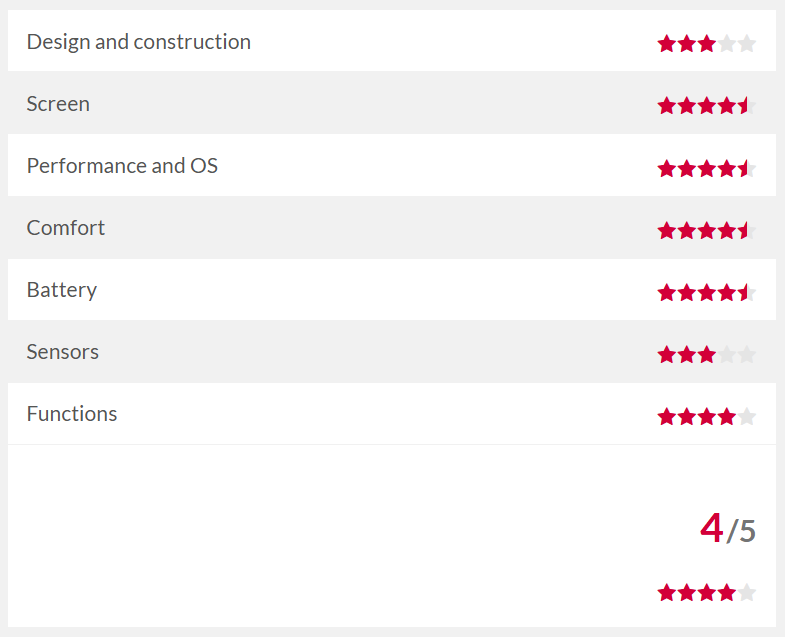
Nothingtec.com / X: @ruudhesp
https://nothingtec.com/2025/10/21/cmf-watch-3-pro-analisis-opinion/
