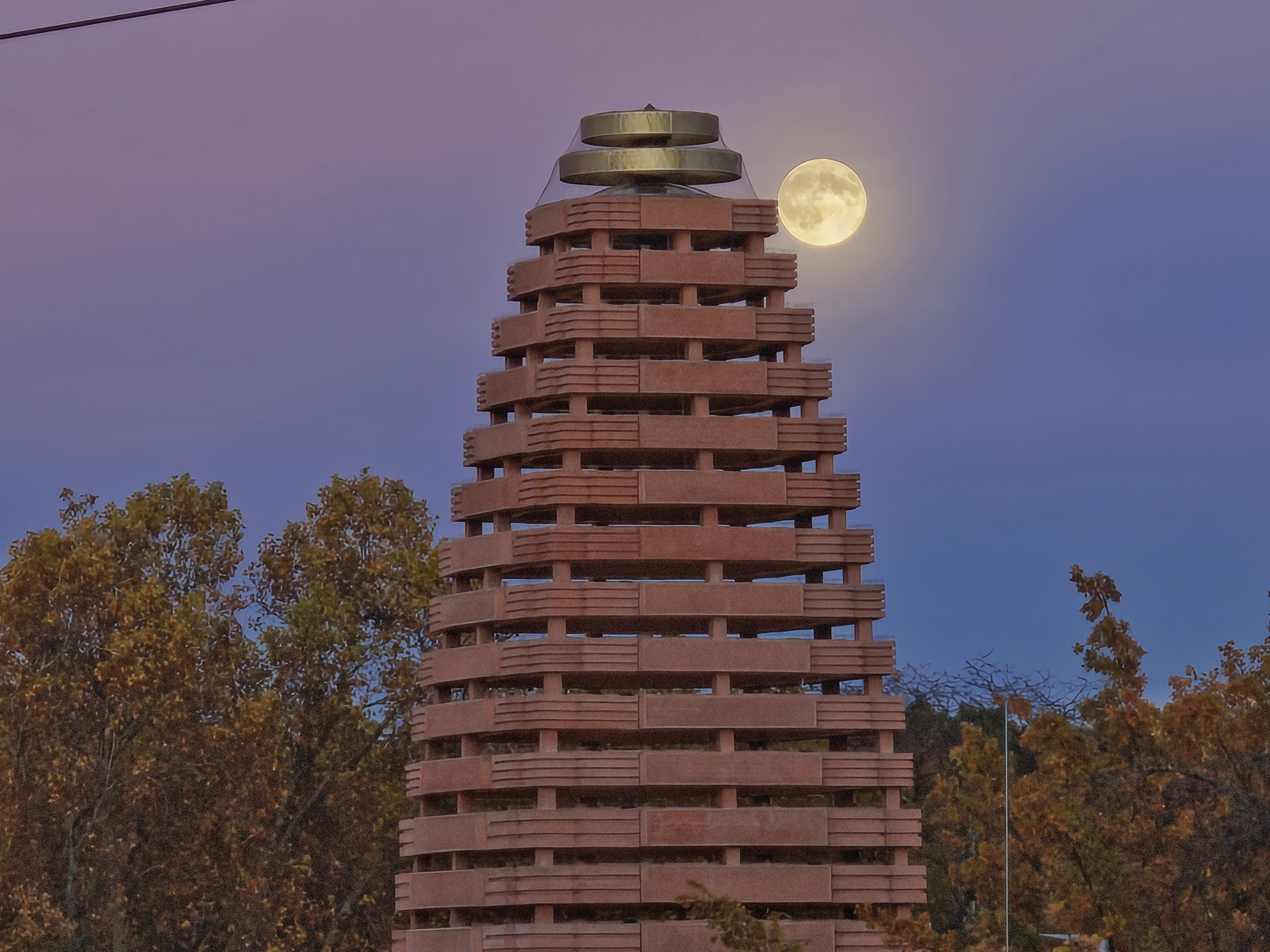
KierIvanTalao Hi, being a hobby photographer I can try to explain you why, it's essentially a typical beginner's error when it comes to photographing the moon:
Even though it might not look too bright, for a camera the moon actually is very bright light source, so the exposure needs to be set accordingly.
To make matters worth of course, the moon hangs in a dark sky, for a camera almost pitch black. When you now just point your photo towards the moon, your camera sees an extremely contrasty scene: That bright light bulb and the surrounding darkness. It doesn't know what to do, since it tries to get an even exposure which is both fitting for bright and dark ares - yet in an extreme situation like this, again the moon is much brighter than it seems for our eyes, it's just not possible.
You have to tell your camera app what you want to do. The first option is to enable exposure compensation by clicking on that little arrow on the upper right and select "Exposure", the top right option. You'll now see a new dial on the bottom of the screen which essentially tells the camera you want the scene to be captured either darker (by using negative values) or brighter (using positive values). However since exposure comp on the camera app only goes -2, it might not be sufficient.
A better way is to actually tell the camera app what area to expose and focus for: Point your phone to the moon, hold it as steady as possible and then tap and hold on the moon. You'll see how exposure changes all of a sudden, because you've told your camera it's that bright ball you want to priorize. Additionally you'll see another exposure comp slider to the side of the red focus box, tap it and slide it all the way down. You now should suddenly be able to see more details of the moon since the exposure has been normalized for that shiny spot in the sky.
I'll post two very quick snaps I've taken yesterday during blue hour, which is actually a great time for moon shots because the moon isn't that bright yet and at the same time the sky and environment still has some illumination. Here I just pointed my phone towards the tower and pressed the shutter:
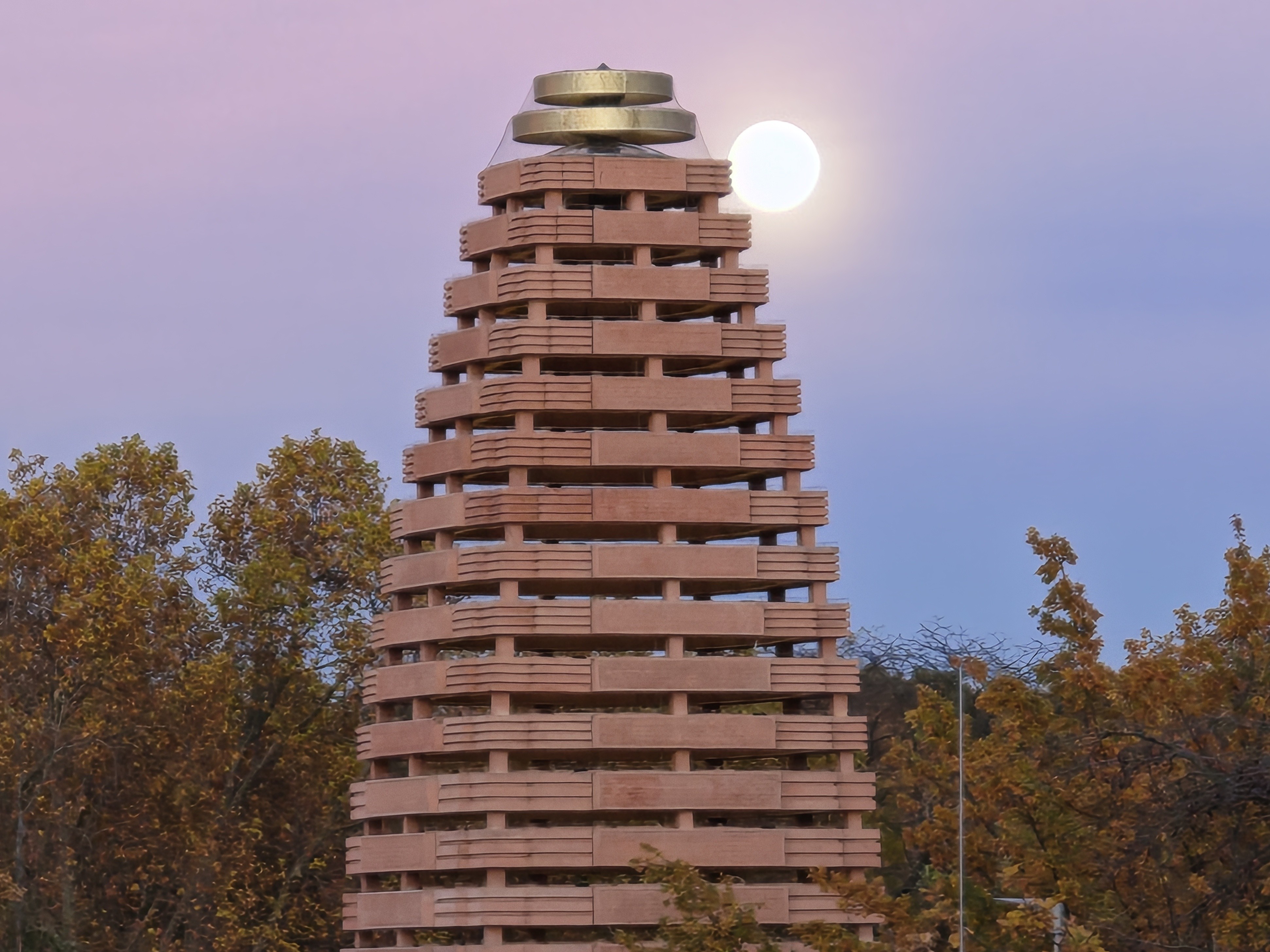
As you can see, the moon is just a bright spot, no details visible. That's because the phone was trying to get an even exposure which suits the tower, the trees, sky and last but not least also the moon - which again isn't possible with such extreme contrasty subjects, you simply have to make a sacrifice and either get a well exposed dark areas with blown out moon or a good detailed moon but very dim exposed environment.
In the next shot, taken right after, I tapped and hold the moon, additionally I corrected the exposure further down. As mentioned further above, with this method I am telling my phone what I want to priorize in terms of focus and exposure. As you can see, the moon actually started to look like the moon, although the surroundings got much darker - the mentioned sacrifice of getting the moon better:
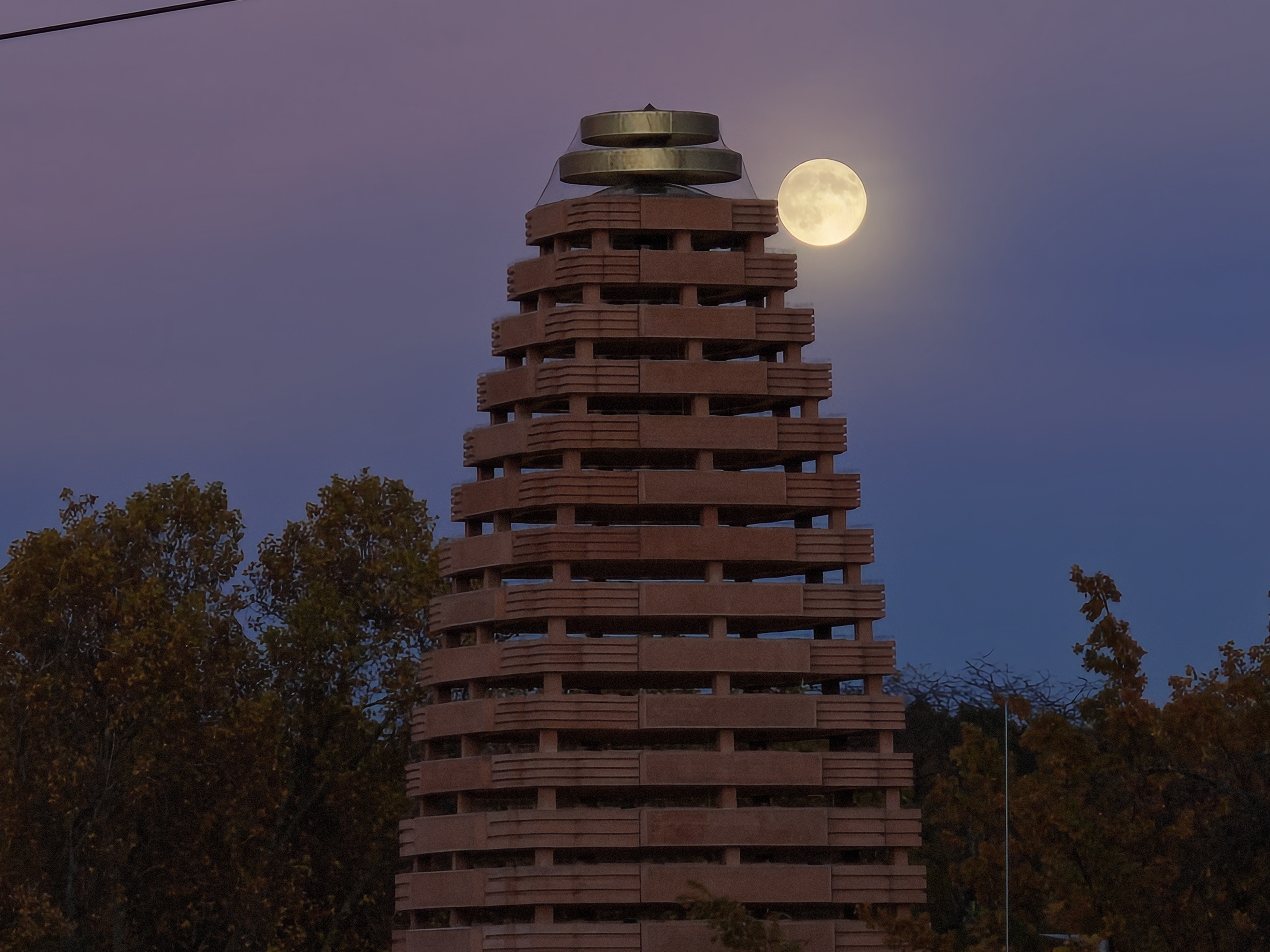
You can always try to further adjust a taken image with post processing, although .jpg files are always fairly limited in terms of PP, you can still give it a try. Here's the same photo as above, but with a quick adjust in Snapseed: