👋 Intro
Hey community! I’ve been using the new CMF Watch 3 Pro ⌚ for the past few weeks, and it’s time for my full community review. Grab a coffee ☕, sit back, and enjoy the breakdown. A huge thanks to @Deepanshu_Saini_ , @Rob ⚡️ , and Nothing for making this review possible, and a big appreciation to all of you for checking it out. Community for community—let’s dive in!
🤯 What’s in a Name? (Confused?)
The naming convention continues to baffle. We started with the Watch Pro (no regular model), then the Watch Pro 2 (round, still no regular model), and now the Watch 3 Pro (the ‘3’ and ‘Pro’ are reversed—go figure). Where is the regular CMF Watch? I worry about it! ❓ Who knows.
📦 Unboxing
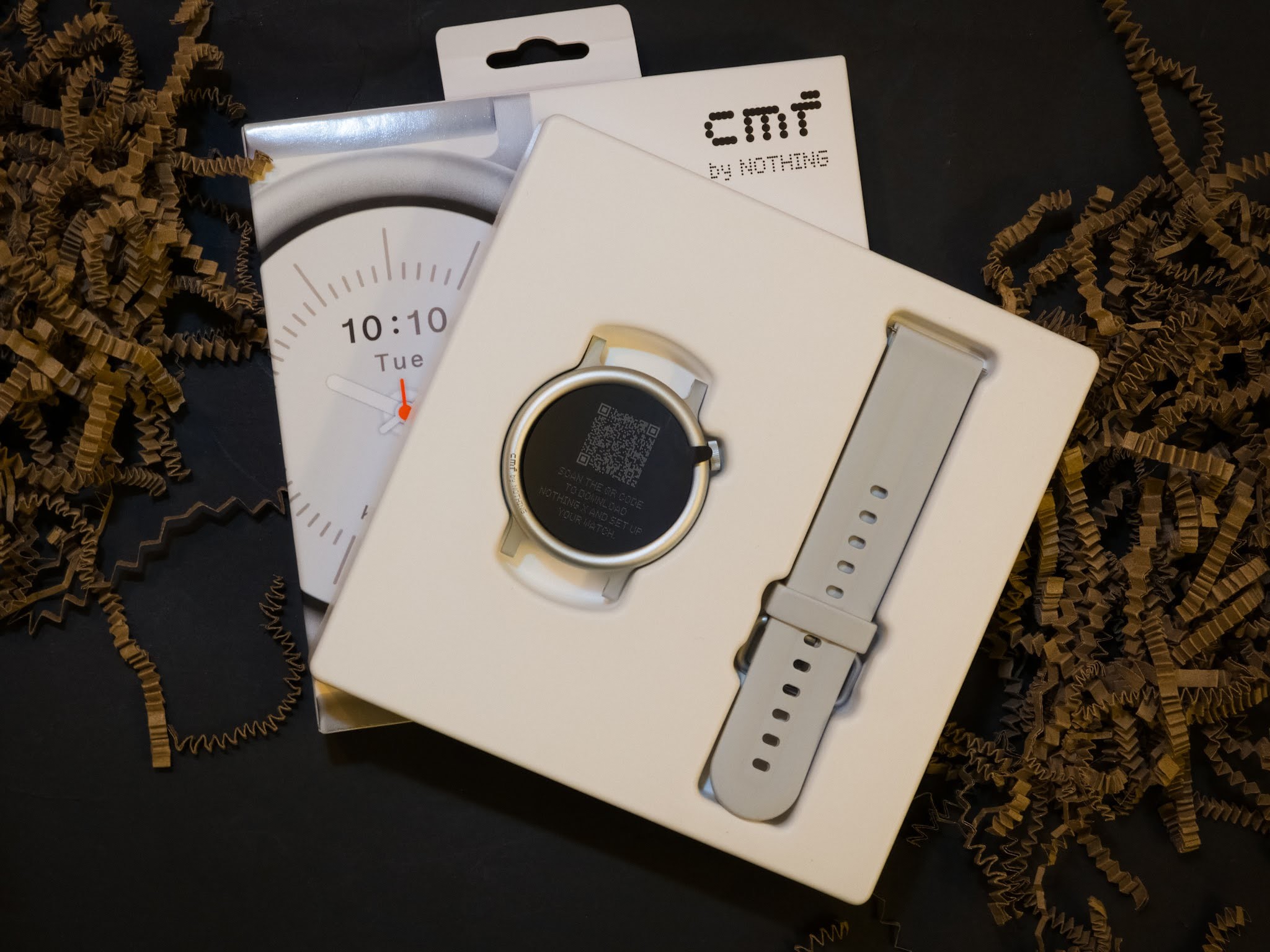
The packaging of the Watch 3 Pro feels like a consolidation of the previous two generations. The original Watch Pro came in a plastic, square bubble card, which was replaced by a smaller, squarer cardboard box for the Watch Pro 2. This time, the Watch 3 Pro is packaged in a flat, cardboard box with the watch and strap laid flat inside. The front features the signature dot font branding, and the back lists key specs like the 1.43″ display, dual-band GPS, and battery life. Underneath the inner tray, you find the charging cable and the user guide. It’s a practical, simple, and straightforward presentation.
—
—
✨ Design
The Watch 3 Pro largely sticks to the round, classic style introduced by the Watch Pro 2, but CMF has controversially ditched the changeable bezel idea (an odd choice, given the Headphone Pro now has changeable ear cushions).
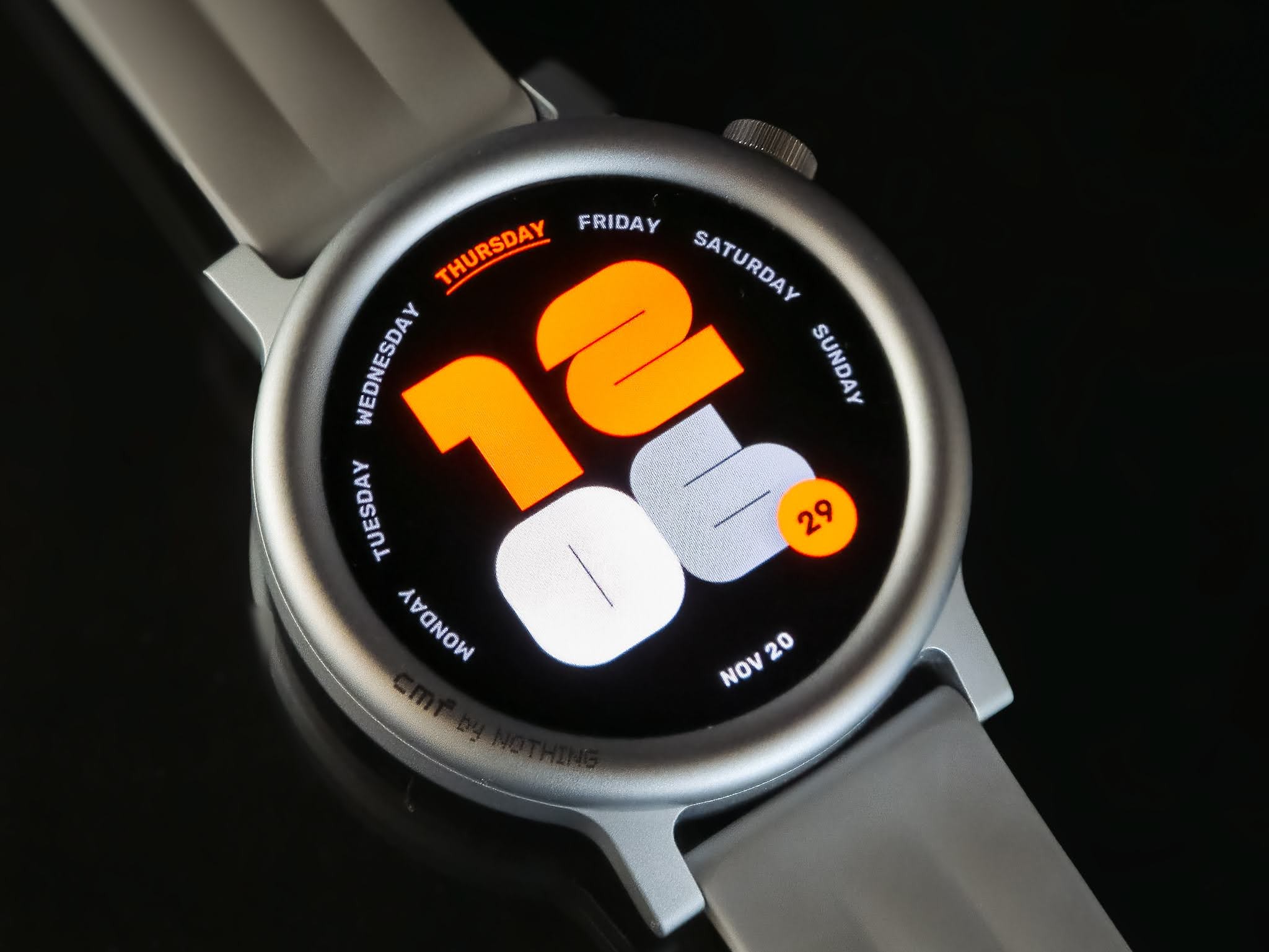
I received the Light Grey colour, which features a rounded bezel, while other colours have a flatter one. While I like the cleaner, classic analogue look, the rounded bezel makes the frame feel quite raised—it sometimes feels like I’m swiping around inside a hockey rink. Combined with the aluminum frame, the watch is rather pleasing and does a good job of blending the old and the new, which Nothing and CMF tend to excel at.
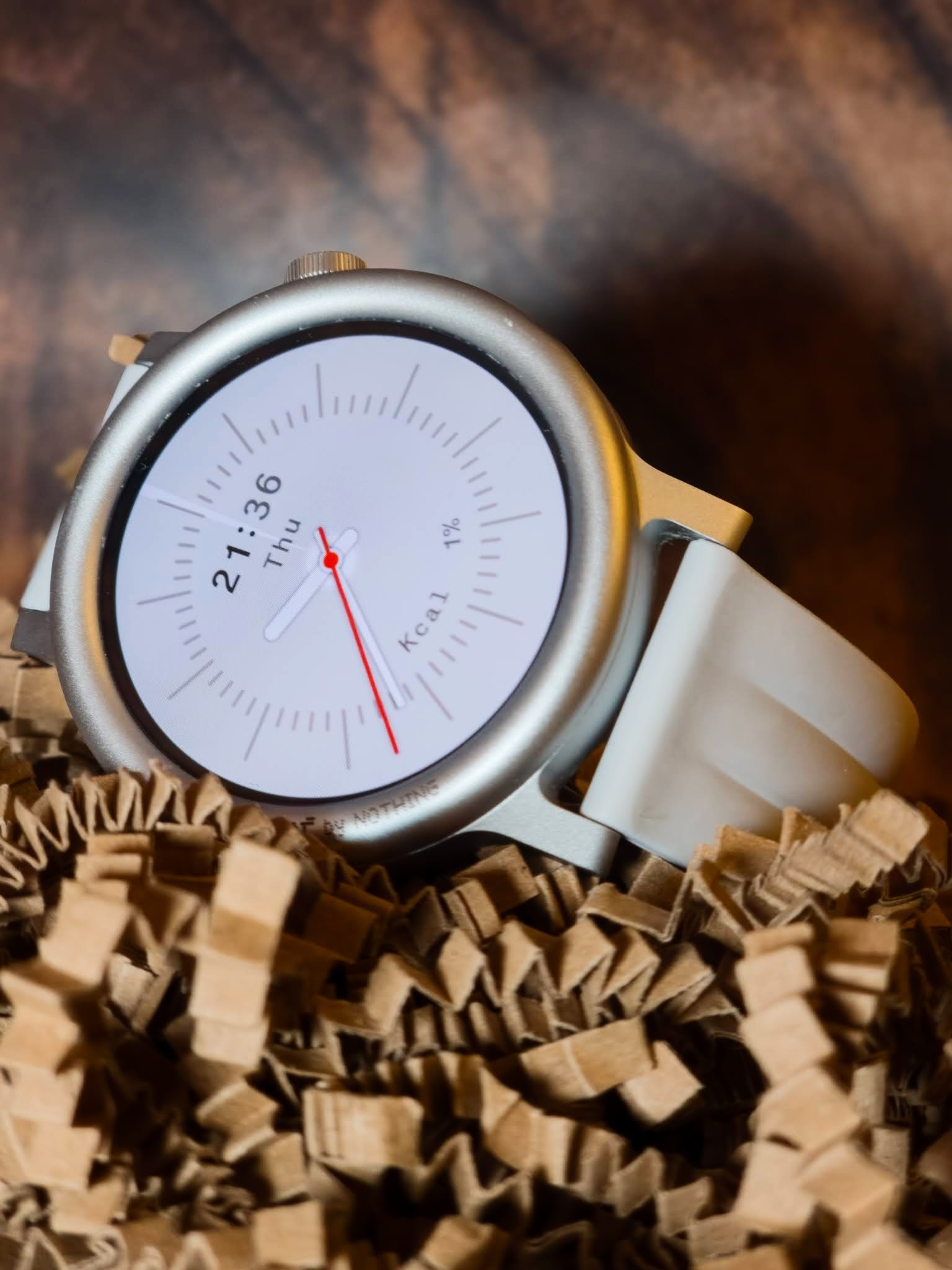
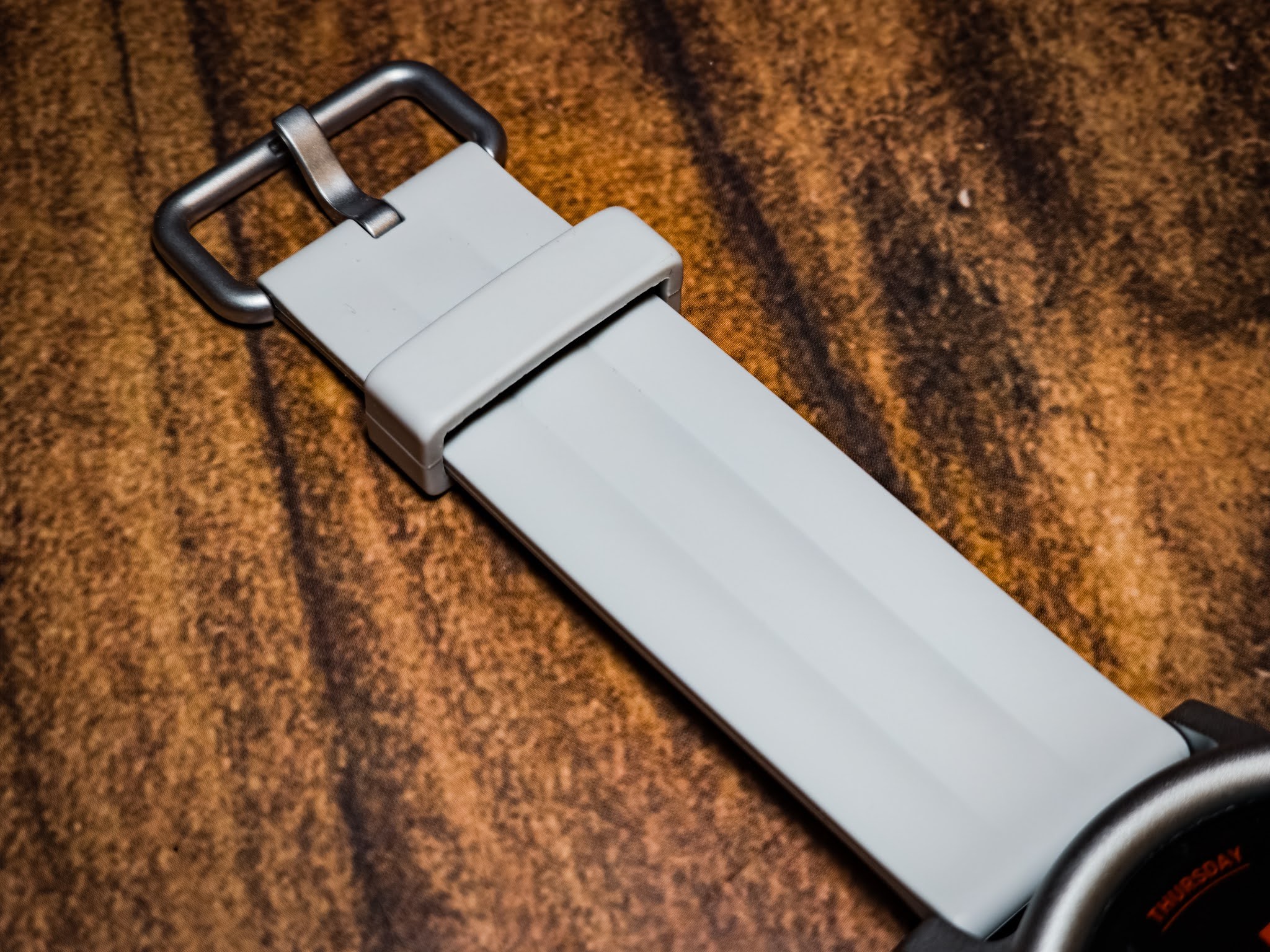
Thanks to the increased 1.43-inch display, the watch is slightly bigger, but CMF kept the standard 22mm strap connectors (thankfully! ✅). You only get one ribbed PVC strap in the box. I do miss the leather option, however, which was available (separately) with the Watch Pro 2, and I’d really prefer to see some official options to change strap styles offered by CMF.
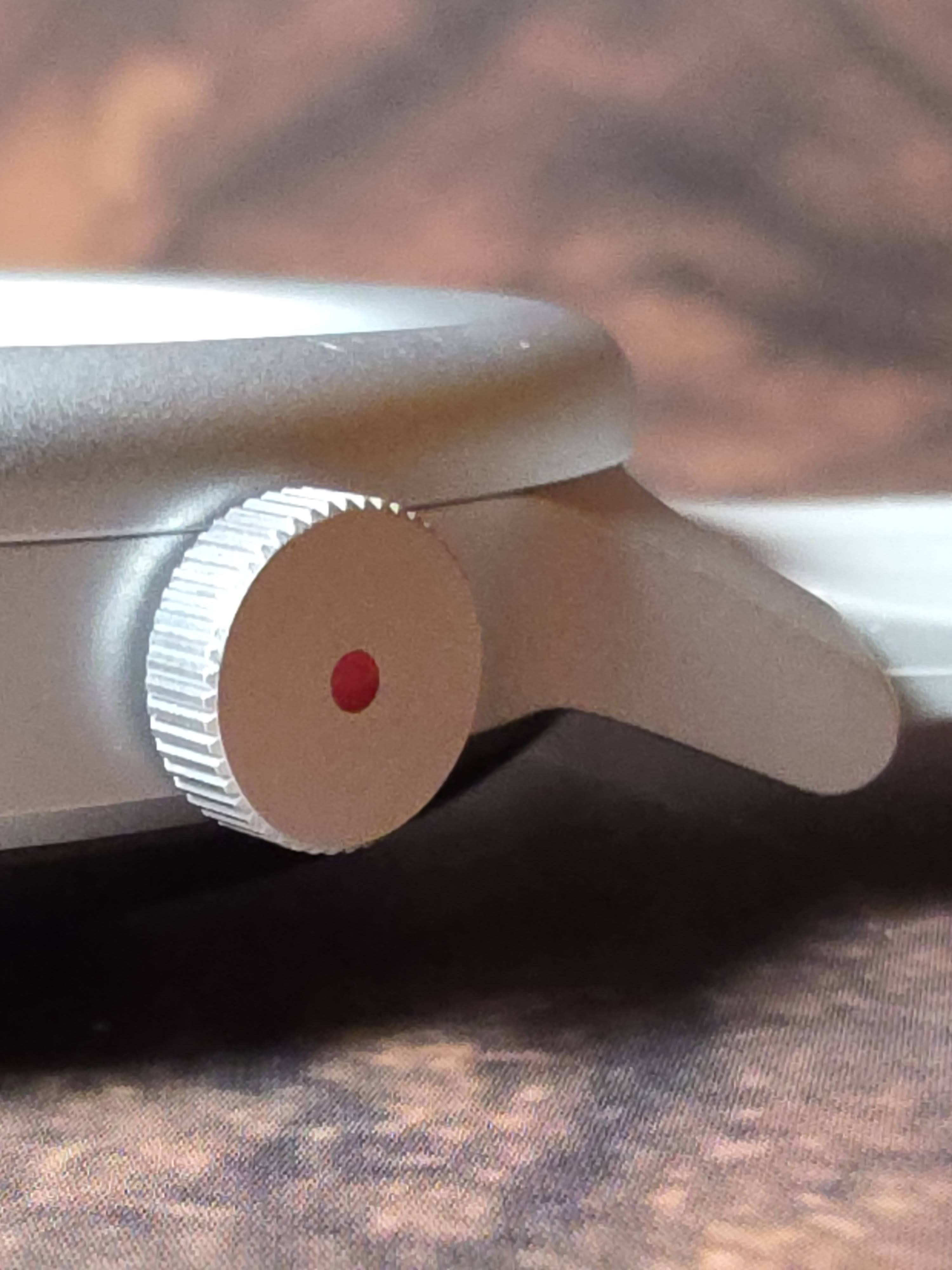
The rotating digital crown is about a millimeter thicker than before. It works well for scrolling through lists and menus, and while there’s no physical ratcheting mechanism, the satisfying click is simulated beautifully using the watch’s haptic motor. The only notable gripe is that while you can scroll, you cannot press the crown to select an item, which feels unnatural for a device with this kind of physical input.
Speaker annoyance: The speaker is located on the bottom of the watch 📢⬇️. It gets blocked easily by your arm depending on how you move, leading to muffled sound when listening to things like Essential News.
🚀 Nothing X - The Game Changer
We all remember the headaches the original ‘cmf watch app’ caused with constant logouts, connection stability issues, and failed notifications.
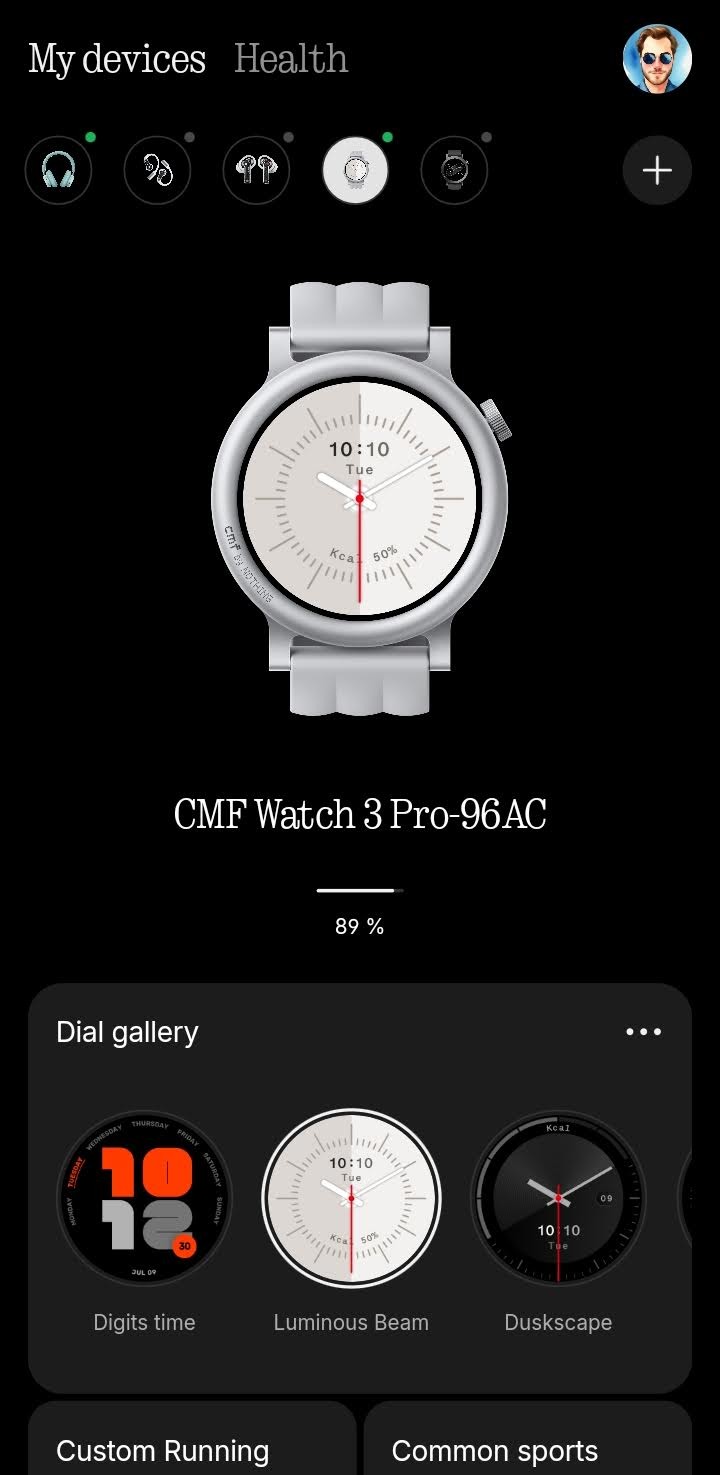
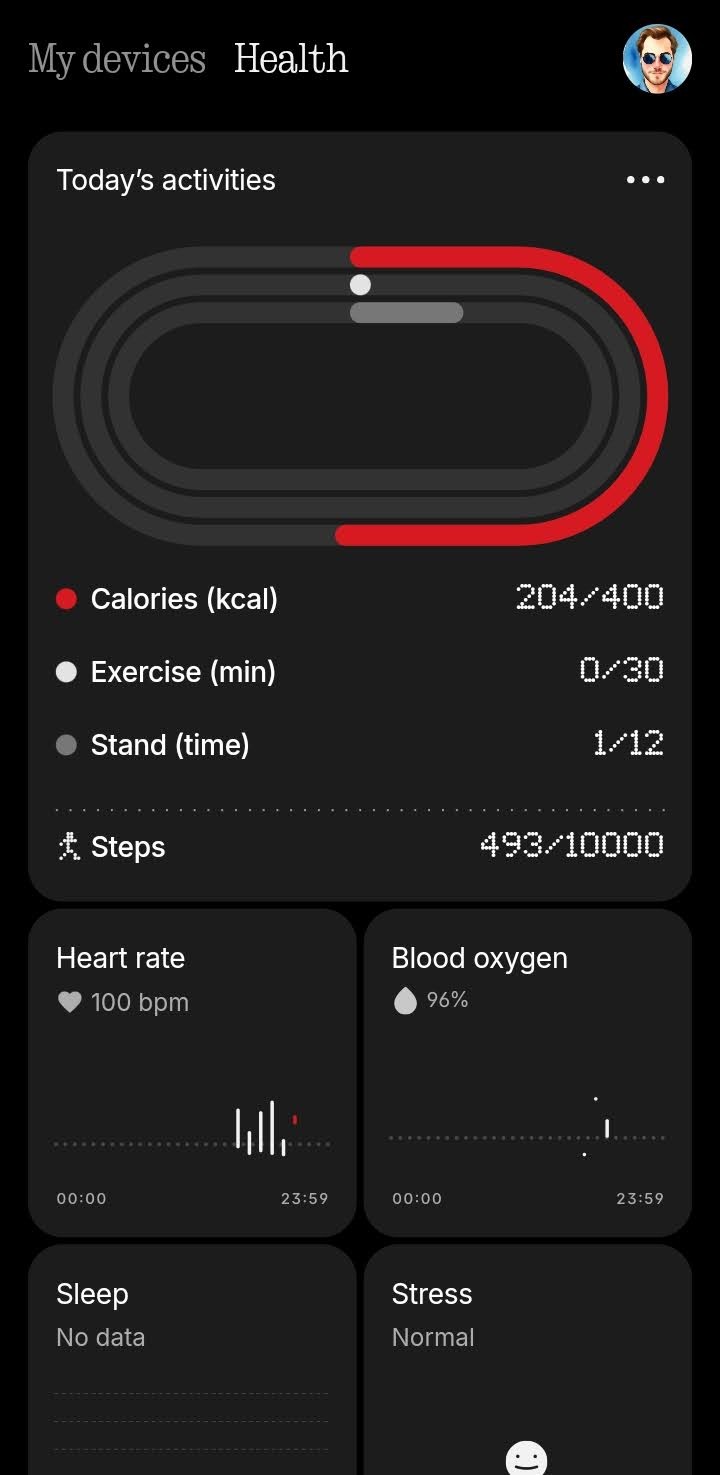
Nothing was listening. They’ve ditched the old app and merged all health functions into the Nothing X app 📲. This move is the most welcome change and makes Nothing X your single hub for all Nothing and CMF devices. The app itself is beautifully styled, presenting health stats as widgets in a mix of simple colors and the signature dot font. My experience with Nothing X has been smooth and issue-free. (MASSIVE IMPROVEMENT!)
—
🔋 Battery & Charging
The 350mAh battery is rated for approximately 13 days without AOD. I was running Always-On Display (AOD) and consistently hit 10 days of usage. This longevity is fantastic 🌟 and is a key benefit of using the RTOS operating system over Wear OS.
Unfortunately, the charger remains a major weak point. It’s the same USB-A to 2-pin magnetic cable 😩 from the original watch!. While the magnets are okay, the position on the bottom of the watch makes it difficult to get the cable to seat correctly and stay connected for charging. I had to adjust its position several times. Furthermore, using a USB-A connector in 2025 feels severely outdated.
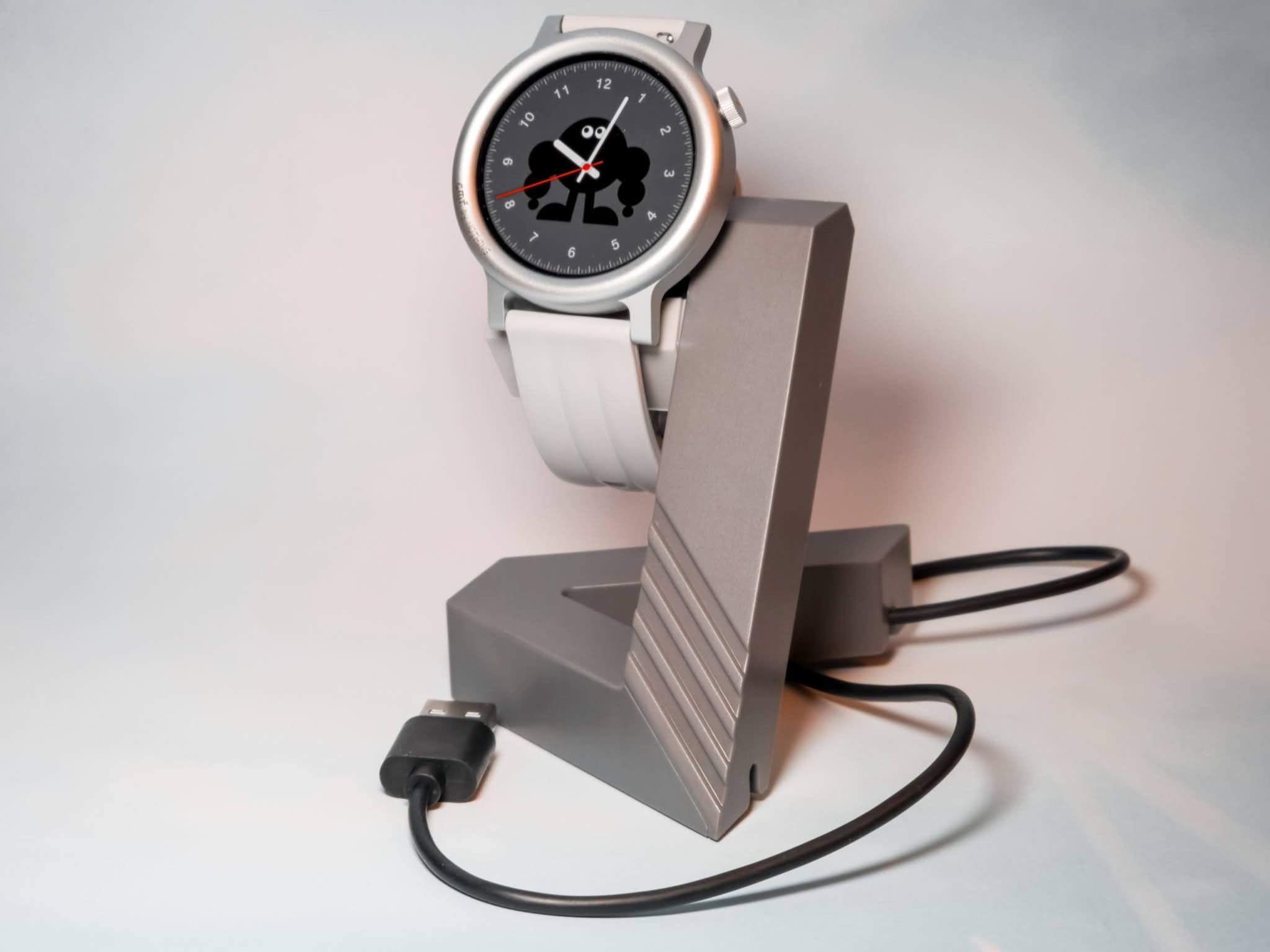
I did manage to find a cool-looking geometric smartband style stand that sort of blends with the CMF colours. It’s not perfect, but with a little modding, it works well enough. I really wish CMF would make something like this officially! Looking ahead, I hope they can modernize the whole solution, perhaps moving to USB-C and implementing a more robust option like wireless charging or a stronger magnetic puck design.
🖼️ Watchfaces
For those who like variety, the Watch 3 Pro delivers. You get around 134 watchfaces (including the three custom options). A definite plus is the improved AOD support where each watchface has a matching AOD style, which subtly morphs into the full watchface when woken up.
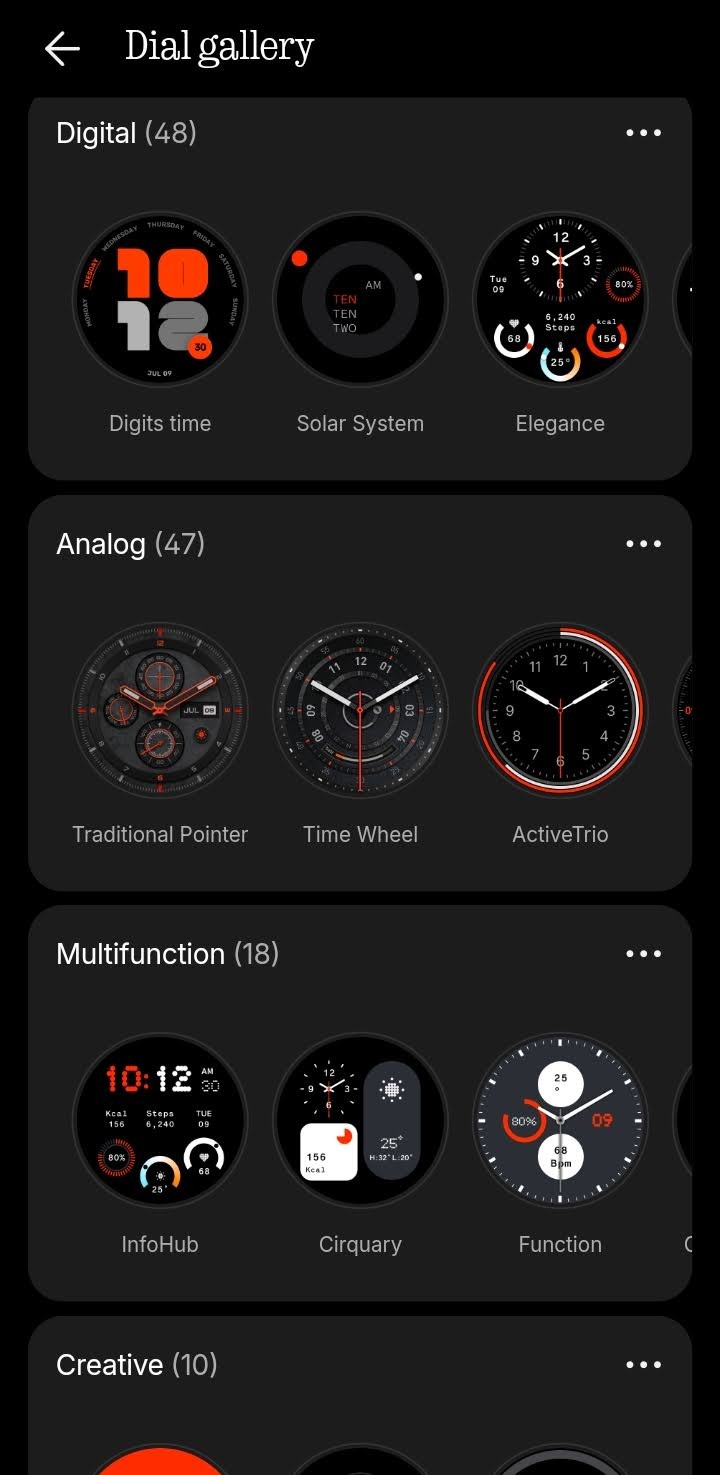
The Downside: You are strictly limited to the faces provided by CMF. There’s no store or SDK 🛑 for community development. Having been an avid Pebble user, I miss the vibrant dev community that used to exist for creating watchfaces. This feels like a huge missed opportunity given the already strong Nothing community. It would be incredible to see future integration with the Nothing Playground to allow the community to create and share custom watchfaces, similar to how widgets can be shared now.
🔨 Features
The Watch 3 Pro is packed with the standard features one would expect from a smartwatch running RTOS, plus a few polished, Nothing-specific touches.
📰 Essential News
The watch supports Essential News, allowing you to activate it directly from the watch. You can listen via the watch’s own speaker or your connected phone/headphones, controlling the volume and playback directly from your wrist. This worked fine and is a neat integration.
🎙️ Recording Transcription
You can use the watch as a basic dictation device, making voice recordings on the go. These are then transferred to the Nothing X app for later use. Critique: Given the focus on Essential Space lately, it feels like a significant omission that there is no option to actually transcribe these recordings into text or summarise them. The feature is basic and misses an opportunity for smarter integration.
📞 Phone Call
Just like Dick Tracy, you can make and take calls directly via the watch. Equipped with a built-in microphone and speaker, this feature worked pretty well in my testing—I could literally talk to the hand!
📸 Remote Camera
This is a handy feature that acts as a remote shutter for your phone’s camera. You can set up your phone, open the camera app, and snap a picture from the watch. It includes a timer feature, which is perfect for getting that non-selfie pose just right.
🔦 Flashlight
A simple but useful feature. When you open the flashlight function, it brightens the watch screen to help you navigate in the dark, such as finding that darn heyhole in the front door!
🎶 Music Controls (The Buggy Bit)
The music controls allow you to manage playback (play, pause, skip) and now support Album Art! 🎉 I honestly didn’t expect the artwork support and was pleasantly surprised. Critique: Unfortunately, the music controls were highly inconsistent and buggy ❌. The watch would frequently disconnect and tell me to “play music on your phone” even when music was clearly streaming (using Spotify and PowerAmp). The album art preview was equally hit-and-miss.
🏃 Exercise & GPS Tracking
I tracked my steps and several walks without issue. The dual-band GPS tended to lock in rather quickly, and you can view a map of your route in the Nothing X app. Critique: While generally functional, the tracking was a bit weird; some walks were bang on, while others were noticeably off.
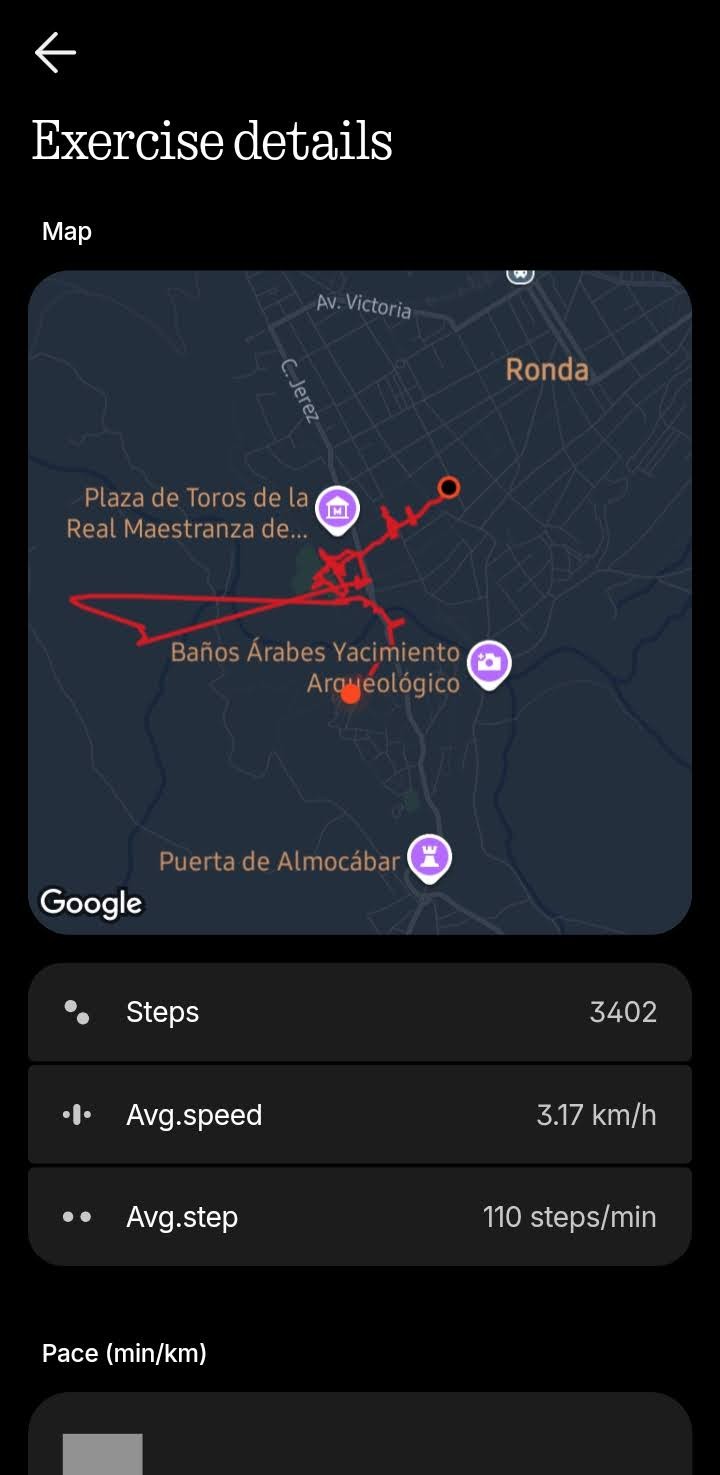
Look at wonky this hike went from a recent holiday to Ronda, near Malaga in Spain. Accoring to the GPS, I suddenly walked across the cliffs into the mountains and back! It’s way out! Other walks I tracked seemed fine, so maybe the watch did’t like the Spanish climate!
🔔 Notifications (Needs Polish)
The watch will show notifications from your various apps. Critique: The experience is limited: Emojis commonly used on Android were simply missing (showing dreaded squares), and you cannot manage individual notifications—you must delete all. You can only reply using canned responses 💬, which often meant I reverted to using my phone for checking and replying.
❤️ Health Tracking
To be upfront, I’m not exactly a “health nut,” so for me, the fitness and health tracking elements of any smartwatch are definitely secondary to features like battery life and notifications. That said, the Watch 3 Pro delivers the core functionality you expect.
Features like Heart Rate and Blood Oxygen (SpO2) function as they should and were consistent with other devices I’ve used. Plus: I quite liked the upgraded, dotified animations of a heart or blood drop that pulse while they are measuring, which adds an elegant flair consistent with Nothing’s design.
Overall, the Watch 3 Pro does the job reliably for everyday tracking, but serious fitness fanatics or those who rely heavily on deep data analysis should probably look towards a dedicated fitness tracker or a WearOS device.
😴 Sleep Tracking
The watch consistently tracked several nights of sleep and reported on restless periods. It seemed to function similarly to the previous generation and other trackers I’ve tried.
—
💭 Final Thoughts
The Watch 3 Pro retails for £99, a £30 jump from the Watch Pro 2. The increase feels justified primarily by the superior stability and integration provided by the Nothing X app, which resolves the biggest pain points of previous models. This stability however makes you wonder why CMF couldn’t simply push the Nothing X integration as a major software update to the Watch Pro 2, rather than necessitating a new hardware purchase. Perhaps there’s no money in that, as selling a newer watch at a price increase helps the bottom line?
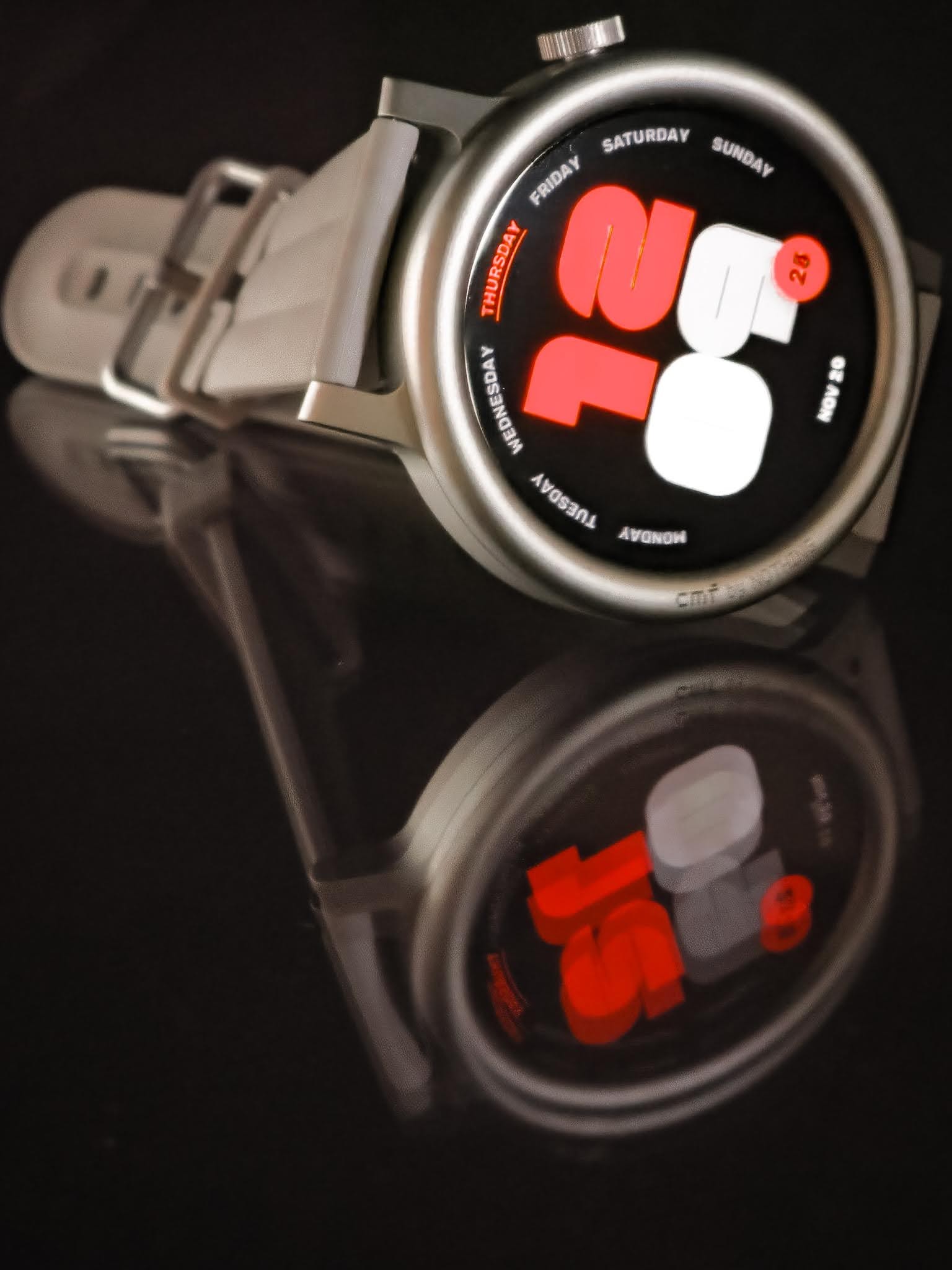
The price point does raise questions about its “budget” value 🤔 compared to competitors. Are we paying a premium purely for the design aesthetic? When the original Watch Pro launched at £69 - I could buy similiar watches for half price or less, granted not with the same design aesthetic.
Overall: I genuinely enjoyed the watch. It offers excellent battery life and finally has stable, refined software. If you want a timepiece first with smartish functions, it’s worth a look. I highly recommend waiting for a sale though; the £69 Black Friday price I spotted makes it a steal! 🔥
—
⌚ Watch 3 Pro – Overall Value (at £99 MSRP): ★★★★☆
Design ★★★★☆ | Software ★★★★★ | Battery ★★★★★ | Charging ★★☆☆☆ | Features ★★★☆☆