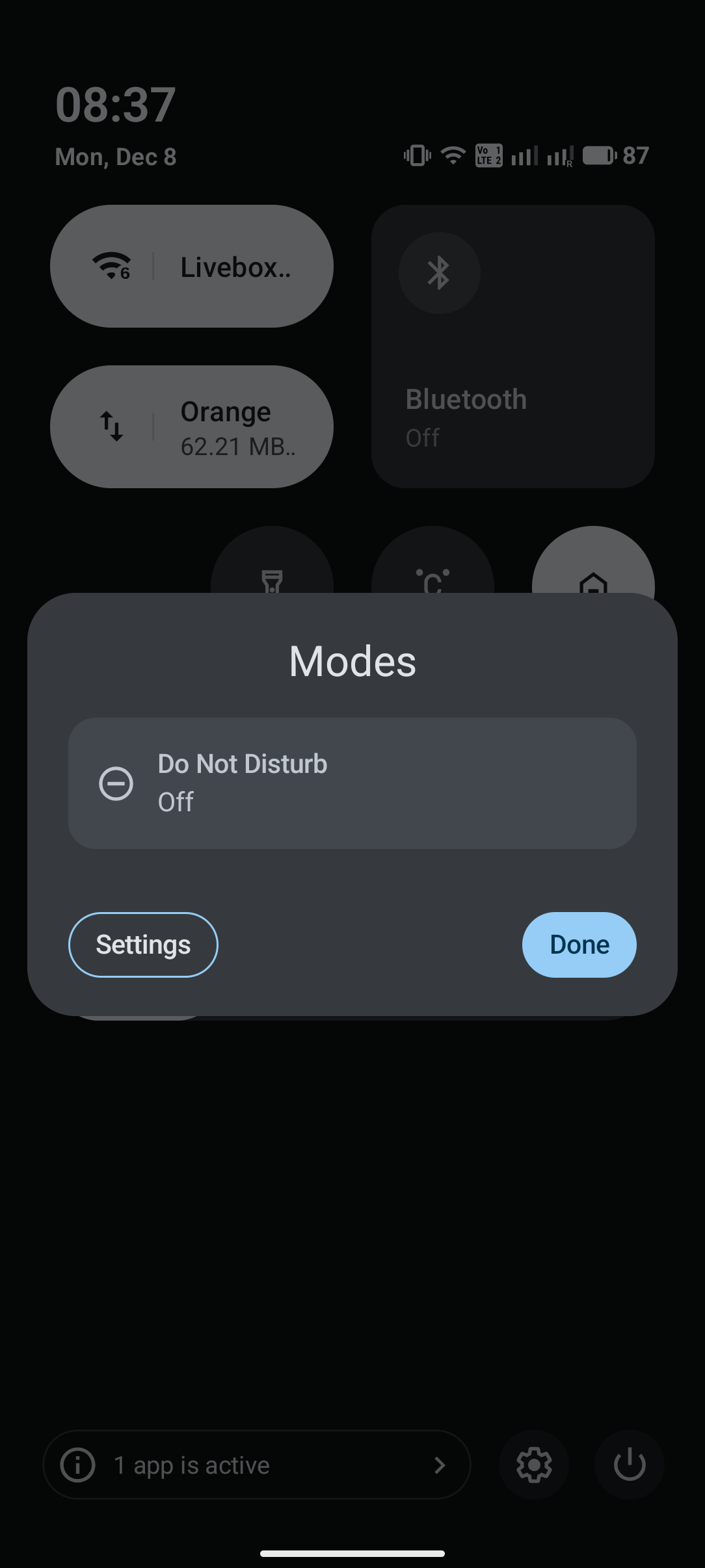
Since do not disturb scheduling did not work on previous builds (it effectively did not turn off and routinely did me miss calls), I just toggled it maunally, which, until the last update required just ONE TAP. Now it is 3 taps since there is a pop-up menu with default “modes” like “bedtime” or “driving” to choose from. I deleted them in settings but even if there’s just ine mode left, the pop-up menu still, well, pops up, forcing 3 taps, because after selecting the mode of choice, you are required to then tap “done”… Quite cumbersome to say the least. Inefficient. “done” button is there because there’s also a “settings” buttonto access the feature’s params directly and that’s redundant, since each feature in quick menu has this already, by tap and hold the relevant icon.. Imo this is an oversight. But in general let’s keep it at one tap: either a) do away with this menu and just make it so users can choose which mode appears in quick settings on swipe down, b) enable users to send each mode individually to quick settings as a separate icon. As is, the purpose of this menu is afaik defeated with this feature. If I want to fiddle, I dive into settings proper, but not here. Cheers.