WillSutton the support wrote this:”The CMF Watch 3 Pro supports ChatGPT integration, For your reference, here are the steps on how you can use ChatGPT on the CMF Watch 3 Pro:
1. When the ChatGPT function is turned off, there is no corresponding option on the watch. After connecting the watch to the Nothing X app, please go to the “My Devices” page and find ChatGPT to click on it to enter.
2. Click on the gray switch to turn it on.
3. At this point, ChatGPT is added to the watch. Click on it to start the conversation.
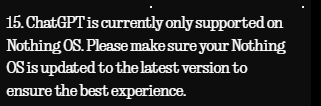
Note: The mobile phone needs to download the ChatGPT APP in advance, log in to the account and grant permission for the microphone, and select the voice tone for the conversation with you in advance. Otherwise, the watch end will continuously display that the session has timed out.
If you have any more questions or require further assistance, feel free to contact us anytime”.
Did it help?