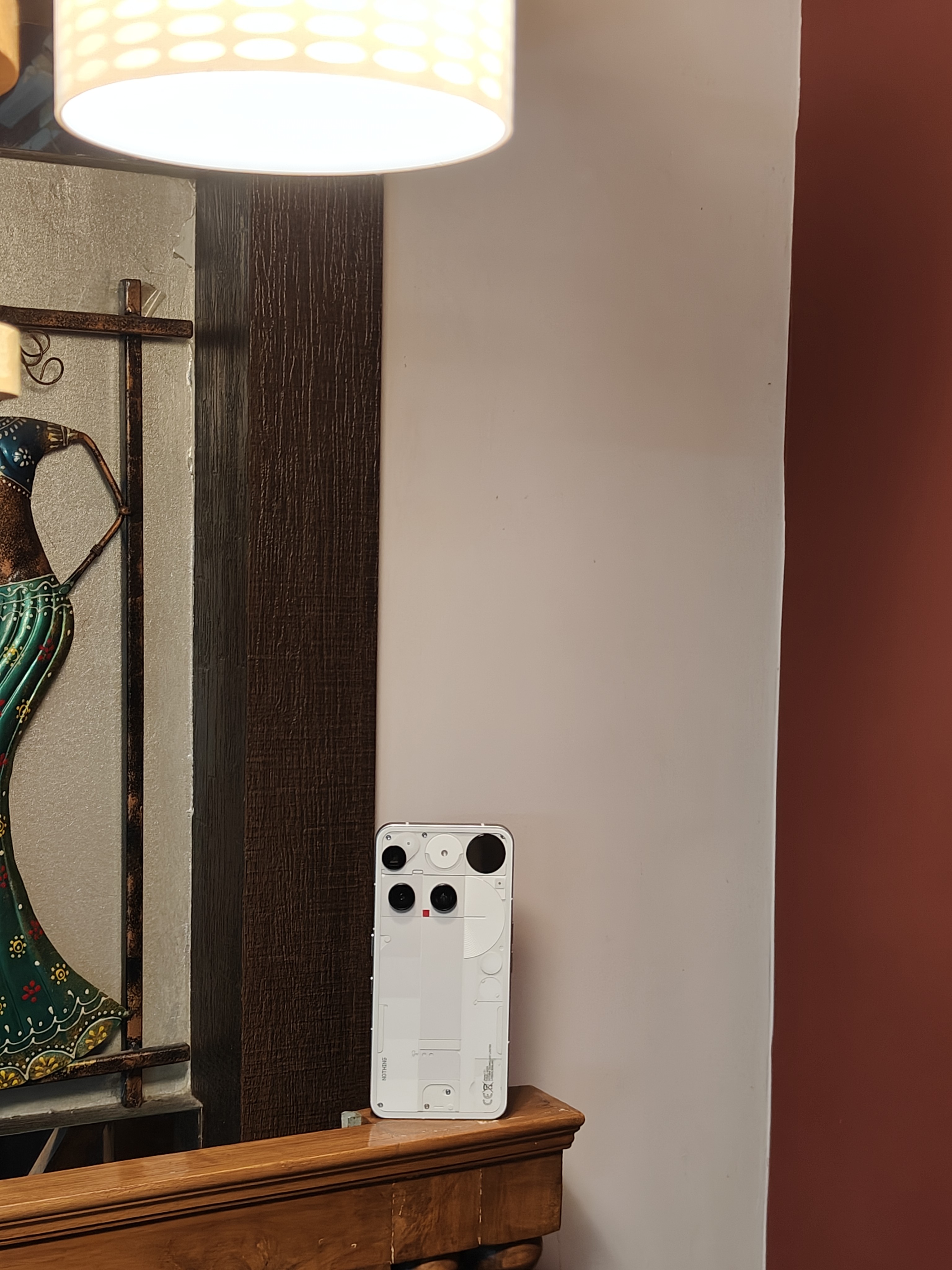
Hey again, community!
I’m super excited to bring you my review of the brand-new Nothing Phone (3)—a device that’s been grabbing headlines and stirring up equal parts hype, trolling, and controversy over its design, price tag, and hardware choices.
This isn’t just another spec rundown. I’ll be covering the full picture—what’s great, what’s questionable, and what’s downright clever. And for all the industrial design geeks out there, I’ve even got a peek into some internal components and layout decisions that might just intrigue you.
There’s a lot to unpack with the new features Nothing has rolled out, but I’ll keep it snappy while still delivering my trademark deep dive. So buckle up—this ride’s going to be equal parts tech talk and design appreciation.
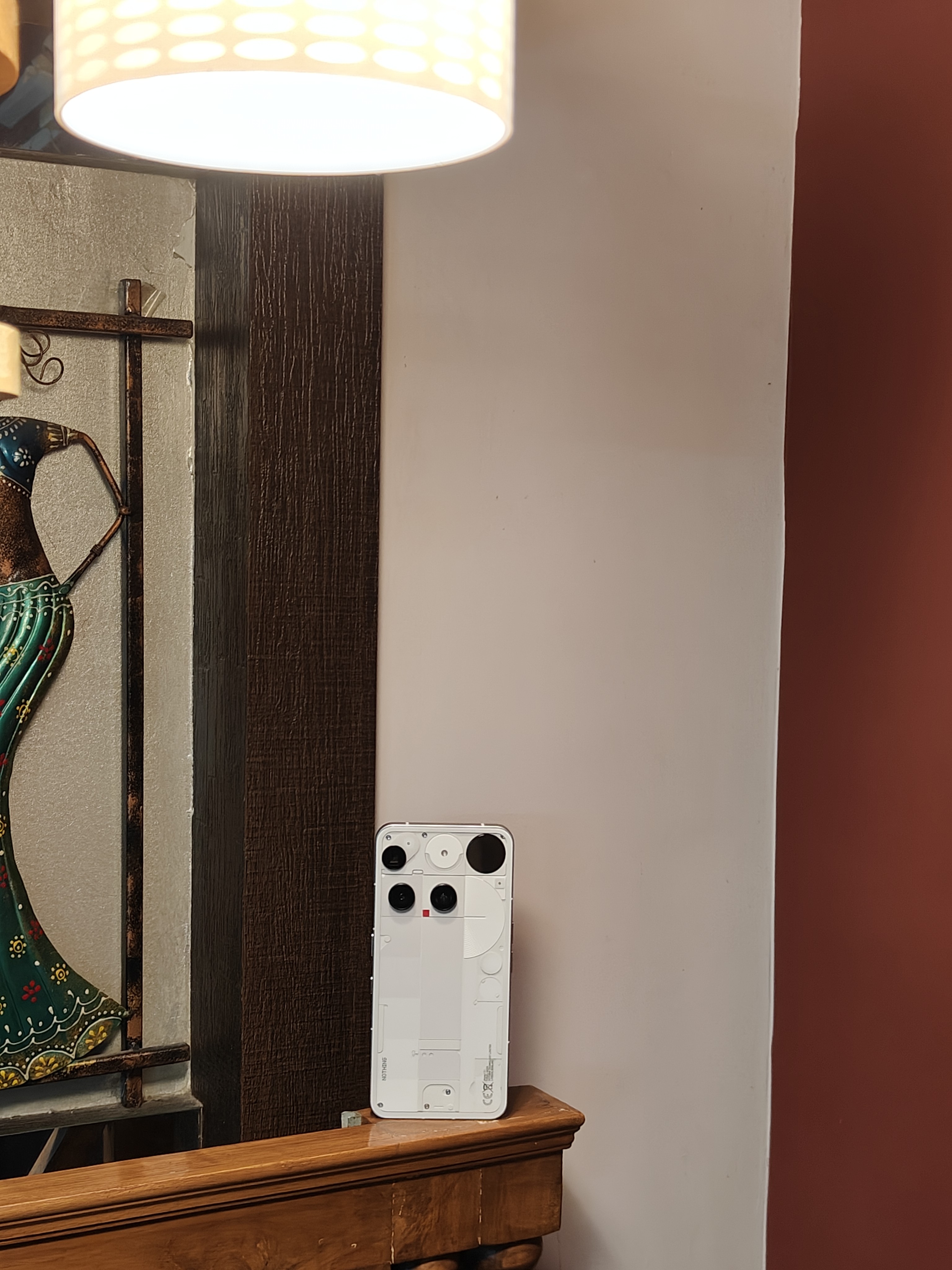
Next up: Let’s pop the box and see how Nothing’s setting the tone before you even power it on.
Unboxing Experience
The Nothing Phone (3) unboxing instantly brings back memories of the Nothing Phone (1)—the OG that started it all. The flat, slim, and tear-free box feels minimal yet premium, like a nod to where the journey began.
Sadly, thanks to Flipkart’s Open Box delivery, 95% of buyers will miss out on this experience entirely. My advice? Channel your inner movie hero—snatch that box from the delivery guy and boldly declare, “I paid for it, so I’m opening it!” That’s exactly how I did it with my Phone (1), and trust me—it’s worth it.
Score: 9/10 - Losses points for the absence of charger
Next up: We’ve unboxed it, but is it a beauty or just hype? Let’s talk design and build.
Design & Build
Build:
Right out of the box, the Nothing Phone (3) feels premium in hand—thanks to its glass back with Gorilla Glass Victus, an aluminum frame, and an AMOLED LTPS display protected by Gorilla Glass 7i. The materials give it a solid, high-end feel with just the right amount of weight.
That said, for this price tag, the absence of Victus 2 is a bit of a missed opportunity—especially since it’s becoming fairly standard in this segment. It’s not a dealbreaker, but it’s one of those “could’ve been perfect” touches.
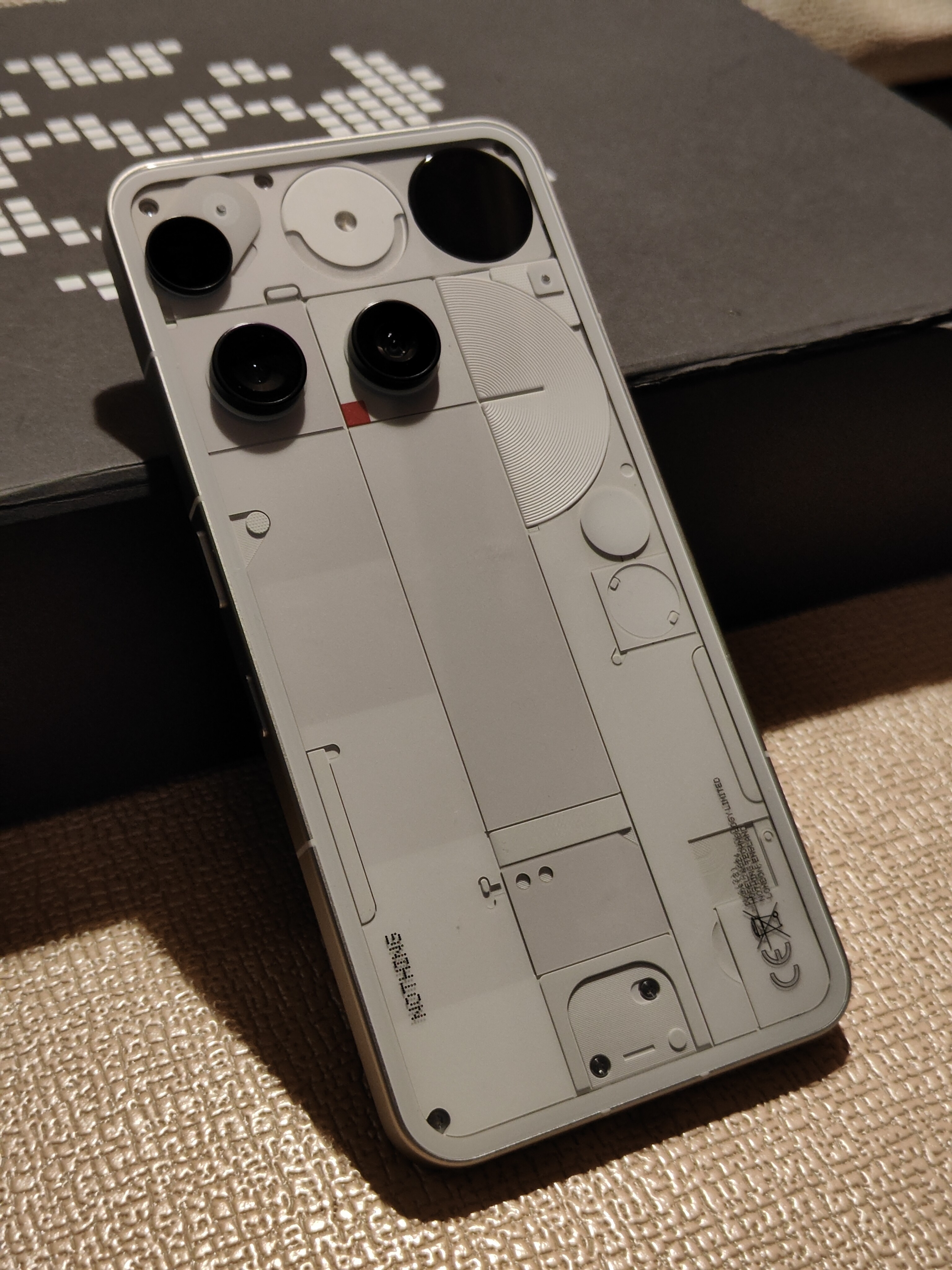
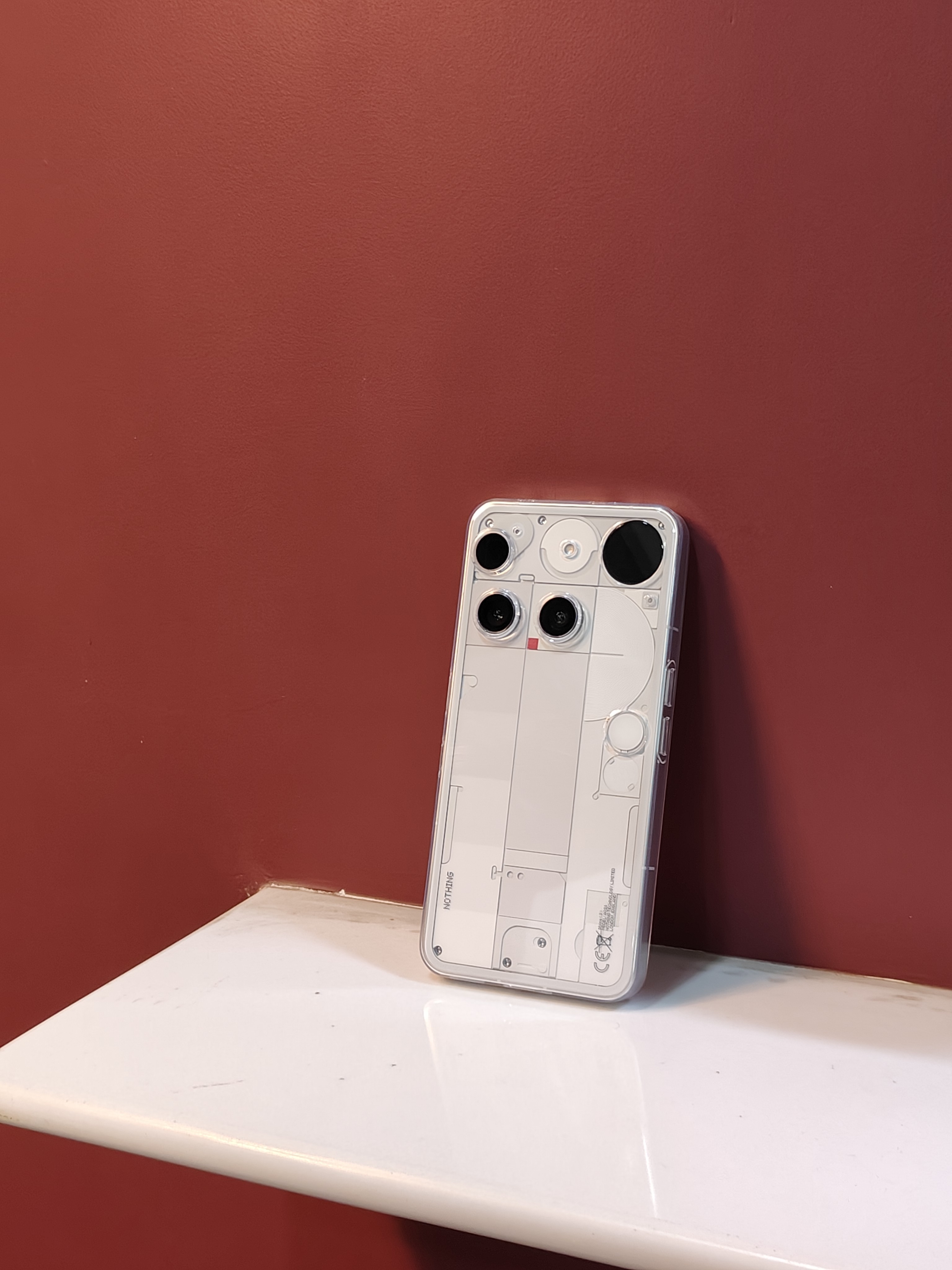
Design:
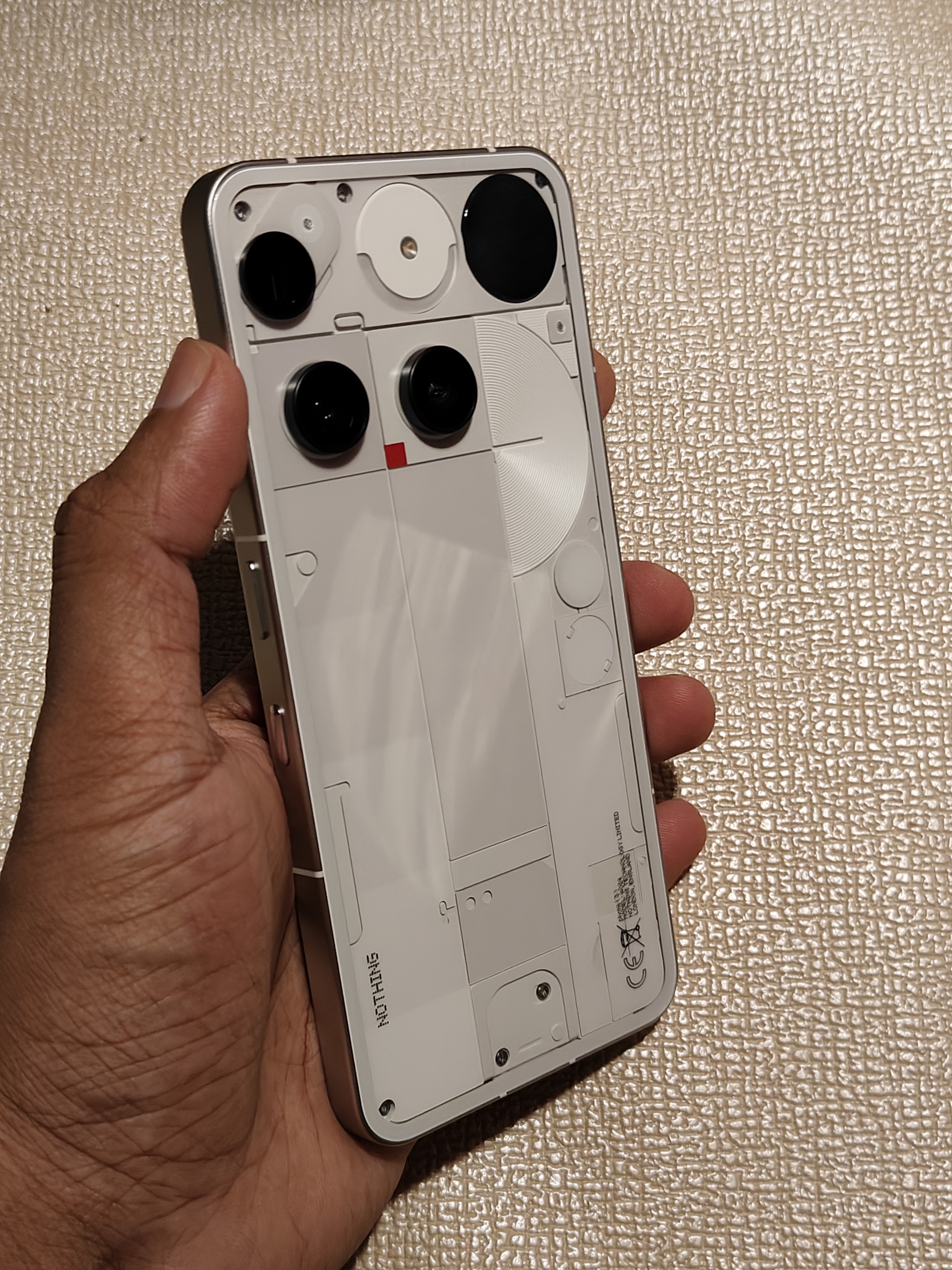
Ah, the elephant in the room—the camera setup. Or as the internet likes to call it, “Why is that periscope living in the corner?” I wondered the same thing at first. But after digging into the internal design during this review program, the decision actually makes a lot of sense.
Periscope Camera Placement –
Slimmer Build: Embedded through the PCB, 74% slimmer than the Phone (3a) Pro’s periscope, yet supports 10 cm macro and 60× ultra zoom.
Position Choice: Top-left placement optimizes internal layout—avoids blocking the front camera, flicker sensor, or battery space.
Design Considerations: Avoided three circular lenses in a row to keep design fresh and leave room for the Glyph Matrix.
Not Angled Inside: The angled look is a visual illusion; shape also integrates a pressure equalization vent.
Pressure Vent: Balances internal/external air pressure, blocks water/dust, and maintains IP68 rating.
Space Constraints: Periscope (238 mm²) couldn’t replace ultrawide (131 mm²) due to size difference and interference with Glyph Matrix MCU.
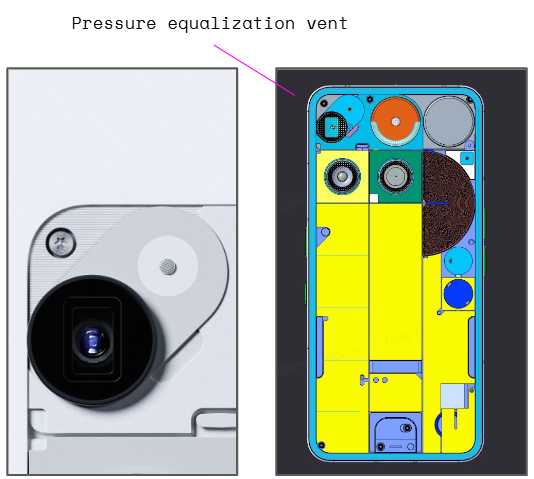
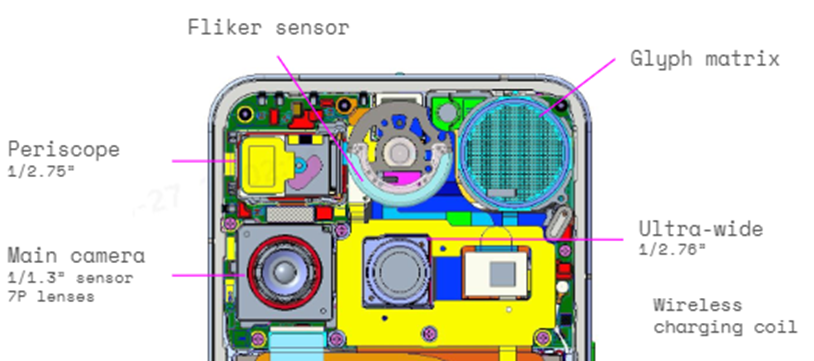
Bottom line: It may look unconventional, but given the space constraints, this is as optimal as it gets. And honestly? The quirk grows on you.
More on design:
Score – 8/10: The design has grown on me over time, but it loses points because if you have to explain it for users to understand, the core ideology isn’t fully hitting the mark.
Next up: A pretty face is nice, but how does it feel to actually use this thing? Let’s dive into Software & UI.
Software & UI
Nothing has a knack for getting software right, and the Phone (3) keeps that streak alive. The clean, bloatware-free Android experience feels almost stock—but with the Nothing OS twist that adds unique touches without bogging things down. It’s responsive, fluid, and genuinely fun to use, striking that rare balance between minimalism and personality.
You’re also set for the long haul with 5 years of Android updates and 7 years of security patches, matching the best in the business. At the time of writing, the Phone (3) is already running the Android 16 / Nothing OS 4 closed beta, which shows they’re serious about keeping things fresh.
In daily use, the UI was snappy and dependable—rarely showing any lag (maybe once or twice in my entire testing period). Whether it was casual browsing, social media scrolling, or app-hopping, the Phone (3) handled it all like a flagship should.
Score: 9/10 – Smooth, stable, and delightfully free of clutter.
Next up: Specs on paper are one thing—let’s see how this thing actually performs when we push it with benchmarks.
Performance
Under the hood, the Nothing Phone (3) packs some serious firepower:
⚙️ Snapdragon 8s Gen 4 (1×X4 + 7×A720 Cortex)
🎮 Adreno 825 @ 1150 MHz
🚀 12/16GB LPDDR5X RAM + 256/512GB UFS 4.0 storage
🏭 Built on TSMC’s 4nm process
On paper? Solid. In reality? Also solid.
Benchmark Showdown:
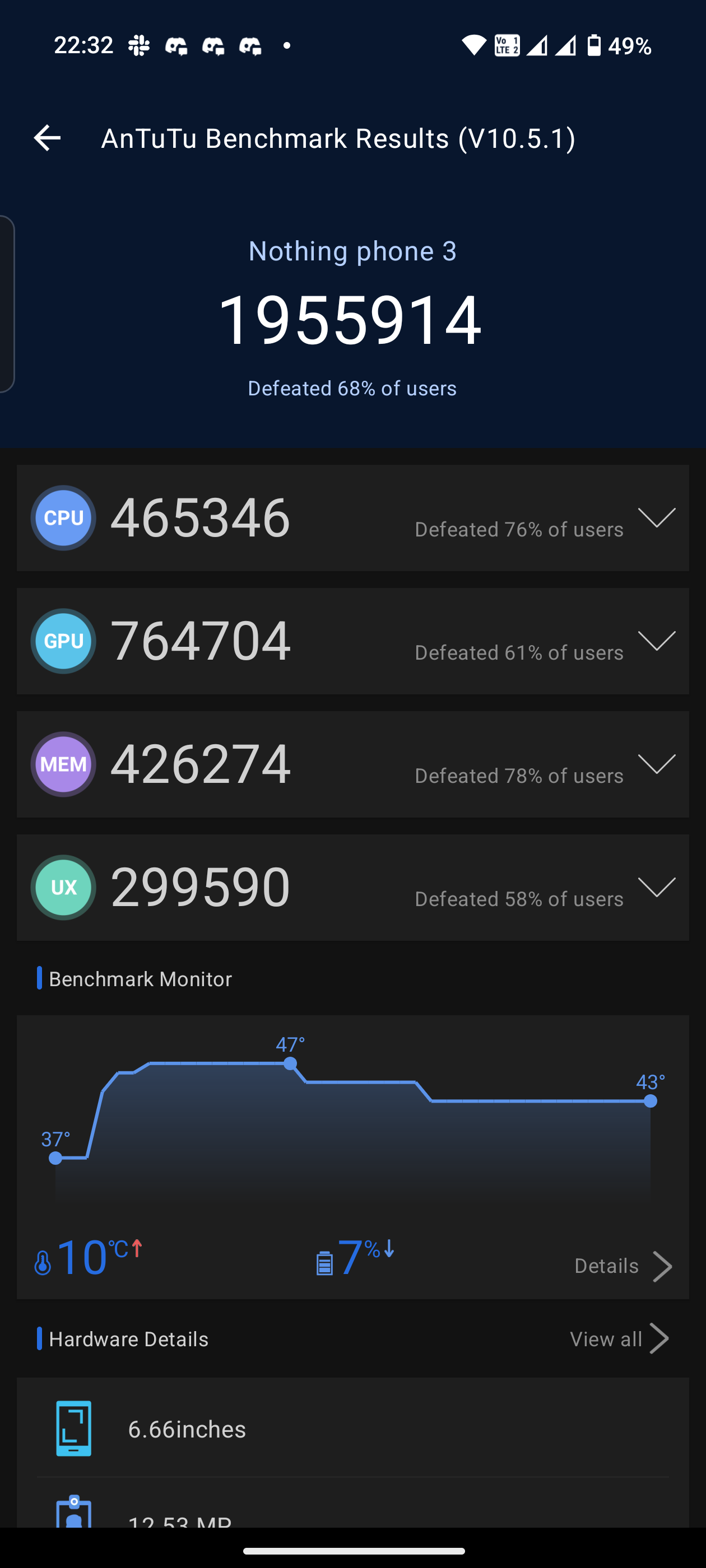
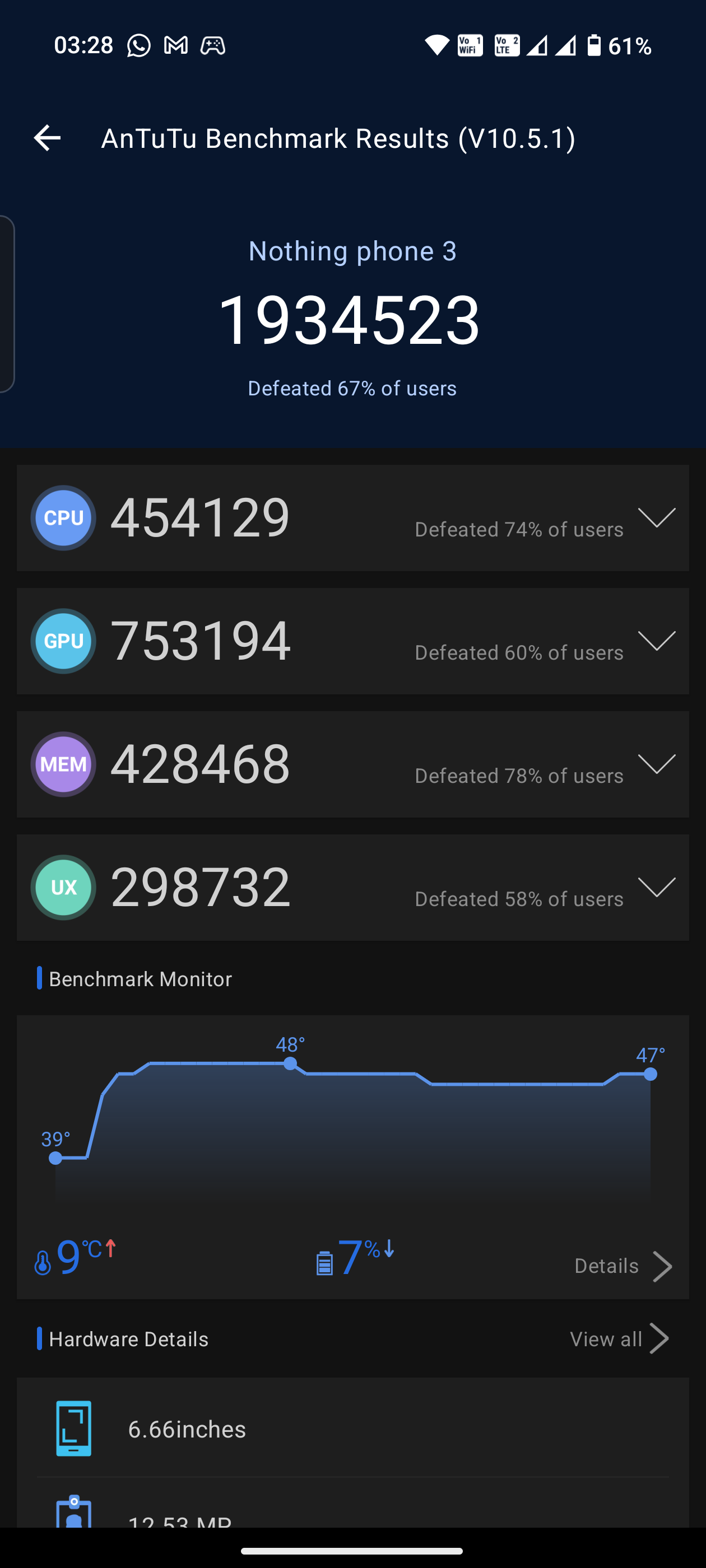
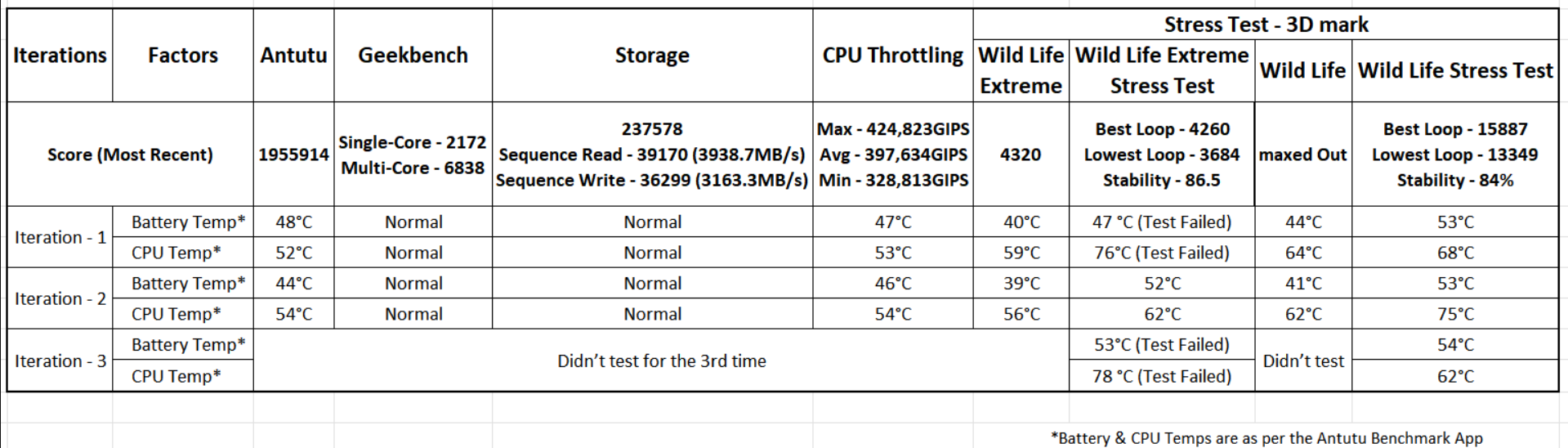
Antutu: ~1.95M – right where you’d expect for this chip.
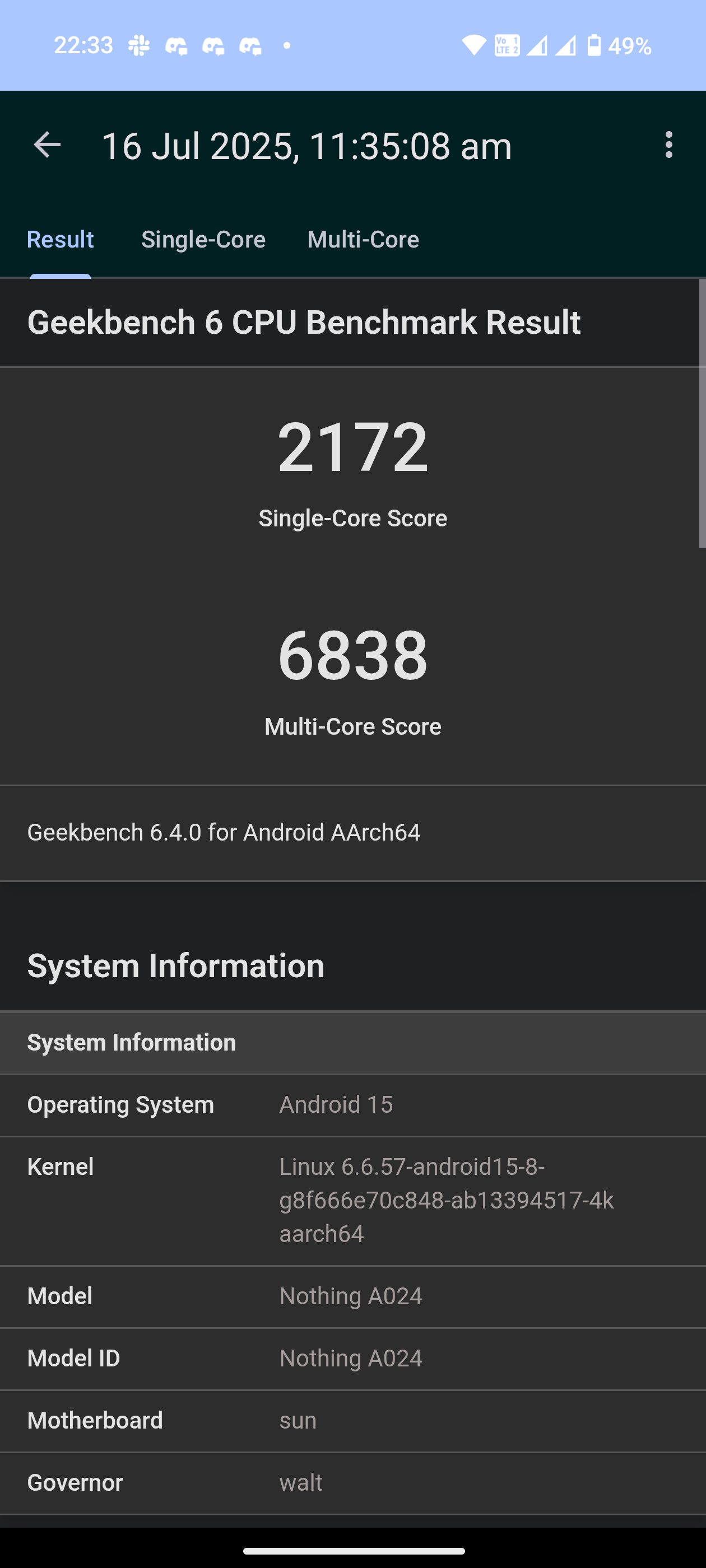
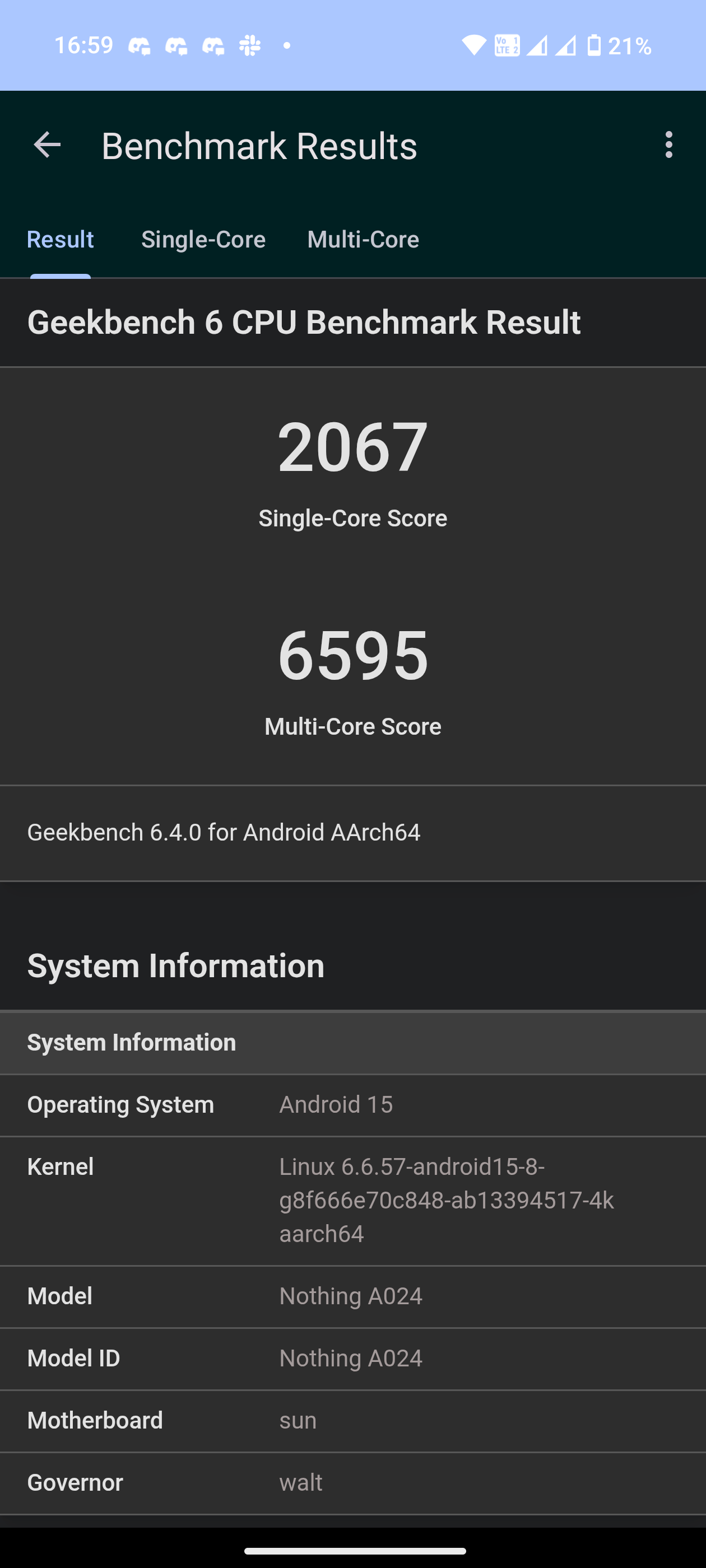
Geekbench: SC: 2150–2300 | MC: 6800–6900 – consistent, no thermal drama.
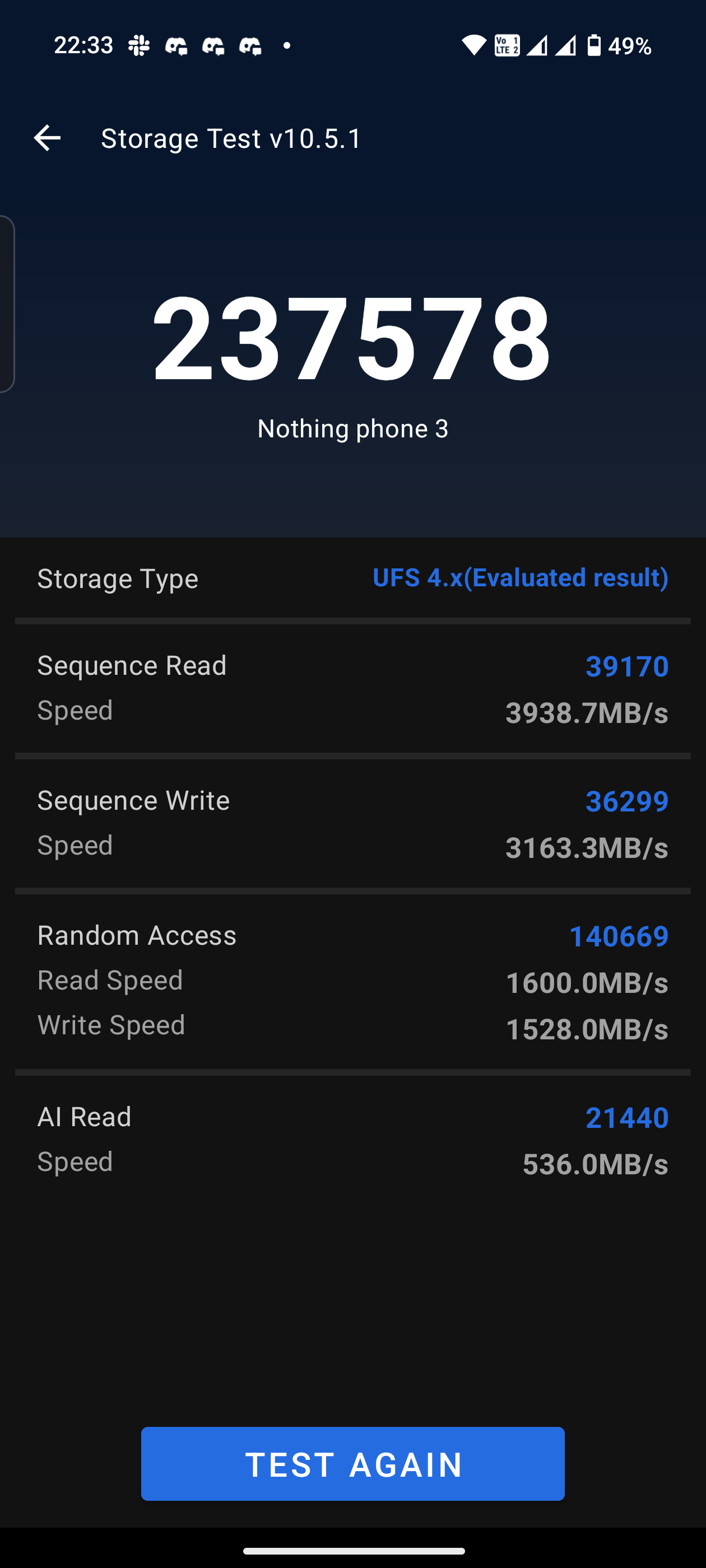
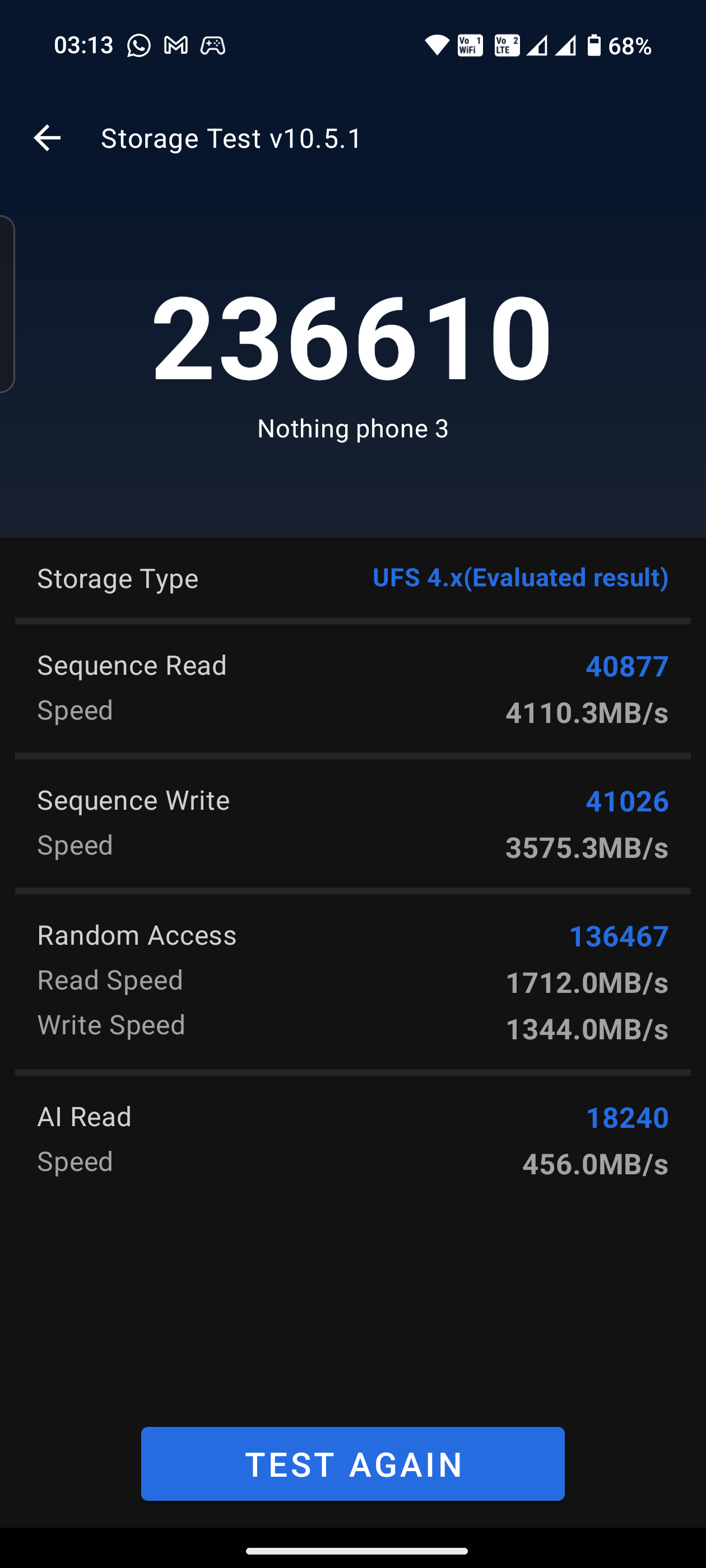
UFS 4.0 Storage: Blazing fast read/write speeds, thermals stayed ice cold.
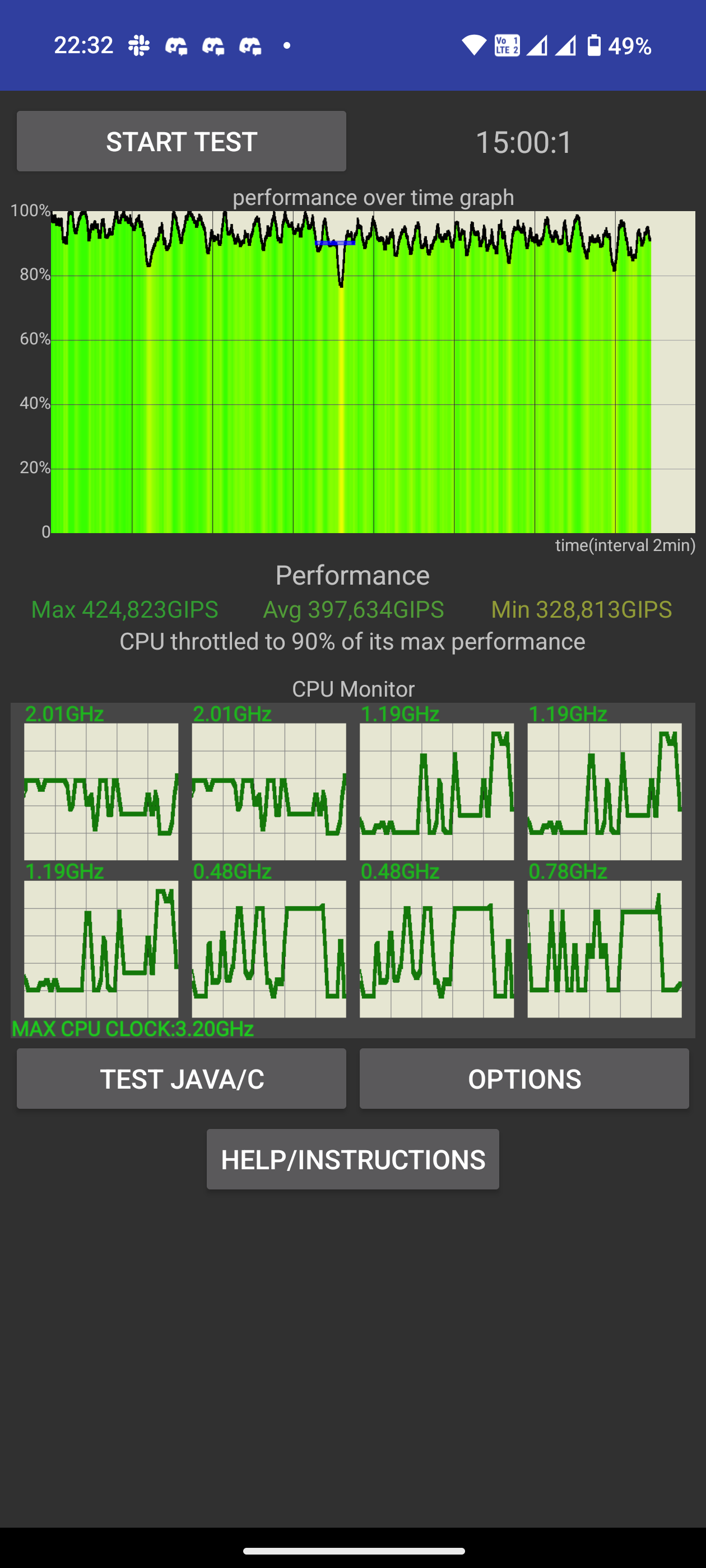
CPU Throttling: Improved post-update (383,359 → 397,634 avg GIPS) but still gets toasty under sustained loads.
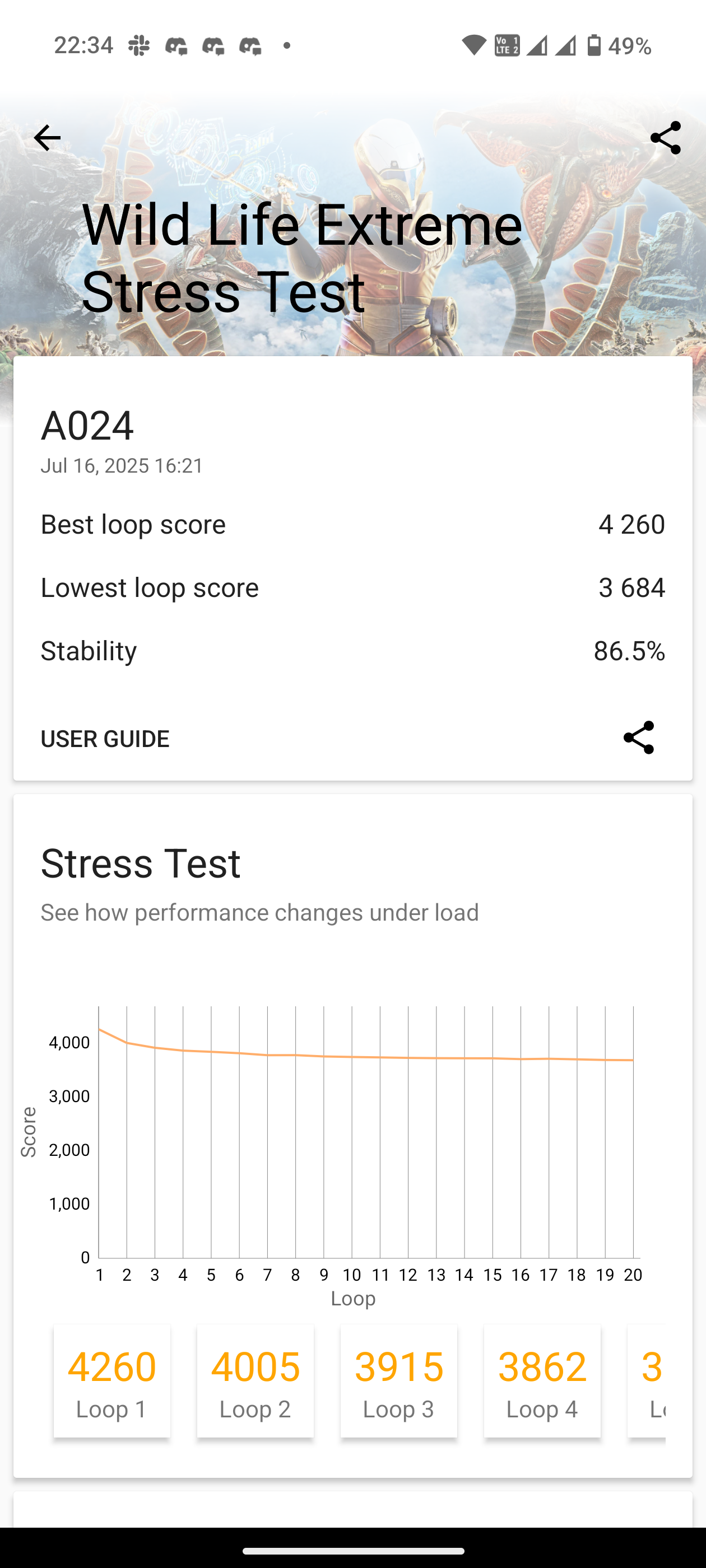
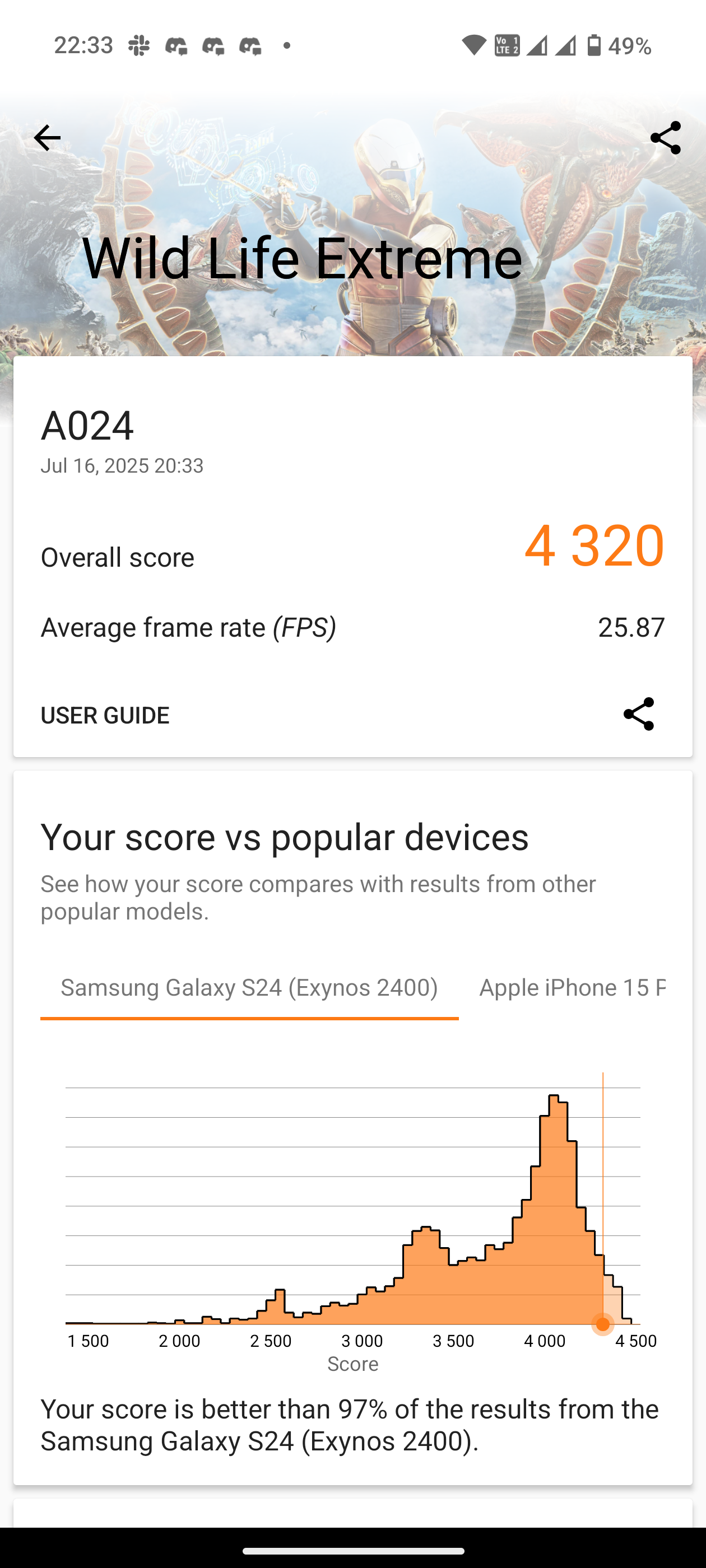
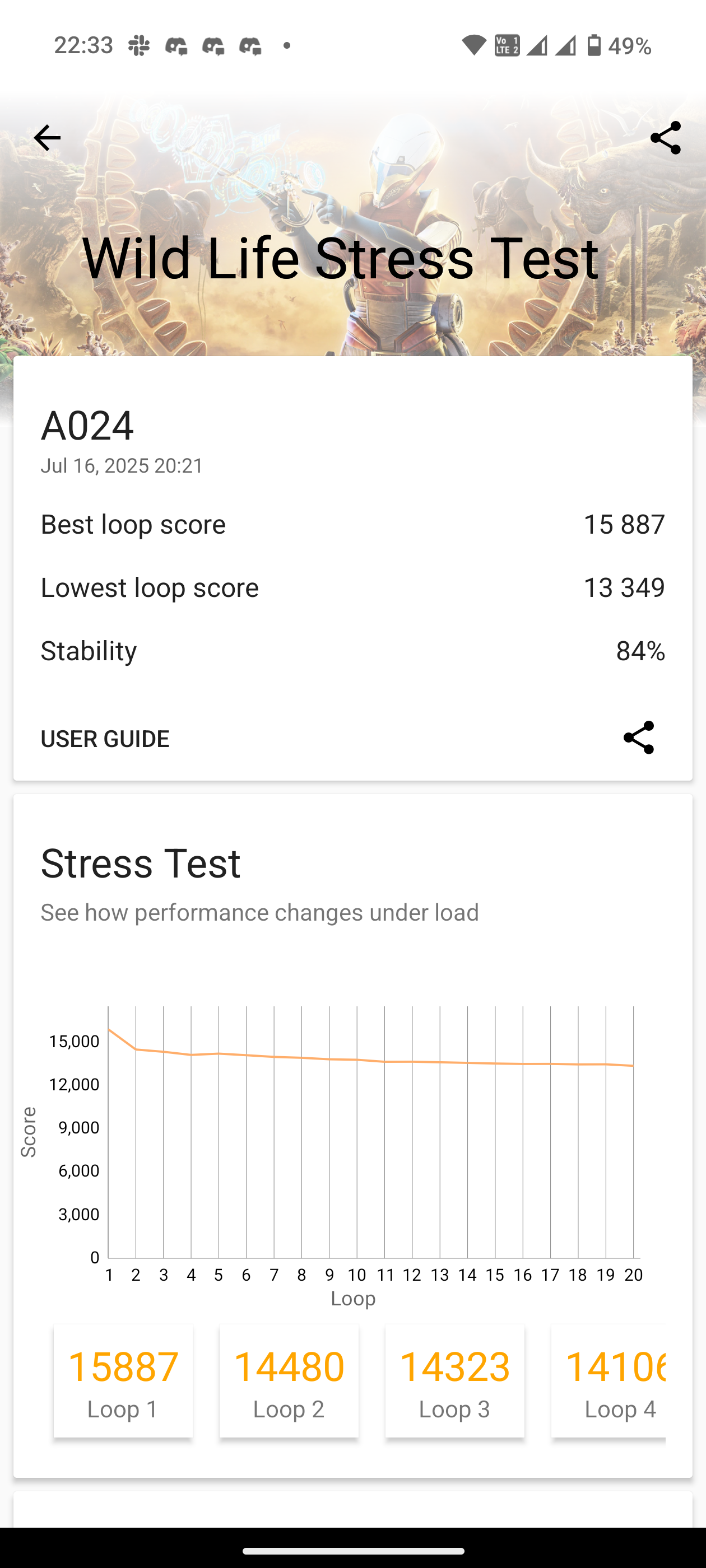
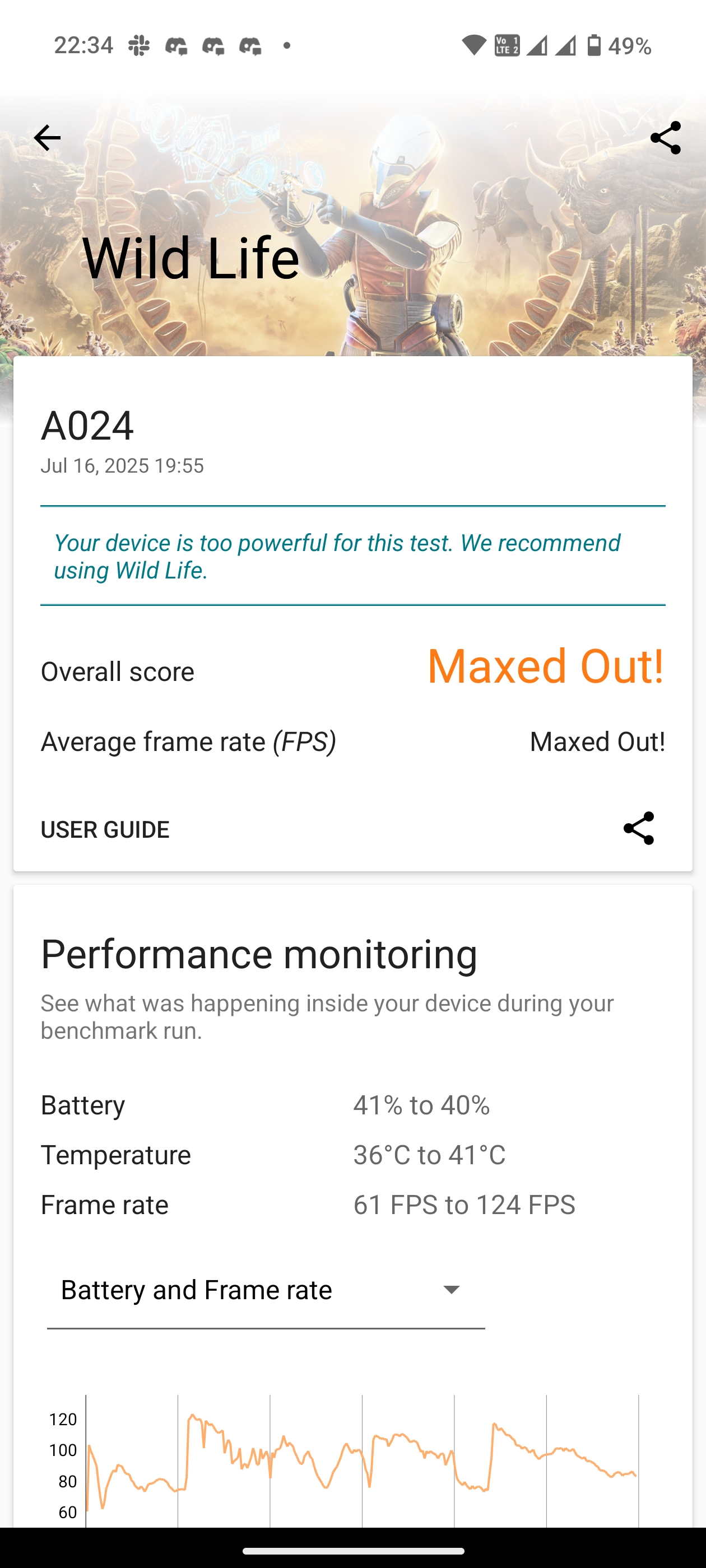
3DMark Stress Test: Brutal on the phone—peaked at 54°C, with two Wild Life Extreme runs failing and ~20% battery drop per run. Stability still held up.
Stress Tests:
Storage Tests:
Geekbench:
CPU Throttling:
Antutu Benchmark:
Thermals & Cooling:
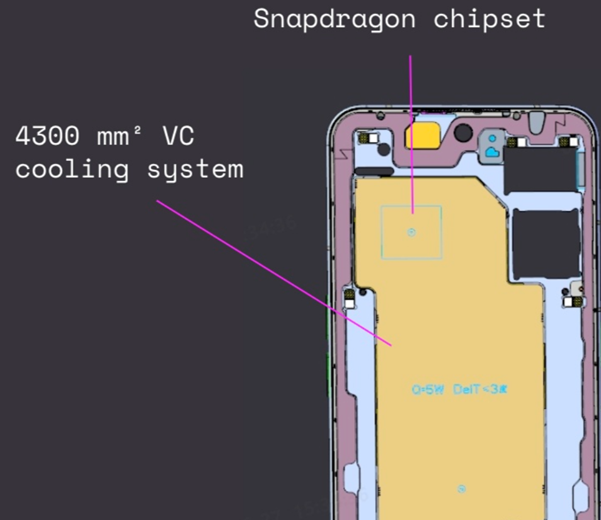
The 4300 mm² vapor chamber spreads across the chipset, cameras, and display. In daily use, it keeps things chill with good airflow—but push it hard and you’ll feel the warmth. A slightly larger VC chamber could have made a big difference.
Real-World Feel:
Daily use? Snappy AF ⚡.
Gaming: BGMI/CoD run cool with airflow, Genshin on max gets warm but stays smooth.
No scary heating unless you’re hammering it with heavy sustained tasks.
Verdict:
✅ 8s Gen 4 delivers smooth, flagship-grade performance.
❌ Still rocking USB 2.0 (missed chance for USB 3.x).
⚠️ Decent cooling, but bigger VC could’ve been a game-changer.
Score: 8.5/10 - For the price tag 8 Elite was expected
Next up: The raw power is here—but can it juggle multiple heavy tasks at once? Let’s talk multitasking.
Multitasking
The Nothing Phone (3) is the best multitasker I’ve used from Nothing so far. My review unit came with 16GB RAM and 512GB storage, which definitely helps with smoother cache handling and better app management.
In real-world use, it comfortably kept 8–10 apps alive in the background for several hours. Lighter apps like messaging or social media stayed ready-to-go for 2–3 hours without breaking a sweat. Heavier apps—especially games—were more of a mixed bag: about 70% of the time they stayed right where I left them, but occasionally they did refresh.
Overall, the multitasking here is solid, smooth, and dependable. While results may vary depending on your usage style, there’s nothing to worry about in this department.
Score: 8.5/10 - need a little more optimization for managing heavier apps
Next up: Keeping apps alive is one thing—let’s see how it handles when you throw it straight into battle. Time for some gaming tests.
Gaming
I tested three popular titles—BGMI, Call of Duty, and Genshin Impact—to evaluate frame rates, smoothness, and thermals on the Nothing Phone 3. Performance-wise, the results are excellent: BGMI and COD both maintained a rock-solid 120 FPS, while Genshin Impact held steady at 60 FPS, all delivering a smooth and enjoyable experience.
Thermals, however, tell a different story. Unlike previous Nothing models, the P3 gets noticeably warm during extended high-load gaming—especially in Genshin Impact’s highest settings. BGMI and COD remain more manageable, but you’ll still notice a slight warmth after an hour. Playing in an air-conditioned environment (20–22°C) practically eliminates the issue. The smaller cooling chamber seems fine for daily use but struggles with long, intense gaming sessions.
⚠️ Note: When the phone gets warm, frame drops and choppiness do occur. This has already been reported to the Nothing team, and hopefully, future updates will improve the situation.
That said, frame drops are rare—even when warm—and casual gamers will have no complaints. Competitive players can also consider this device, though the thermal behavior is worth noting.
Score: 8/10 - Losses points for the inconsistent thermal management
Next up - Smooth gameplay is fun until the heat kicks in—let’s see if the Phone 3 can keep its cool.
Thermals
Thermals can be split into two scenarios:
1️⃣ Normal usage – For everyday activities like surfing, social media, and messaging, the phone manages heat very well. While some users faced heating issues in the early phases, this has now improved in recent builds.
2️⃣ Benchmarking & stress tests – Let’s be clear: benchmarking is not something most users do daily. High thermals during these tests don’t really reflect normal usage, and Nothing themselves mentioned the same to us. That said, I pushed the device to its absolute limits, and during heavy stress tests, the phone got very hot.
⚠️ Note: While extreme heat in stress tests won’t affect most users, I’ve still reported this to the Nothing team—mainly because many spec enthusiasts enjoy running such tests.
Overall, thermals are a mixed bag. Casual users won’t need to worry much, but if you game heavily or use the camera extensively, the phone can get a little warm. Hopefully, future updates from Nothing will further optimize this.
Score: 7.5/10 - Thermals still requires improvement
Next up - Heat under control? Good. Now, let’s see if it can capture the perfect shot with its cameras.
Camera
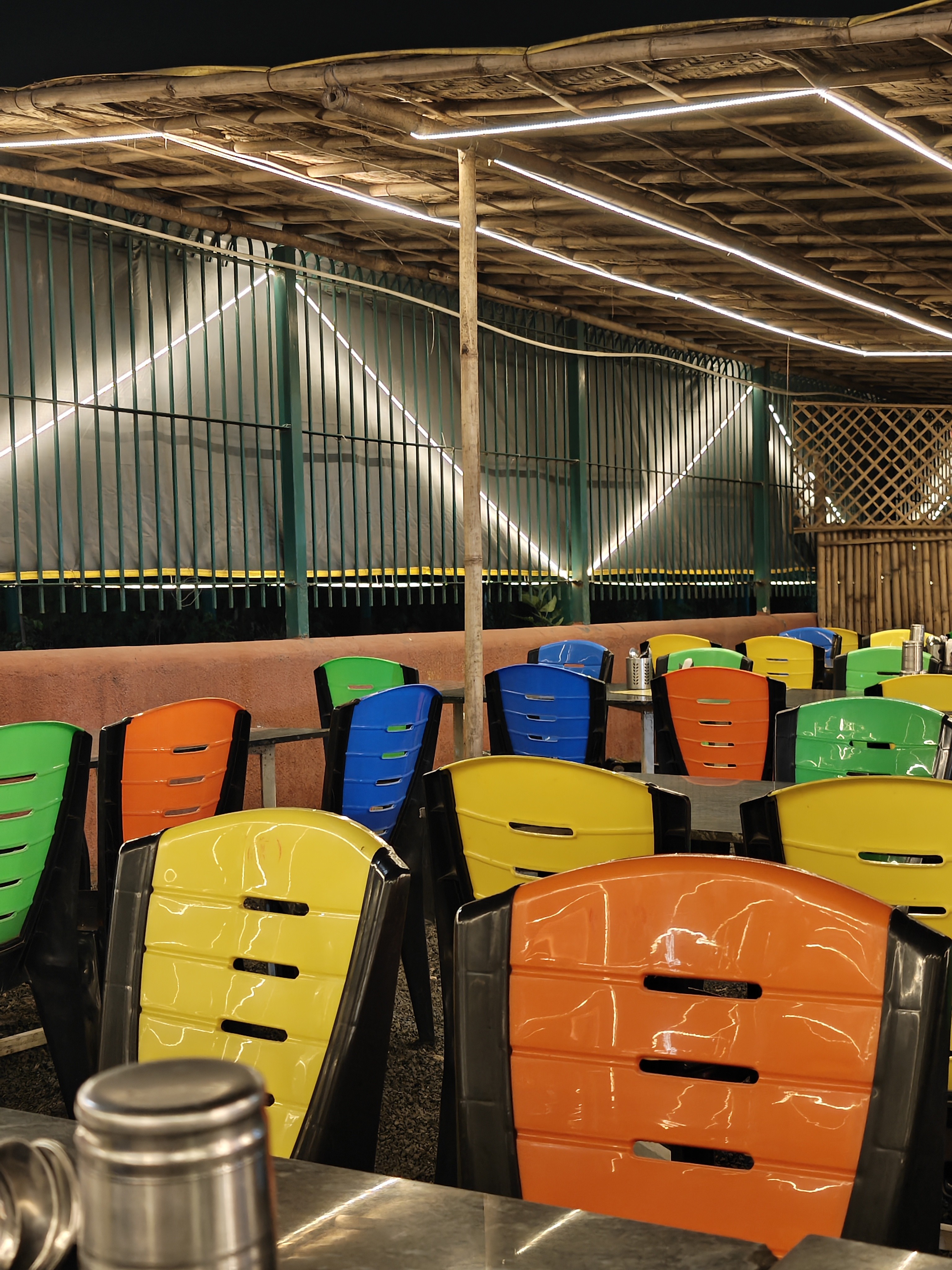
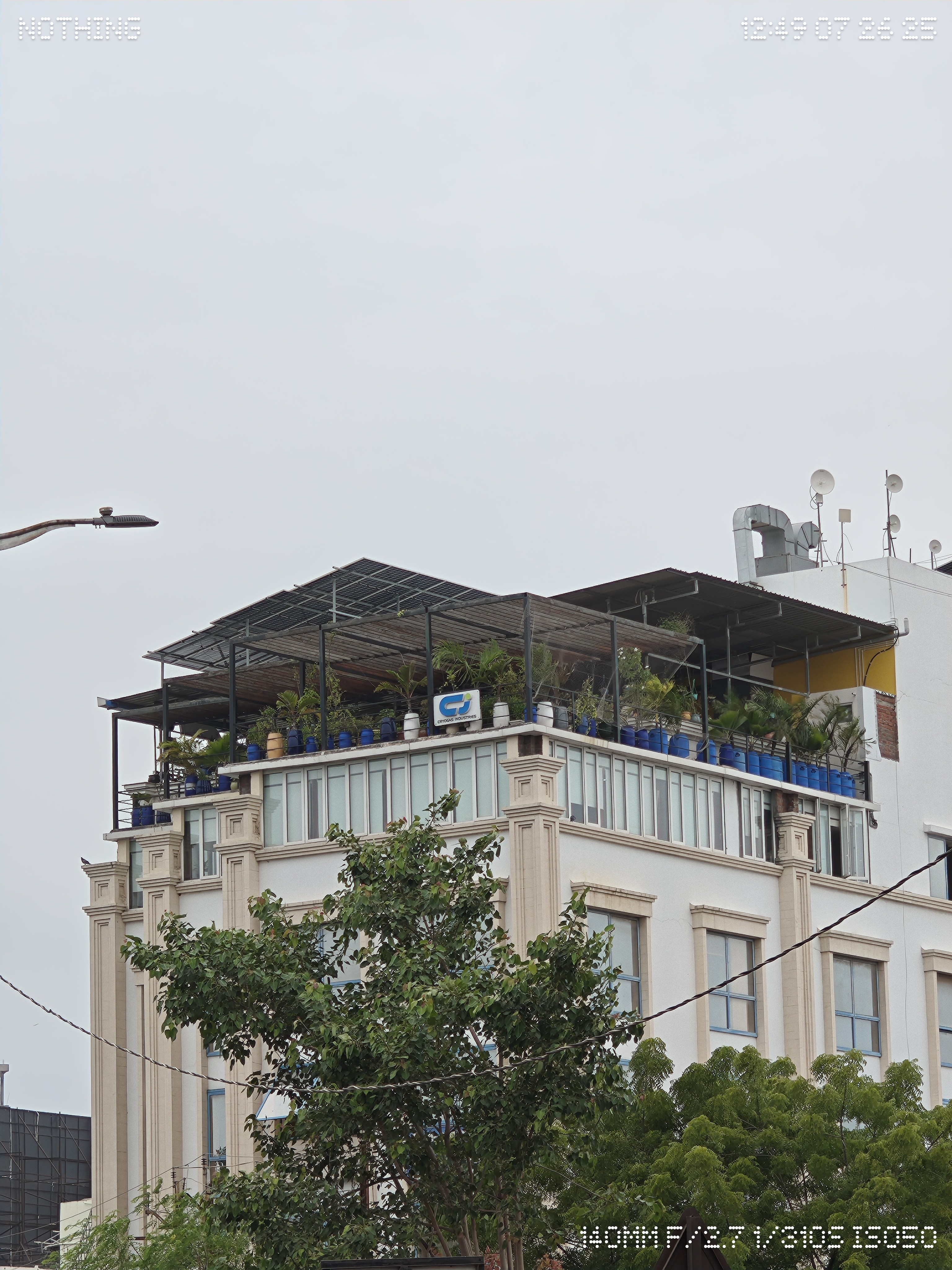
The camera setup drew mixed reactions at launch due to the use of older sensors, but Nothing has tuned them to deliver competitive performance.
Main Camera (Wide) – Omnivision OV50H, 50MP, 1/1.3” sensor, OIS, 85.5° FoV. Solid details, good stabilization, and reliable color reproduction.
Ultrawide – Samsung JN1, 50MP, ½.76” sensor, EIS, 114° FoV. Great for landscapes, though detail drops slightly in low light.
Telephoto (Periscope) – Samsung JN5, 50MP, ½.75” sensor, OIS + EIS. Strong zoom capability with good stability, though FoV not specified.
Front Camera – Samsung JN1, 50MP, ½.76” sensor, EIS, 81.2° FoV. Sharp selfies, wide enough for group shots.
Lets see how these numbers translates in real world camera test:
Macro Shots (Telephoto Lens):


Portrait:
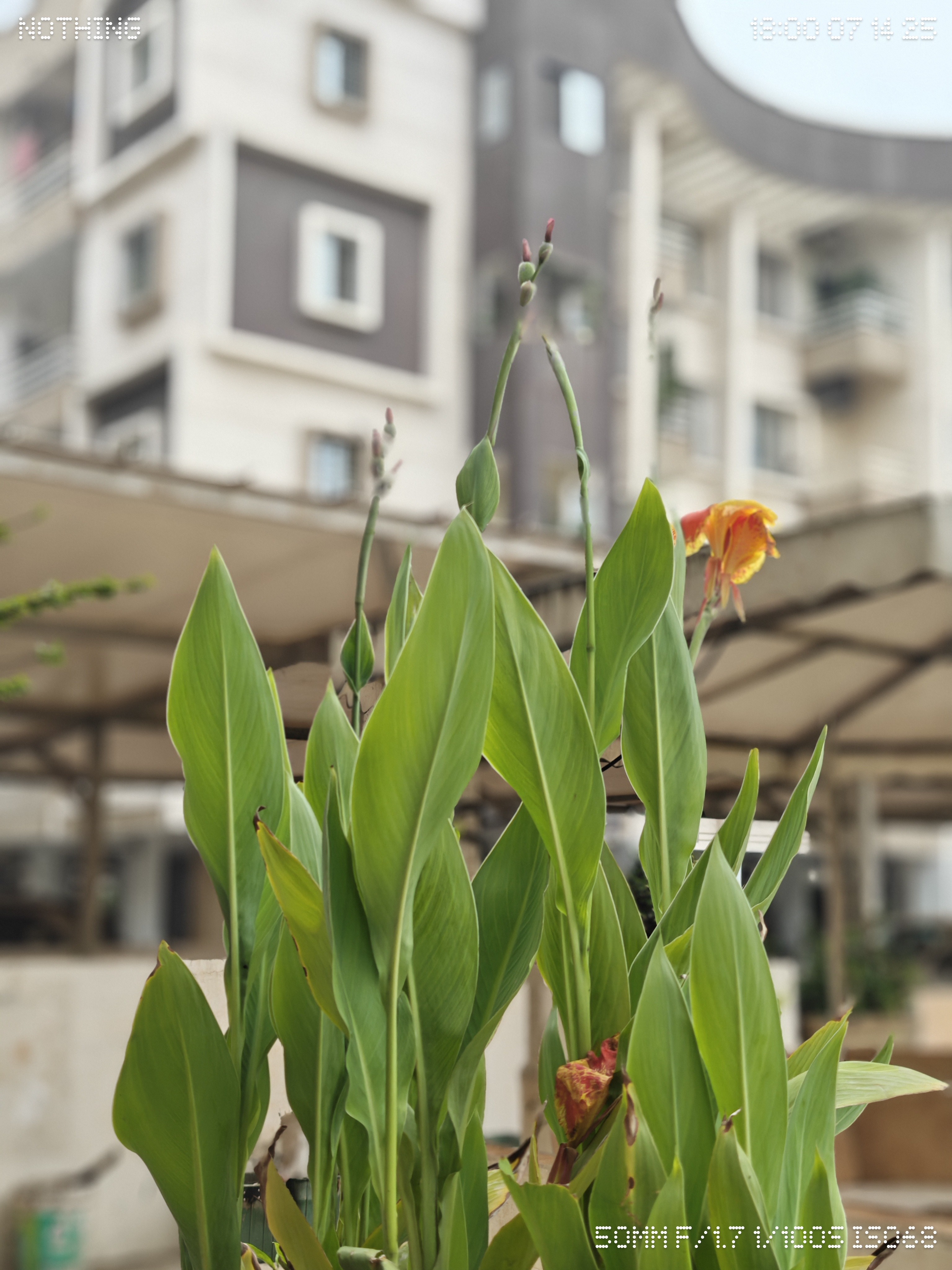
0.6x:

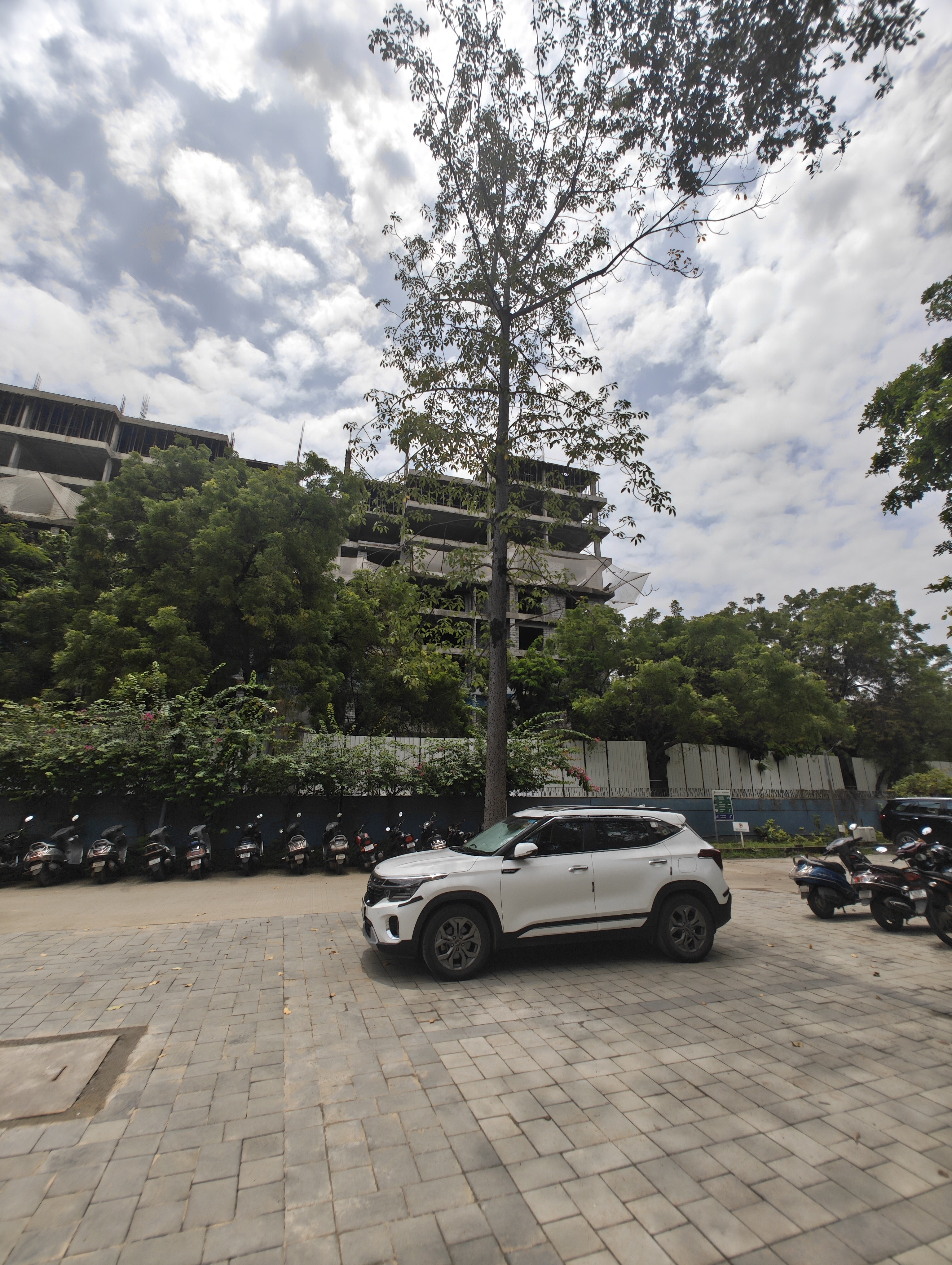
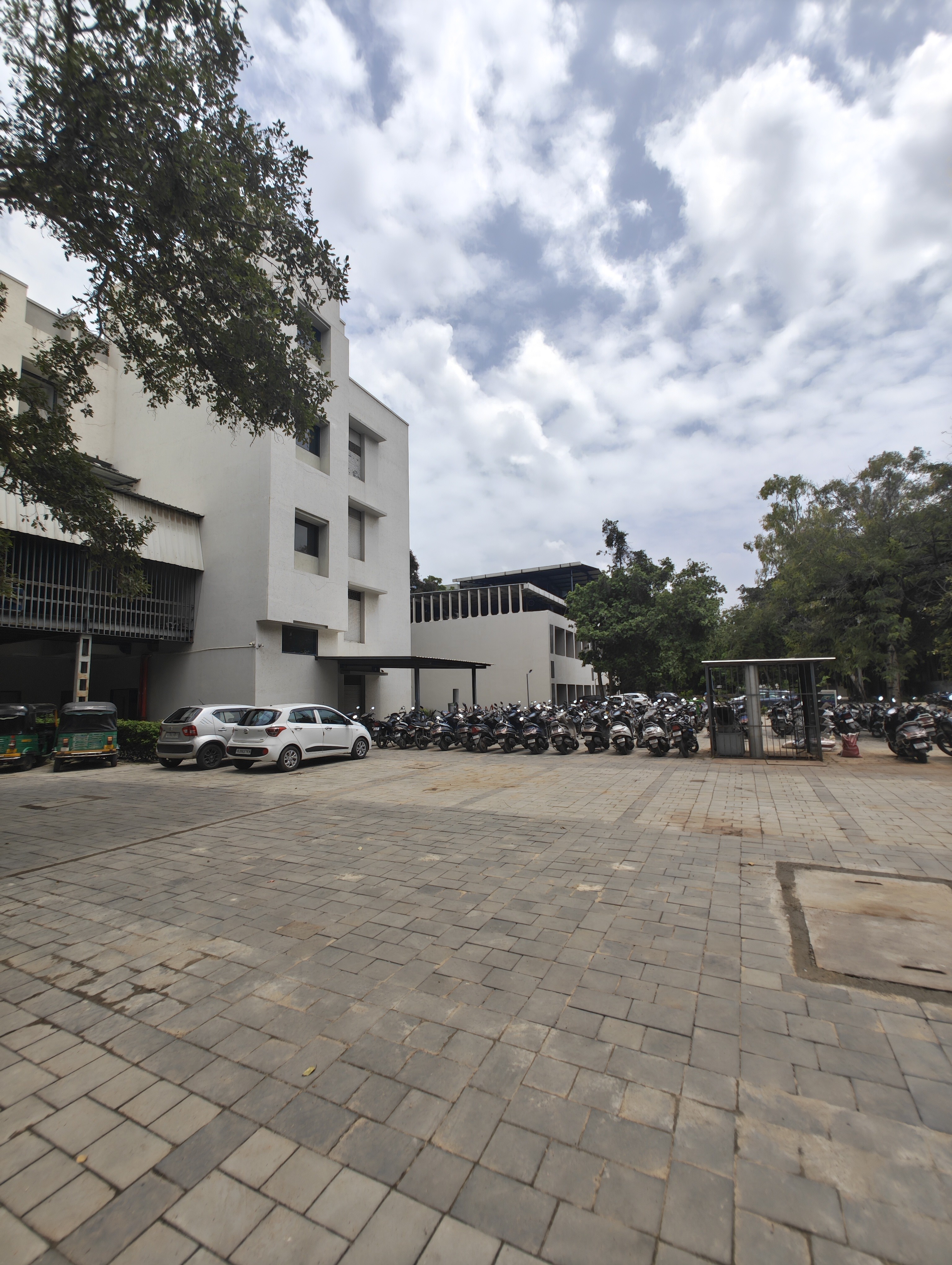

1x:
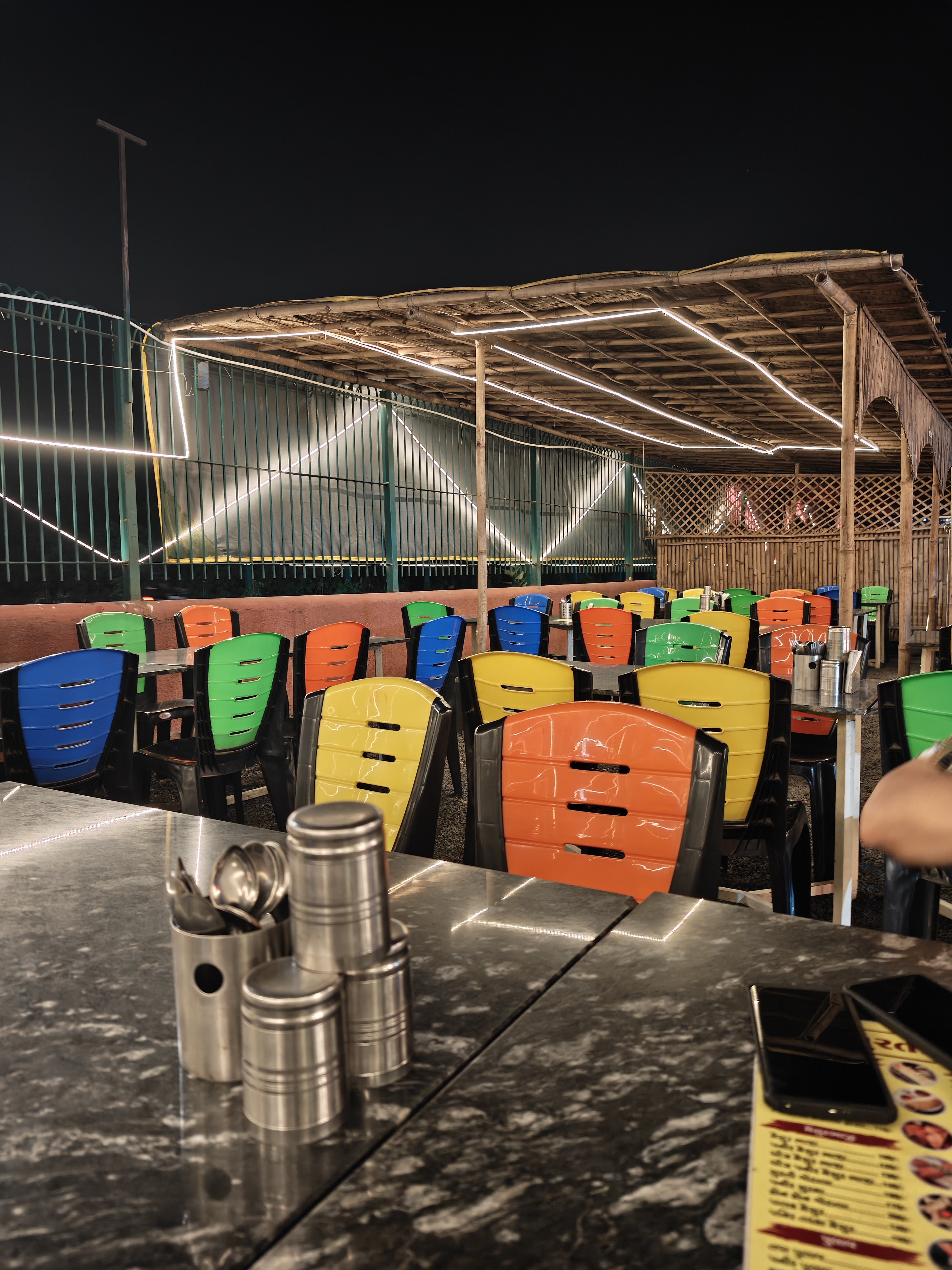
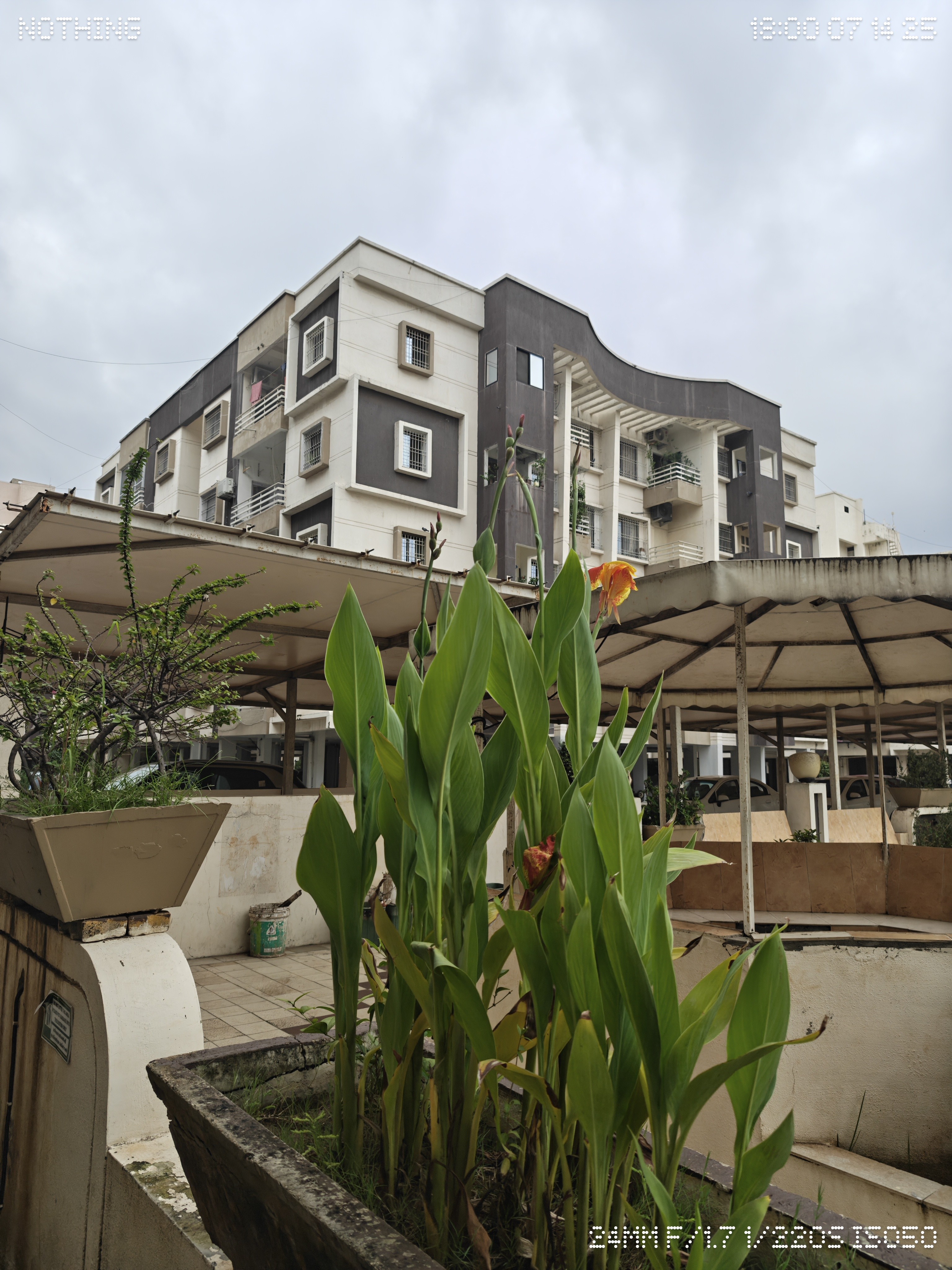
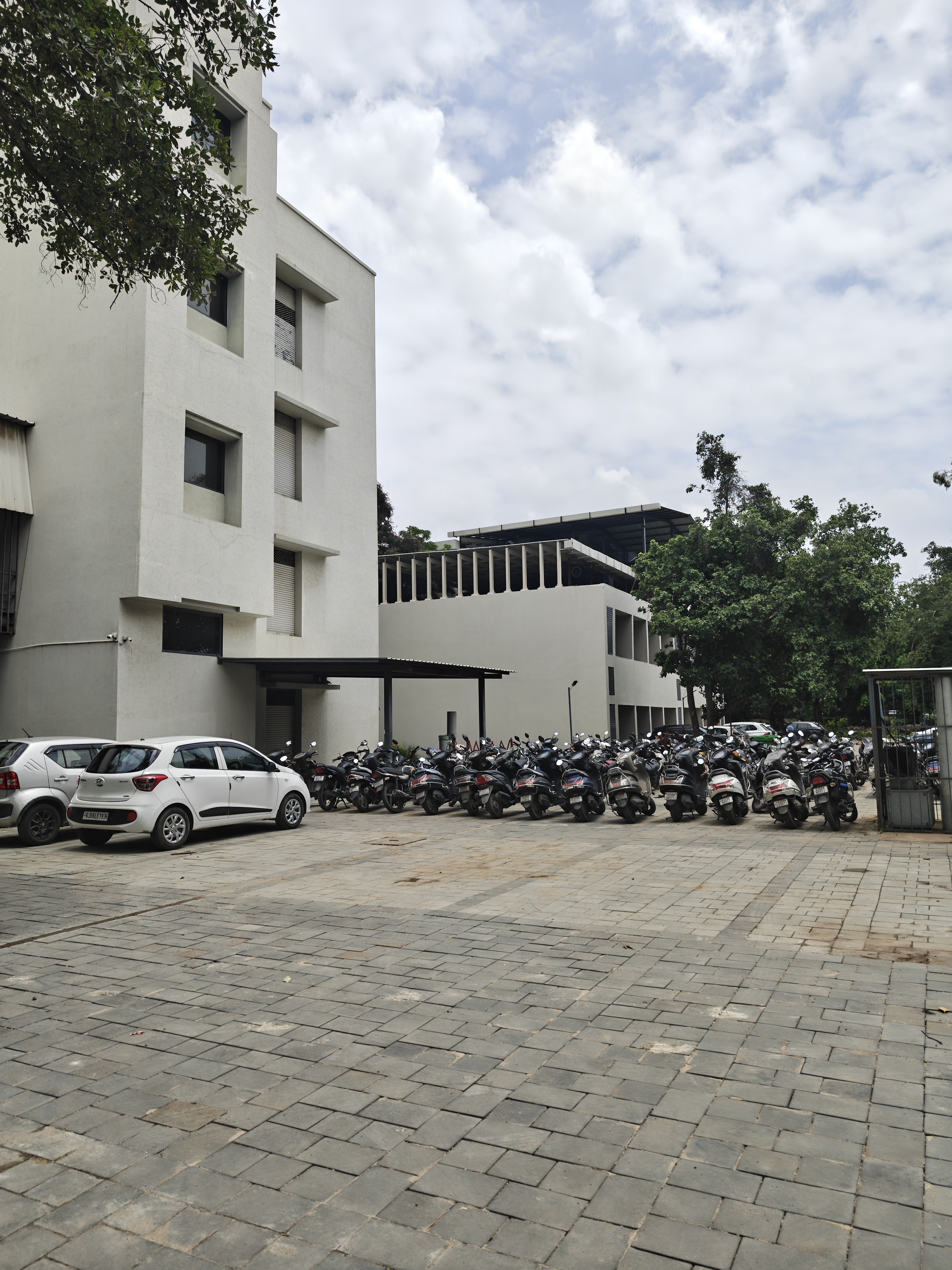

2x:
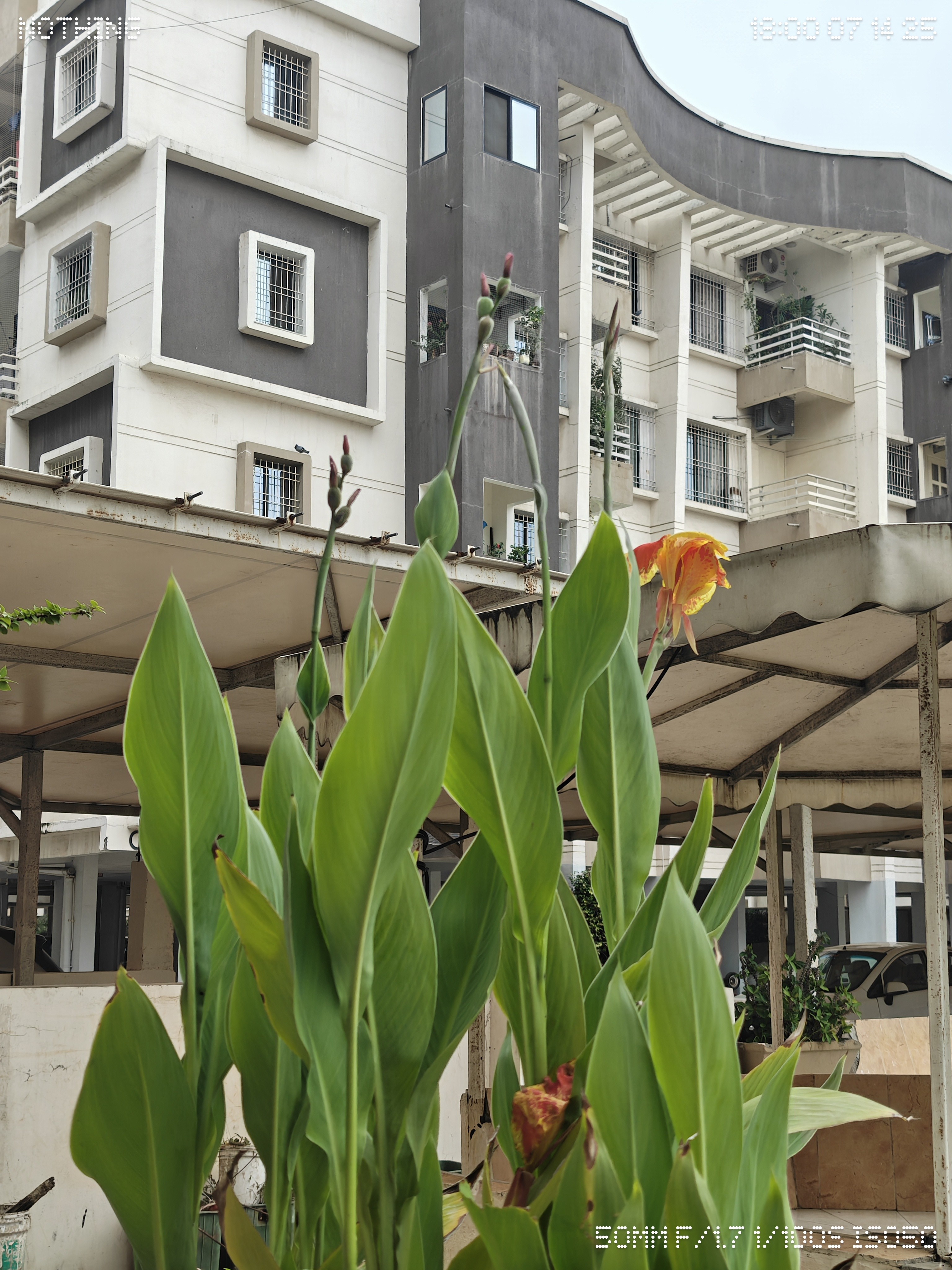

3x:


6x:

Night Shots:

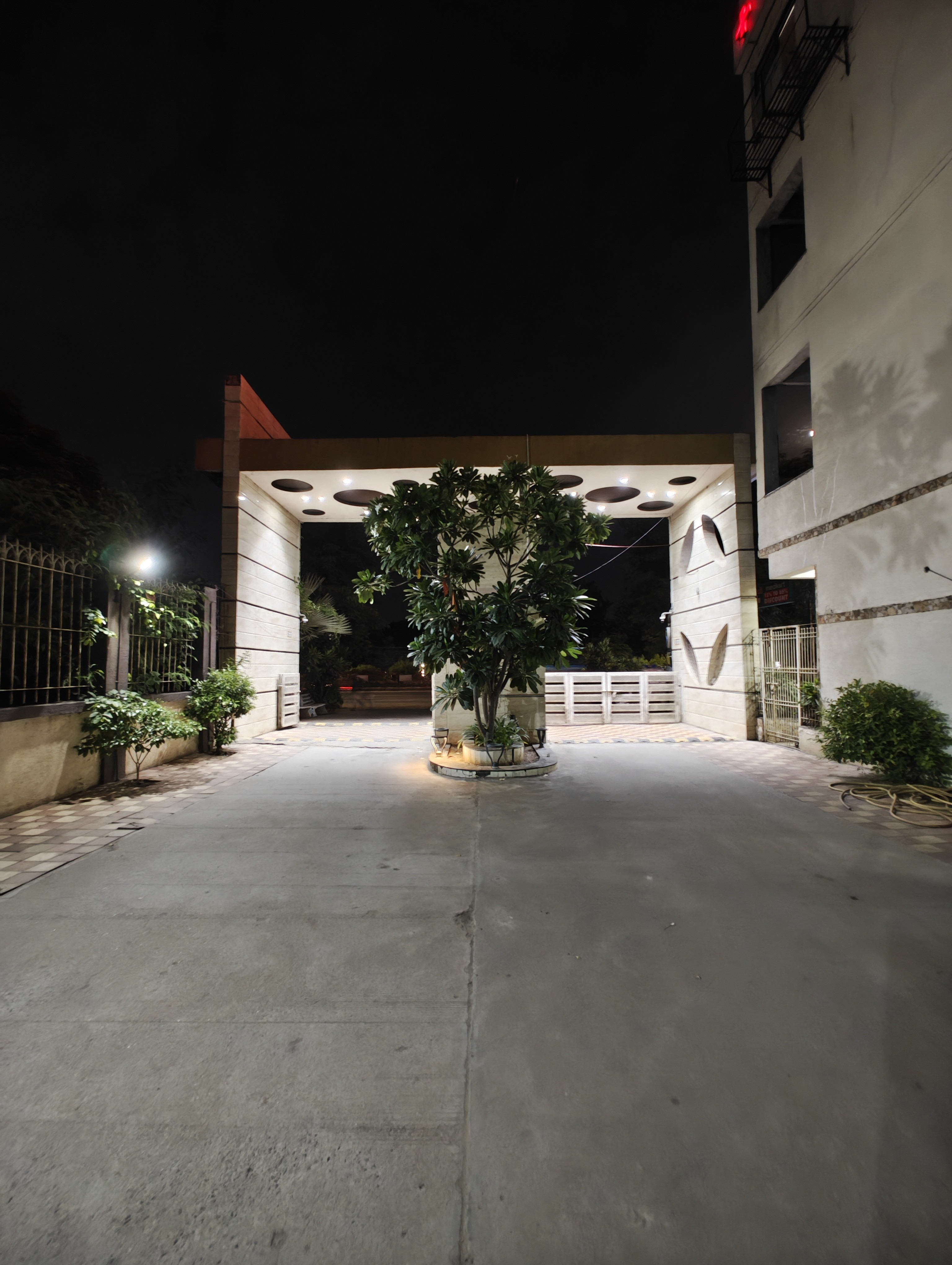
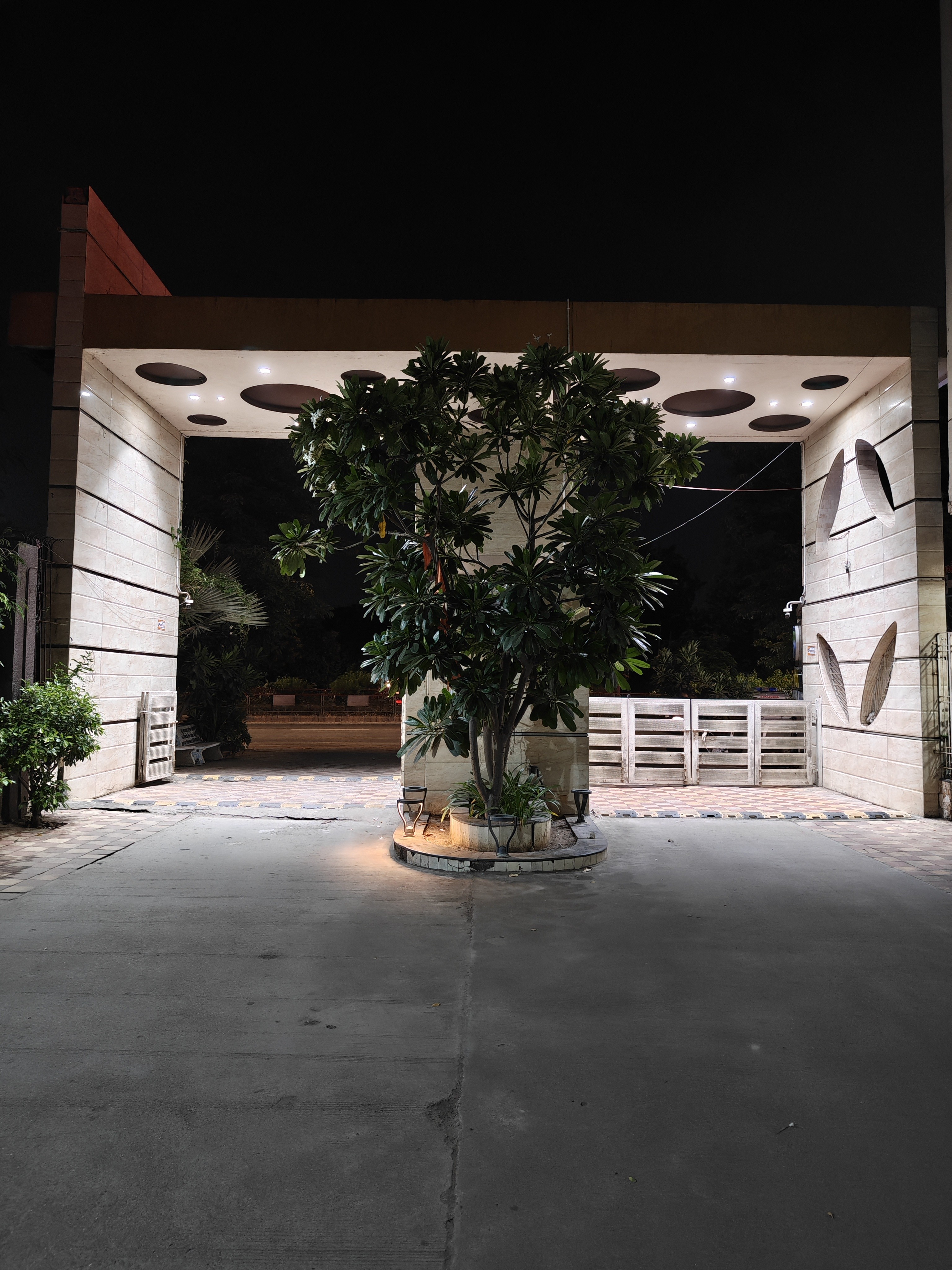
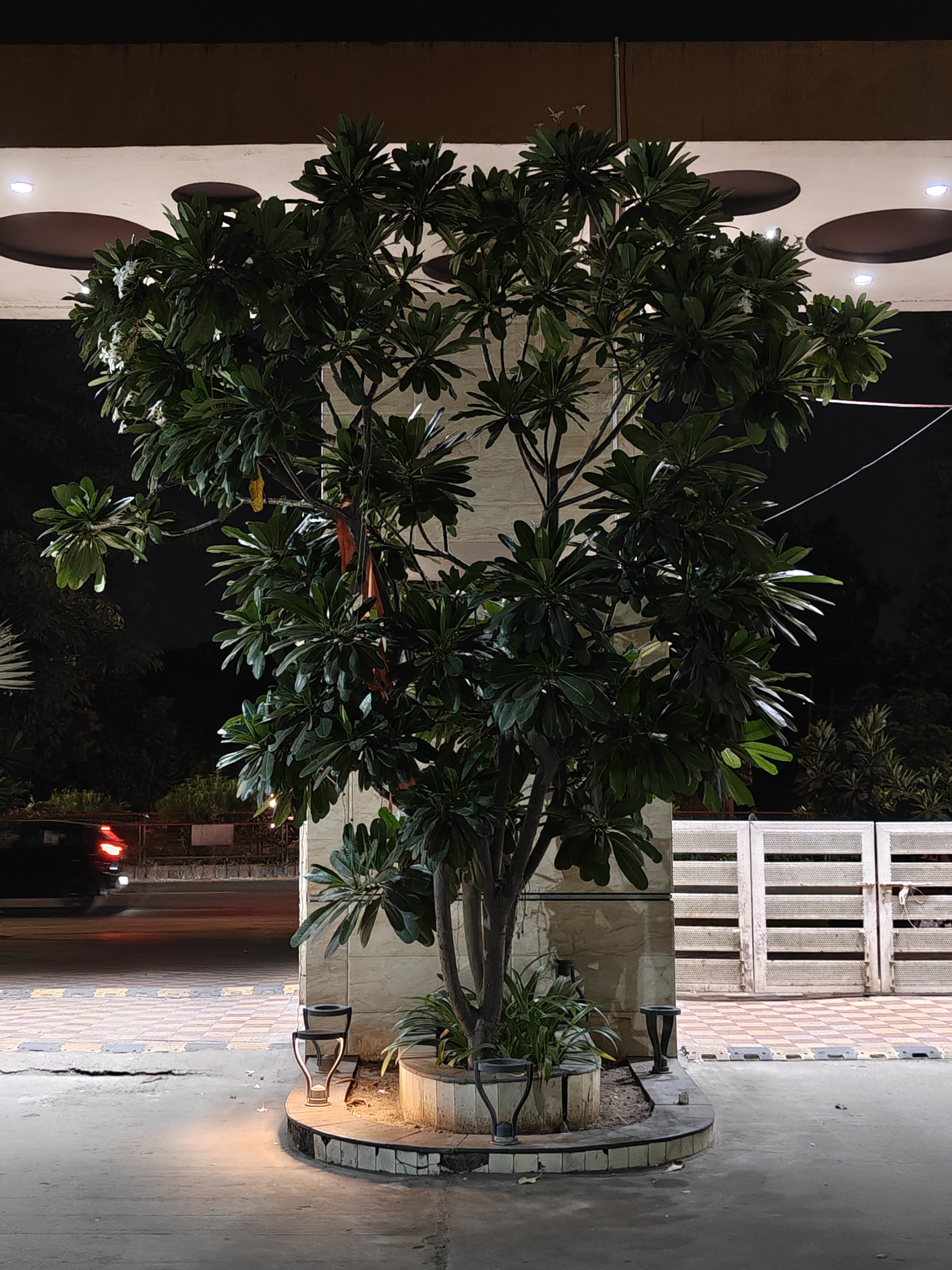
The Nothing Phone 3 might not pack the latest sensors, but it still delivers a solid photography experience. In good lighting, it can capture some truly stunning shots, and low-light performance—while needing a bit more consistency—is still commendable for the price.
There are a couple of quirks worth noting: a slight color shift between lenses in yellow lighting, and a bit of softness when zooming into photos. That said, macro shots via the telephoto lens are a hidden gem—get it right, and you can pull off some jaw-dropping results. In fact, the community and reviewers on X have been absolutely cooking with this lens, pushing it to its creative limits.
Videography, on the other hand, has been excellent in my testing—whether in daylight or low light. The stability is spot-on, color production is good, making it a reliable choice for handheld shooting. Overall, the phone nails video just as well as it does stills.
Score: 8/10 - Color shift and softened when zoomed needs to be improved
Next up - Pictures say a thousand words—but the Glyph Matrix says it all in lights. Let’s check it out.
Glyph Matrix
The Glyph Interface on Phone (3) is the most refined version of Nothing’s design philosophy yet — balancing form and function to deliver information at a glance without switching on the display.
Glyph Matrix
Fully reimagined LED system, now a bespoke disc of 489 individually firing LEDs.
Supports caller ID, contact-based notifications, and app-specific signals in Nothing’s signature dot-matrix style.
Allows custom icons and pixelated avatars for contacts — shows up when they call or message.
Glyph Button
Adds quick interactivity to Glyph Matrix — tap to cycle through tools/widgets, hold to play.
Works with Glyph Toys for both fun and utility.
Default Glyph Toys Include:
Glyph Mirror – Rear display for perfect selfie framing
Spin the Bottle – Tap, spin, land
Rock Paper Scissors – Let fate decide
Digital Clock – 12/24 hr display
Battery Indicator – Visual charge check
Stopwatch – Precision timing
Solar Clock – Sun’s journey visual
Magic 8 Ball – Community co-creation
Leveller – Perfect alignment tool
Future Ready:
The developer SDK kit is already out, and the Nothing community has begun creating some truly amazing Glyph Toys. Phone (3) owners won’t be bored — new playful and functional experiences are continually being developed, ensuring the Glyph Matrix stays fresh and engaging over time.
Score: 8/10 - There are useful toys but have to see how these toys ages
Next up - Those lights look great, but how much do they drain the tank? Time for some battery tests.
Battery Performance
The 5500 mAh Li-ion (Silicon-carbon) cell in the Phone 3 packs decent endurance, but it’s not an all-day gaming beast.
Charging:
65W wired (PPS/PD/QC recommended), 15W wireless, reverse wired/wireless supported.
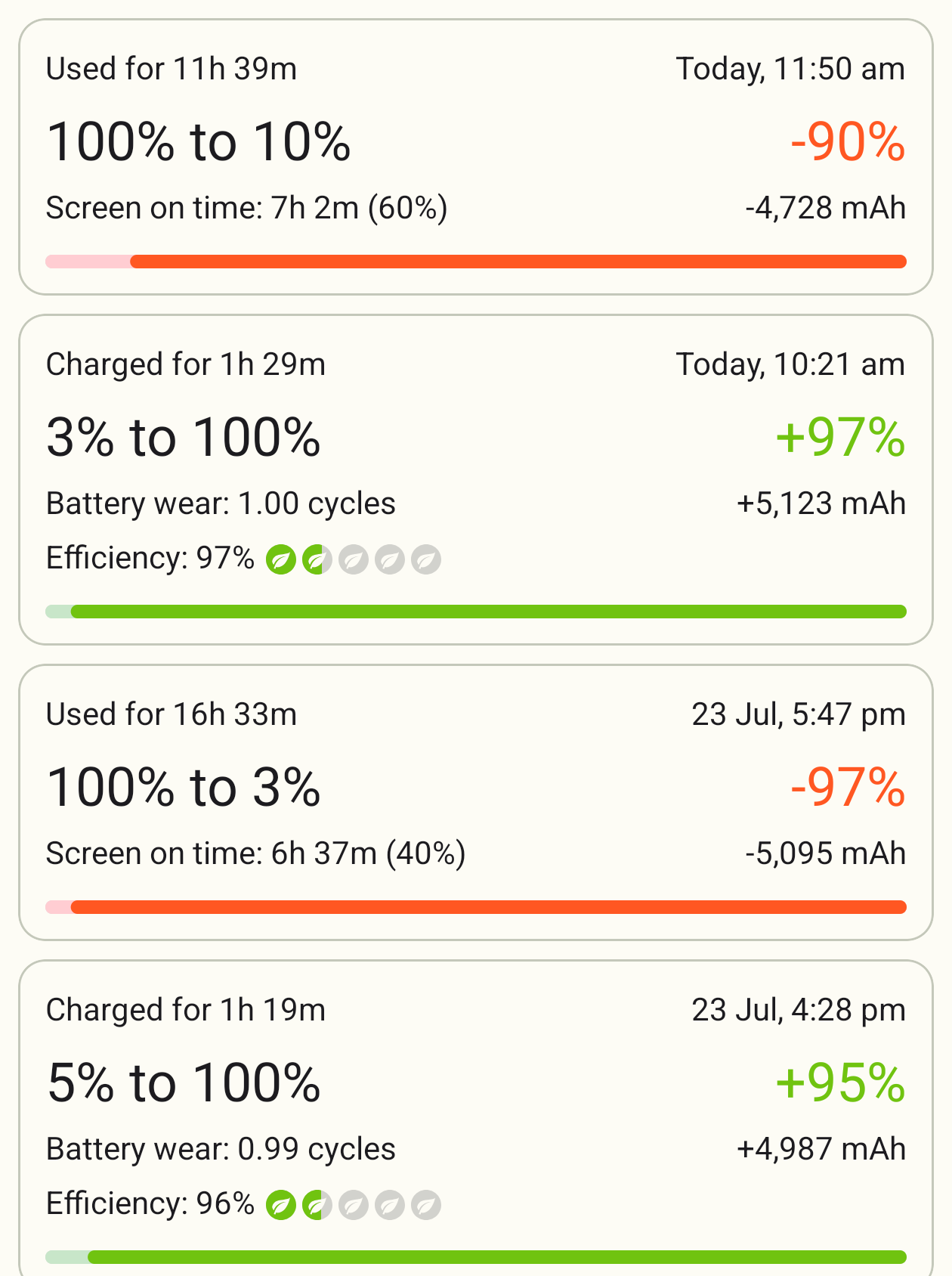
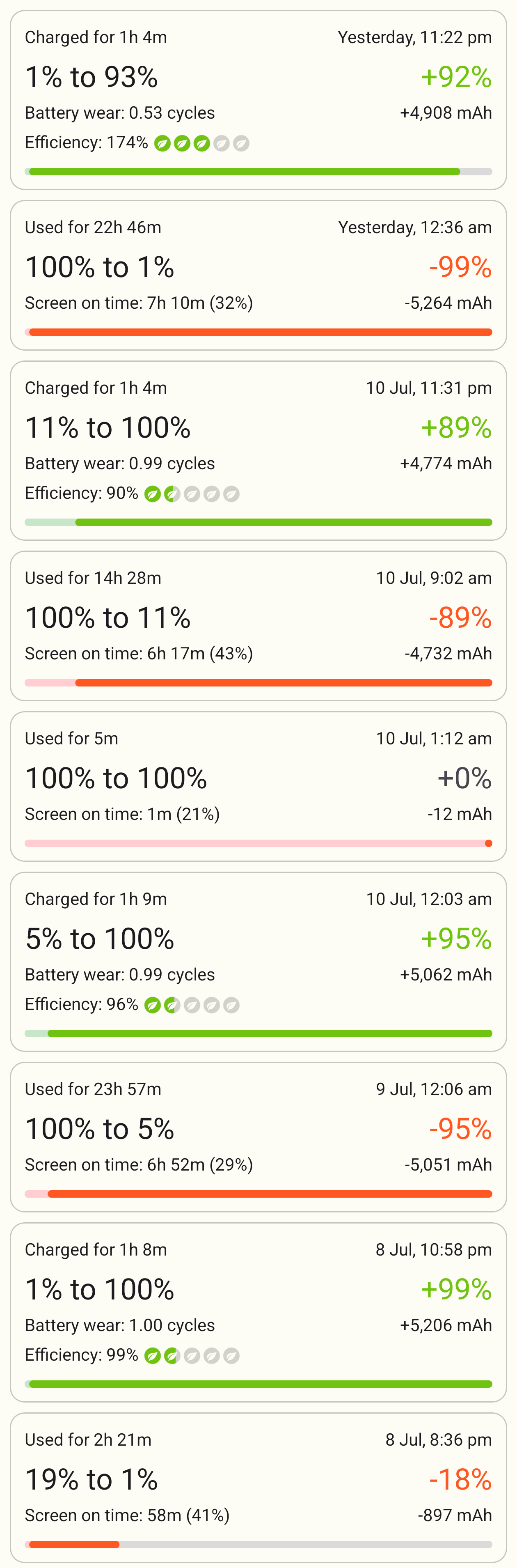
0–50% in ~32 mins is solid, but full charge averages ~1hr 15min (fastest: 57 mins from 8%).
Using while charging? Expect slower speeds. Could use a bit more optimization here.
Real-World Endurance:
Light use (no gaming, no AOD): ~6.5–7 hrs SOT.
Medium use (1hr gaming + AOD): ~5.5–6 hrs SOT.
Heavy gaming: COD 20%/hr, BGMI 18%/hr, Genshin 25%/hr — respectable, but the 5500 mAh shows its limits.
Verdict:
Reliable for daily use ✅ but not a marathon runner. A 6000 mAh cell + faster charging under 1 hr would’ve made it stellar.
Score: 8/10 - Misses out on larger capacity battery for this pricetag
Next up - Power’s one thing, but is it fun to watch? Let’s move to multimedia.
Multimedia
📺 The Nothing Phone (3) nails the multimedia game — sharp display, vibrant colors, solid brightness, and wide viewing angles.
🔊 Dual stereo speakers now feature a redesigned top speaker that’s separate from the earpiece, boosting clarity and separation. Loudness is more than enough for movies, gaming, or casual listening.
🎬 Whether it’s binge-watching or YouTube scrolling, the experience feels premium for the price tag.
Score: 9/10 - LTPO display should have been used
Next up - Movies and music are great—now let’s see how well it keeps you connected.
Network & Connectivity
📶 P3 packs a hybrid dual-SIM slot plus an eSIM option — a first for the Indian market. You can go dual physical SIMs or swap one for an SD card. Call performance? Rock-solid — no drops, no distortion, and crystal-clear on both ends.
🚗 Wired Android Auto ran flawlessly in my tests — zero random disconnects, no lag, smooth as it should be.
🎧 Bluetooth stayed consistent. My daily driver, the Nothing Ear (Stick) & the CMF Buds 2 series, paired instantly, held a stable connection, and delivered lag-free audio during calls, music, and day-to-day use.
Score: 10/10
Next up - We’ve tested it all—time to wrap it up with the final verdict.
Conclusion
That’s a wrap on my in-depth review of the Nothing Phone (3).
If you’ve made it all the way here, thanks a ton for sticking around — I truly appreciate your time and interest.
This was my third detailed deep-dive (after the Phone 3a and the CMF Phone 2 Pro), and the experience with the Phone (3) has been quite the ride — from testing its impressive network performance and multimedia chops, to pushing it in gaming where it did stumble a bit under heat but hopefully will improve with updates.
Now, here’s my honest verdict: in my opinion, the biggest challenge for the Phone (3) is its price tag — ₹80K for 12/256 and ₹90K for 16/512. India is a price-sensitive market, and while Nothing has had several successful launches over the past couple of years, this pricing feels like a bold statement. The competition is fierce, with most brands chasing the “best specs” crown, whereas Nothing focuses on delivering a balanced experience. The Phone (3) follows that same philosophy, but in a market where ₹80–90K buyers expect nothing short of cutting-edge specs, this could be a tough sell. Personally, I feel a price around ₹60K would have been a sweet spot.
That said, if we set aside the price for a moment, the Phone (3) is a genuinely solid all-rounder. It might not top the charts in every category, but it’s consistently the “second best” in most, making it a delight to use — especially with that attention-grabbing design that doubles as a conversation starter. If you can snag it for ₹50–55K, it’s a great buy.
So, if you love Nothing’s products, its clean OS, and its design vision, and you want a well-balanced phone that can handle everything you throw at it, the Phone (3) is one of the best options for you. But if you’re all about raw specs and price-to-value ratios, this might not feel like the right pick at this price point.
As I hand the device back tomorrow, I’ll still be casually using it over the next day or two. So, if you have burning questions about the display, the speakers, the UI, gaming performance, or even something small I might have missed, drop them in the comments or ping me — I’ll be happy to share my thoughts while it’s still in my hands.
A big shout-out to the Nothing India Community Team for once again trusting me with their latest flagship. It’s always exciting to put a device through its paces and share the real story with you all.
Signing off (for now) — until the next gadget adventure! 🚀📱