bRKN I understand and the messaging has been miserable from NOTHING. I remain confused about what the pathway forward is for all devices and the recent commentary in the last 3-5 days is confusing and sometimes contradictory.
Perhaps I’m a masochist, but I guess I’m OK with that as I like an underdog company as they’re at least releasing something “interesting,” even if that “interesting” component is schizophrenic at it’s core. I’d rather be part of that, that some boring Samsung/OnePlus/Xiaomi thing, which just works with new features. (Please note that this is not satire.)
As far as your personal problem, I can sort out your anger with the steps below.
- Open Settings
- Open Apps
- Show System App (three dots top right corner)
- Scroll down to AppServices / com.aura.oobe.solutions (I can’t reember which one it was but only one exists)
- Select “Force Stop”
- Select “Disable”
- Return to Show System Apps
- Find Lock Screen / Lock Screen Glipse / com.vilykke.lockscreen (I can’t remember which one it was but only one exists)
- Select “Force Stop”
- Select “Disable”
- Restart phone
I see NO battery loss and NO data being transferred from either process. You will NOT get those reminders again. Should take about 3 minutes total.
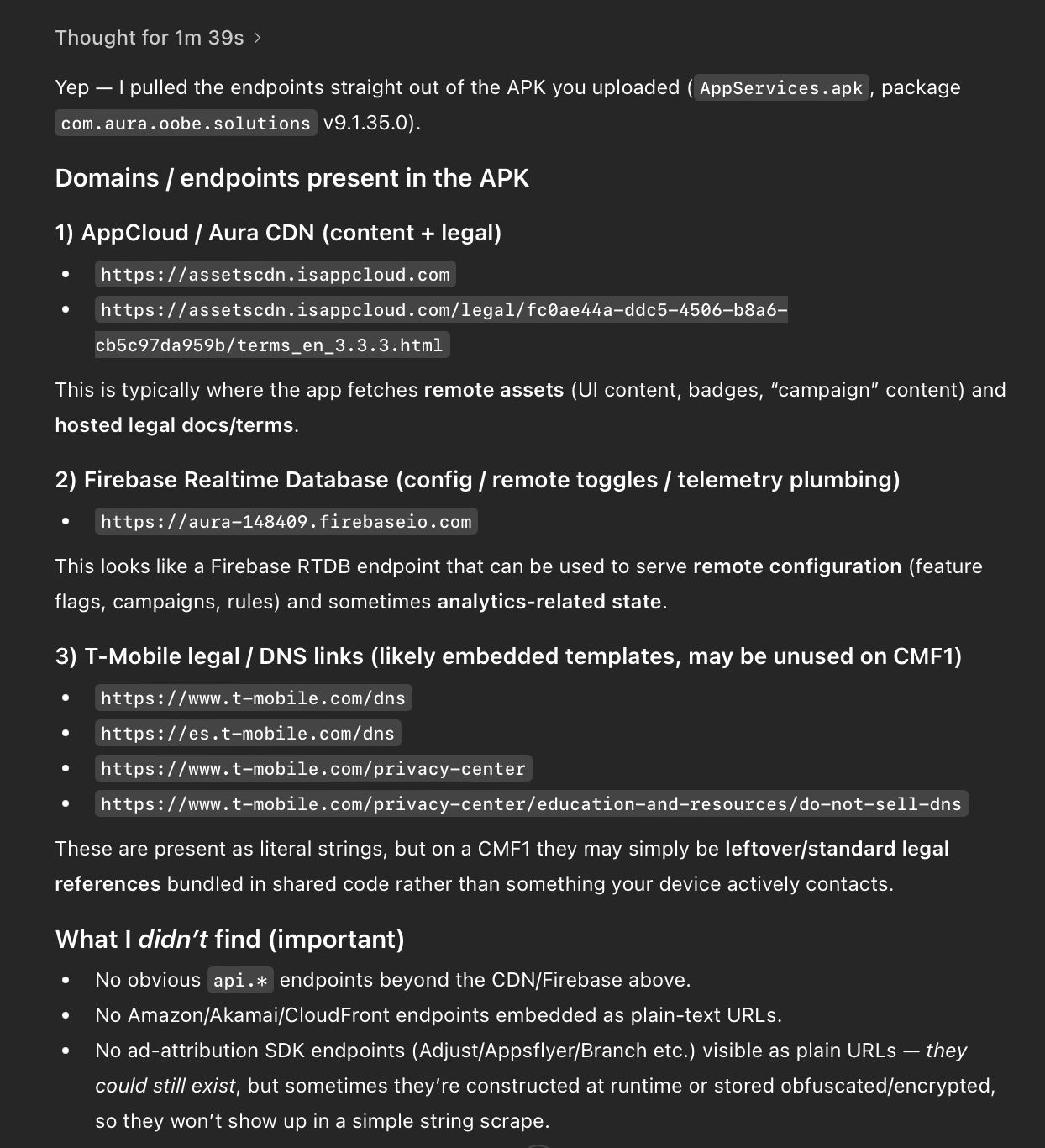
I did analyse the com.aura.oobe.solutions APK with chatGPT and it found some funny (really) things in the code:
There’s are some T-mobile links in the AppServices APK. (T-Mobile is a US provider. When I used to live there it was quite crappy, but most American providers are crappy anyway) … see point 3 below. I’m unsure why that code exists? Perhaps whom ever provided the package to NOTHING left them in. Perhaps they purchased it from T-Mobile. Perhaps T-Mobile created the first out-of-box-experience com.oobe.* APK and they sold it onward. Just an interesting tidbit. Perhaps, chatGPT had hallucinations, but it’s usually OK with this stuff. (I’m too lazy to double-check it at the moment.)