Hi team,
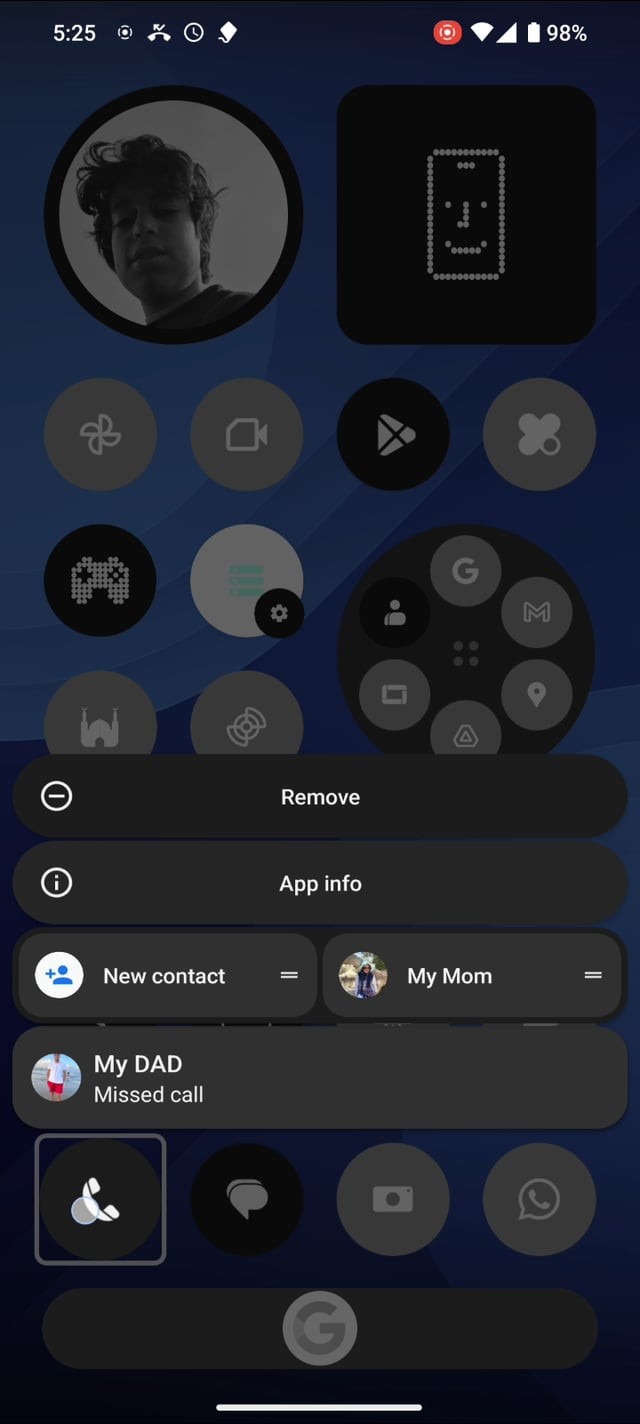
Earlier builds of Nothing OS let us long-press an app icon to see its active notifications inside the quick-actions menu. That shortcut has disappeared in newer releases. It was a small but very useful touch — you could read or act on a missed call, message, or alert without opening the notification shade or the app.
Proposal:
Restore the preview inside the long-press menu when the app has notifications.
Add a toggle in Settings ▸ Home screen ▸ “Show notifications in long-press menu”.
Optional: support swipe or tap actions (reply, call back, clear).
Respect lock-screen privacy settings for hidden content.
Value: faster glance at information, fewer taps, keeps the launcher clean.
Device: all Nothing phones
OS: Nothing OS 2.x(not sure about the version)
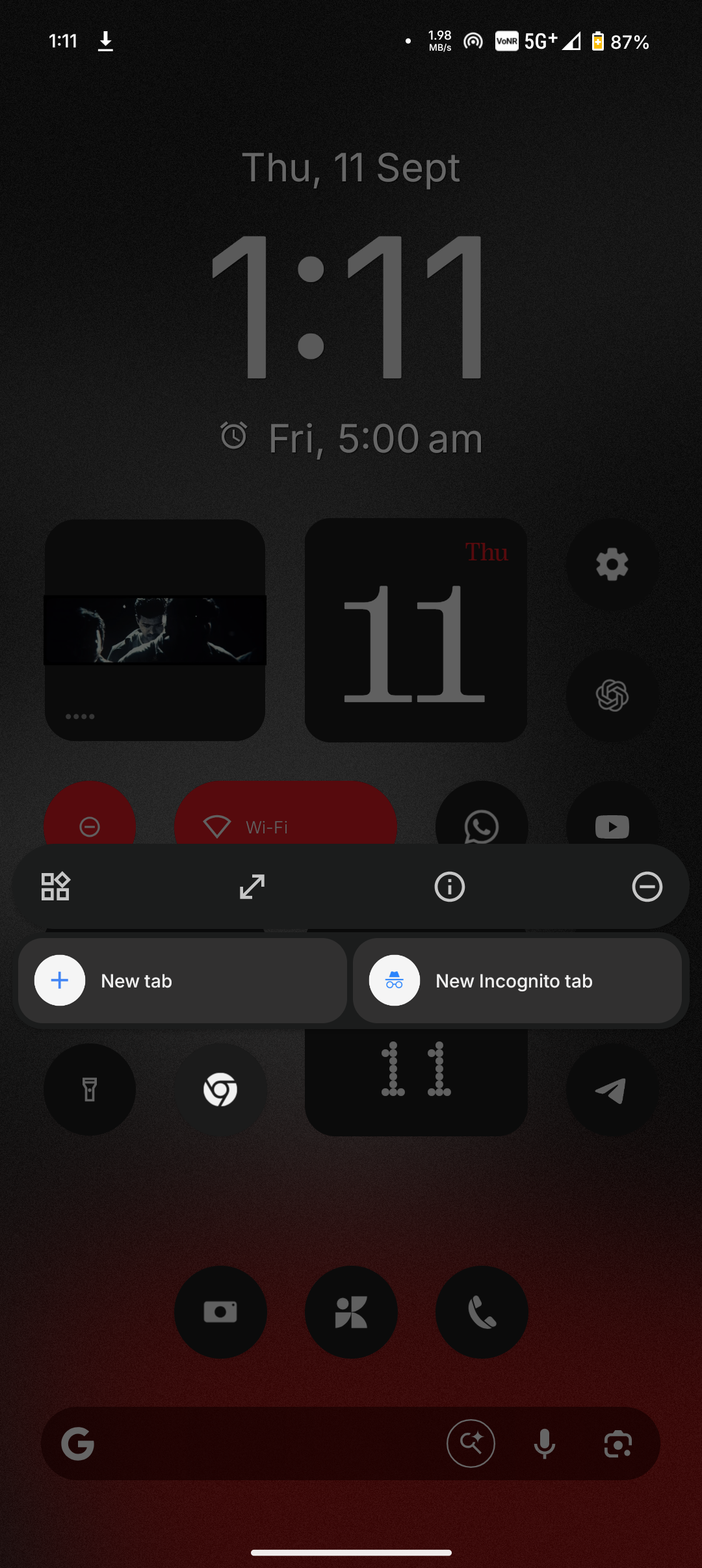
Screenshots attached: current menu vs. older build with preview
Thanks for considering.
