During my time with the phone I recognized that Nothing delivered some serious hardware upgrades, like a periscope camera and a massive boost in performance. But this phone isn’t just about specs; it’s about the software experience, the new AI features, and, of course, the ever-evolving transparent design.
DESIGN, BUILD, AND DISPLAY
Holding the Phone (3), Nothing’s design philosophy has definitely matured. But is “mature” just another word for "less exciting?”
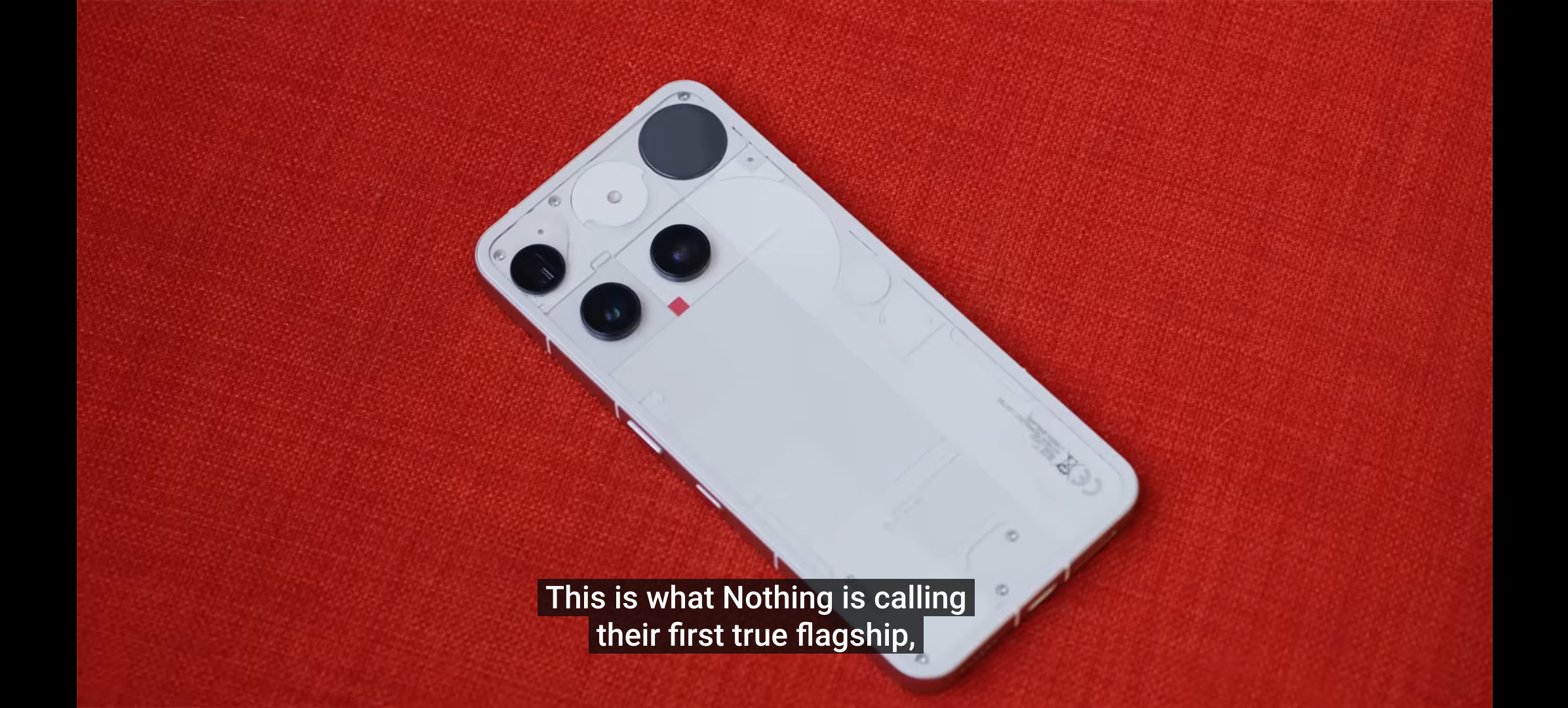
We still have that signature transparent look, but it feels more refined. The back panel features what Nothing calls modular geometry, with soft curves, discs, and a three-column grid. It’s crafted using a recycled aluminum frame and glass, and importantly, it now comes with an IP68 rating for dust and water resistance.
When you flip it over to the front, you can appreciate that the screen is a stunning 6.67-inch flexible AMOLED panel with a sharp 1260 × 2800. It features a buttery smooth 120Hz adaptive refresh rate and slim, symmetrical bezels.
Indoors, this screen can get really bright, peaking at 4500 nits when viewing HDR content, and offering 1600 nits in high brightness mode for outdoor use. At least, that’s what the spec sheet says. But taking it out into the real world revealed its first major problem, because I actually found the display hard to see out in direct sunlight.
THE GLYPH: EVOLUTION OR REGRESSION?
This is the biggest evidence of that identity shift I was talking about.
From the beginning, that Glyph Interface with those unique lights were the core identity of a Nothing phone. However, now for this generation that has been totally reimagined, and instead of the classic light strips, we now have the Glyph Matrix. This is a monochrome display composed of 489 individual micro LEDs. It still handles things like caller ID and contact-based notifications using unique sound and light combos.
Nothing also introduced the Glyph Button, which adds interactivity. You can tap it to cycle through little experiences they call “Glyph Toys,” like a digital clock, a battery indicator, or even a Magic 8 Ball. You can even long-press the Glyph Button during calls to check caller ID without flipping the phone.
Here’s where I have to be brutally honest: I am not a fan of the Glyph Matrix. In my view, I think it’s a regression and takes away some of what made the original Nothing Phone special. While some of the things it can do are fun, I wish it wasn’t a replacement for the old glyphs. To me, it feels like it lost some of the boldness of the previous iteration.
NOTHING OS 3.5 AND THE ESSENTIAL KEY
Anyway, moving into the software…
At the time of reviewing this phone, it’s running Nothing OS 3.5, based on Android 15. I’ve always been a fan of Nothing OS and its clean and streamlined UI, and that all can be seen here on the Nothing Phone (3)
And here’s another great thing: Nothing is committed to an impressive software lifecycle, which includes five years of major OS updates and seven years of security patches. That’s massive longevity.
The most exciting physical addition is the Essential Key, which is a physical button on the side. This works in tandem with Essential Space, which acts like your secondary, organized memory.
Essential Key has different functions:
A single press instantly captures your screen or sends a photo directly into Essential Space.
A long press records a voice note, which is then ready for on-device voice-to-text transcription.
A double press jumps right into Essential Space.
AI in Essential Space automatically organizes, catalogs, describes images, and even suggests summaries or action points from those transcribed voice notes.
My impressions here are mixed. I found the Essential Key helpful for quickly taking screenshots,. As for Essential Space itself, it reminded me a lot of the screenshots app on Google Pixels where you can create collections of things you may need to reference later. It’s functional, but not entirely revolutionary.
We also have Essential Search, a universal smart search bar you access by swiping from the bottom, which can find files, photos, contacts, and give instant answers like currency conversion or quick facts.
PERFORMANCE AND POWER
Under the hood, this is a true flagship. Nothing swapped out the old chips for the Qualcomm Snapdragon 8s Gen 4. This is built on a 4nm process and features an 8-core CPU. Nothing promises a 36% boost in CPU performance and an 88% improvement in graphics compared to the Phone (2), which I skipped.
This performance upgrade also fuels the AI: the new AI Engine delivers a 125% uplift in AI processing speed. This means everything, from the OS animations to camera processing and Essential Space features, feels smooth and incredibly fast. The phone is also supported by up to 16GB of RAM and up to 512GB of UFS 4 storage.
THE ALL-50MP CAMERA SYSTEM
On paper, this all-50MP system is a creator’s dream. The photos are great, but there’s one tiny software annoyance with the presets that drove me crazy. But, more on that later.
Nothing is really pushing the creator angle hard with the cameras. This is an all-4K, 60fps system using three 50MP cameras.
The main camera is a 50 MP shooter with a large and OIS. Nothing states that this sensor takes in 44% more light than the Phone (2), which the company claims is great for low-light.
We also get a 50MP periscope lens with OIS, offering 3x optical zoom. You can leverage 6x lossless zoom and go all the way up to 60x AI Super Res Zoom for faraway details. Plus, this periscope module allows for detailed periscope macro focus.
Additionally, we get a 50 MP ultrawide sensor offering a 114º field of view. Heck, even the selfie camera is 50 MP.
In terms of my personal findings: I found the cameras to be very good, especially appreciating the inclusion of some stylized presets. However, I did find a minor frustration: I only wish that when widgets are created for the stylistic presets, they would retain their names and not just display P1 or P2, etc. That makes it really difficult to remember which preset is which when you have several saved.
BATTERY LIFE AND CHARGING
Nothing packed in its highest capacity battery yet: a large 5150mAh silicon-carbon cell. They engineered it to potentially deliver up to two full days of power. Charging is fast, too, supporting 65W wired fast charging (up from 45W in the Phone (2)). This allows you, in theory, to go from 1% to 100% in 54 minutes. We also get 15W wireless charging and 5W reverse wireless charging.
But how does it handle real-world use? My findings suggest that while the battery is big, the power management might need some fine-tuning. Here’s what my real-world showed:
I would take it off the charger fully charged in the morning, and by 7 PM, it would be down to 60%. By 11pm, it’d be at 52%, and at 45% by 1 AM. Then, without charging it overnight, the next day I would wake up to 39%. However, this was all without heavy usage like Android Auto. It would hit 20% by noon the following day, at which point I had to put it back on the charger. So, basically, while it can push into a second day, heavy users might find it needs an afternoon top-up.
CONCLUSION
So, did Nothing successfully become a flagship? Yes. But did it lose some of the rebellious soul that made us fans in the first place? For me, the answer is also yes.
Packing the high-end processor, the massive camera upgrade with that periscope lens, and the commitment to a long-term software experience. It brings bold steps forward in design maturity and performance.
My main reservations are that display visibility in bright sunlight, the battery endurance falling short of that promised two days, and my personal feeling that the new Glyph Matrix is a functional step backward from the original Glyph system.
But if you value high-speed AI performance, a unique aesthetic, killer cameras, and the always excellent Nothing OS experience, the Nothing Phone (3) is definitely worth looking into.