Hi everyone, my name is Rahil.
You might have seen my projects and works here on the community. Including the very recent fortunes widget that is now available for you to download on your Nothing phones - really grateful to Nothing for that collaborative project.
Today I proudly want to present my biggest project and proposal yet… the CMF OS 1.0.
CMF OS 1.0
Brief
A playful, yet minimal new software experience, specifically made for CMF phones.
My Role
Independently conceptualized, curated and designed all of the OS, it builds on top of the design systems that form Nothing OS.
Challenges
CMF OS needed to be different from Nothing OS, but that difference cannot be too drastic as it will alienate the parent brand. The biggest challenge was to identify areas where CMF’s identity can be injected without overriding Nothing’s software personality.
Process & Approach
I studied CMF’s branding and injected its colors and ethos in subtle, yet impactful ways. Nothing’s red for toggles, buttons and icons has been switched to CMF’s orange. The fonts and widgets were designed to be more experimental and playful like the brand. The homescreen, lockscreen, quick settings and app drawer experience is made to be more modular and flexible which compliments the CMF hardware.
Let’s dive a little deeper into this from the start.
CMF OS Boot Animation
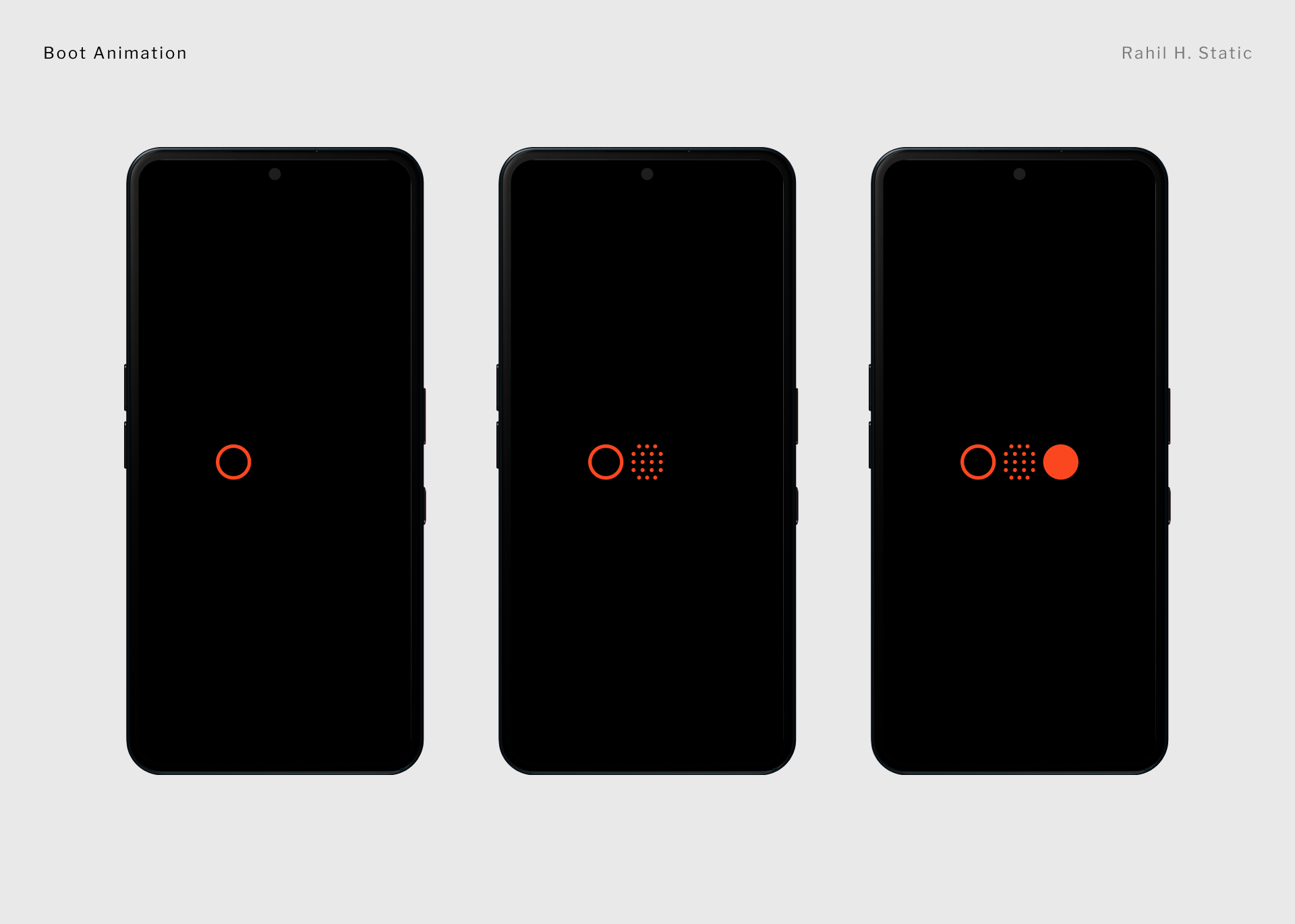
CMF OS starts out when you boot it, displaying its unique logo. Each element of that logo fades in and then it all shows together.
The system then starts.
CMF OS Lock Screen
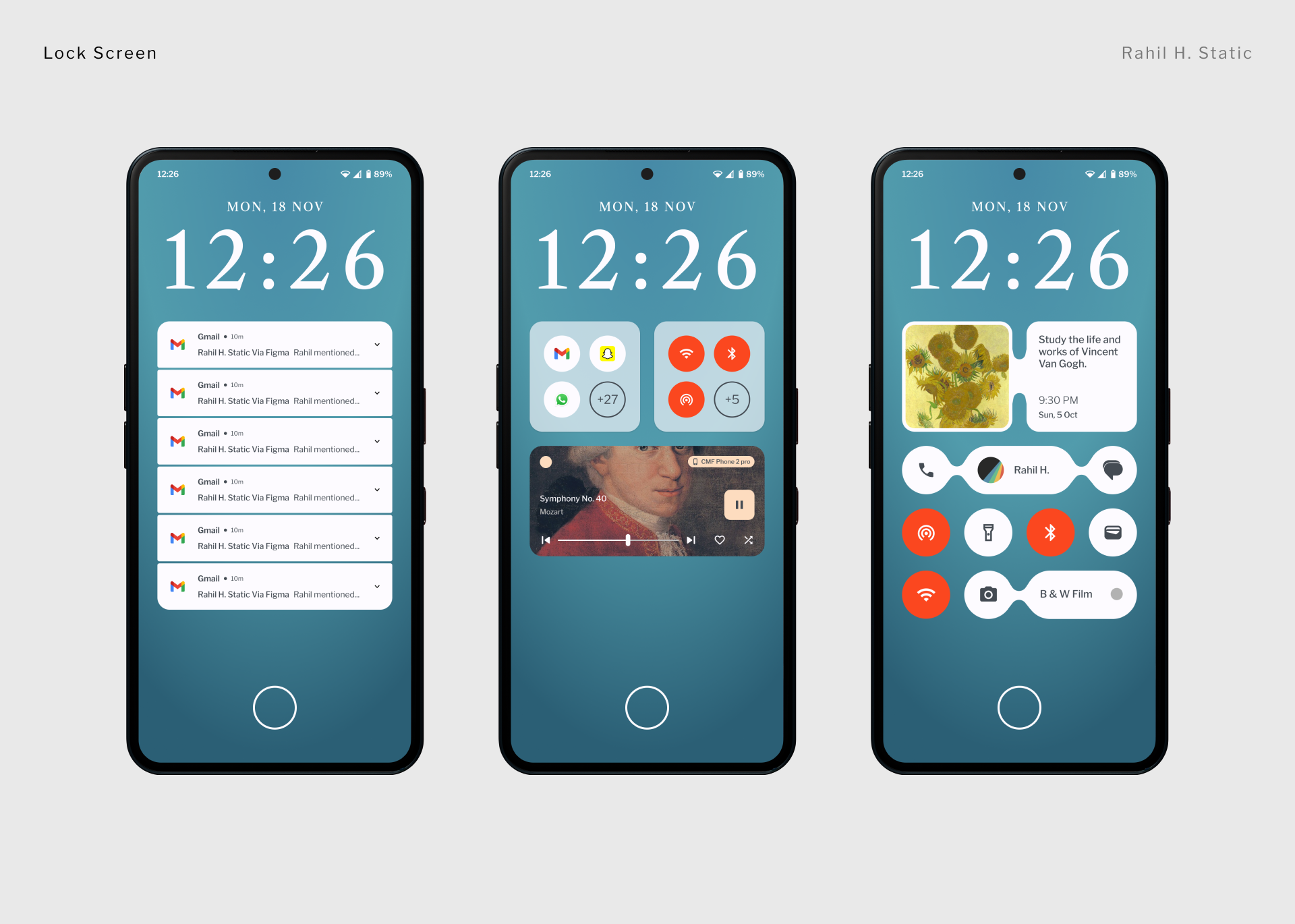
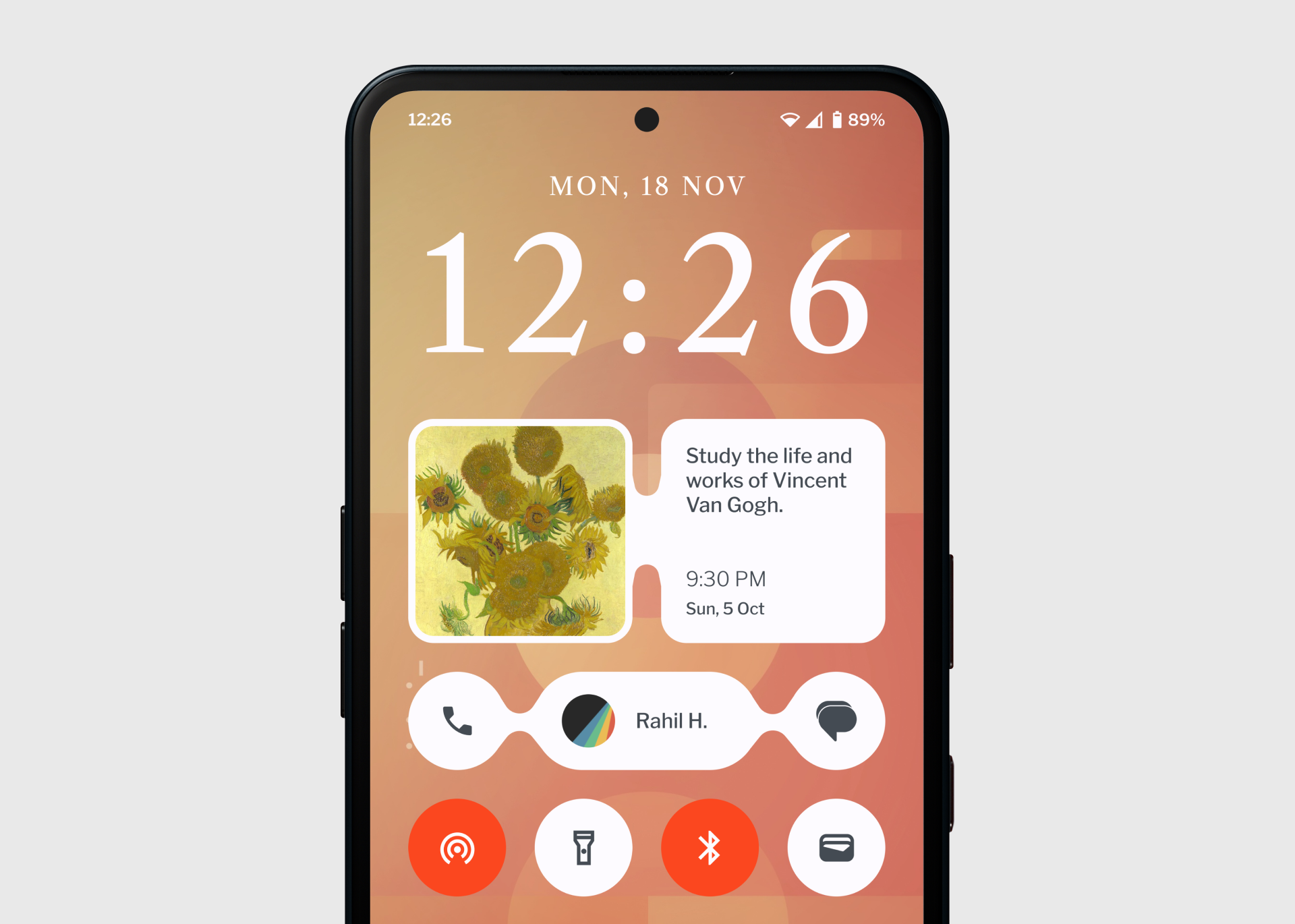
The CMF OS lock screen aims to give users more space for their notifications and lock screen widgets. Each of them have been divided into separate sections, clicking on each they expand into their specific section.
This idea is extremely dynamic, in the absence of notifications, more real estate is given to the widgets. The notification icons expands and shrink based on how many of them there are.
CMF OS Home Screen
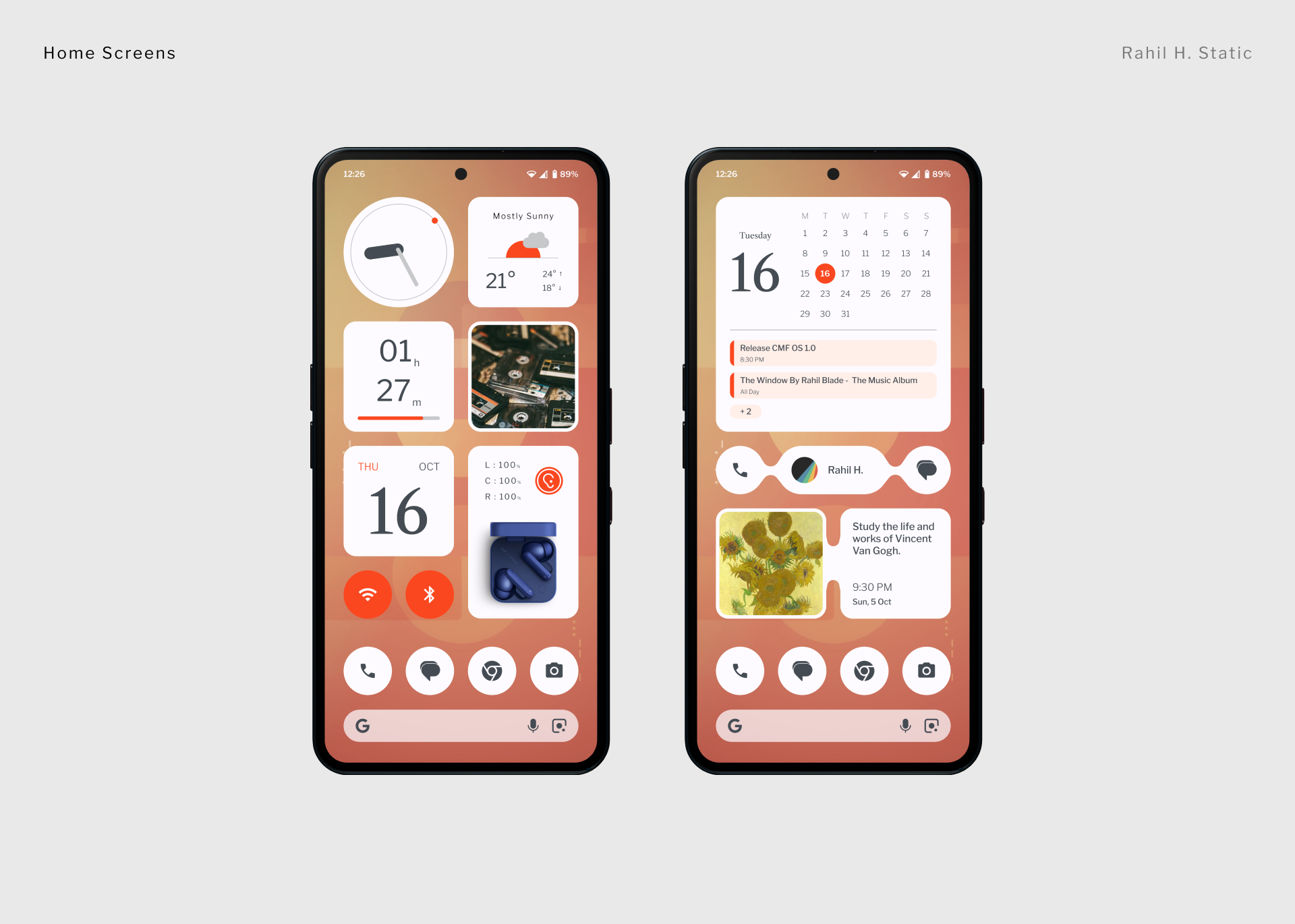
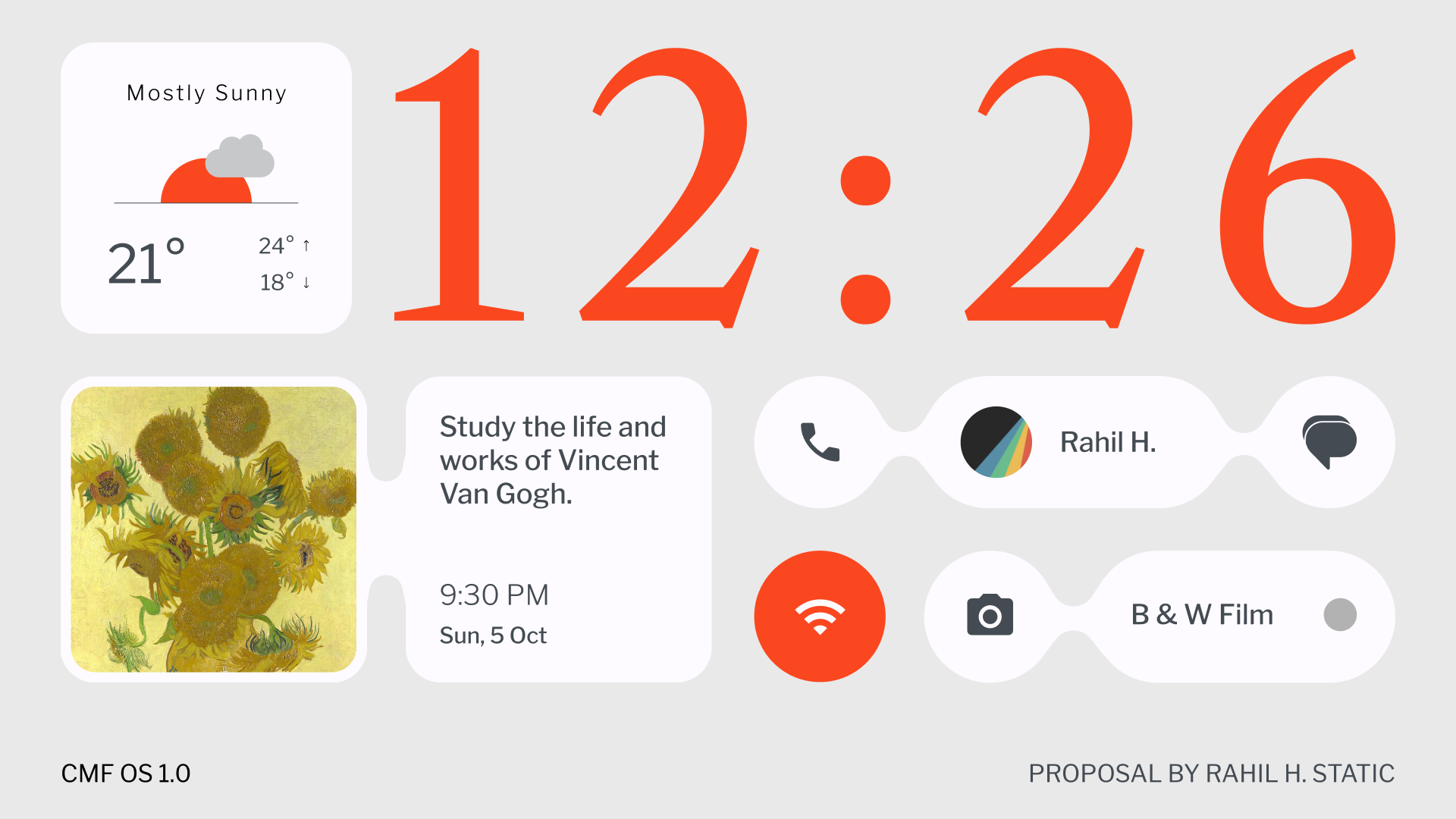
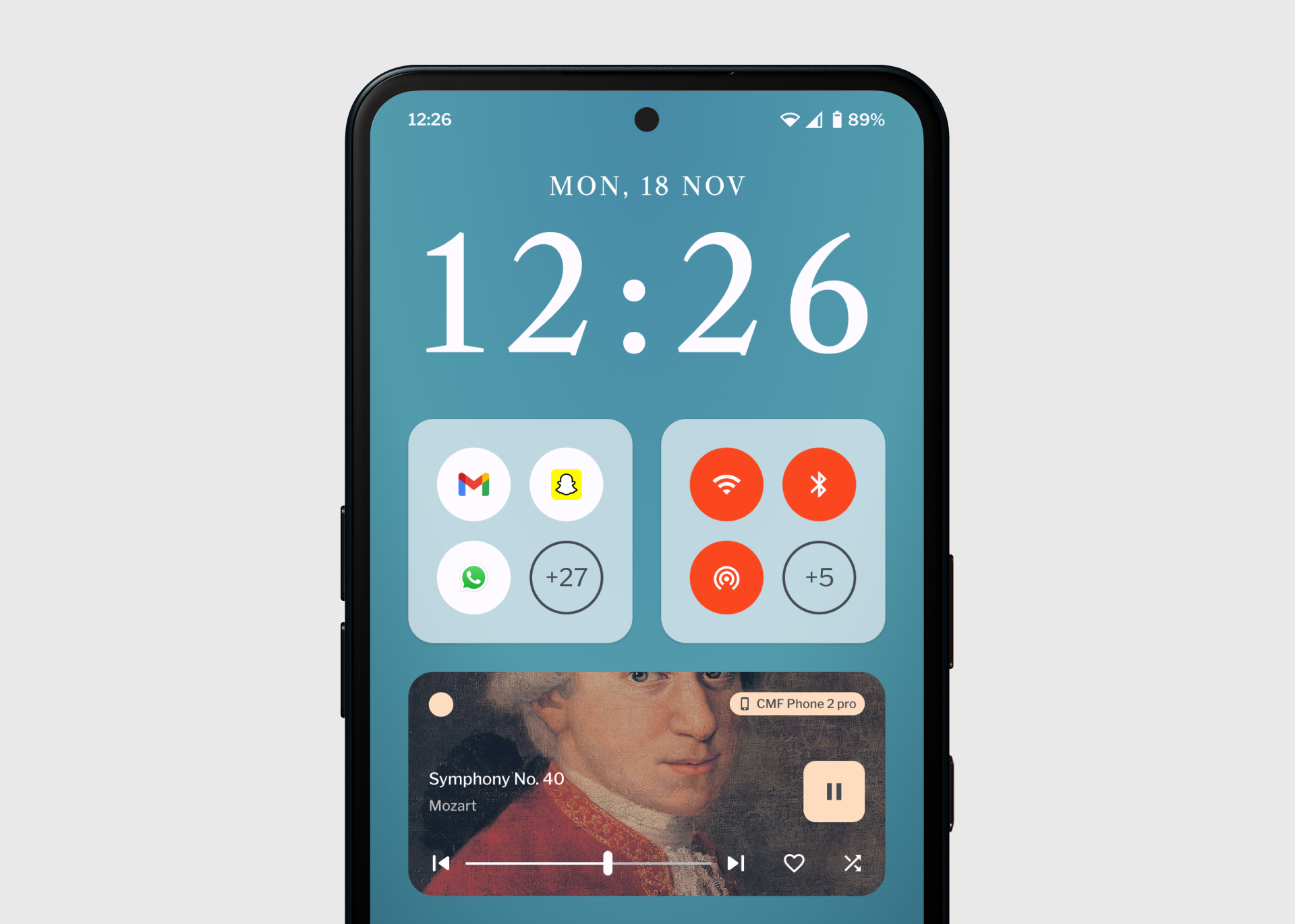
The CMF OS home screen is contained within the same grid as the Nothing OS, but there are tweaks everywhere in terms of fonts, widgets, colors etc.
I have also added 2×3, 4×1 and 4×4 widgets for better flexibility for users to design their home screens how they want.
Displayed above are a few sample screens, containing new widget concepts made entirely to capture CMF’s brand identity. The weather widget is expanded down below.
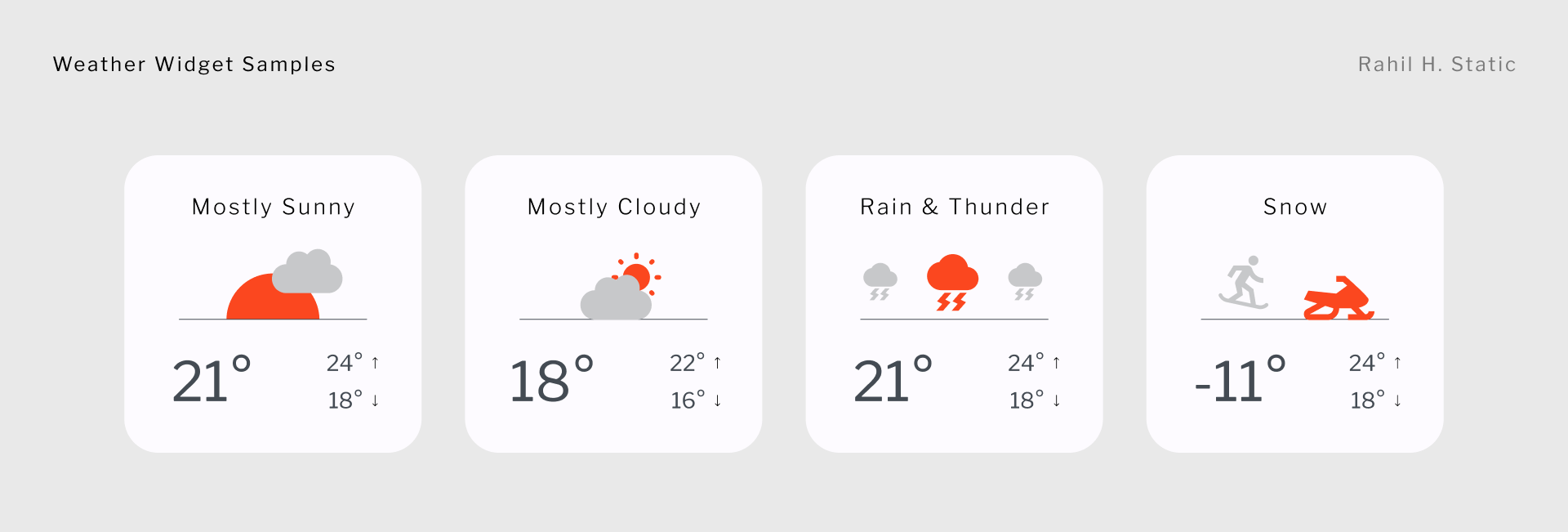
The software experience remains smooth, clean, bloatware free, with ample of customizations focused on meaningful minimalism.
CMF OS App Drawer
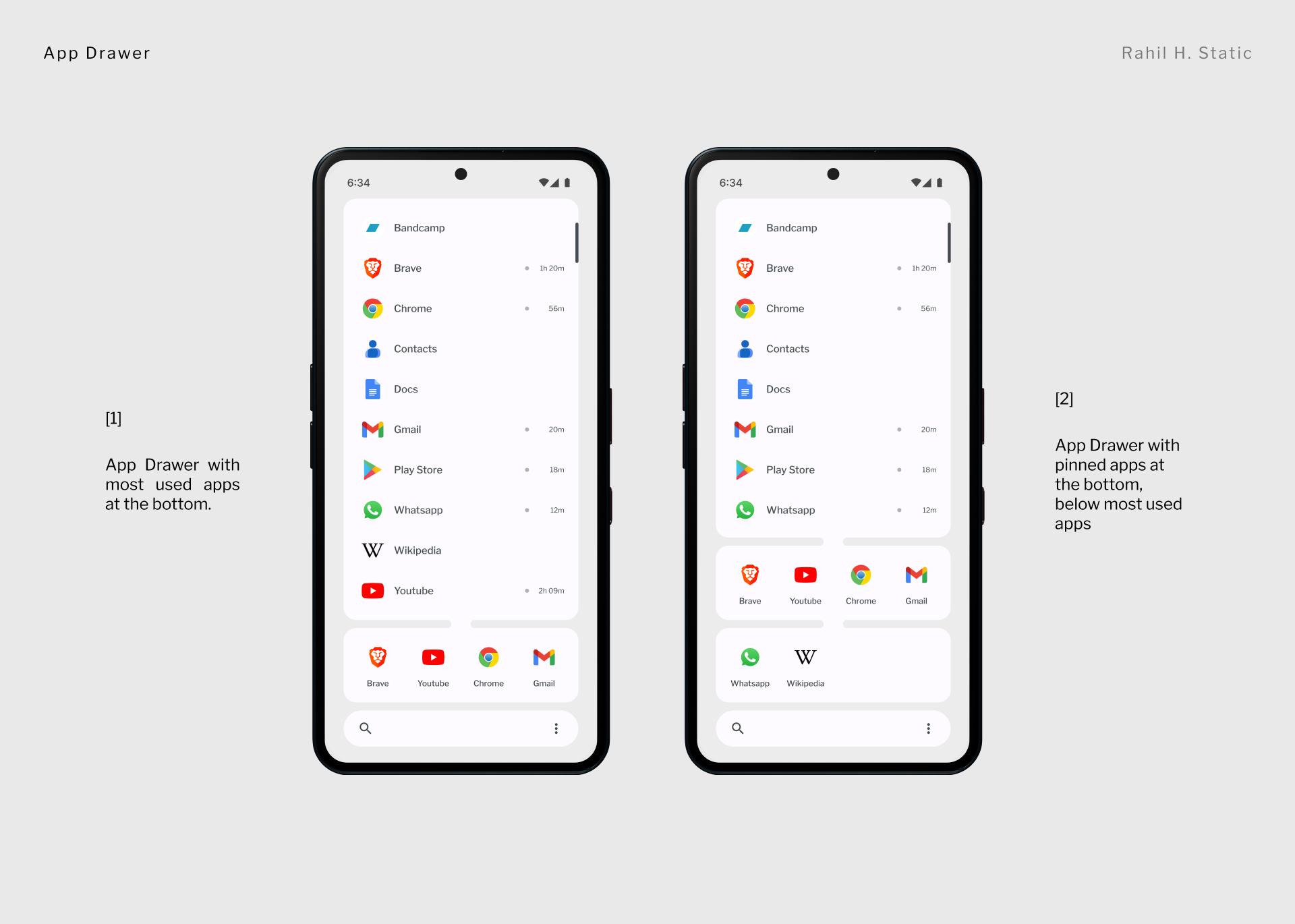
This is an app drawer that I like more than the current one.
Its designed for one handed use with all of your apps resting right above the search bar.
As you can see - screen 1 shows your most used apps and then screen 2 shows that alongside pinned apps. You can change the alignment (left and right) by clicking on the three dots.
The app drawer also emphasizes screen time, alongside each app you can see how much time you have spent with it. This is key as we aim to improve user’s life by allowing them to also immerse in the real world.
CMF OS Quick Setting
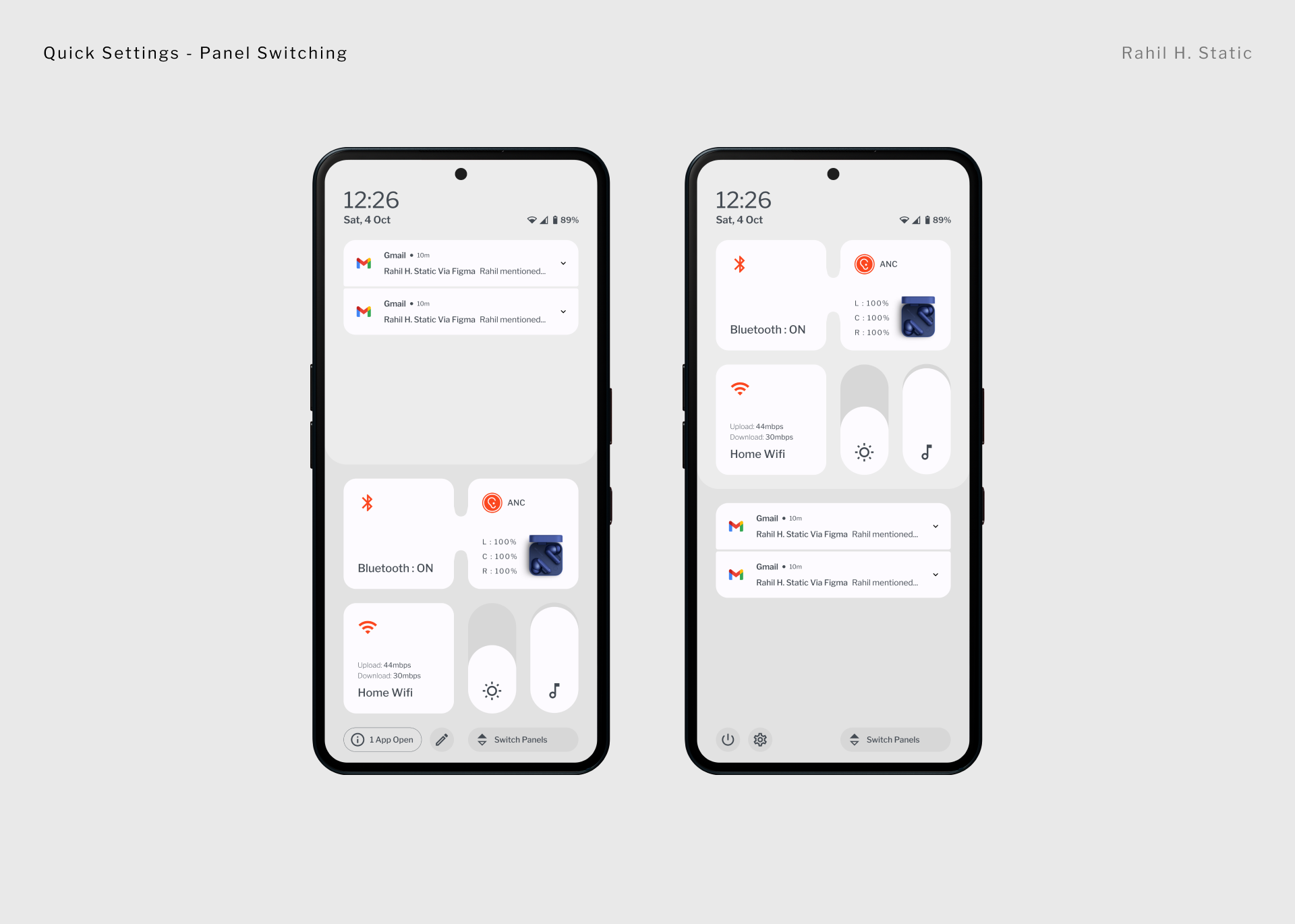
The quick settings have also been changed with more information density, but conveyed in a minimal format.
There is a panel switch button at the bottom that allows you to quickly switch between the notifications and the quick setting panels. This remains constant. Need to change the brightness quickly ? Bring the QS panel to your thumb level.
QS has been designed with one handed and easy use in mind.
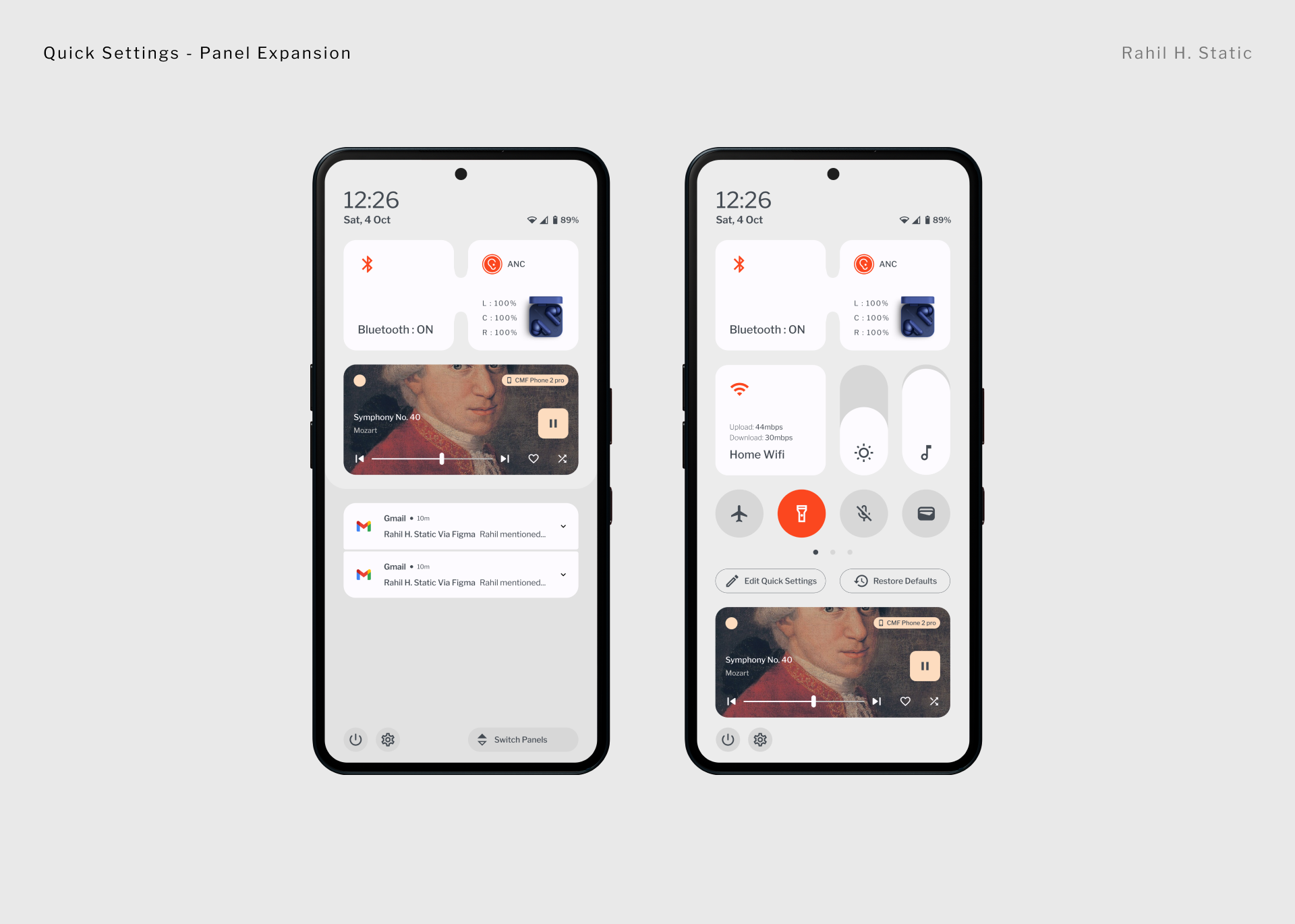
Each panel can be individually expanded, but the use case is limited for notifications and there is more for Quick settings.
Here there is proper label for making adjustments or edits to the content on display or restoring them to defaults. You can also add widgets to the quick settings. The sky is the limit with CMF OS 1.0

Final Notes
There it is - your first look for CMF OS 1.0.
I hope you liked it.
Everything shown here was designed by me, including the wallpapers that you see.
Let me know what you think.
Elsewhere
If you wish to see everything else that I have made for Nothing - Click Me
If you wish to see all my other personal projects around the internet pay a visit to Rahil’s Office
Much love, thanks for being here.
- - Rahil

